
1. Johdanto
This manual provides essential instructions for setting up, operating, maintaining, and troubleshooting your Fastrack Revoltt FS3 Smart Watch. Please read this guide thoroughly to ensure proper use and to maximize the features of your device.
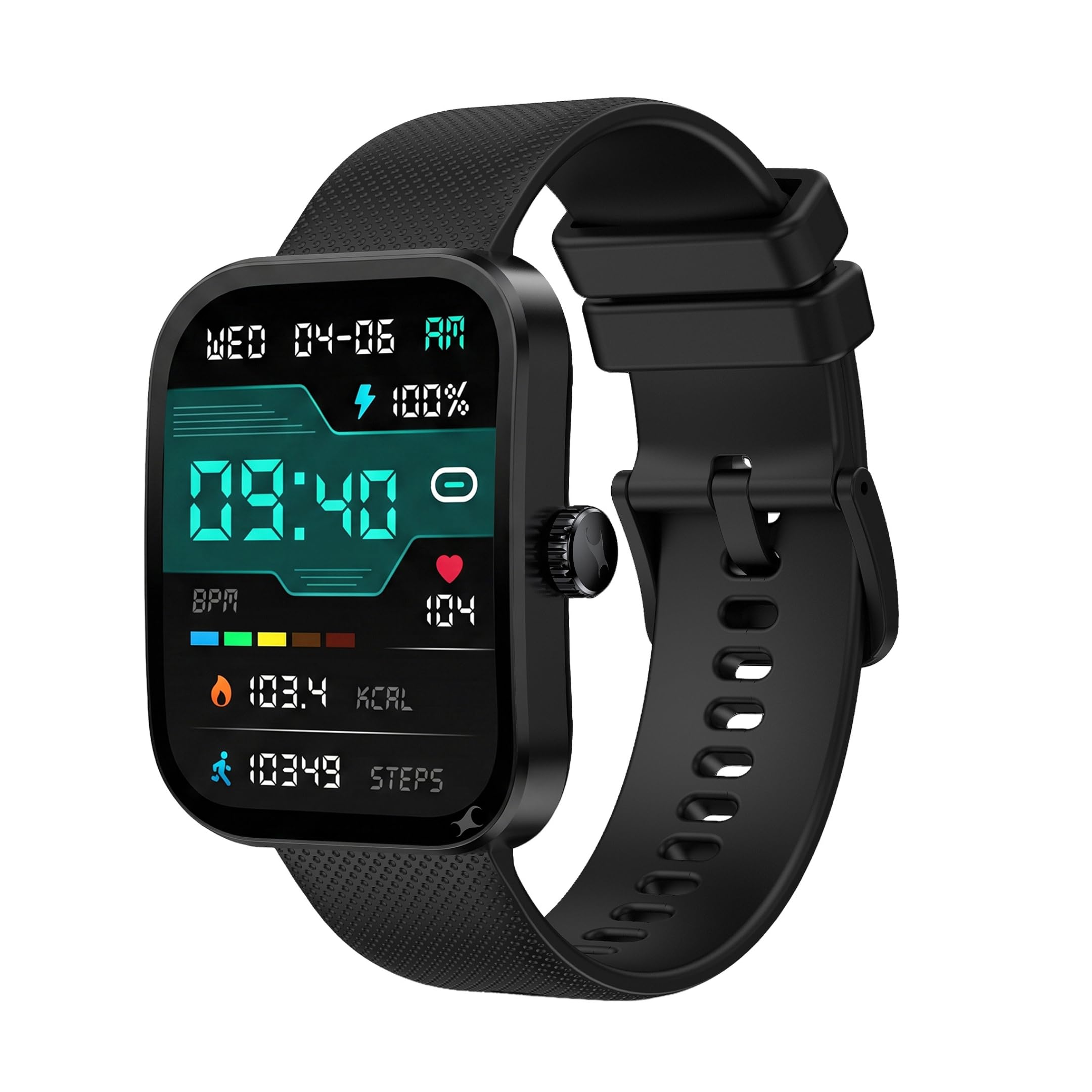
Kuva: Edessä view of the Fastrack Revoltt FS3 Smart Watch.
2. Asennus
2.1 Pakkauksen sisältö
Varmista, että paketti sisältää seuraavat kohteet:
- Fastrack Revoltt FS3 Smart Watch
- Magnetic Charging Cable with Type-C connector
- Pika-aloitusopas
- Takuukortti
2.2 Älykellon lataaminen
Before initial use, fully charge your Fastrack Revoltt FS3 Smart Watch. The watch features Nitrofast™ charging.
- Kytke magneettinen latauskaapeli kellon takana oleviin latausnastoihin.
- Connect the Type-C end of the cable to a compatible USB power adapter (not included).
- Kellon näyttö näyttää latauksen tilan. Täysi lataus kestää yleensä noin 2 tuntia.

Image: Fastrack Revoltt FS3 Smart Watch connected to its magnetic Type-C charging cable.
2.3 Yhdistäminen älypuhelimeen
To access all smart features, pair your watch with the Fastrack Smart World App on your smartphone.
- Lataa Fastrack Smart World App from your smartphone's app store (available for Android and iOS devices).
- Varmista, että Bluetooth on käytössä älypuhelimellasi.
- Open the Fastrack Smart World App and follow the on-screen instructions to add your device.
- Select "Fastrack Revoltt FS3" from the list of available devices to complete the pairing process.

Image: Smartphone displaying the Fastrack Smart World App interface.
3. Älykellon käyttö
3.1 Näyttö ja navigointi
The Fastrack Revoltt FS3 features a 2.01-inch TFT display with 2.5D graphics for clear visuals.
- Kosketusnäyttö: Pyyhkäise vasemmalle, oikealle, ylös tai alas liikkuaksesi valikoissa ja ilmoituksissa. Napauta valitaksesi kohteita.
- Pyörivä kruunu: Kierrä kellon sivussa olevaa kruunua selataksesi luetteloita tai säätääksesi asetuksia. Paina kruunua palataksesi aloitusnäyttöön tai vahvistaaksesi valinnat.
- Paina nappia: Use the push button for quick access to specific functions or to power on/off the device.

Image: Fastrack Revoltt FS3 Smart Watch displaying various menu styles and highlighting the functional rotary crown.

Image: The 2.01-inch UltraVU Curved Display of the Fastrack Revoltt FS3 Smart Watch.
3.2 Terveyden seuranta
The watch provides 24/7 health monitoring features:
- Sykemittari: Seuraa sykettäsi koko päivän.
- SpO2-monitori: Mittaa veresi happisaturaatiotasoja.
- Unen seuranta: Seuraa unirytmiäsi ja -laatuasi.
- Aktiivisuuden seuranta: Tallentaa askeleet, matkan ja poltetut kalorit.
- Stressin seuranta: Antaa tietoa stressitasoistasi.
Access detailed health data and trends through the Fastrack Smart World App.

Image: Fastrack Revoltt FS3 Smart Watch showing its 24/7 Health Suite features.
3.3 Bluetooth-puhelut
Kun kello on yhdistetty älypuhelimeesi, voit soittaa ja vastaanottaa puheluita suoraan kellostasi.
- Access the call log or dial pad from the watch interface.
- Use the built-in microphone and speaker for hands-free communication.
3.4 Smart Features and Tools
The watch includes several useful tools:
- Hälytys: Aseta hälytykset suoraan kelloon tai sovelluksen kautta.
- Sekuntikello: Käytä ajoitusaktiviteetteihin.
- Ajastin: Aseta lähtölaskenta-ajastimet.
- Useita valikkotyylejä: Customize the watch interface by selecting different menu layouts (Grid, List, Waterfall, Circular, Wheel, Zoom).
4. Huolto
4.1 Vedenkestävyys
The Fastrack Revoltt FS3 Smart Watch is IP68 water and dust resistant, allowing it to withstand immersion in water up to 1.5 meters deep. It is suitable for daily use and activities like swimming in shallow water. However, it is not recommended for diving or high-pressure water activities.
4.2 Puhdistus
To maintain your watch, clean it regularly:
- Wipe the display and watch body with a soft, damp, nukkaamaton kangas.
- Silikonirannekkeen kanssa voit käyttää mietoa saippuaa ja vettä, huuhdella sen huolellisesti ja kuivata.
- Vältä voimakkaiden kemikaalien tai hankaavien materiaalien käyttöä, sillä ne voivat vahingoittaa kelloa.

Image: Close-up of the Fastrack Revoltt FS3 Smart Watch's cross-grid pattern silicone strap.
4.3 Akun hoito
Pidennä akun käyttöikää seuraavasti:
- Vältä äärimmäisiä lämpötiloja.
- Lataa kello täyteen ennen pitkiä käyttämättömyysjaksoja.
- Älä jätä kelloa lataamatta pitkiä aikoja.
5. Vianmääritys
If you encounter issues with your Fastrack Revoltt FS3 Smart Watch, refer to the following common solutions:
| Ongelma | Mahdollinen ratkaisu |
|---|---|
| Watch does not power on or charge. |
|
| Ei voi muodostaa pariliitosta älypuhelimen kanssa. |
|
| Health monitoring data appears inaccurate. |
|
| Time cannot be set manually. | The watch synchronizes time automatically with your paired smartphone. Ensure your watch is correctly paired and connected to the Fastrack Smart World App for accurate time display. |
| Stopwatch does not run in the background. | Some watch functions, such as the stopwatch, may require the display to remain active to function continuously. Refer to the app for any settings related to background activity for specific features. |
6. Tekniset tiedot
| Ominaisuus | Yksityiskohta |
|---|---|
| Mallin nimi | Fastrack Revoltt FS3 |
| Mallinumero | 38207PP01K |
| Näyttö | 2.01-inch TFT Display with 2.5D Graphics |
| Maximum Display Brightness | 400 Nit |
| Käyttöjärjestelmä | Älykellon käyttöjärjestelmä |
| Yhteydet | Bluetooth |
| Akun tyyppi | Litiumpolymeeri |
| Akun kapasiteetti | 300 mAh |
| Keskimääräinen akun käyttöikä | Jopa 5 päivää |
| Akun latausaika | Noin 2 tuntia |
| Mitatut terveysmittarit | Heart Rate, SpO2, Sleep Duration, Stress |
| Vedenkestävyys | IP68 (Water Resistant up to 1.5 meters) |
| Kotelon materiaali | Muovi |
| Bandin materiaali | Silikoni |
| Tuotteen paino | 45 grammaa |
| Ihmisen käyttöliittymän syöttö | Mikrofoni, Kosketusnäyttö |
| Ohjaimen tyyppi | Ääniohjaus |
| Yhteensopivat laitteet | Älypuhelimet (Android, iOS) |
7. Takuu ja tuki
7.1 Takuutiedot
The Fastrack Revoltt FS3 Smart Watch comes with a 1 vuoden valmistajan takuu ostopäivästä lukien. Tämä takuu kattaa valmistusvirheet. Säilytä ostokuitti ja takuukortti mahdollisia takuuvaatimuksia varten.
Takuu ei kata vahinkoja, jotka johtuvat väärinkäytöstä, onnettomuuksista, luvattomista korjauksista tai normaalista kulumisesta.
7.2 Asiakastuki
For technical assistance, warranty claims, or product inquiries, please contact Fastrack customer support. You can find contact details on the official Fastrack websivustolta tai katso pakkauksessa olevaa takuukorttia.
Valmistaja: Titan Company Limited, 3 Sipcot Industries complex, Hosur- 635126, India.