
Johdanto
This manual provides essential information for the safe and efficient use of your Xiaomi 55-inch 4K UHD Smart Quantum MagiQ S Mini LED Google TV. Please read these instructions thoroughly before operating the device and retain them for future reference.
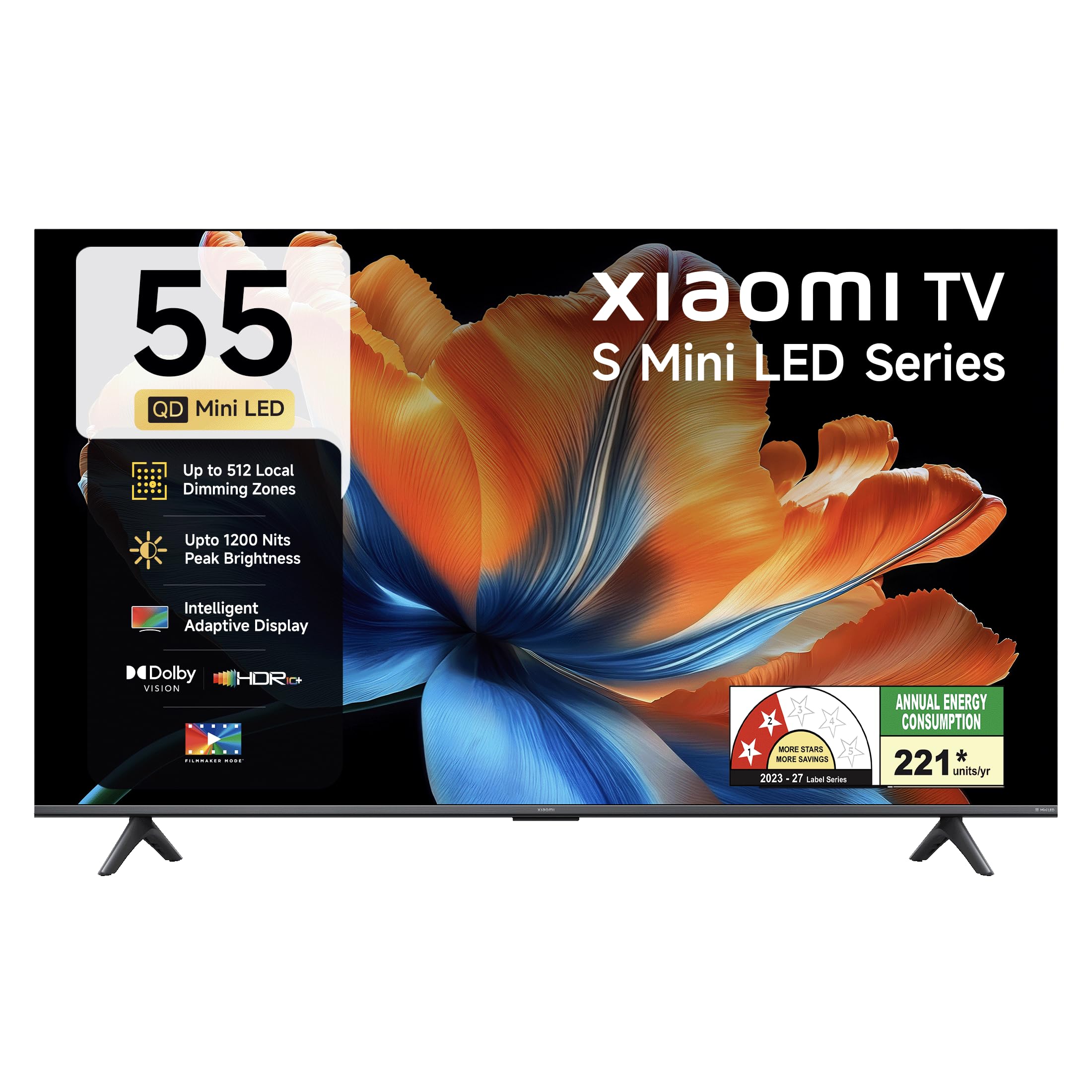
Kuva: Edessä view of the Xiaomi 55-inch 4K UHD Smart Quantum MagiQ S Mini LED Google TV, showcasing sen ohut kehysrakenne.
Asennusopas
1. Purkaminen pakkauksesta ja mukana toimitetut osat
Carefully remove all items from the packaging. Ensure all components listed below are present and undamaged.

Image: Contents of the product box, including the TV unit, remote control, user manual, two stand units, four screws, two AAA batteries, and a power cord.
- 1 LED-televisioyksikkö
- 1 Kaukosäädin
- 1 Käyttöopas (tämä asiakirja)
- 2 jalustayksikköä
- 4 ruuvia jalustan asennusta varten
- 2 AAA-paristoa (kaukosäätimeen)
- 1 Virtajohto
2. Jalustan asennus tai seinäkiinnitys
Your television supports both table-top stand installation and wall mounting. Choose the method suitable for your environment.
- Jalustan asennus: Attach the two provided stand units to the bottom of the TV using the four screws. Ensure they are securely fastened.
- Seinäkiinnitykseen: Use a compatible VESA wall mount (sold separately). Follow the instructions provided with your wall mount kit. Ensure the wall can support the TV's weight.
3. Ulkoisten laitteiden liittäminen
Connect your external devices such as set-top boxes, gaming consoles, or audio systems to the TV's ports.

Kuva: Takaosa view of the TV highlighting connectivity ports: Optical, Earphone, AV In, 3 HDMI ports (one with eARC), 2 USB 2.0 ports, Antenna, and Ethernet.
- HDMI-portit (x3): Connect gaming consoles, Blu-ray players, or set-top boxes. One port supports eARC for enhanced audio return channel functionality.
- USB-portit (x2): Liitä USB-tallennuslaitteet median toistoa varten.
- Ethernet-portti: Kiinteää internetyhteyttä varten.
- Optinen lähtö: Ulkoisiin äänijärjestelmiin liittämistä varten.
- AV-tulo: Vanhempien laitteiden liittämiseen komposiittivideon ja stereoäänen avulla.
- Antenni: For connecting a terrestrial or cable antenna.
4. Ensimmäinen käynnistys ja asennus
After connecting all necessary cables, plug the power cord into an electrical outlet. Press the power button on the remote control or the TV to turn it on. Follow the on-screen instructions for initial setup, which typically includes:
- Kielen valinta
- Verkkoyhteys (Wi-Fi tai Ethernet)
- Google-tilille kirjautuminen
- Kanavien skannaus
Operating Your Xiaomi Smart TV
1. Kaukosäätimen toiminnot
Mukana toimitettavalla kaukosäätimellä voi käyttää kaikkia television toimintoja. Aseta kaksi AAA-paristoa kaukosäätimeen varmistaen oikean napaisuuden.

Image: Xiaomi remote control, featuring dedicated quick access buttons for popular streaming services and Google Assistant voice control.
- Virtapainike: Kytkee television päälle tai pois päältä.
- Google Assistant -painike: Aktivoi ääniohjauksen sisällön hakemiseen, älykotilaitteiden hallintaan ja muuhun.
- Navigointialusta: Käytetään valikoissa navigointiin ja kohteiden valitsemiseen.
- Äänenvoimakkuus ylös/alas: Säätää äänenvoimakkuutta.
- Kanava ylös/alas: Vaihtaa TV-kanavia.
- Pikakäyttöpainikkeet: Dedicated buttons for Netflix, Prime Video, YouTube, Disney+ Hotstar, SonyLIV, and Live TV.
- Mykistyspainike: Mykistää television äänen.
2. Google TV Interface and Applications
Your TV runs on the Android 14 OS with Google TV, offering a personalized content experience. Access a wide range of applications from the Google Play Store.

Image: The PatchWall interface, providing customized content recommendations and curation from various streaming platforms.
- Content First -käyttöliittymä: Organizes content from all your streaming services in one place.
- Personal Profiles: Luo yksilöllinen ammattilainenfiles for personalized recommendations.
- Tuetut sovellukset: Pre-installed and downloadable apps include Netflix, Prime Video, YouTube, Zee5, JioCinema, SonyLiv, and more.
- Google Assistant: Use voice commands for navigation, search, and smart home control.
3. Kuva- ja ääniasetukset
Optimoi omasi viewkuuntelukokemusta erilaisten kuva- ja äänitilojen avulla.
Kuva-asetukset:
- Elokuvantekijätila: Disables post-processing effects to display content as intended by the director.
- Dolby Vision: Enhances HDR content with dynamic metadata for optimized image quality frame by frame.
- HDR10+: Uses dynamic data to enhance every frame, providing an immersive viewkokemusta.
- Silmien mukavuustila: Reduces blue light and flicker for a more comfortable viewkokemusta.
- MEMC-moottori: Liikkeen arviointi- ja liikkeenkompensointitekniikka sulavampaa liikettä varten nopeatempoisissa kohtauksissa.
- AI Picture Optimization Engine: Advanced AI algorithms analyze content in real-time to enhance clarity, contrast, and color reproduction.

Image: Filmmaker Mode, designed to preserve original colors, contrast, and motion for an authentic cinematic experience.

Image: Dolby Vision technology, optimizing image quality with deeper blacks and brighter highlights.

Image: HDR10+ dynamic frame-by-frame tuning, ensuring consistent detail across dark and bright scenes.

Image: Eye Care Mode, providing flicker-free visuals with DC Dimming and reduced blue light for comfortable viewing.
Ääniasetukset:
- 34 watin teho: Powerful built-in box speakers.
- Dolby Audio: Tarjoaa rikkaan, selkeän ja tehokkaan äänen.
- DTS-X ja DTS Virtual:X: Tarjoaa mukaansatempaavan, moniulotteisen äänen.
- Xiaomin ääni: Preset audio configurations developed for optimal sound quality.

Image: Xiaomi Sound, offering tailored audio experiences through expert-developed configurations.
4. Yhteydet ja suoratoisto
Your TV offers versatile connectivity options for seamless streaming and device integration.
- Kaksikaistainen Wi-Fi: Connects to 2.4GHz and 5GHz wireless networks.
- Bluetooth: Liitä langattomat kuulokkeet, kaiuttimet tai muut Bluetooth-lisävarusteet.
- Google Cast Built-in: Stream content directly from compatible apps on your smartphone or tablet.
- Apple AirPlay 2: Suoratoista sisältöä Apple-laitteista.
- Miracast: Mirror your Android device's screen wirelessly.

Image: Stream content from your phone using Google Cast or Apple AirPlay 2.
Hoito ja huolto
Asianmukainen hoito varmistaa televisiosi pitkän käyttöiän ja optimaalisen suorituskyvyn.
- Näytön puhdistus: Pyyhi näyttö varovasti pehmeällä, nukkaamattomalla liinalla. Pinttyneisiin tahroihin käytä näytönpuhdistusliuosta, jota levität liinaan, älä suoraan näyttöön.
- Kehon puhdistus: Wipe the TV's frame and back panel with a soft, dry cloth. Avoid abrasive cleaners or solvents.
- Ilmanvaihto: Varmista riittävä ilmankierto television ympärillä. Älä tuki tuuletusaukkoja.
- Virta pois: Sammuta aina televisio ja irrota se pistorasiasta ennen puhdistamista tai jos sitä ei käytetä pitkään aikaan.
- Ohjelmistopäivitykset: Tarkista ja asenna ohjelmistopäivitykset säännöllisesti varmistaaksesi optimaalisen suorituskyvyn ja tietoturvan.
Yleisten ongelmien vianmääritys
Refer to this section for solutions to common operational problems.
| Ongelma | Ratkaisu |
|---|---|
| TV ei käynnisty | Ensure the power cord is securely plugged into both the TV and a working electrical outlet. Check if the power outlet is active. Try pressing the power button on the TV itself. |
| Ei kuvaa, mutta ääni kuuluu | Check the input source. Ensure the connected device (e.g., set-top box) is turned on and functioning. Try a different HDMI cable or port. |
| Ei ääntä, mutta kuva näkyy | Check the volume level and ensure the TV is not muted. Verify audio output settings (e.g., internal speakers, external sound system). Check audio cables for external devices. |
| Kaukosäädin ei vastaa | Replace the AAA batteries in the remote control. Ensure there are no obstructions between the remote and the TV. Re-pair the Bluetooth remote if necessary (refer to TV settings). |
| Ei voi muodostaa yhteyttä Wi-Fi-verkkoon | Ensure your Wi-Fi router is on and working. Re-enter the Wi-Fi password. Try restarting both the TV and the router. Check if other devices can connect to the Wi-Fi network. |
Tekniset tiedot
Detailed specifications for the Xiaomi 55-inch 4K UHD Smart Quantum MagiQ S Mini LED Google TV (Model L55MC-IN).

Image: Physical dimensions and weight of the Xiaomi 55-inch TV, both with and without the stand.
| Ominaisuus | Erittely |
|---|---|
| Mallinumero | L55MC-IN |
| Näytön koko | 55 tuumaa (138 cm) |
| Näyttötekniikka | Mini LED |
| Resoluutio | 4K Ultra HD (3840 2160 x XNUMX XNUMX) |
| Päivitystaajuus | 60 Hz (DLG 120 Hz) |
| Huippukirkkaus | Jopa 1200 nitiä |
| Käyttöjärjestelmä | Android 14 OS with Google TV |
| RAM | 2GB |
| ROM (sisäinen tallennustila) | 32 Gt |
| Äänilähtö | 34 wattia |
| Äänitekniikat | Dolby Audio, DTS-X, DTS Virtual:X |
| Yhteydet | Dual Band Wi-Fi, Bluetooth, 3 HDMI (1 eARC), 2 USB, Optical, Ethernet, AV In |
| Näytön peilaus | Google Cast, Apple AirPlay 2, Miracast |
| Erikoisominaisuudet | Filmmaker Mode, MEMC, Eye Comfort Mode, AI Picture Optimization Engine |
| Tuotteen mitat (S x L x K) | 31.2D x 31.2W x 76.9H Centimeters (with stand) |
| Item Weight Without Stand | 11.6 kiloa |
| Virrankulutus | 230 wattia |
| Alkuperämaa | Intia |
Takuutiedot
Your Xiaomi TV comes with a comprehensive warranty provided by the brand from the date of purchase.
- Vakiotakuu: 3-year comprehensive warranty for non-prebook customers (purchases between April 22nd - May 31st).
- Pre-book Customer Warranty: 4-year comprehensive warranty for pre-book customers (purchases between April 22nd - April 30th).
Warranty claims can be made using your Amazon invoice as proof of purchase. For detailed terms and conditions, please refer to the official Xiaomi warranty policy or contact customer support.
Asiakastuki
For any assistance, service requests, or queries regarding your Xiaomi TV, please contact Xiaomi customer support.

Kuva: Yliview of Xiaomi's customer support commitments, including quick installation, prompt call-backs, and swift doorstep solutions.
- Asennuspalvelut: New TV installations are typically completed within 3 hours of your appointment.
- Service Requests: Tukitiimi soittaa sinulle takaisin 60 minuutin kuluessa kaikista palvelupyynnöistä.
- Paikan päällä oleva tuki: Experts aim to arrive at your home within 24 hours of your service request.
Please visit the official Xiaomi India websivustolta tai katso tuotepakkauksessa olevat yhteystiedot saadaksesi ajantasaisimmat tukitiedot.