
1. Johdanto
Welcome to the OPPO K14 5G Smartphone user manual. This guide provides comprehensive instructions to help you set up, operate, and maintain your new device. Please read this manual thoroughly to ensure optimal performance and longevity of your smartphone.
2. Tuote ohiview
The OPPO K14 5G is a high-performance smartphone designed for daily use, gaming, and content creation. It features a durable design, a powerful 7000 mAh battery, 6GB RAM, 128GB internal storage, and a SuperCool VC System for efficient thermal management.
2.1 Laitteen osat
- Näyttö: Large, vibrant screen for immersive viewing.
- Takakamerat: Dual AI camera system for high-quality photography.
- Etukamera: Selfieitä ja videopuheluita varten.
- Virtapainike: Sivussa sijaitseva, käytetään virran kytkemiseen/katkaisemiseen ja näytön lukitsemiseen.
- Äänenvoimakkuuspainikkeet: Located on the side, used to adjust audio levels.
- USB-C-portti: Lataamiseen ja tiedonsiirtoon.
- SIM/SD-korttipaikka: SIM-korttien asettamiseen ja laajennettavaan tallennustilaan.
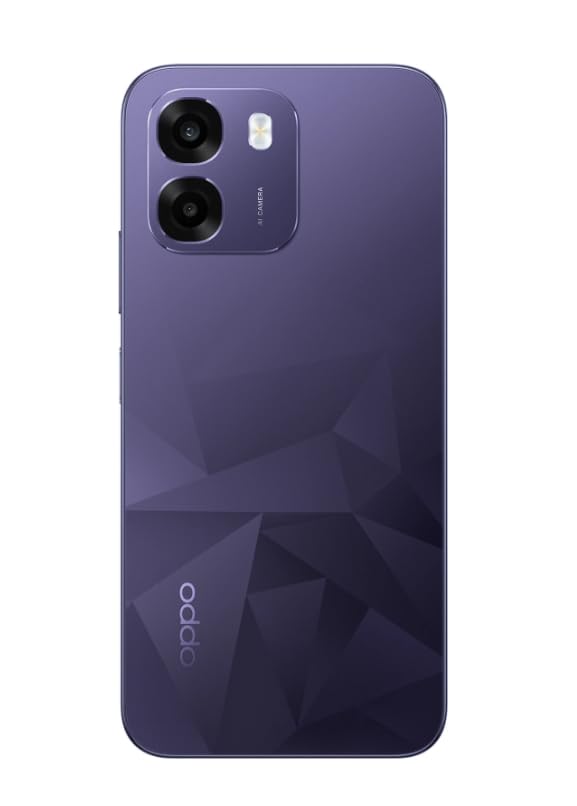
Kuva: Takaosa view of the OPPO K14 5G Smartphone, showcasing the dual camera setup and geometric pattern in Prism Violet.
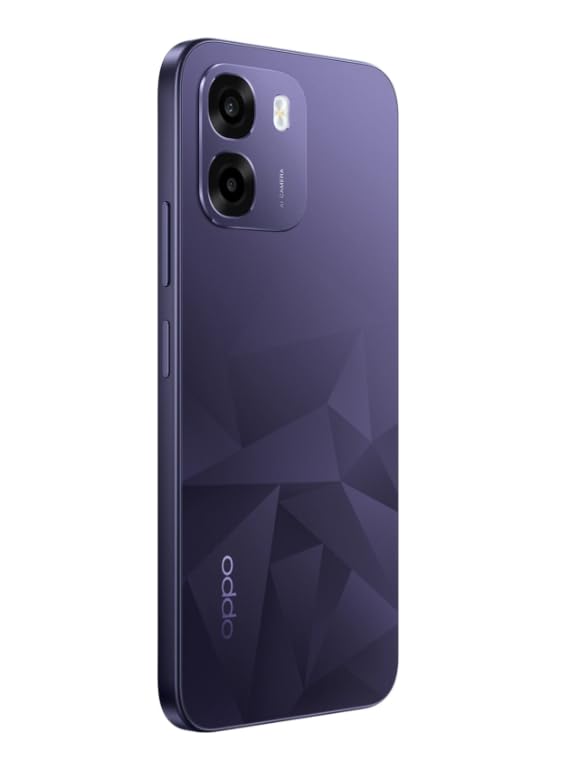
Kuva: Sivu view of the OPPO K14 5G Smartphone, highlighting the slim profile ja nappien sijoittelu.
3. Asennus
3.1 SIM/SD-kortin asettaminen
- Etsi SIM-/SD-korttipaikka laitteen sivusta.
- Aseta SIM-kortin poistotyökalu pieneen reikään alustan vieressä ja paina varovasti, kunnes alusta ponnahtaa ulos.
- Aseta Nano-SIM-korttisi ja/tai microSD-korttisi korttipaikkaan kultaiset koskettimet alaspäin. Varmista, että ne ovat oikein paikallaan.
- Aseta lokero varovasti takaisin puhelimeen.
3.2 Ensimmäinen käynnistys ja asennus
- Pidä virtapainiketta painettuna, kunnes OPPO-logo tulee näkyviin.
- Valitse kieli ja alue, muodosta yhteys Wi-Fi-verkkoon ja määritä Google-tilisi noudattamalla näytön ohjeita.
- You can transfer data from an old device during this process or skip it for later.
3.3 Laitteen lataaminen
Before first use, it is recommended to fully charge your OPPO K14 5G. Connect the USB-C cable to the phone's charging port and the other end to a compatible power adapter. The device supports 45W fast charging.
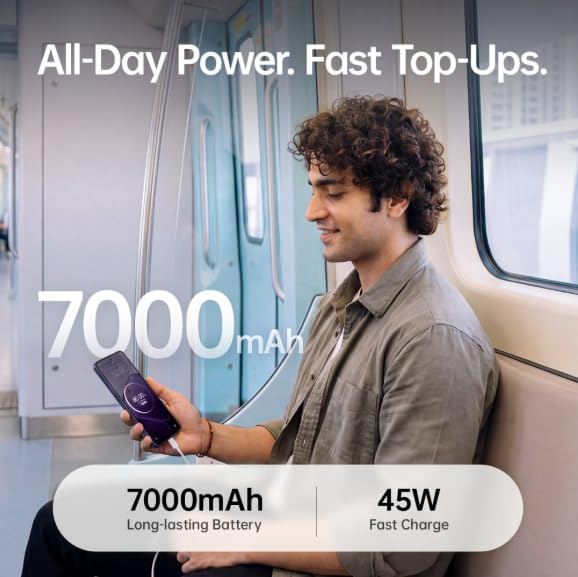
Image: The OPPO K14 5G highlighting its 7000mAh long-lasting battery and 45W fast charge capability.
4. Käyttöohjeet
4.1 Perusnavigointi
- Kosketa: Napauta valitaksesi kohteita, avataksesi sovelluksia tai vahvistaaksesi toimintoja.
- Pyyhkäise: Liikuta sormeasi näytön poikki vierittääksesi, vaihtaaksesi aloitusnäyttöjen välillä tai navigoidaksesi sovelluksissa.
- Hyppysellinen: Lähennä tai loitonna valokuvia kahdella sormella ja web sivuja.
- Eleet: Customize navigation gestures in Settings for a fluid experience. The 120Hz display ensures smooth motion.
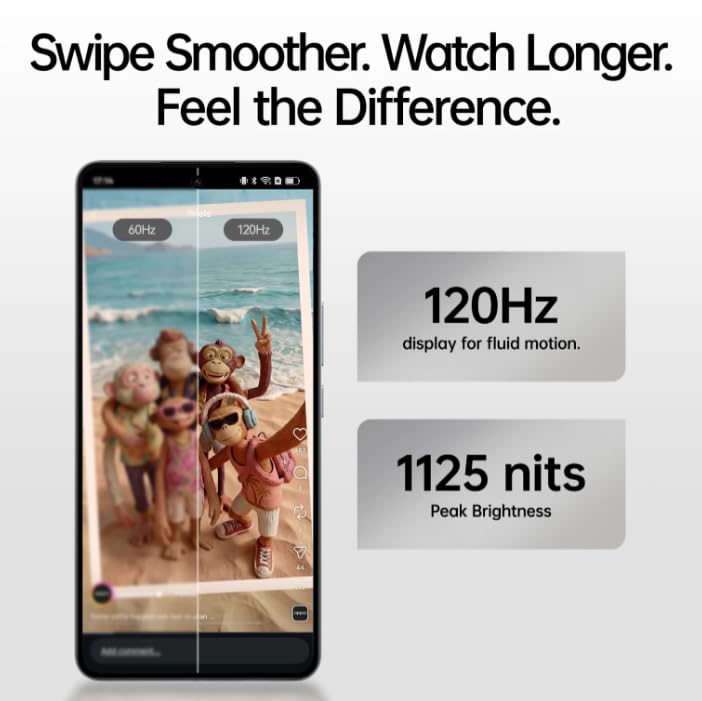
Image: The OPPO K14 5G display showcasing 120Hz for fluid motion and 1125 nits peak brightness.
4.2 Puhelut ja viestit
- Soittaminen: Avaa Puhelin-sovellus, anna numero ja napauta puhelukuvaketta.
- Viestien lähettäminen: Avaa Viestit-sovellus, aloita uusi keskustelu napauttamalla ja kirjoita vastaanottaja ja viestisi.
4.3 Verkkoyhteydet
The OPPO K14 5G supports 5G connectivity for fast internet speeds. Ensure your SIM card supports 5G and that you are in a 5G coverage area. You can manage Wi-Fi and mobile data settings in the Settings app.
5. Kameran käyttö
Your OPPO K14 5G is equipped with a dual AI camera system designed to capture sharp and detailed photos in various conditions. The main camera is 50MP.
5.1 Valokuvien ja videoiden ottaminen
- Avaa Kamera-sovellus.
- Valitse haluamasi tila (valokuvaus, video, muotokuva, yökuvaus jne.).
- Napauta laukaisinta ottaaksesi valokuvan tai aloittaaksesi/lopettaaksesi videotallennuksen.
- Use the zoom controls or switch between lenses as needed.
6. Akun hallinta
The OPPO K14 5G features a large 7000 mAh battery, providing extended usage time. To maximize battery life:
- Säädä näytön kirkkautta.
- Sulje taustalla toimivat käyttämättömät sovellukset.
- Ota virransäästötilat käyttöön, kun akun varaus on vähissä.
- Vältä äärimmäisiä lämpötiloja.
7. Suorituskyky ja jäähdytys
The device is engineered for smooth performance with 6GB RAM and is equipped with a SuperCool VC System. This system includes a 3900 mm² vapour chamber cooling area, which effectively dissipates heat during intensive tasks like gaming, ensuring sustained performance without overheating.
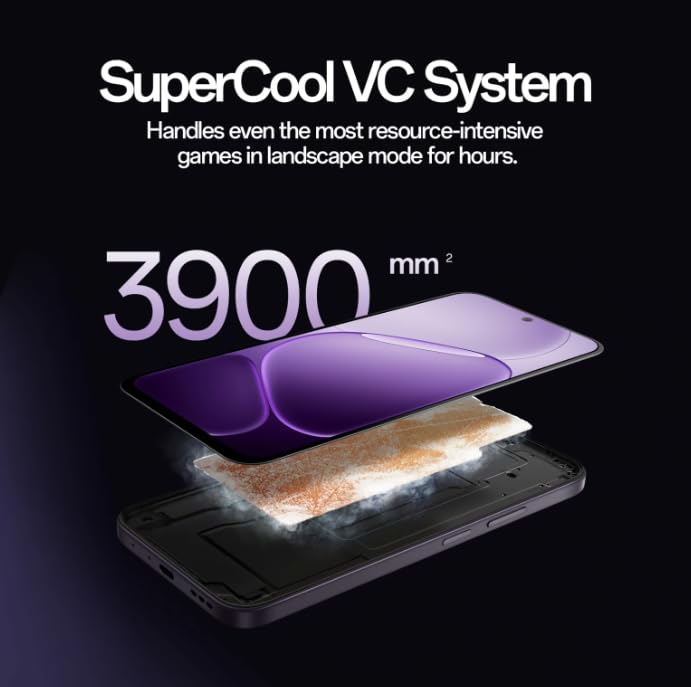
Image: Diagram illustrating the SuperCool VC System with its 3900 mm² vapour chamber, designed to prevent overheating during extended use.
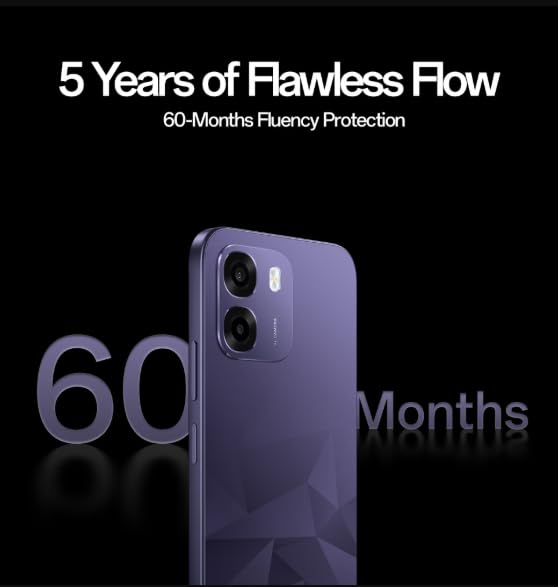
Image: The OPPO K14 5G promoting 60-Months Fluency Protection for long-term smooth performance.
8. Huolto
8.1 Laitteen puhdistaminen
Use a soft, lint-free cloth to clean the screen and body of your phone. Avoid using harsh chemicals or abrasive materials. The device offers IP69 all-weather protection.
8.2 Ohjelmistopäivitykset
Regularly check for and install software updates to ensure your device has the latest features, security patches, and performance improvements. Go to Settings > About device > Software update.
8.3 Tietojen varmuuskopiointi
Varmuuskopioi tärkeät tietosi (valokuvat, yhteystiedot, asiakirjat) säännöllisesti pilvipalveluun tai tietokoneelle tietojen menetyksen estämiseksi.
9. Vianmääritys
If you encounter issues with your OPPO K14 5G, try the following steps:
- Laite ei käynnisty: Varmista, että akku on ladattu. Liitä laturiin vähintään 15 minuutiksi ennen kuin yrität käynnistää laitteen.
- Sovellusten kaatuminen/jäätyminen: Sulje sovellus ja avaa se uudelleen. Jos ongelma jatkuu, tyhjennä sovelluksen välimuisti (Asetukset > Sovellukset > [Sovelluksen nimi] > Tallennustila > Tyhjennä välimuisti).
- Network Issues (5G/Wi-Fi): Check if Airplane Mode is off. Restart your phone. For Wi-Fi, try forgetting the network and reconnecting. For 5G, ensure you have coverage and your SIM is active.
- Hidas suorituskyky: Sulje taustasovellukset, tyhjennä välimuisti tai käynnistä laite uudelleen.
- Tehdasasetusten palautus: As a last resort, if problems persist, you can perform a factory reset (Settings > System settings > Back up and reset > Reset phone). Varoitus: Tämä poistaa kaikki puhelimesi tiedot. Varmuuskopioi tietosi ennen jatkamista.
10. Tekniset tiedot
| Ominaisuus | Erittely |
|---|---|
| Merkki | OPPO |
| Malli | K14 5G |
| Asennetun RAM-muistin koko | 6 Gt |
| Muistin tallennuskapasiteetti | 128 Gt |
| Mobiilitekniikka | 5G |
| Yhteystekniikka | 5G |
| Väri | Prism Violet |
| Number of Rear Facing Cameras | 2 |
| Akun kapasiteetti | 7000 miljoonaaamp Tuntia |
| Tuotteen erityiskäyttö | Gaming, Content Creation |
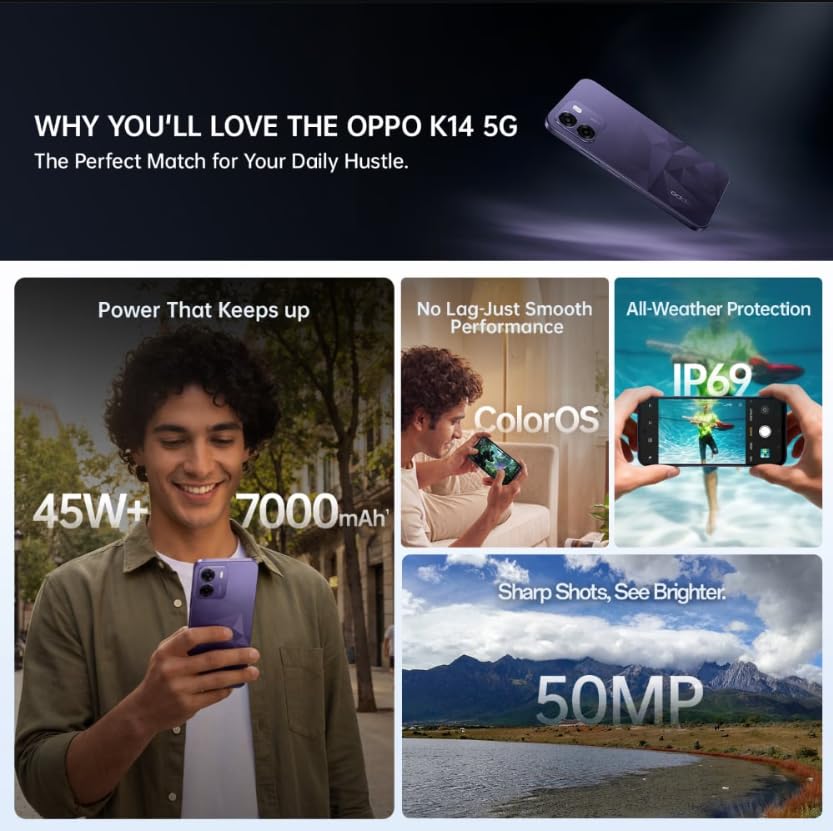
Image: A collage of key features for the OPPO K14 5G, including 7000mAh battery, smooth performance with ColorOS, IP69 all-weather protection, and a 50MP camera.
11. Takuu ja tuki
Your OPPO K14 5G Smartphone comes with a standard manufacturer's warranty. Please refer to the warranty card included in your product packaging for specific terms and conditions, including coverage duration and service procedures. For technical assistance, troubleshooting beyond this manual, or warranty claims, please contact OPPO customer support through their official websivustolla tai nimetyissä huoltokeskuksissa.
Keep your purchase receipt and product packaging for warranty purposes.