
1. Johdanto
The IMILAB EC6 Dual 2K+2K is a plug-in outdoor security camera designed for comprehensive home surveillance. It features a unique dual-lens system, offering wide-angle coverage and intelligent tracking capabilities. This manual provides detailed instructions for setting up, operating, and maintaining your camera to ensure optimal performance and security.

Figure 1: IMILAB EC6 Dual 2K+2K Camera highlighting its dual-lens design for extensive coverage.
2. Mitä laatikossa on
Varmista, että pakkauksessa on kaikki tarvittavat osat:
- IMILAB EC6 Dual 2K+2K Plug-in Camera x 1
- Mounting Kit x 1 (includes screws and expansion nuts)
- Power Cable 10ft & Adapter x 1
- User Manual & Card x 1

Figure 2: Contents of the IMILAB EC6 Dual 2K+2K camera package.
3. Asennus
3.1 Fyysinen asennus
The EC6 Dual camera can be mounted on walls, ceilings, or columns. Ensure the installation location provides a clear view and stable Wi-Fi signal.
- Valmistele asennuspinta: Use the provided positioning sticker to mark the drill holes on your chosen surface.
- Poraa reikiä: Drill holes approximately 30mm deep at the marked positions.
- Insert Expansion Nuts: Gently tap the four expansion nuts into the drilled holes.
- Reittikaapelit: Embed the power cable and Ethernet cable (if using wired connection) into the bracket slot for a neat installation.
- Kiinnitä kamera: Align the camera's mounting bracket with the holes and secure it using the screws. Tighten the nuts to ensure stability.
- Säädä kulmaa: Adjust the camera to your desired surveillance angle. The bullet camera (upper lens) can be tilted by hand up to 10 degrees. The turret camera (lower lens) can be panned and tilted using the app.

Figure 3: Versatile installation options for the EC6 Dual camera.
Video 1: EC6 Dual Setup Guide. This video demonstrates the unboxing, physical setup, app connection, and installation process for the IMILAB EC6 Dual camera.
3.2 Sovellusyhteys
To connect your camera to the app:
- Lataa sovellus: Download the Xiaomi Home/Mi Home app from your smartphone's app store.
- Virta päälle: Connect the power cable to the camera and plug it into a power outlet. Wait for a voice prompt indicating initial activation.
- Lisää laite: Open the app, click the '+' icon in the upper right corner, and select 'Scan'.
- Skannaa QR -koodi: Scan the QR code located on the label of the power cord.
- Valitse yhteystyyppi: Choose between 'Wired Network Connection' or 'Wireless Connection (Wi-Fi)'.
3.2.1 Kiinteä verkkoyhteys
- Liitä Ethernet-kaapeli reitittimestäsi kameran Ethernet-porttiin.
- Muodosta yhteys noudattamalla sovelluksen näytön ohjeita.

Figure 4: Power and Ethernet ports for wired connection.
3.2.2 Wi-Fi-yhteys
- Select your Wi-Fi network from the list, enter the password, and click 'Next Step'.
- The app will automatically complete the Wi-Fi connection.
4. Käyttöohjeet
4.1 Dual Angle Surveillance
The EC6 Dual camera features two independent lenses for simultaneous monitoring of two angles. The lower lens can pan 360° and tilt 135° via the app, while the upper lens maintains a fixed view. This allows for comprehensive coverage and intelligent tracking of moving objects.

Figure 5: Dual angle surveillance providing two live feeds simultaneously.
4.2 2K+2K Day/Night Full-Color Vision
Both camera lenses support 2K resolution, delivering clear and detailed footage. Equipped with four LED lights and four infrared lights, the camera provides vivid full-color vision during the day and at night.

Figure 6: Clear 2K+2K live view with two-way audio and smart color night vision.
4.3 Smart Deterrence
The camera features subscription-free smart deterrence. Upon motion detection, it can automatically trigger a siren, spotlight, or a custom voice alert to deter potential threats.
- Sireeni: Aktivoi äänihälytyksen.
- Valokeila: Turns on bright LED lights.
- Custom Voice Alert: Plays a pre-recorded message.

Figure 7: Smart deterrence features in action.
Video 2: 'Catching Santa' - Demonstrates the camera's ability to detect and record activity, highlighting its dual-lens surveillance and deterrence features.
Video 3: 'You almost got me!' - Illustrates the camera's detection and two-way audio capabilities in a simulated scenario.
4.4 Kaksisuuntainen ääni
Communicate with visitors or deter intruders in real-time using the built-in two-way audio feature accessible through the app.

Figure 8: Two-way audio functionality via the app.
4.5 Liiketunnistus ja ilmoitukset
Set up to two customizable motion zones within the Xiaomi Home/Mi Home app. The camera will continuously monitor these areas and send immediate push notifications to your phone when motion is detected, ensuring you stay connected and informed.

Figure 9: App interface for motion zones and notifications.
4.6 Joustavat säilytysvaihtoehdot
The camera offers versatile storage solutions for your footage:
- MicroSD-kortti: Supports local storage on a MicroSD card up to 256GB (not included) for continuous 24/7 recording and enhanced privacy.
- Pilvitallennus: A 3-month free trial is available for new users, providing cloud storage for motion-triggered clips.
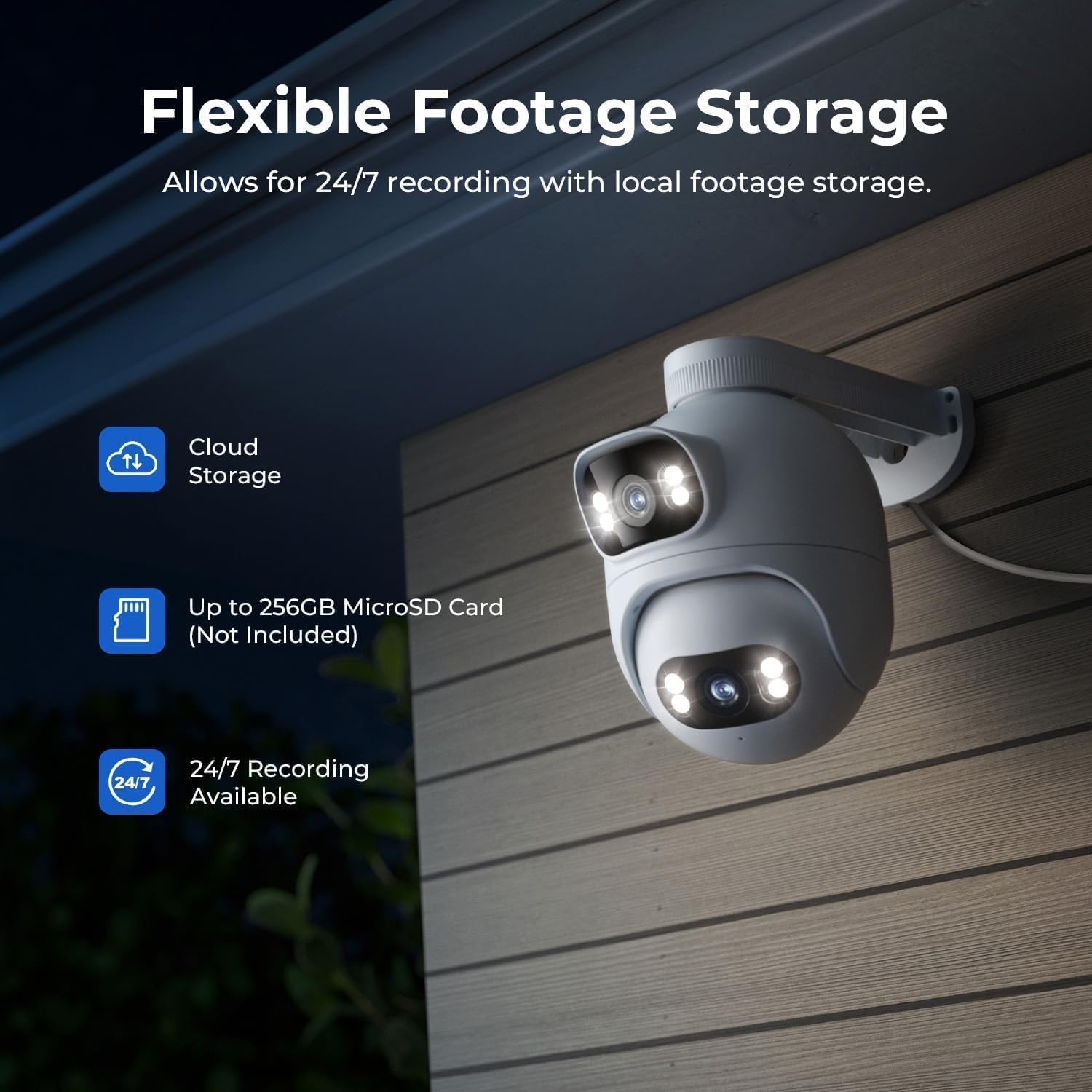
Figure 10: Flexible storage options for recorded footage.

Figure 11: Location of the MicroSD card slot.
Video 4: 'EC6 Dual 2K+2K Outdoor Camera, 24/7 Surveillance' - Highlights the camera's continuous recording and surveillance capabilities.
4.7 Panorointi ja kallistus etänä
Control the lower lens's pan (360°) and tilt (135°) movements remotely through the app. You can also set preset angles for quick access to specific viewalueilla.

Figure 12: 360-degree pan functionality.
4.8 Night Vision Settings
Adjust night vision settings in the app's 'Camera Settings' menu. Options include:
- Musta/valkoinen yönäkö: Displays a black and white image.
- Värillinen yönäkö: Displays a color image with spotlights on at night or in low light.
- Älykäs väriyönäkö: When a person is detected, the spotlights turn on automatically, providing a color image at night or in low light, while conserving power when no motion is detected.
5. Huolto
- Puhdistus: Pyyhi kameran linssit säännöllisesti pehmeällä,amp liinalla varmistaaksesi selkeän kuvanlaadun. Vältä hankaavia puhdistusaineita.
- Laiteohjelmistopäivitykset: Check the Xiaomi Home/Mi Home app periodically for firmware updates to ensure your camera has the latest features and security enhancements.
- Virtalähde: Varmista, että kamera on kytketty vakaaseen virtalähteeseen. Vältä toistuvia virtakatkoksia.
- Kaapelin tarkastus: Periodically inspect the power and Ethernet cables for any signs of wear or damage.
6. Vianmääritys
| Ongelma | Mahdollinen syy | Ratkaisu |
|---|---|---|
| Kamera ei käynnisty | Virtasovitin ei ole kytketty tai on viallinen. | Tarkista virtaliitännät. Kokeile toista pistorasiaa. |
| Wi-Fi-yhteyttä ei voi muodostaa | Incorrect Wi-Fi password; camera too far from router; Wi-Fi signal interference. | Verify Wi-Fi password. Move camera closer to router. Reduce interference from other devices. Ensure 2.4GHz Wi-Fi is used. |
| Huono kuvanlaatu | Dirty lens; low network bandwidth. | Clean the camera lens. Check your internet speed and network stability. |
| Liiketunnistus ei toimi | Motion detection disabled; incorrect motion zone settings. | Enable motion detection in the app. Adjust motion zone sensitivity and areas. |
| Kaksisuuntaisen äänen ongelmat | Microphone/speaker muted; network issues. | Tarkista sovelluksen asetuksista äänen mykistys. Varmista, että verkkoyhteys on vakaa. |
7. Tekniset tiedot
| Ominaisuus | Erittely |
|---|---|
| Mallin nimi | EC6 Dual 2K+2K |
| Mallinumero | CMSXJ68A |
| Videon sieppaustarkkuus | 2t+2tk |
| Yhteystekniikka | Langallinen, Langaton (Wi-Fi) |
| Erikoisominaisuudet | Dual Lens, 24/7 Recording, 800LM Adjustable Lights, 360° PTZ, 3X Zoom, Local Storage, No Monthly Fee |
| Sisä-/ulkokäyttö | Ulkona |
| Ohjaimen tyyppi | Amazon Alexa, Google Assistant, Xiaomi Home/Mi Home App |
| Kiinnitystyyppi | Wall/Ceiling/Pole Mount |
| Vedenkestävyystaso | Vedenkestävä (IP65) |
| Night Vision | Starlight, Color Night Vision |
| Flash-muistin tyyppi | Micro SD (jopa 256 Gt) |
| Virtalähde | Johdollinen sähkö |
| Käyttölämpötila | -30 °C - 60 °C |
8. Takuu ja tuki
Your IMILAB EC6 Dual 2K+2K Outdoor Security Camera comes with a 2 vuoden valmistajan takuuLisäksi, a 30 päivän ilmainen palautusoikeus is available. For technical support, troubleshooting assistance, or warranty claims, please refer to the contact information provided in the 'User Manual & Card' included in your package or visit the official IMILAB websivusto.