
Johdanto
Thank you for choosing the Cillso Smartwatch. This manual provides detailed instructions on how to set up, operate, and maintain your device. This smartwatch features a 1.95-inch HD display, Bluetooth calling capabilities, IP68 water resistance, comprehensive health monitoring including SpO2 and sleep tracking, over 100 sports modes, and integrated Alexa for voice control. Please read this manual carefully to ensure optimal performance and longevity of your smartwatch.
Asennus
1. Älykellon lataaminen
Before initial use, fully charge your smartwatch. Connect the provided charging cable to the charging port on the back of the watch and to a standard USB power adapter (not included). A full charge typically takes approximately 2 tuntia. The watch has a 300 mAh akku, tarjoamalla 5-7 days of normal use ja aina 30 päivää valmiusaikaa.

Image: The smartwatch display indicating a 1.95-inch screen, 2 hours charging time, 5-7 days normal use, 30 days standby time, and a 300mAh battery capacity.
2. Sovelluksen asennus ja pariliitos
- Lataa sovellus: Scan the QR code in the quick start guide or search for the companion app (e.g., 'GloryFit' as suggested by watch dial image) in your smartphone's app store (Android or iOS).
- Rekisteröidy/Kirjaudu sisään: Luo tili tai kirjaudu sisään noudattamalla näytön ohjeita.
- Yhdistä älykello: Ensure Bluetooth is enabled on your smartphone. Open the app, navigate to the device section, and select 'Add Device'. Choose your Cillso Smartwatch from the list of available devices. Confirm the pairing request on both your phone and the smartwatch.
Käyttöohjeet
1. Perusnavigointi
- Kosketusnäyttö: Pyyhkäise ylös, alas, vasemmalle tai oikealle liikkuaksesi valikoissa ja ilmoituksissa. Napauta valitaksesi kohteita.
- Sivupainike: Press the side button to return to the home screen or to wake up the display.
2. Bluetooth-puhelut
Älykello tukee Bluetooth 5.3 calling, allowing you to make and receive calls directly from your wrist when connected to your smartphone. It features a sisäänrakennettu mikrofoni ja tukee puhelutiedot ja aina 100 kontaktia.
- Puheluihin vastaaminen: When an incoming call notification appears, tap the green phone icon to answer.
- Puhelujen hylkääminen: Napauta punaista puhelinkuvaketta hylätäksesi saapuvan puhelun.
- Soittaminen: Aloita puhelu käyttämällä älykellosi numeronäppäimistöä tai yhteystietoluetteloa.
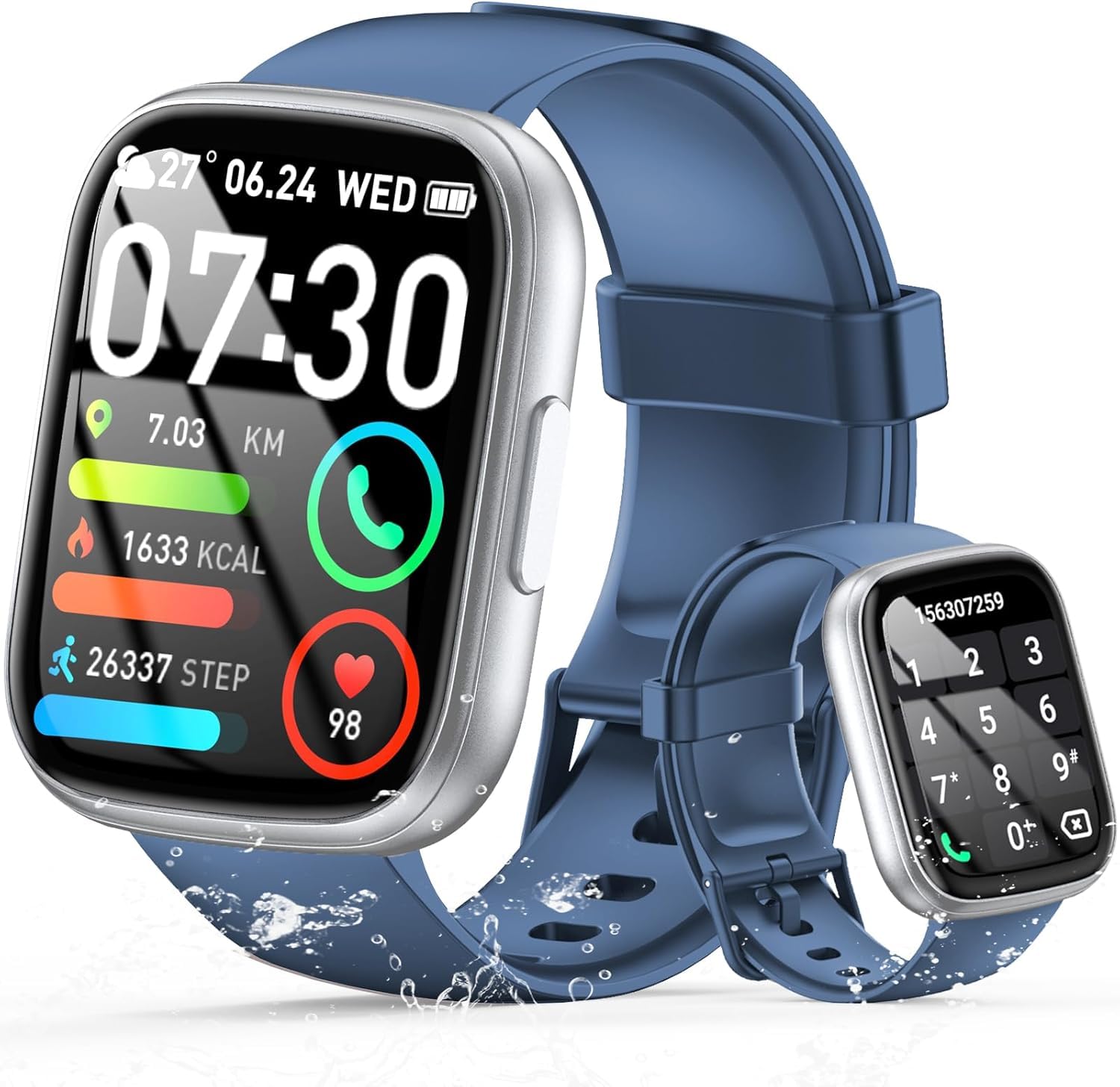
Image: The smartwatch displaying an incoming call, along with icons for built-in mic, Hi-Fi Spectra, call records, and 100 contacts. Examples of dial pad and contact list are also shown.
3. Terveydentilan seuranta
The smartwatch provides continuous health monitoring features to help you track your well-being.
- Sykemittaus: Kello seuraa sykettäsi jatkuvasti koko päivän. View syketietosi kellossa tai sovelluksessa.
- Veren hapen (SpO2) seuranta: Mittaa veresi happisaturaatiotasot.
- Unenvalvonta: Tracks your sleep patterns, including deep sleep, light sleep, and wake times, to provide insights into your sleep quality.

Image: Visual representation of heart rate, blood oxygen (SpO2), and sleep monitoring graphs and data on the smartwatch and a person sleeping while wearing the watch.
4. Urheilutilat
Älykello tukee over 100 sports modes to accurately track your workouts. Common modes include running, basketball, climbing, skipping, swimming, and badminton. It tracks metrics such as steps, distance, calories burned, and exercise duration.

Image: A person cycling with the smartwatch, illustrating various sports modes like running, basketball, climbing, skipping, swimming, and badminton. Also shows tracking for steps, distance, and calories.
5. Alexa-integraatio
Kanssa Alexa integrated, you can use voice commands to control music playback, check weather, set alarms, and more directly from your smartwatch.
6. Personalized Watch Dials
Customize your smartwatch with over 200 stylish watch faces available through the companion app. You can also upload your favorite photos to create personalized watch dials. The display features wide color gamut, AM LED technology, and color accuracy.

Kuva: Älykello-showasing multiple personalized watch dial options, highlighting wide color gamut, AM LED, and color accuracy features.
7. Monitoimiominaisuudet
- Musiikin hallinta: Toista, keskeytä, ohita kappaleita ja säädä äänenvoimakkuutta yhdistetyssä älypuhelimessa toistettaessa musiikkia.
- Kameran ohjaus: Remotely control your smartphone's camera to frame, focus, and snap photos or start/stop video recording.
- Herätyskello: Aseta hälytyksiä herättämään sinut tai muistuttamaan sinua tärkeistä tapahtumista.
- Muita ominaisuuksia: Includes weather forecasts, stopwatch, timer, and more.

Image: The smartwatch displaying interfaces for music control, remote camera control, and alarm clock settings, along with icons for other features like temperature, weather, and microphone.
Huolto
1. Puhdistus
Wipe the smartwatch regularly with a soft, dry cloth. For stubborn dirt, use a slightly damp liinalla ja kuivaa huolellisesti. Vältä voimakkaiden kemikaalien tai hankaavien materiaalien käyttöä.
2. Vedenkestävyys (IP68)
The Cillso Smartwatch is IP68 vedenkestävä, meaning it is protected against dust ingress and can withstand immersion in water up to 1.5 meters for up to 30 minutes. It is suitable for daily use, hand washing, and light rain. However, it is not recommended for hot showers, saunas, or diving, as steam and high water pressure can compromise the seal.
3. Akun hoito
- Vältä äärimmäisiä lämpötiloja, sillä ne voivat lyhentää akun käyttöikää.
- Lataa laite täyteen ennen pitkiä käyttämättömyysjaksoja.
- Käytä vain mukana toimitettua latauskaapelia.
Vianetsintä
- Kello ei käynnisty: Varmista, että kello on ladattu täyteen. Liitä se laturiin vähintään 30 minuutiksi.
- Ei voi yhdistää puhelimeen: Make sure Bluetooth is enabled on your phone and the watch is within range. Restart both devices and try pairing again through the app.
- Epätarkat terveystiedot: Varmista, että kello on tiukasti ranteessasi, ei liian tiukasti eikä liian löysästi. Puhdista anturit säännöllisesti.
- Ilmoituksia ei vastaanotettu: Check app permissions on your phone to ensure the companion app has access to notifications. Verify that notifications are enabled within the app settings.
- Alexa ei vastaa: Ensure the watch is connected to your phone and has an active internet connection. Check Alexa settings within the companion app.
Tekniset tiedot
| Mallinumero | B0GQGYDJS7 |
| Merkki | Cillso |
| Näytön koko | 1.95 tuumaa |
| Yhteystekniikka | Bluetooth 5.3 |
| Vedenkestävyysluokitus | IP68 |
| Akun kapasiteetti | 300 mAh (litiumpolymeeri) |
| Latausaika | Noin 2 tuntia |
| Normaali akunkesto | 7-10 päivää |
| Valmiusaika | Jopa 30 päivää |
| Muistin tallennuskapasiteetti | 1 Gt |
| Ihmisen käyttöliittymän syöttö | Mikrofoni, Kosketusnäyttö |
| Mukana olevat komponentit | Latauskaapeli |
Takuu ja tuki
Warranty information for your Cillso Smartwatch is typically provided with your purchase documentation. Please refer to those materials for details regarding warranty coverage and terms. For technical support, product inquiries, or assistance with troubleshooting beyond this manual, please contact Cillso customer service through the contact information provided with your product or on the official Cillso websivusto.