
1. Johdanto
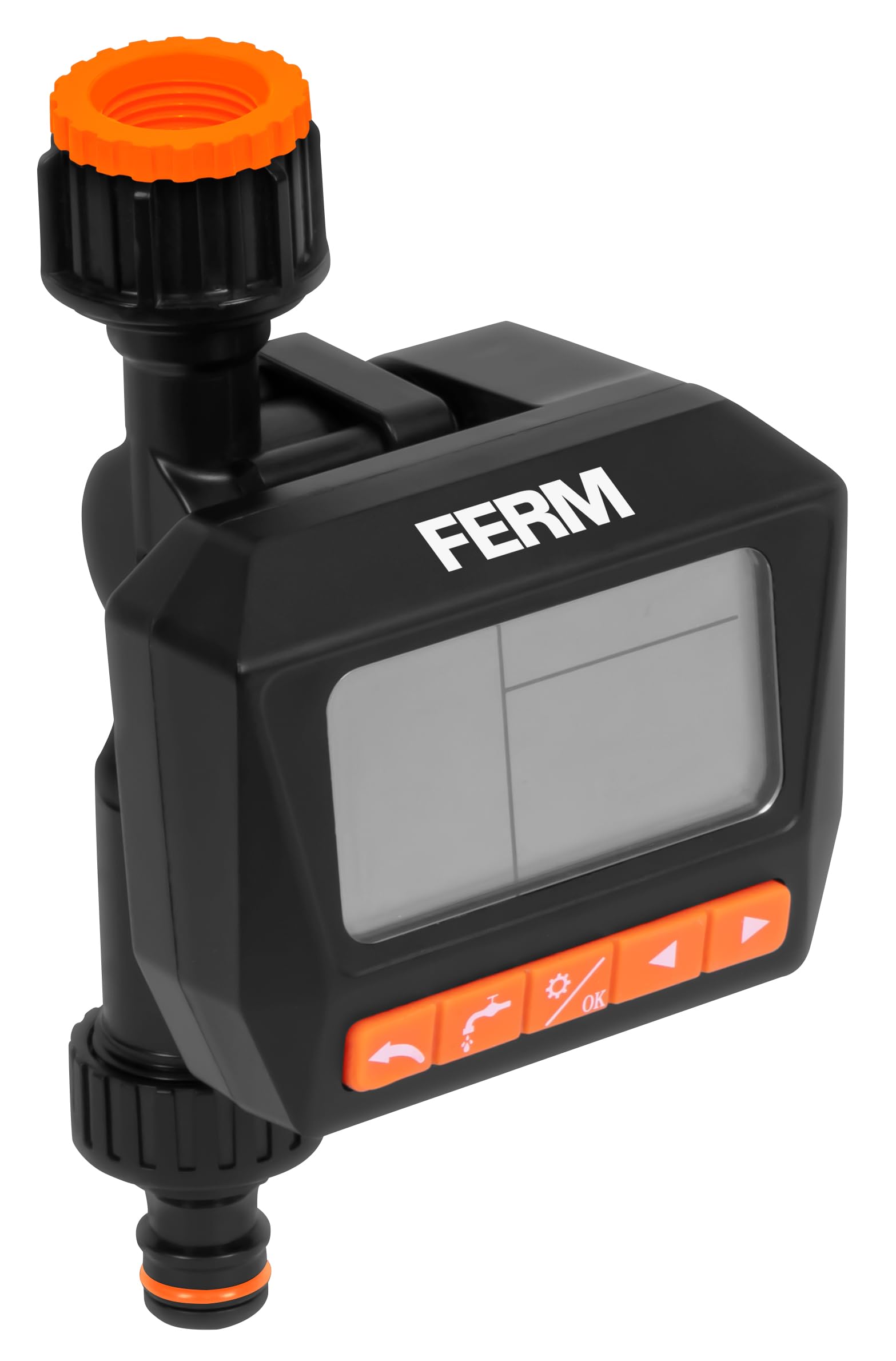
Thank you for choosing the FERM WTA1003 Digital Water Timer. This device is designed to automate your garden watering tasks, ensuring your plants receive consistent hydration. Please read this manual thoroughly before installation and operation to ensure proper use and longevity of the product.
2. Turvallisuusohjeet
- This device is intended for outdoor use with cold water only. Do not use with hot water or other liquids.
- Protect the device from freezing temperatures. Remove the timer from the faucet and store it indoors during winter to prevent damage.
- Do not immerse the timer in water. While it is IPX5 rated for water resistance, it is not designed for submersion.
- Varmista, että paristot on asetettu oikein päin napaisuusmerkintöjen mukaisesti. Poista paristot, jos laitetta ei käytetä pitkään aikaan.
- Pidä poissa lasten ulottuvilta.
3. Pakkauksen sisältö
Tarkista pakkauksesta seuraavat tuotteet:
- FERM WTA1003 Digital Water Timer
- G3/4" (26.5 mm) faucet adapter
- G1/2" (21 mm) faucet adapter
- Metallinen suodatin
- Quick-connect hose fitting
- Käyttöohje
Note: 2x AA batteries are not included and must be purchased separately.
4. Asennus
4.1 Akun asennus
- Paikanna ajastimen takaa oleva paristolokero.
- Liu'uta akun kansi auki.
- Aseta kaksi (2) AA-alkaliparistoa paikoilleen varmistaen oikea napaisuus (+/-).
- Sulje paristokotelon kansi kunnolla.
4.2 Hanaan liittäminen
The timer is compatible with most outdoor threaded faucets. It includes adapters for G3/4" (26.5 mm) and G1/2" (21 mm) threads.
- Ensure the metallic filter is placed inside the timer's inlet connection. This prevents debris from entering the timer.
- Screw the appropriate faucet adapter (G3/4" or G1/2") onto your outdoor faucet.
- Attach the water timer to the faucet adapter by screwing it on firmly by hand. Do not overtighten.

Kuva 1: Assembly diagram of the water timer, showing the metallic filter, faucet connection, and hose quick-connect.
4.3 Connecting to Hose
- Attach your garden hose to the quick-connect fitting at the bottom of the water timer.
- Varmista, että liitäntä on turvallinen vuotojen estämiseksi.
Kuva 2: The FERM WTA1003 water timer installed on a brick wall faucet, actively watering a garden area.
5. Käyttöohjeet
The FERM WTA1003 features a large, readable LCD screen for easy programming.
5.1 Kasteluaikataulujen ohjelmointi
The timer allows for up to three watering programs per day or a weekly cycle. Watering duration can be set from 1 second to 99 minutes, and intervals from 1 hour to 15 days.
- Aseta nykyinen aika: Use the 'TIME' button to set the current time and day.
- Ohjelma 1 (P1): Press 'PROG' to enter program mode. Select P1. Set the start time, watering duration, and frequency (e.g., daily, specific days of the week, or interval).
- Program 2 (P2) & Program 3 (P3): Repeat the steps for P1 to set up additional watering schedules if needed.
- Review Ohjelmat: Use the 'PROG' button to cycle through and review your set programs.
- Aktivoida: Ensure the timer is in 'AUTO' mode for the programs to run automatically.
5.2 Manual Watering (OPEN Function)
The 'OPEN' function allows you to manually turn on the water without affecting your programmed schedules. This is useful for temporary watering or using the faucet for other purposes.
- Press the 'OPEN' button to start manual watering.
- Press 'OPEN' again to stop manual watering.
5.3 OFF Function
To temporarily disable all watering programs and manual operation, use the 'OFF' function.
- Press the 'OFF' button to stop all watering. The display will show 'OFF'.
- Press 'OFF' again to return to 'AUTO' mode and resume programmed watering.

Kuva 3: Ominaisuus ohiview with icons, highlighting watering intervals, multiple schedules, faucet compatibility, pressure range, and frost warning.
6. Huolto
6.1 Suodattimen puhdistaminen
Periodically check and clean the metallic filter located at the inlet of the timer to prevent blockages and ensure optimal water flow.
- Irrota ajastin hanasta.
- Remove the metallic filter.
- Huuhtele suodatin juoksevan veden alla poistaaksesi mahdolliset kertyneet roskat.
- Aseta puhdas suodatin takaisin paikalleen ja kiinnitä ajastin takaisin hanaan.
6.2 Talvivalmistelu / Pakkassuojaus
WARNING: Protect the timer from frost.
- Before the first frost, disconnect the water timer from the faucet and hose.
- Poista paristot.
- Säilytä ajastinta kuivassa, pakkaselta suojatussa paikassa sisätiloissa.
7. Vianmääritys
- Ei vesivirtausta: Check if the faucet is fully open. Ensure the metallic filter is not clogged. Verify battery charge.
- Ajastin ei käynnisty: Tarkista paristojen asennus ja varmista, että paristot ovat tuoreita.
- Vuodot liitoksista: Ensure all connections are tightened securely. Check rubber washers for proper seating and damage.
- Programs not running: Ensure the timer is in 'AUTO' mode. Verify that the current time and program start times are set correctly.
- Näyttö on tyhjä tai himmeä: Vaihda paristot.
8. Tekniset tiedot
- Malli: WTA1003
- Merkki: FERM
- Veden painealue: 0.5–8 baaria
- Veden virtausnopeus: 15.8 - 21 liters per minute (depending on pressure)
- Kastelun kesto: 1 sekunnista 99 minuuttiin
- Watering Interval: 1 tunnista 15 päivään
- Ohjelmat: Up to 3 per day or weekly cycles
- Hanan yhteensopivuus: G3/4" (26.5 mm) and G1/2" (21 mm)
- Vedenkestävyys: IPX5
- Virtalähde: 2 x AA paristot (ei sisälly)
- Materiaali: ABS muovia
- Alkuperä: Kiina
9. Takuu ja tuki
FERM products are manufactured to high-quality standards. For warranty information or technical support, please refer to the documentation provided with your purchase or contact your retailer. Keep your proof of purchase for any warranty claims.