
1. Johdanto ja loppuview
The ORGBRO DX1 Label Maker is a portable Bluetooth thermal printer designed for efficient organization in various environments, including home, office, school, and small businesses. This device utilizes advanced inkless thermal printing technology, offering a cost-effective and convenient labeling solution.
Tärkeimmät ominaisuudet:
- Versatile Printing Modes: Supports both pre-cut and continuous labels, allowing for customizable label lengths for diverse applications.
- Smart App & Easy Setup: Connects via Bluetooth in under a minute using the XeasyLabel App (iOS/Android), offering over 95 fonts, 15 languages, and 1200+ symbols without registration or hidden fees.
- Musteeton lämpötekniikka: Features a German thermal print head for 203 DPI high-definition monochrome printing, eliminating the need for ink, toner, or ribbon. Includes a built-in cutter for clean edges.
- Compact & Long-Lasting: Weighs only 7 ounces, pocket-sized, and equipped with a 2000mAh battery for extended operation on a single USB charge.
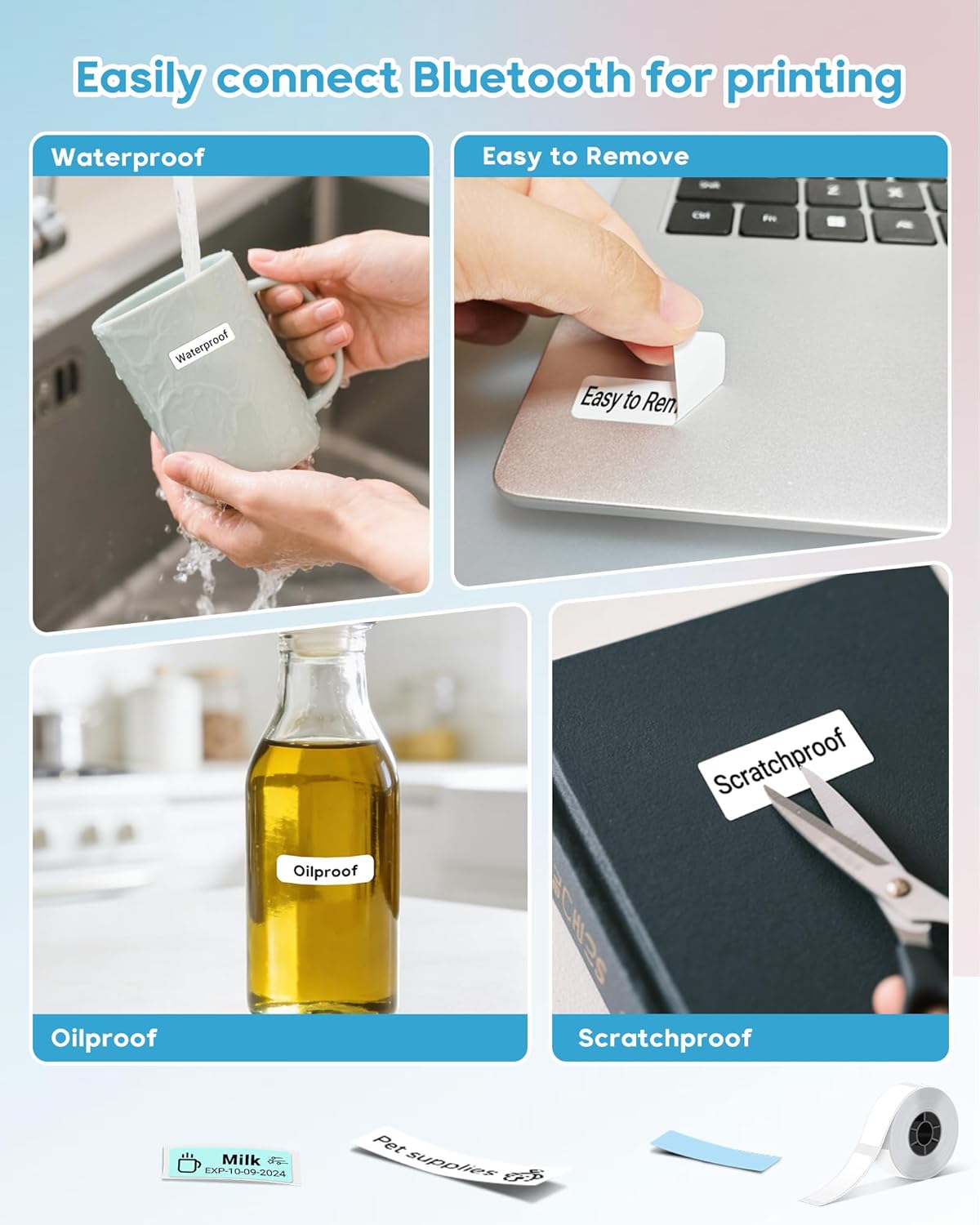
- Kestävät etiketit: Included labels are BPA-free, waterproof, oil-proof, and scratch-resistant with strong adhesive that leaves no residue.

The ORGBRO DX1 Label Maker in a home office setting, demonstrating its compact size and versatility.
2. Asennusopas
2.1 Laatikon avaaminen ja pakkauksen sisältö
Carefully unpack your ORGBRO DX1 Label Maker. Ensure all components are present as listed below:
- 1 x Mini Label Maker
- 1 x Roll of white label paper
- 1 x Käyttöohje
- 1 x Type-C latauskaapeli
The complete packing list for the ORGBRO DX1 Label Maker.
Official video demonstrating the unboxing and initial overview of the ORGBRO DX1 Label Maker.
2.2 Tarranauhan lisääminen
- Press the open button on the side of the device to open the cover.
- Insert the label roll with the print side facing up. Ensure the label tape is fed smoothly through the printer's slot.
- Close the cover firmly until it clicks into place.
- Press and hold the power button to turn on the device. Double-press the power button to print a test page and calibrate the label.
Visual instructions for installing the label tape.
Official video demonstrating the label loading process and initial setup.
2.3 Sovelluksen lataus ja Bluetooth-yhteys
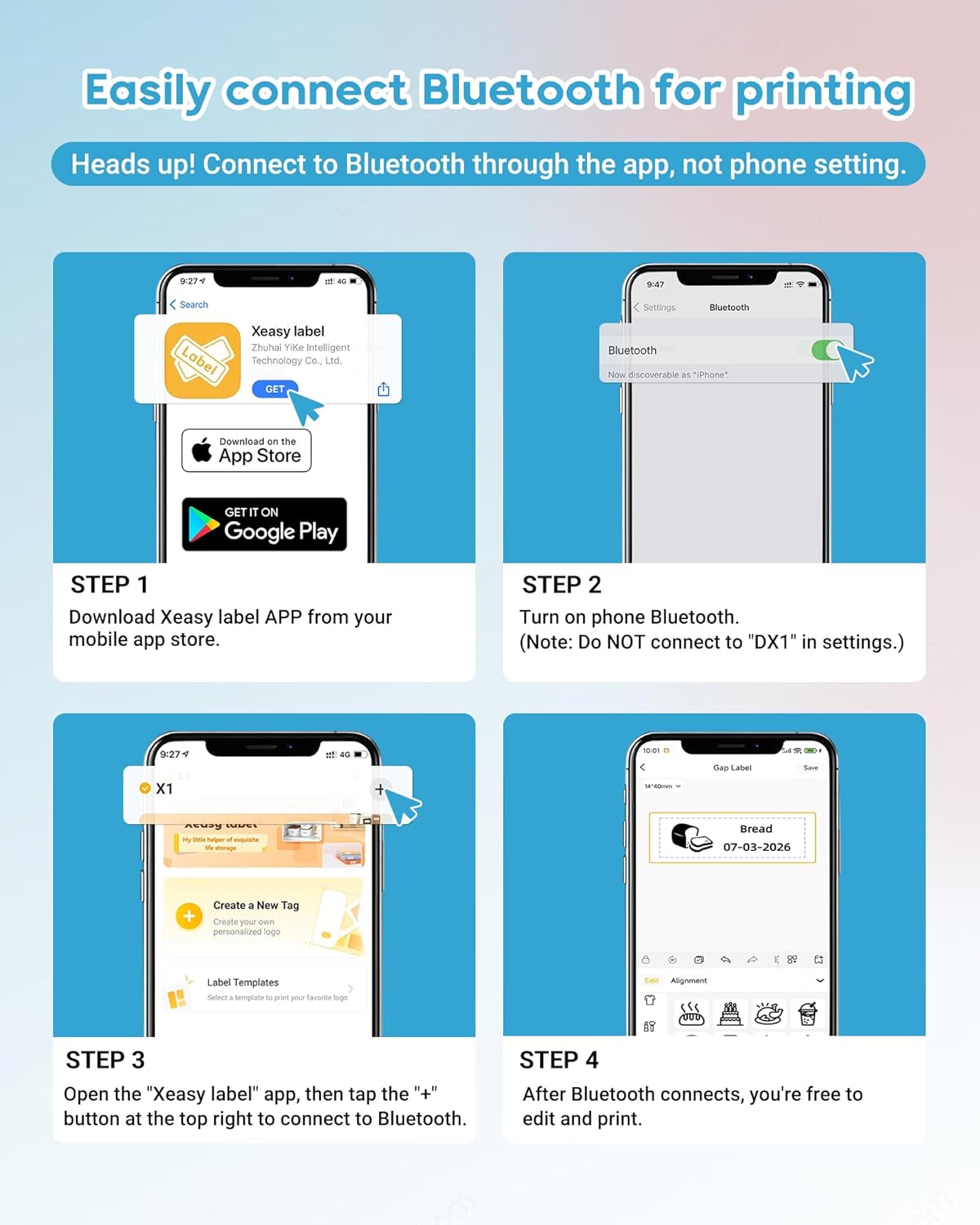
- Lataa "XEasyLabel" app from your mobile app store (available on iOS and Android).
- Ota puhelimesi Bluetooth käyttöön. Important: Do NOT connect to "DX1" in your phone's Bluetooth settings directly.
- Open the XEasyLabel app. Tap the "+" icon in the top right corner to search for and connect to the printer.
- Once connected, the app will indicate "Connected" and you are ready to edit and print.

Detailed steps for app installation and Bluetooth pairing.
3. Käyttöohjeet
3.1 Tarrojen luominen ja tulostaminen
The XEasyLabel app provides extensive customization options for your labels:
- Teksti: Add custom text using various fonts (over 95 available) and languages (15 available).
- Stickers & Symbols: Choose from over 1200+ symbols and stickers to enhance your labels.
- Kuvat: Embed images onto your labels.
- Aika ja päivämäärä: Add current time or date stamps.
- QR-koodi ja viivakoodi: Luo ja tulosta QR-koodeja tai viivakoodeja suoraan sovelluksesta.
- Mallit: Utilize pre-designed templates for common uses like kitchen, office, or school organization.
Kun olet suunnitellut etikettisi, esivalmisteleview it in the app, adjust print density if needed, and tap "Print Label" to send it to the DX1 printer.

The XEasyLabel app offers a powerful multi-function application for label design.
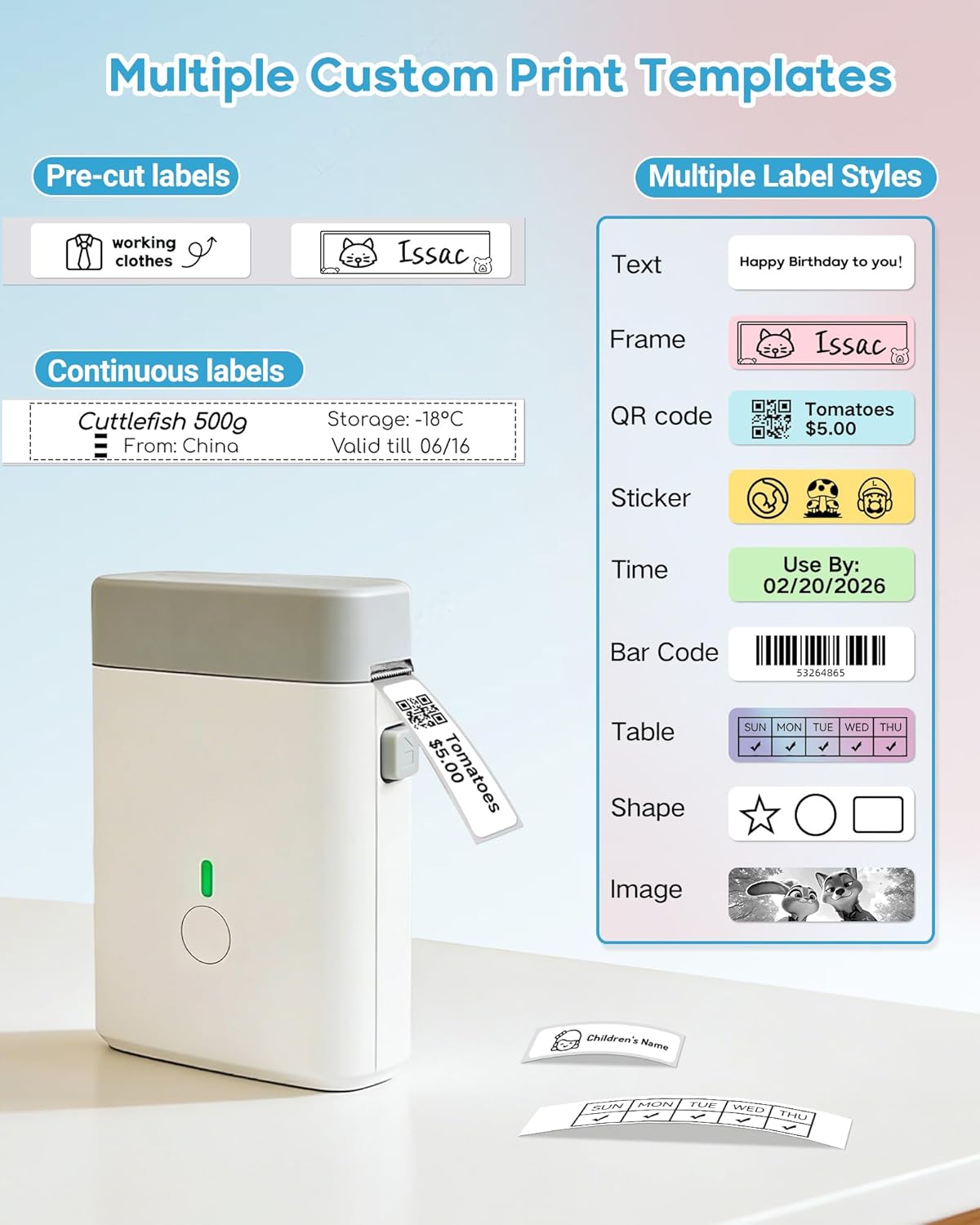
Multiple custom print templates and label styles for diverse labeling needs.
Official video demonstrating how to design and print labels using the XEasyLabel app.
3.2 Käytännön sovellukset
The ORGBRO DX1 is ideal for:
- Home organization (spice jars, food containers, storage boxes)
- Office organization (file folders, cables, stationery)
- School supplies and personal item identification
- Small business pricing and product labeling

Various applications of the ORGBRO DX1 Label Maker in different settings.
4. Huolto
The ORGBRO DX1 Label Maker uses inkless thermal technology, which significantly reduces maintenance requirements. There is no need to replace ink cartridges or ribbons.
4.1 Tulostuspään puhdistaminen
To ensure optimal print quality, occasionally clean the thermal print head. Use a soft, lint-free cloth lightly dampkastettu isopropyylialkoholilla. Pyyhi tulostuspään pinta varovasti. Anna sen kuivua kokonaan ennen kannen sulkemista ja käytön jatkamista.
4.2 Akun hoito
The device is equipped with a 2000mAh rechargeable battery. For best battery life, avoid fully discharging the battery frequently and store the device in a cool, dry place when not in use for extended periods. Charge using the provided Type-C cable.
5. Vianmääritys
5.1 Yleiset ongelmat ja ratkaisut
- Tulostin ei muodosta yhteyttä Bluetoothin kautta: Ensure Bluetooth is enabled on your phone and connect through the XEasyLabel app, not directly through phone settings. Restart both the printer and your phone if issues persist.
- Huono tulostuslaatu: Check if the label tape is loaded correctly with the print side up. Clean the print head as described in the Maintenance section. Adjust the print density setting within the XEasyLabel app.
- Tarrat eivät syöty oikein: Ensure the label roll is properly seated and the tape is not jammed. Double-press the power button to calibrate the label.
- Laite ei käynnisty: Varmista, että akku on ladattu. Liitä Type-C-latauskaapeli ja anna sen latautua hetki ennen kuin yrität käynnistää laitteen uudelleen.
6. Tekniset tiedot
| Ominaisuus | Yksityiskohta |
|---|---|
| Merkki | ORGBRO |
| Mallin nimi | X1 Label Maker |
| Yhteystekniikka | Bluetooth |
| Tulostustekniikka | Lämpö |
| Tulostimen lähtö | Yksivärinen |
| Suurin tulostusnopeus yksivärinen | 30 ppm |
| Resoluutio | 203 x 203 dpi |
| Tuotteen paino | 7 unssia |
| Tuotteen mitat (S x L x K) | 1.2" S x 3" L x 4.2" K |
| Ohjaimen tyyppi | iOS, Android |
| Painomedia | Tarrat |
| Suurin mediakoko | 0.6 x 1.57 tuumaa |
| Akun kapasiteetti | 2000mAh (from feature bullets) |
7. Takuu ja tuki
7.1 Takuutiedot
The ORGBRO DX1 Label Maker comes with a 30 päivän ilmainen palautus- ja vaihto-oikeusKatso tarkemmat ehdot ostoasiakirjoista.
7.2 Asiakastuki
For any questions, technical assistance, or support, please contact ORGBRO customer service. ORGBRO is dedicated to providing high-quality products and an excellent printing experience.
Voit vierailla ORGBRO Store on Amazon lisätietoja ja aiheeseen liittyviä tuotteita varten.