
MorePro AIR6
MorePro Fitness Tracker AIR6 Black User Manual
Model: AIR6 Black
1. Johdanto
Welcome to the MorePro Fitness Tracker AIR6 Black user manual. This guide provides detailed instructions on how to set up, operate, and maintain your new fitness tracker. The MorePro AIR6 is designed to help you monitor your health and fitness activities with features such as 24/7 heart rate, blood pressure, blood oxygen, and sleep tracking. It also includes multiple sports modes, smart notifications, and a durable, waterproof design.
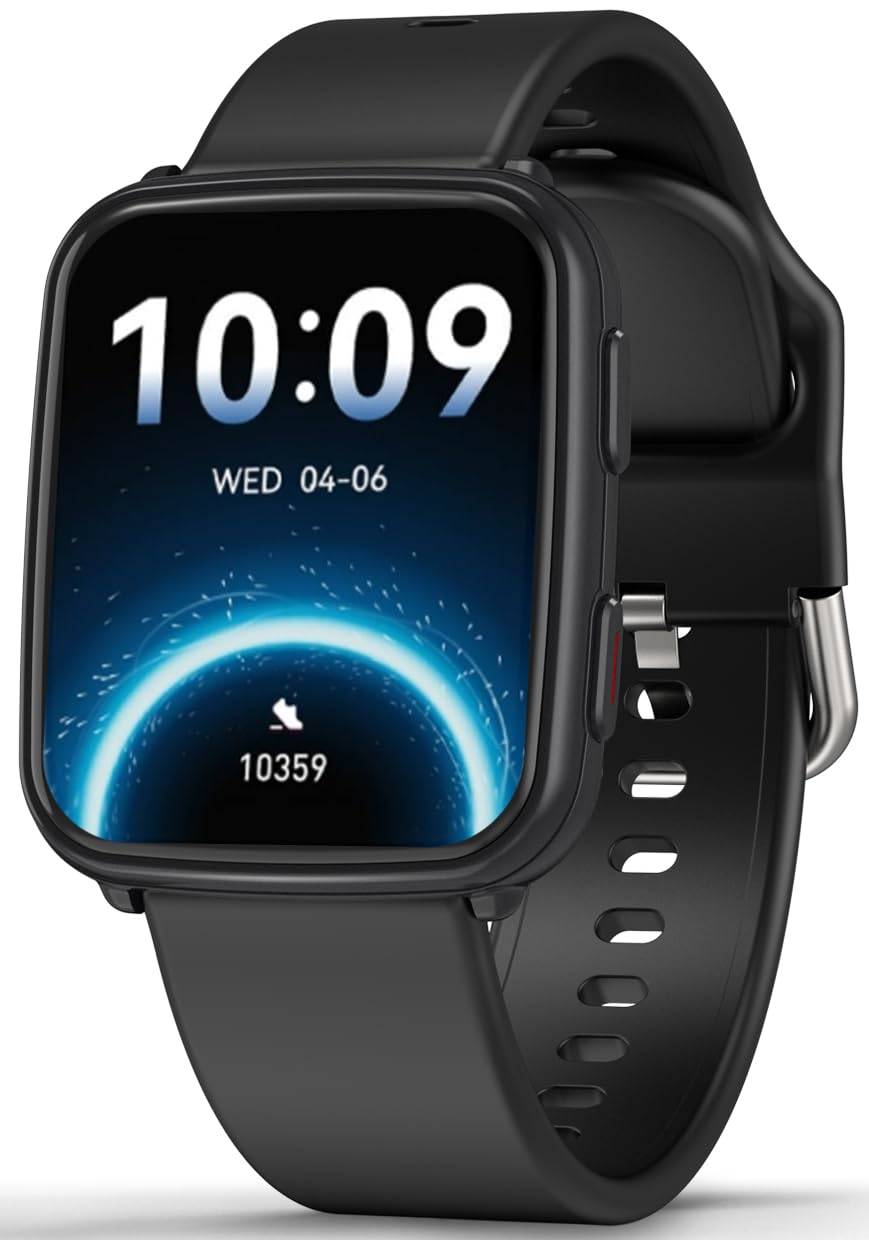
Image: MorePro Fitness Tracker AIR6 Black, showcasing sen tyylikäs muotoilu.
2. Asennusopas
2.1. Laatikon purkaminen ja alkulataus
Upon opening the package, you will find the MorePro Fitness Tracker, a charging cable, and this user manual. Before first use, ensure the device is fully charged.
- Liitä magneettinen latauskaapeli kellon takana oleviin latauspisteisiin.
- Kytke kaapelin USB-pää tavalliseen USB-virtalähteeseen (ei sisälly toimitukseen) tai tietokoneen USB-porttiin.
- Kellon näyttö näyttää latauksen tilan. Täysi lataus kestää yleensä noin 2 tuntia.
2.2. Powering On and App Pairing
- To power on the device, press and hold the side button until the screen lights up.
- Select your preferred language from the options displayed on the screen.
- Scan the QR code shown on the watch screen or in the manual using your smartphone to download the companion MorePro app. The app is compatible with Android 7.0+ and iOS 13.0+ devices.
- Open the MorePro app on your smartphone, create an account, and follow the on-screen instructions to pair your fitness tracker via Bluetooth. Ensure Bluetooth is enabled on your phone.
Video: Demonstrates unboxing, connecting the charger, powering on the watch, selecting language, and scanning the QR code for app download and pairing.
3. Käyttöohjeet
3.1. Perusnavigointi
The MorePro Fitness Tracker features a responsive touchscreen and a side button for navigation:
- Pyyhkäise ylös/alas: Selaa valikoita ja ilmoituksia.
- Pyyhkäise vasemmalle/oikealle: Access quick data screens (e.g., steps, heart rate, weather).
- Napauta: Valitse kohde tai vahvista toiminto.
- Sivupainike: Press to return to the previous screen or wake the display. Press and hold to access the main menu or power options.
3.2. Terveydentilan seuranta
The device continuously monitors various health metrics:
- Syke: Provides 24/7 heart rate tracking. Access detailed graphs in the app.
- Verenpaine: Offers on-demand blood pressure measurements. (Note: Not for medical use.)
- Veren happipitoisuus (SpO2): Check your blood oxygen levels at any time.
- Unenseuranta: Automatically tracks deep sleep, light sleep, and wake-up times to provide comprehensive sleep insights.

Image: The watch screen showing real-time heart rate, blood pressure, and blood oxygen data.

Image: A close-up of the smart watch displaying heart rate monitoring.

Image: The smart watch screen showing blood pressure measurement.

Image: The smart watch displaying blood oxygen levels.
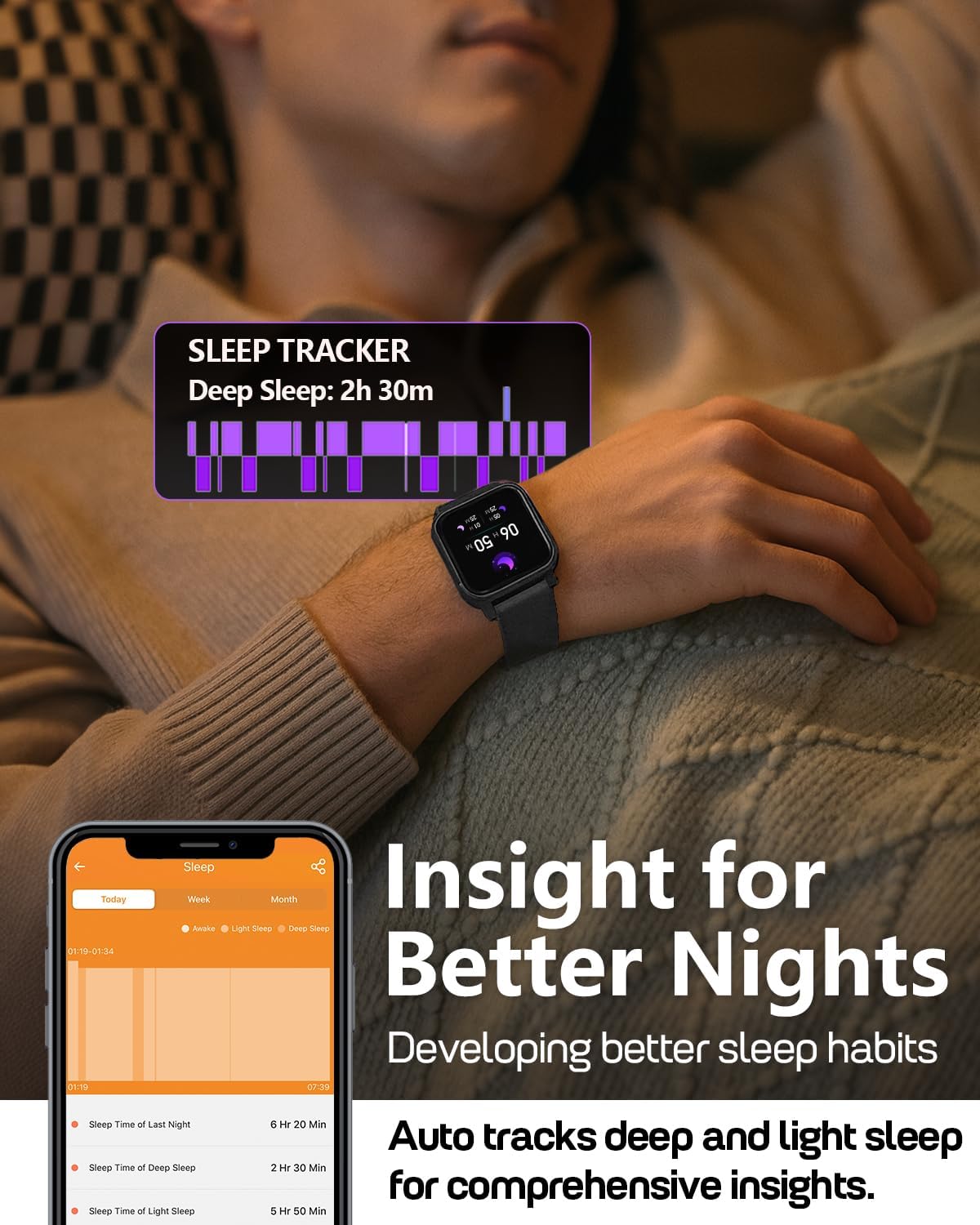
Image: A person wearing the MorePro Fitness Tracker while sleeping, with sleep data displayed on the screen.

Image: The smart watch displaying sleep tracking data.
3.3. Aktiivisuuden seuranta
The tracker supports over 20 sports modes and records daily activity:
- Yli 20 urheilutilaa: Includes running, walking, cycling, yoga, elliptical, swimming, basketball, football, badminton, table tennis, skipping, tennis, baseball, rugby, hula hoop, golf, and more.
- Päivittäinen aktiivisuus: Tallentaa askeleet, matkan ja poltetut kalorit.

Image: A person exercising while wearing the MorePro Fitness Tracker, displaying activity time, heart rate, steps, and calories burned.

Image: The fitness tracker displaying various sports modes like cycling, exercise bike, swimming, and yoga.
3.4. Naisten terveyden seuranta
The tracker includes a dedicated feature for women's health, allowing you to log and track menstrual periods, safe days, ovulation windows, and ovulation days directly on your wrist. The app supports period mode, trying-to-conceive mode, and pregnancy mode.

Image: A woman using the smart watch to track her menstrual cycle.
3.5. Älykkäät toiminnot
Stay connected and organized with these smart features:
- Ilmoitukset: Receive real-time call, SMS, and app message notifications (e.g., Facebook, Instagram, TikTok) on your wrist.
- Sääennuste: Get on-wrist weather updates.
- Musiikin hallinta: Hallitse musiikin toistoa puhelimellasi.
- Kameran ohjaus: Käytä kelloa puhelimesi kameran kaukosäätimenä.
- Sekuntikello ja ajastin: Sisäänrakennetut työkalut aktiviteettien ajoitukseen.
- Herätyskello: Aseta hälytyksiä suoraan ranteestasi.
- Etsi puhelin: Paikanna kadonnut älypuhelimesi.
- Muistutuksia istumisesta ja nesteytyksestä: Prompts to move and drink water throughout the day.
- Mukautetut kellotaulut: Choose from over 200 watch faces or create custom ones using your own photos.

Image: The smart watch showing notifications from various social media apps and a stress monitor.

Image: The 1.52-inch HD screen of the MorePro Fitness Tracker displaying various watch face options, including custom photo faces.
4. Huolto
4.1. Vedeneristys
The MorePro Fitness Tracker is IP68 waterproof, meaning it is resistant to sweat, rain, and can be worn during hand-washing or swimming. However, it is not recommended for hot showers, saunas, or diving.

Image: Demonstrates the IP68 waterproof feature, showing the watch being exposed to sweat, poolside splashes, and hand-washing.
4.2. Puhdistus
To maintain your device, regularly clean the watch and strap with a soft, damp kangas. Vältä kovien kemikaalien tai hankaavien materiaalien käyttöä.
4.3. Akun kesto ja lataus
The device offers up to 7-10 days of battery life with normal use and 15 days on standby. Recharge using the provided magnetic charging cable when the battery is low.

Image: A person in a desert setting, highlighting the ultra-long battery life of 15 days standby and 7 days normal use, with a 2-hour magnetic charging time.
5. Vianmääritys
If you encounter issues with your MorePro Fitness Tracker, try the following steps:
- Laite ei käynnisty: Varmista, että laite on ladattu täyteen. Liitä se laturiin ja odota muutama minuutti ennen kuin yrität käynnistää sen uudelleen.
- Yhteysongelmat: Make sure Bluetooth is enabled on your smartphone and the tracker is within range. Restart both your phone and the tracker. Check the app for pairing status.
- Epätarkat lukemat: Varmista, että kello on tiukasti ranteessasi, ei liian tiukasti eikä liian löysästi. Puhdista kellon takana olevat anturit.
- Sovellus ei synkronoidu: Verify your phone has an active internet connection. Close and reopen the MorePro app.
- Ilmoitukset eivät näy: Check your phone's notification settings for the MorePro app and ensure all necessary permissions are granted.
Lisätietoja saat sovelluksen sisäisestä ohjeosiosta tai ottamalla yhteyttä asiakastukeen.
6. Tekniset tiedot
| Ominaisuus | Yksityiskohta |
|---|---|
| Merkki | MorePro |
| Malli | AIR6 Black |
| Näytön koko | 1.52 tuumaa |
| Näytön tyyppi | LCD |
| Muistin tallennuskapasiteetti | 128 Mt |
| Käyttöjärjestelmä | Android ja iOS |
| Yhteensopivat laitteet | Älypuhelin |
| Erikoisominaisuudet | Activity Tracker, Cycle Tracking, Daily Workout Memory, Music Player, Sedentary Reminder, Heart Rate, Blood Pressure, Blood Oxygen, Sleep Monitor, Weather, Alarm Clock, Find Phone, Camera Control, Stopwatch, Timer, Hydration Reminder |
| Vesitiivis luokitus | IP68 |
| Akun kapasiteetti | 230 miljoonaaamp Tuntia |
| Akunkesto (normaalikäyttö) | 7-10 päivää |
| Akun kesto (valmiustila) | 15 päivää |
| Latausaika | Noin 2 tuntia |
| Yhteystekniikka | Bluetooth 5.3 |
| Materiaalityyppi | Muovi |
| Ranteen koon yhteensopivuus | 6.3–8.6 tuumaa |

Image: Details on watch dimensions, minimum and maximum wrist sizes, and compatibility with Android 7.0+ and iOS 13.0+ via Bluetooth 5.3.

Image: The smart watch highlighting its 1.52-inch HD screen and various watch face options.

Image: Detailed measurements of the watch strap, indicating its adjustable length for wrist sizes between 6.3 and 8.6 inches.
7. Takuu ja tuki
MorePro offers comprehensive support for your fitness tracker:
- 2 vuoden vaihto: Nauti kolmen vuoden korvausvakuutuksesta valmistusvirheiden varalta.
- Elinikäinen palvelu: Benefit from lifetime technical support and service.
- 12 tunnin nopea vastaus: Expect a prompt response to your inquiries within 12 hours.
For any questions or support needs, please contact MorePro customer service.

Image: Highlights MorePro's after-sales support, including a 2-year premium service and 12-hour quick support.
Ask a question about this manual
Ask about setup, troubleshooting, compatibility, parts, safety, or missing instructions. Manuals+ will review the question and use this page’s manual context to help answer it.