
Johdanto
Thank you for choosing the OneOdio Focus A1Pro Wireless On-Ear Headphones. This manual provides detailed instructions for setting up, operating, maintaining, and troubleshooting your new headphones. Please read this manual thoroughly before use to ensure optimal performance and longevity of your device.
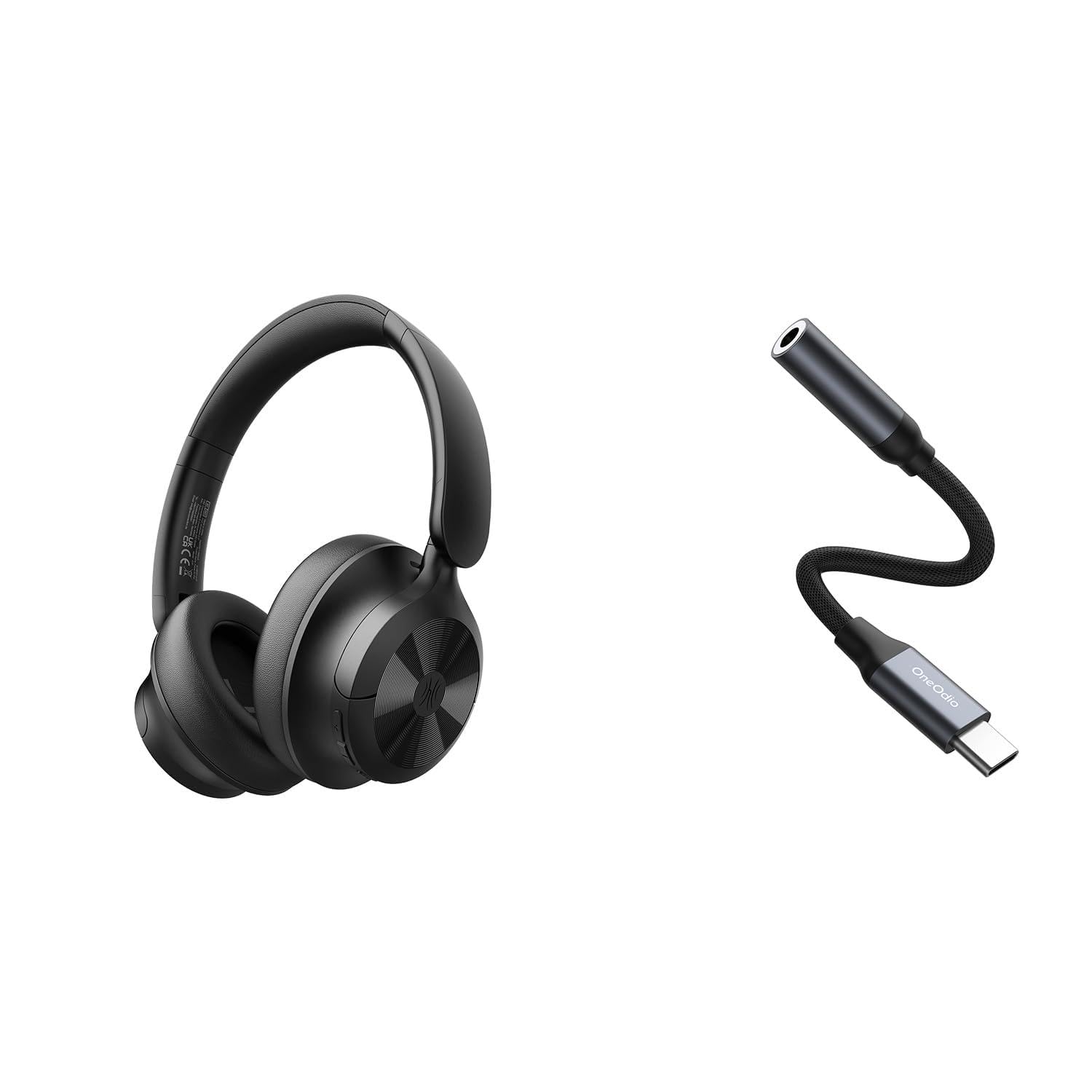
Image: OneOdio Focus A1Pro Wireless On-Ear Headphones. This image displays the headphones in their typical on-ear design, showcasing korvakupit ja panta.
Pakkauksen sisältö
Tarkista pakkauksesta seuraavat tuotteet:
- OneOdio Focus A1Pro Wireless On-Ear Headphones
- USB-C - 3.5 mm äänisovitin
- USB-C latauskaapeli
- Kantolaukku
- Käyttöopas (tämä asiakirja)
Asennus
1. Kuulokkeiden lataaminen
Before first use, fully charge the headphones. Connect the USB-C charging cable to the charging port on the headphones and the other end to a USB power source (e.g., computer USB port, wall adapter). The LED indicator will show charging status and turn off or change color when fully charged.

Image: Close-up of the USB-C charging port on the OneOdio Focus A1Pro headphones, with a charging cable connected.
2. Virta päälle / pois
- Virran kytkeminen: Paina monitoimipainiketta ja pidä sitä painettuna noin 3 sekuntia, kunnes LED-merkkivalo vilkkuu sinisenä.
- Virran sammuttaminen: Paina monitoimipainiketta ja pidä sitä painettuna noin 3 sekuntia, kunnes LED-merkkivalo vilkkuu punaisena ja sammuu sitten.
3. Bluetooth-pariliitos
- Varmista, että kuulokkeista on katkaistu virta.
- Press and hold the Multi-function button for 5-7 seconds until the LED indicator flashes red and blue alternately. This indicates pairing mode.
- Ota Bluetooth käyttöön laitteellasi (älypuhelin, tabletti, tietokone) ja hae käytettävissä olevia laitteita.
- Select "OneOdio A1Pro" from the list of found devices.
- Kun yhteys on muodostettu, LED-merkkivalo vilkkuu hitaasti sinisenä.
- Jos salasana vaaditaan, kirjoita "0000".
Kuulokkeet yrittävät automaattisesti muodostaa yhteyden uudelleen viimeksi pariliitettyyn laitteeseen, kun ne käynnistetään.
4. Wired Connection (using USB-C to 3.5mm Audio Adapter)
For a wired connection, use the provided USB-C to 3.5mm audio adapter. This allows you to connect the headphones to devices with a standard 3.5mm audio jack.
- Plug the USB-C end of the adapter into the USB-C port on the headphones.
- Plug the 3.5mm end of the adapter into the 3.5mm audio jack of your audio source device.
- Ensure the headphones are powered off for wired mode to function correctly and conserve battery.

Image: The OneOdio Focus A1Pro headphones connected to an audio source via the USB-C to 3.5mm audio adapter.
Käyttöohjeet
Hallitseeview
The headphones feature intuitive controls located on the earcup. Familiarize yourself with these buttons for seamless operation.

Image: Diagram showing the location and function of control buttons on the OneOdio Focus A1Pro headphones, including volume, multi-function, and ANC buttons.
Musiikin toisto
- Toista/tauko: Paina monitoimipainiketta kerran.
- Seuraava kappale: Paina äänenvoimakkuuden lisäyspainiketta kahden sekunnin ajan.
- Edellinen kappale: Paina äänenvoimakkuuden vähennyspainiketta ja pidä sitä painettuna 2 sekuntia.
- Ääni kovemmalle: Paina äänenvoimakkuuden lisäyspainiketta lyhyesti.
- Äänenvoimakkuutta pienemmälle: Paina äänenvoimakkuuden vähennyspainiketta lyhyesti.
Puhelujen käsittely
- Puhelun vastaaminen/lopetus: Paina monitoimipainiketta kerran.
- Hylkää puhelu: Pidä monitoimipainiketta painettuna 2 sekunnin ajan.
- Uudelleenvalinta viimeinen numero: Paina monitoimipainiketta kahdesti.
Aktiivinen melunvaimennus (ANC)
The Focus A1Pro headphones feature Active Noise Cancellation to reduce ambient noise.
- Aktivoi ANC: Press the ANC button once. The ANC indicator light will turn green.
- Poista ANC käytöstä: Press the ANC button once again. The ANC indicator light will turn off.
Kuulokkeiden käyttäminen
Adjust the headband to fit comfortably over your head. The earcups should fully cover your ears for optimal sound quality and noise cancellation. The earcups are typically marked 'L' for left and 'R' for right.
Huolto
Puhdistus
- Pyyhi kuulokkeet pehmeällä, kuivalla ja nukkaamattomalla liinalla.
- Älä käytä hankaavia puhdistusaineita, alkoholia tai kemiallisia liuottimia.
- Vältä kosteuden joutumista aukkoihin.
- The earpads can be gently wiped with a slightly damp cloth and mild soap solution, then dried thoroughly.
Varastointi
When not in use, store the headphones in the provided carrying pouch to protect them from dust and scratches. Store in a cool, dry place away from extreme temperatures.
Akun hoito
- Vältä akun usein toistuvaa täydellistä tyhjentymistä.
- Lataa kuulokkeet säännöllisesti, vaikka niitä ei käytettäisi pitkään aikaan, akun kunnon ylläpitämiseksi.
- Do not expose the headphones to high temperatures, as this can degrade battery performance.
Vianetsintä
Ei Virtaa
- Varmista, että kuulokkeet ovat täyteen ladatut.
- Press and hold the Multi-function button for 3 seconds to power on.
Ei ääntä
- Bluetooth:
- Ensure the headphones are paired and connected to your device.
- Check the volume level on both the headphones and your device.
- Kokeile kuulokkeiden pariliitoksen purkamista ja pariliitoksen muodostamista uudelleen.
- Langallinen:
- Ensure the USB-C to 3.5mm adapter is securely connected to both the headphones and the audio source.
- Verify the audio source is playing and its volume is up.
- Test with a different audio cable or device if possible.
Bluetooth-yhteysongelmat
- Ensure the headphones are in pairing mode (red and blue flashing LED).
- Siirrä kuulokkeet lähemmäs laitettasi.
- Tyhjennä laitteesi Bluetooth-luettelo ja yritä pariliitosta uudelleen.
- Vältä muiden langattomien laitteiden aiheuttamia häiriöitä.
Kuulokkeiden nollaus
If you experience persistent issues, you can try resetting the headphones to their factory settings. (Note: Specific reset procedures vary by model. A common method is to press and hold the Multi-function and Volume Down buttons simultaneously for 5-10 seconds while powered on, or connect to power while holding a button. Refer to the manufacturer's official support for exact steps if this general method does not work.)
Tekniset tiedot
| Mallin nimi | Focus A1Pro |
| Bluetooth-versio | 5.0 (Estimated, common for modern headphones) |
| Kuljettajan halkaisija | 40 mm (Arvioitu) |
| Taajuusvaste | 20 Hz - 20 kHz (Tyypillinen) |
| Akun kapasiteetti | 500 mAh (Arvioitu) |
| Latausaika | Noin 2-3 tuntia |
| Toistoaika | Jopa 30 tuntia (Varies with volume and ANC usage) |
| Paino | Approx. 250g (Arvioitu) |
Note: Specifications are subject to change without notice. Actual performance may vary.
Takuu ja tuki
Takuutiedot
OneOdio products are covered by a limited warranty from the date of purchase. This warranty covers manufacturing defects in materials and workmanship. It does not cover damage caused by misuse, accidents, unauthorized modifications, or normal wear and tear. Please retain your proof of purchase for warranty claims.
Asiakastuki
For technical support, warranty inquiries, or other assistance, please contact OneOdio customer service through their official websivustolta tai jälleenmyyjältä, jolta ostit tuotteen.
Virallinen Websivusto: www.oneodio.com
Sähköpostituki: support@oneodio.com