
1. Tuote ohiview
The Edifier W280NB Pro are neckband wireless headphones designed for immersive audio experiences with advanced features. They offer hybrid active noise cancellation, Hi-Res Audio support with LDAC, and a durable, comfortable design suitable for various activities.

Image: Edifier W280NB Pro headphones with key features highlighted.
Tärkeimmät ominaisuudet:
- Deep Hybrid Active Noise Cancellation: Up to -45dB noise reduction with 4 selectable modes (High ANC, Medium ANC, Ambient Aware, Wind Reduction).
- Studio-Quality Hi-Res Audio: 10mm dynamic drivers with titanium-coated composite diaphragms, supporting LDAC codec and Hi-Res Audio Wireless certification (20Hz-40KHz frequency response).
- Long-Lasting Battery & Fast Charging: Up to 23 hours of playback (ANC off), 14 hours (ANC on). 15 minutes of charging provides 5 hours of playtime. Full charge in 1.5 hours.
- Vakaa Bluetooth 5.4 -yhteys: Ensures stable transmission, low power consumption, and multipoint connection for seamless device switching.
- All-Day Comfort & Secure Fit: Lightweight, flexible neckband with skin-friendly material and multiple sizes of ear wings for a secure fit. Magnetic earbuds for tangle-free storage.
- Durable & Clear Calls: IP55 dust and water resistance. Built-in AI noise-canceling microphones for clear communication in noisy environments.
2. Asennusopas
2.1 Pakkauksen sisältö
Ennen käyttöä varmista, että pakkauksessa on kaikki tarvittavat osat:
- Edifier W280NB Pro Neckband Wireless Headphones
- USB-C latauskaapeli
- Multiple sizes of ear tips and ear wings
- Käyttöopas (tämä asiakirja)
2.2 Kuulokkeiden lataaminen
Charge the headphones fully before first use to ensure optimal battery performance.
- Connect the provided USB-C charging cable to the charging port on the neckband.
- Liitä kaapelin toinen pää USB-virtalähteeseen (ei sisälly toimitukseen) tai tietokoneen USB-porttiin.
- Merkkivalo näyttää latauksen tilan (katso lisätietoja LED-merkkivalo-osiosta).
- A full charge takes approximately 1.5 hours. A 15-minute quick charge provides approximately 5 hours of playback.

Image: Visual representation of battery life (23 hours ANC off, 14 hours ANC on) and fast charging (15 mins = 5 hours).
2.3 Fitting the Headphones
Proper fit is crucial for comfort, sound quality, and effective noise cancellation.
- Select the ear tips and ear wings that best fit your ears. Experiment with different sizes for the most secure and comfortable seal.
- Aseta kaulapanta kaulasi ympärille.
- Insert the earbuds into your ear canals and adjust the ear wings to sit snugly in your outer ear for stability.

Image: Diagram showing various ear tip and ear wing sizes for a secure and comfortable fit.
2.4 Bluetooth -pariliitos
Pair your Edifier W280NB Pro headphones with your device via Bluetooth.
- Varmista, että kuulokkeet on ladattu ja että niiden virta on katkaistu.
- Press and hold the multi-function button (usually the power button) until the indicator light flashes rapidly (e.g., blue and red alternately), indicating pairing mode.
- Ota Bluetooth käyttöön laitteellasi (älypuhelin, tabletti, kannettava tietokone) ja hae käytettävissä olevia laitteita.
- Select "Edifier W280NB Pro" from the list of found devices.
- Kun yhteys on muodostettu, merkkivalo palaa yleensä tasaisesti sinisenä tai vilkkuu hitaasti.
Monipisteyhteys:
The W280NB Pro supports multipoint connection, allowing you to connect to two Bluetooth devices simultaneously.
- Yhdistä kuulokkeet ensimmäiseen laitteeseen yllä kuvatulla tavalla.
- Poista Bluetooth käytöstä ensimmäisessä laitteessa.
- Aseta kuulokkeet takaisin pariliitostilaan ja muodosta pariliitos toisen laitteen kanssa.
- Re-enable Bluetooth on the first device. The headphones should now be connected to both devices, allowing seamless switching.

Image: Illustration of Bluetooth 5.4 technology for stable transmission and multipoint connection.
3. Käyttöohjeet
3.1 Virta päälle/pois
- Virta päälle: Press and hold the multi-function button for approximately 3 seconds until the indicator light illuminates.
- Virta pois: Press and hold the multi-function button for approximately 5 seconds until the indicator light turns off.
3.2 Painikeohjaimet
The Edifier W280NB Pro features intuitive button controls on the neckband for easy management of music, calls, and noise cancellation modes.

Image: Diagram illustrating the functions of each button on the neckband for calls, music playback, and mode switching.
| Toiminta | Toiminto |
|---|---|
| Multi-function Button (Power) | Press and hold 3s: Power On Press and hold 5s: Power Off Press and hold (pairing mode): Enter Bluetooth pairing Single press (during call): Answer/End Call Double press (during call): Reject Call |
| Äänenvoimakkuuden lisääminen (+) | Single press: Increase Volume Press and hold: Next Track |
| Äänenvoimakkuutta pienemmälle (-) | Single press: Decrease Volume Press and hold: Previous Track |
| Toisto/Tauko-painike | Single press: Play/Pause Music |
| ANC -tilan painike | Single press: Cycle through ANC modes (High ANC, Medium ANC, Ambient Aware, Wind Reduction, ANC Off) |
3.3 Aktiivinen melunvaimennus (ANC) -tilat
The W280NB Pro offers four distinct noise cancellation modes to adapt to your environment.

Image: Visual guide to the four ANC modes and their typical use cases.
- High ANC: Provides maximum noise reduction, ideal for very noisy environments like airplanes or subways.
- Medium ANC: Offers a balanced level of noise cancellation, suitable for offices or cafes.
- Ambient Aware: Allows you to hear your surroundings while still enjoying your audio, useful for urban environments or when needing to be aware of announcements.
- Tuulen vähentäminen: Erityisesti suunniteltu minimoimaan tuulen aiheuttamaa melua ulkoilun aikana.
3.4 Puheluiden soittaminen ja vastaanottaminen
The headphones feature AI noise-canceling microphones for clear call quality.
- Vastaa puheluun: Paina monitoimipainiketta kerran.
- Lopeta puhelu: Paina monitoimipainiketta kerran.
- Hylkää puhelu: Paina monitoimipainiketta kahdesti.

Image: A person using the headphones for a call, highlighting the AI-enhanced clear call feature.
3.5 Edifier Connect -sovellus
For advanced settings and customization, download the Edifier Connect app from your device's app store. The app allows you to:
- Nimeä laitteesi uudelleen.
- Personalize ANC levels.
- Fine-tune audio with preset EQs or custom EQs.
- Locate lost headphones.
4. Huolto
4.1 Puhdistus
The W280NB Pro headphones are IP55 rated for dust and water resistance, but proper cleaning helps maintain their condition.
- Pyyhi kaulapanta ja nappikuulokkeet pehmeällä, kuivalla ja nukkaamattomalla liinalla.
- For ear tips, gently remove them and clean with a damp liinalla ja miedolla saippualla tarvittaessa. Varmista, että ne ovat täysin kuivat ennen takaisin kiinnittämistä.
- Avoid using harsh chemicals, abrasive materials, or submerging the headphones in water.
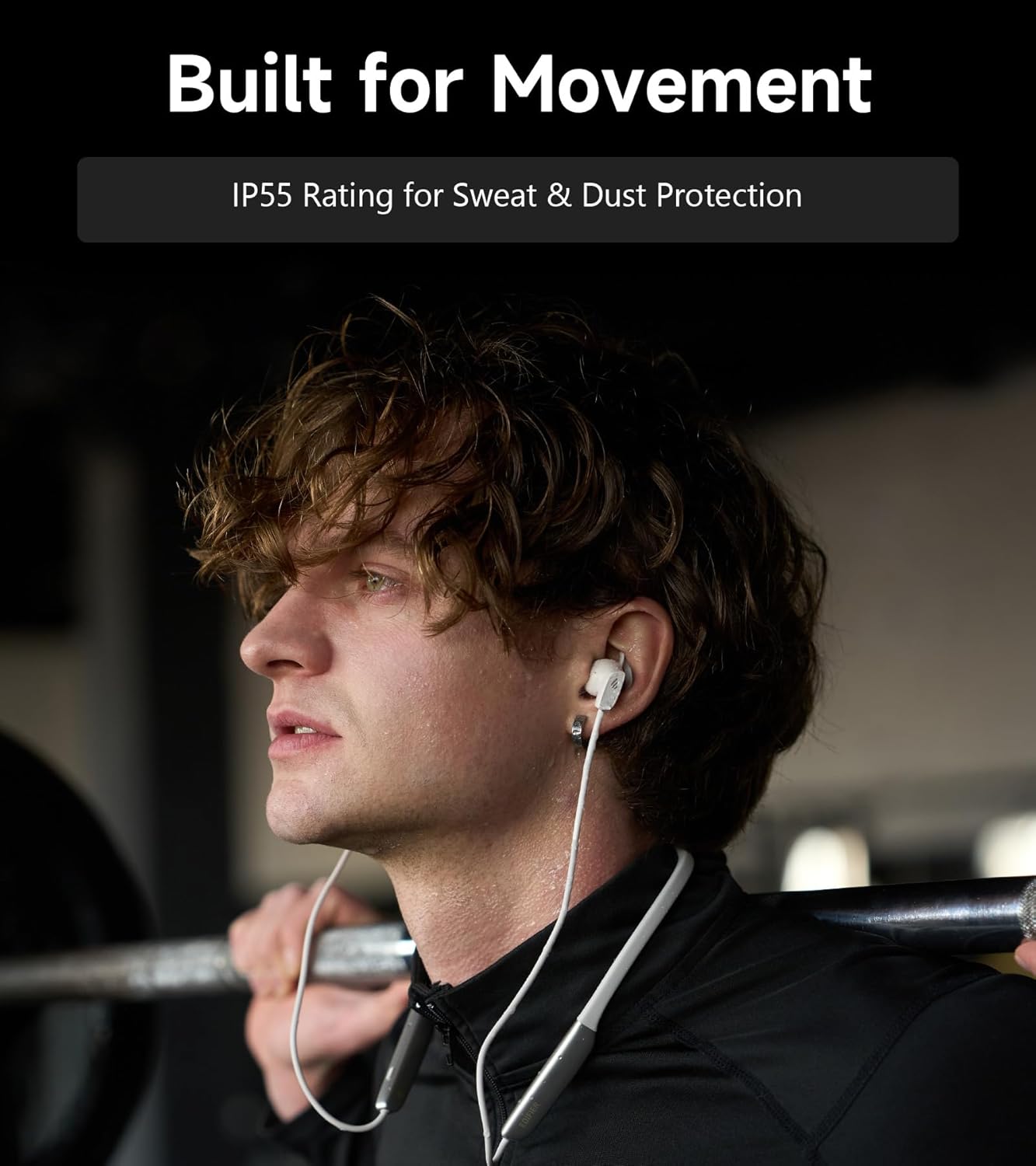
Image: A person wearing the headphones during a workout, illustrating the IP55 sweat and dust protection.
4.2 Varastointi
When not in use, store your headphones properly to prevent damage.
- The earbuds are magnetic, allowing them to snap together for tangle-free storage around your neck or in a bag.
- Säilytä viileässä, kuivassa paikassa suojassa suoralta auringonvalolta ja äärimmäisiltä lämpötiloilta.
4.3 Akun hoito
- Vältä akun usein toistuvaa täydellistä tyhjentymistä.
- Lataa kuulokkeet säännöllisesti, vaikka niitä ei käytettäisi pitkään aikaan, akun kunnon ylläpitämiseksi.
5. Vianmääritys
If you encounter issues with your Edifier W280NB Pro headphones, refer to the following common problems and solutions.
| Ongelma | Mahdollinen syy | Ratkaisu |
|---|---|---|
| Kuulokkeet eivät käynnisty. | Akku vähissä. | Lataa kuulokkeet täyteen. |
| Laitteen pariliitos ei onnistu. | Kuulokkeet eivät ole pariliitostilassa. Bluetooth disabled on device. Laite on liian kaukana kuulokkeista. | Ensure headphones are in pairing mode (flashing indicator). Ota Bluetooth käyttöön laitteessasi. Move device closer to headphones (within 10 meters). Try resetting the headphones (refer to manual for specific reset procedure if available, or power cycle). |
| Ei ääntä tai äänenvoimakkuus on alhainen. | Volume too low on headphones or device. Kuulokkeita ei ole kytketty. Laitteessa on valittu väärä äänilähtö. | Increase volume on both headphones and device. Varmista, että kuulokkeet on yhdistetty ja yhdistetty onnistuneesti. Check your device's audio settings to ensure output is set to Edifier W280NB Pro. |
| Huono äänenlaatu. | Huono Bluetooth-yhteys. Korvatyynyn sopivuus on virheellinen. Äänilähteen laatu. | Siirry lähemmäs yhdistettyä laitetta. Ensure ear tips provide a secure seal. Kokeile toista äänilähdettä tai file. |
| Aktiivinen melunvaimennus ei ole tehokas. | Korvatyynyn sopivuus on virheellinen. Incorrect ANC mode selected. Extreme noise conditions. | Ensure ear tips provide a secure seal. Cycle through ANC modes to select the most appropriate one. ANC works best for low-frequency, constant noise. |
| Mikrofoni ei toimi puheluiden aikana. | Headphones not selected as input device. Mikrofoni mykistetty laitteessa. | Check your device's call settings to ensure Edifier W280NB Pro is selected for microphone input. Ensure microphone is not muted on your device. |
6. Tekniset tiedot
Detailed technical specifications for the Edifier W280NB Pro Neckband Wireless Headphones.
| Ominaisuus | Yksityiskohta |
|---|---|
| Merkki | Edifier |
| Mallin nimi | W280NB Pro |
| Väri | Musta |
| Korvien sijoitus | Korvassa |
| Muototekijä | Niskanauha |
| Impedanssi | 24 ohmia |
| Melunhallinta | Aktiivinen melunvaimennus |
| Taajuusalue | 20Hz-40KHz |
| Ääniohjaimen tyyppi | Dynamic Driver (10mm with Titanium-Coated Diaphragm) |
| Yhteystekniikka | Langaton (Bluetooth) |
| Bluetooth-versio | 5.4 |
| Bluetooth-alue | 10 metriä (33 jalkaa) |
| Battery Average Life (Playback) | 23 tuntia (ANC pois päältä), 14 tuntia (ANC päällä) |
| Akun latausaika | 1.5 tuntia |
| Vedenkestävyystaso | IP55 (Dust & Waterproof) |
| Yhteensopivat laitteet | Älypuhelimet, tabletit, kannettavat tietokoneet, älykaiuttimet |
| Materiaali | Silicone (Enclosure) |
| UPC | 628430220005 |
7. Takuutiedot
The Edifier W280NB Pro Neckband Wireless Headphones come with a 1 vuoden valmistajan takuu.
This warranty covers defects in materials and workmanship under normal use. It does not cover damage caused by misuse, accidents, unauthorized modifications, or normal wear and tear. Please retain your proof of purchase for warranty claims.
8. Asiakastuki
For further assistance, technical support, or warranty inquiries, please contact Edifier customer service.
- Websivusto: Käy Edifierin virallisella sivustolla websivusto, josta löydät usein kysyttyjä kysymyksiä, tukiresursseja ja yhteystietoja.
- Sähköposti/Puhelin: Refer to the Edifier website or your product packaging for specific contact details in your region.