
Tuote loppuview
The NEWFAST AC1200 Dual Band WiFi Extender is designed to expand your wireless network coverage and eliminate Wi-Fi dead zones. It supports high-speed data transfer up to 1200 Mbps, utilizing both 2.4 GHz and 5 GHz frequency bands for optimal performance. Equipped with four high-gain antennas, this extender ensures broad signal coverage and stable connections for multiple devices.
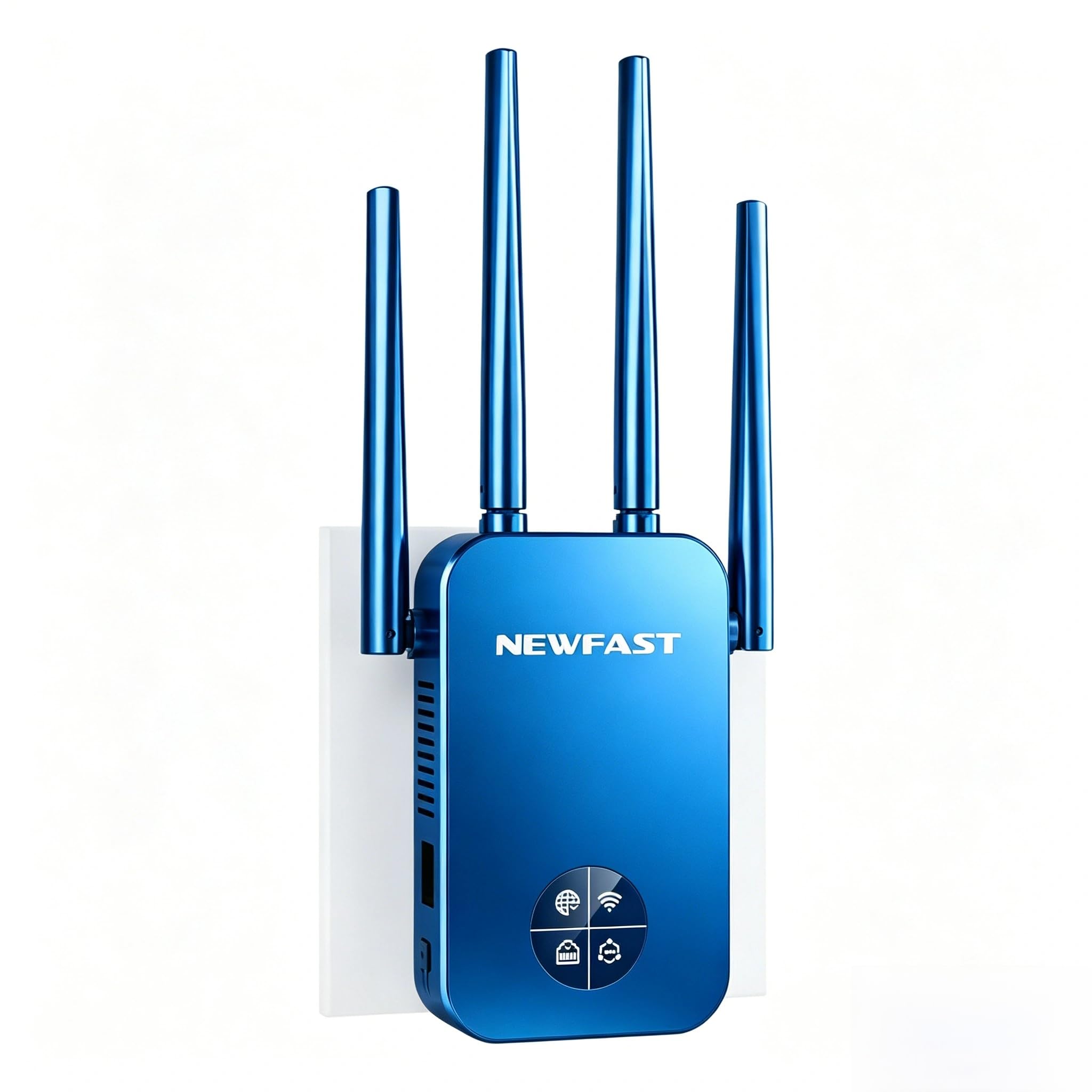
Image: The NEWFAST AC1200 WiFi Extender, showcasing its four adjustable antennas and front LCD display.
Key features include easy setup via WPS or a web interface, multiple operating modes (Repeater, Bridge, AP, Router, Client), and robust WPA/WPA2 security protocols to protect your network.
Asennusohjeet
Method 1: WPS (Wi-Fi Protected Setup)
If your main router supports the WPS function, you can set up the extender quickly using the WPS button.
- Plug the NEWFAST AC1200 WiFi Extender into a power outlet near your main router.
- Wait for the extender to power on completely.
- Paina WPS-painike pääreitittimessäsi.
- Paina kahden minuutin kuluessa WPS/Reset-painike on the NEWFAST AC1200 WiFi Extender.
- The extender's OLED screen will flash, indicating a successful connection.
- Once connected, you can unplug the extender and move it to a desired location within your router's Wi-Fi range.
Tapa 2: Web Liitäntäasetus
For routers without WPS or for more advanced configuration, use the web käyttöliittymä.
- Plug the NEWFAST AC1200 WiFi Extender into a power outlet.
- On your computer or mobile device, connect to the extender's default Wi-Fi network (e.g., "NEWFAST-2G" or "NEWFAST-5G"). No password is required initially.
- Avaa a web selaimeen ja anna oletus-IP-osoite: 192.168.10.1 osoitepalkissa.
- Anna oletussalasana: järjestelmänvalvoja and click "LOGIN".
- Valitse ensisijainen Wi-Fi-verkkosi ja anna sen salasana noudattamalla näytön ohjeita.
- Configure the extender's network name (SSID) and password if desired.
- Tallenna asetukset ja odota, että laajennin käynnistyy uudelleen.
- Reconnect your devices to the new extended Wi-Fi network.
Toimintatilat
The NEWFAST AC1200 WiFi Extender supports five different operating modes to suit various network requirements:
- Toistintila: Laajentaa pääreitittimesi olemassa olevaa Wi-Fi-kattavuutta. Tämä on yleisin tapa poistaa katvealueita.
- Siltatila: Connects two separate networks, allowing devices on both networks to communicate.
- AP (tukiasema) -tila: Muuntaa langallisen verkkoyhteyden langattomaksi. Ihanteellinen uuden Wi-Fi-hotspotin luomiseen Ethernet-portin kautta.
- Reitittimen tila: Functions as a primary router, creating a new private network. This mode is suitable if you have a modem but no router.
- Asiakastila: Allows wired devices (e.g., smart TV, gaming console) to connect to a wireless network via the extender's Ethernet port.
The Ethernet port on the side of the extender can be used to connect wired devices or for AP/Router mode configurations.
Huolto
Extenderin nollaus
If you encounter issues or wish to reconfigure the extender, you may need to perform a factory reset. There are two methods:
- Method 1: Hardware Reset
- With the extender powered on, press and hold the WPS/Reset-painike until the OLED screen flashes three times.
- Vapauta painike välittömästi.
- The extender will reset to its factory default settings.
- Method 2: Software Reset (via Web Käyttöliittymä)
- Connect to the extender's Wi-Fi network (e.g., "NEWFAST-2G" or "NEWFAST-5G").
- Avaa a web selain ja siirry kohtaan 192.168.10.1.
- Log in with the password järjestelmänvalvoja.
- On the settings page, locate and click the "Homepage" button (usually in the upper right corner).
- Select "Restore by default" or "Factory Reset" to reset the extender.
Vianetsintä
Slow Speed After Setup
If you experience slow network speeds after setting up the extender, consider the following:
- Jatkeen sijoittelu: Ensure the extender is not too far from your main router. While extenders increase coverage, optimal performance requires a good signal from the source. Adjust the extender's position to be within a strong signal area of your main router.
- Signaalin lähde: Wi-Fi extenders primarily extend the coverage of wireless signals; they do not increase the actual internet speed provided by your ISP. The speed of the extended signal is determined by the speed of your main router's signal.
- Häiriöt: Walls, large metal objects, and other electronic devices can interfere with Wi-Fi signals. Try repositioning the extender away from such obstacles.
- Yhtyevalinta: For higher speeds, ensure your devices are connecting to the 5 GHz band of the extender, if supported by both the device and the extender's configuration. The 2.4 GHz band offers better range but lower speeds.
Yhteys katkeaa tai on epävakaa
- Laiteohjelmiston päivitys: Check the NEWFAST website for any available firmware updates for your AC1200 extender. Updating firmware can resolve known issues and improve stability.
- Kanavahäiriöt: Vuonna web kokeile vaihtaa sekä 2.4 GHz:n että 5 GHz:n Wi-Fi-kanava vähemmän ruuhkaiseksi.
- Overloaded Network: If too many devices are connected to the extender, it might lead to instability. Consider reducing the number of connected devices or upgrading your main router if the issue persists.
Tekniset tiedot
| Ominaisuus | Yksityiskohta |
|---|---|
| Vakio | IEEE802.11ac/a/b/g/n |
| Antennit | 4 x 3dBi High-Gain, 180° Rotatable |
| Tiedonsiirtonopeus | Jopa 1200 Mbps (300 Mbps 2.4 GHz:n taajuudella, 867 Mbps 5 GHz:n taajuudella) |
| Taajuuskaista | Dual Band (5 GHz / 2.4 GHz) |
| Turvallisuus | WPA-PSK/WPA2-PSK/WPA2 |
| Yhteensopivuus | Compatible with all IEEE802.11ac/a/b/g/n compliant routers/modems |
| Erikoisominaisuudet | WPS One-Click Setup, Repeater/Router/AP Mode, Smart LCD Screen, Ethernet Port |
| Väri | Musta |
| Mukana olevat komponentit | 1x AC1200 WiFi Extender, 1x Ethernet Cable, 1x Multi-language User Manual |
Turvallisuus
The NEWFAST AC1200 WiFi Extender supports WPA-PSK / WPA2-PSK WPA / WPA2 encryption to ensure the security of your network and block unauthorized access. Always use strong, unique passwords for your Wi-Fi network and the extender's administration interface.
Tärkeä huomautus: The range of signal extension will be influenced by factors such as house structure and usage environment. The signal transmission speed after extension primarily depends on the upstream equipment (your main router/ISP speed).
Takuu ja tuki
Specific warranty information is not provided in this document. Please refer to the warranty card included in the product packaging or contact NEWFAST customer support for details regarding warranty coverage and service.
If you have any questions or require further assistance, please do not hesitate to contact NEWFAST customer support. Contact information can typically be found on the official NEWFAST websivustolla tai mukana toimitetuissa dokumenteissa.