
1. Johdanto
This manual provides detailed instructions for the FiiO M21 Portable High-Resolution Music Player. It covers essential information regarding setup, operation, features, maintenance, and troubleshooting to ensure optimal use of your device. The FiiO M21 is equipped with Android 13, a Snapdragon 680 processor, and advanced DAC technology for a superior audio experience.
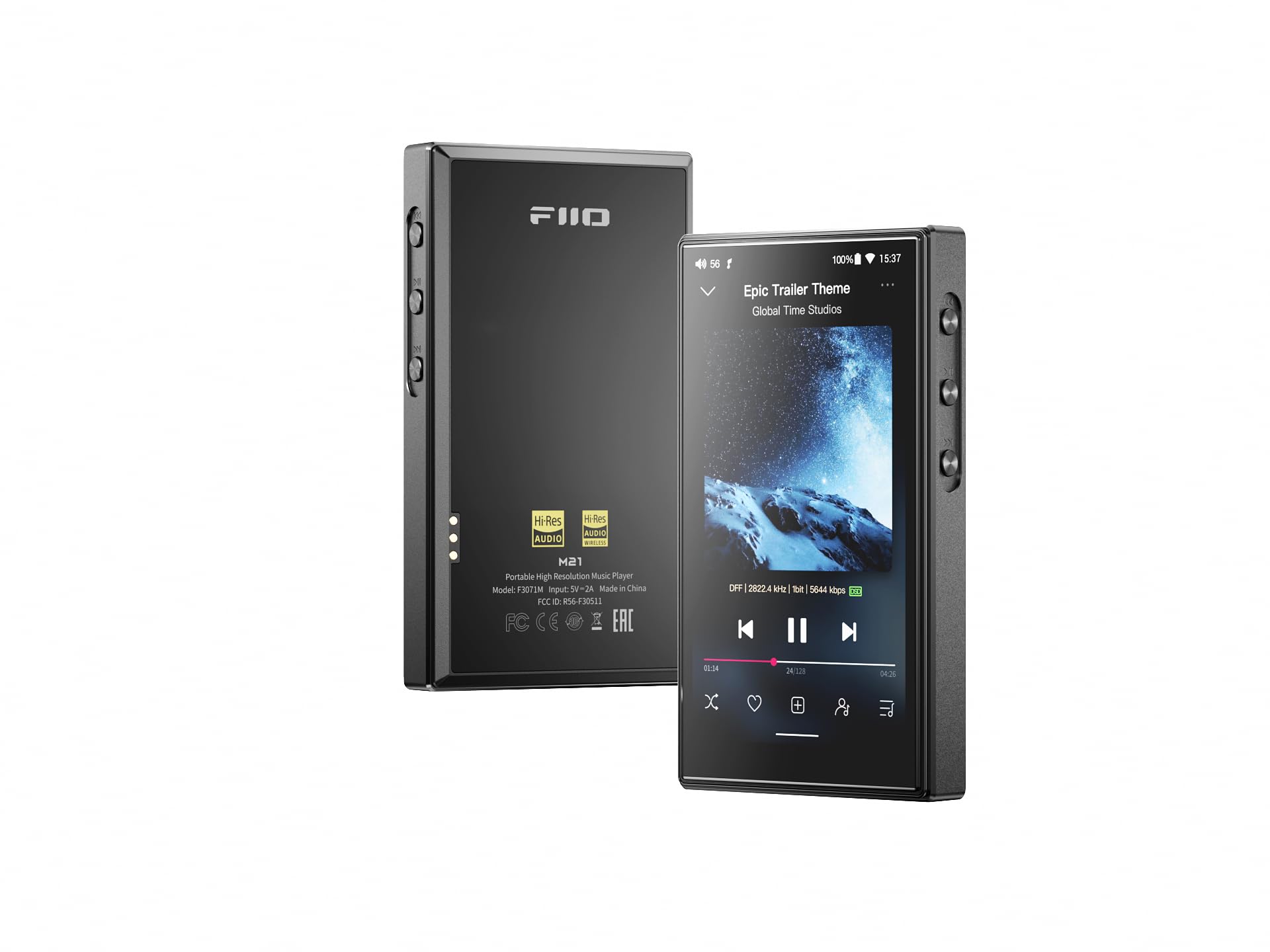
Figure 1: FiiO M21 Portable High-Resolution Music Player (Black variant).
2. Tuote ohiview
2.1 Komponentit ja hallintalaitteet
Familiarize yourself with the physical layout and controls of your FiiO M21 player.

Kuva 2: Sivu view of the FiiO M21, highlighting the volume up/down, play/pause, previous track, next track, and multifunction buttons.
- Äänenvoimakkuus ylös/alas: Säätää äänen ulostulon tasoa.
- Toista/tauko: Ohjaa median toistoa.
- Edellinen kappale: Hyppää nykyisen tai edellisen kappaleen alkuun.
- Seuraava kappale: Siirtyy seuraavaan kappaleeseen.
- Monitoimipainike: Customizable button for various functions.
Kuva 3: Pohja view of the FiiO M21, illustrating the dual Type-C ports for data transfer and charging, and a dedicated power input.
- Kaksi Type-C-porttia: Used for data transfer, charging, and USB audio output.
- 3.5 mm kuulokelähtö: Standard audio output for headphones.
- 4.4 mm:n tasapainotettu kuulokelähtö: Balansoitu äänilähtö yhteensopiville kuulokkeille.
- Micro SD -korttipaikka: For expandable storage of music files.
3. Asennus
3.1 Ensimmäinen lataus
Before first use, fully charge the FiiO M21 using the provided USB-C cable and a compatible power adapter. The device features a built-in battery.
3.2 Virran kytkeminen päälle/pois
- Virran kytkeminen: Paina virtapainiketta ja pidä sitä painettuna, kunnes näyttö syttyy.
- Virran sammuttaminen: Pidä virtapainiketta painettuna ja valitse sitten näytön vaihtoehdoista 'Virta pois'.
- Käynnistää uudelleen: Pidä virtapainiketta painettuna ja valitse sitten näytön vaihtoehdoista 'Käynnistä uudelleen'.
3.3 Micro SD -kortin asettaminen
Locate the Micro SD card slot on the device. Insert a compatible Micro SD card (up to 2TB, not included) with the gold contacts facing down until it clicks into place. This expands the device's storage capacity for music files.
3.4 Initial Android 13 Setup
Upon first power-on, follow the on-screen prompts to complete the initial Android 13 setup, including language selection, Wi-Fi connection, and Google account login (optional).
3.5 Wi-Fi-yhteyden muodostaminen
Navigoi kohteeseen Asetukset > Verkko ja internet > Wi-Fi. Select your desired Wi-Fi network and enter the password if prompted.
3.6 Bluetooth-laitteiden yhdistäminen
Navigoi kohteeseen Asetukset > Yhdistetyt laitteet > Bluetooth. Turn on Bluetooth, then select 'Pair new device' and choose your Bluetooth headphones or other audio devices from the list.
4. Käyttöohjeet
4.1 Perusnavigointi
The FiiO M21 features a 4.7-inch HD compact display with touchscreen functionality. Navigate the Android 13 interface by tapping, swiping, and pinching.
4.2 Musiikin toisto
Use the pre-installed FiiO Music app or download your preferred music player from the Google Play Store. Browse your music library and tap on a track to begin playback.
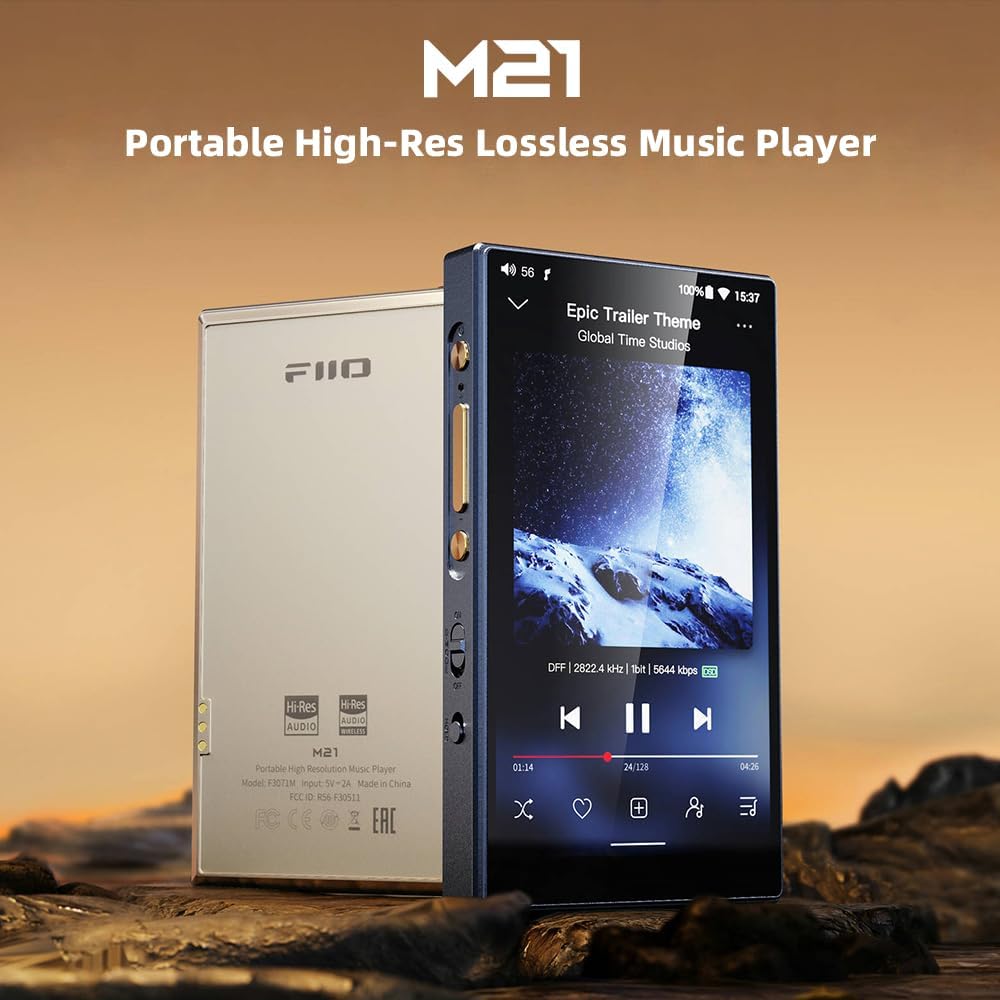
Figure 4: FiiO M21 screen showing the music playback interface with track information and controls.
4.3 Output Modes and Gain Settings
The M21 supports versatile output options and gain settings to match various headphones and listening preferences.
- Kuulokkeiden ulostulot: Utilize the 3.5mm single-ended or 4.4mm balanced outputs.
- Line Out (LO): Dedicated line-out functionality for connecting to external amppelastajia.
- SPDIF-lähtö: Digital audio output for connecting to external DACs or receivers.
- USB -äänilähtö: Connect to a computer or other USB DACs for digital audio transmission.
Adjust the gain setting (Super High, High, Medium, Low) via the device's settings menu to optimize power output for your headphones.

Figure 5: FiiO M21 screen showing the gain selection menu (Super High, High, Medium, Low) and a visual comparison of output power.
5. Työpöytätila
The FiiO M21 features a patented Desktop Mode designed to protect the internal battery during extended use with external power. When Desktop Mode is enabled, the M21 operates entirely on external power, bypassing the internal battery's charging and discharging cycles. This feature extends the lifespan of the built-in battery, making it ideal for use as a stationary audio source.

Figure 6: FiiO M21 illustrating the Desktop Mode switch and external power input, with patent information.
6. Audio Technology and Performance
6.1 Snapdragon 680 Processor
The M21 is powered by a Qualcomm Snapdragon 680 octa-core processor, built on a 6nm process. This processor provides efficient performance for smooth operation of Android 13 and various music applications.

Kuva 7: Sisäinen komponentti view of the FiiO M21, highlighting the Snapdragon 680 processor and 4GB RAM + 64GB storage combination.
6.2 Quad CS43198 DACs and 2-Stage Amplifiointi
The device incorporates four CS43198 DAC chips, arranged in an eight-channel fully differential output design. This configuration enhances dynamic range and noise immunity. The headphone amplifier section utilizes a 2-stage circuit design: the first stage handles voltage amplification, and the second stage provides current expansion, contributing to sound quality and detail.

Kuva 8: Lähikuva sisäosista view of the FiiO M21, showcasing the four CS43198 DAC chips.
6.3 Digital and Analog Partition Shielding
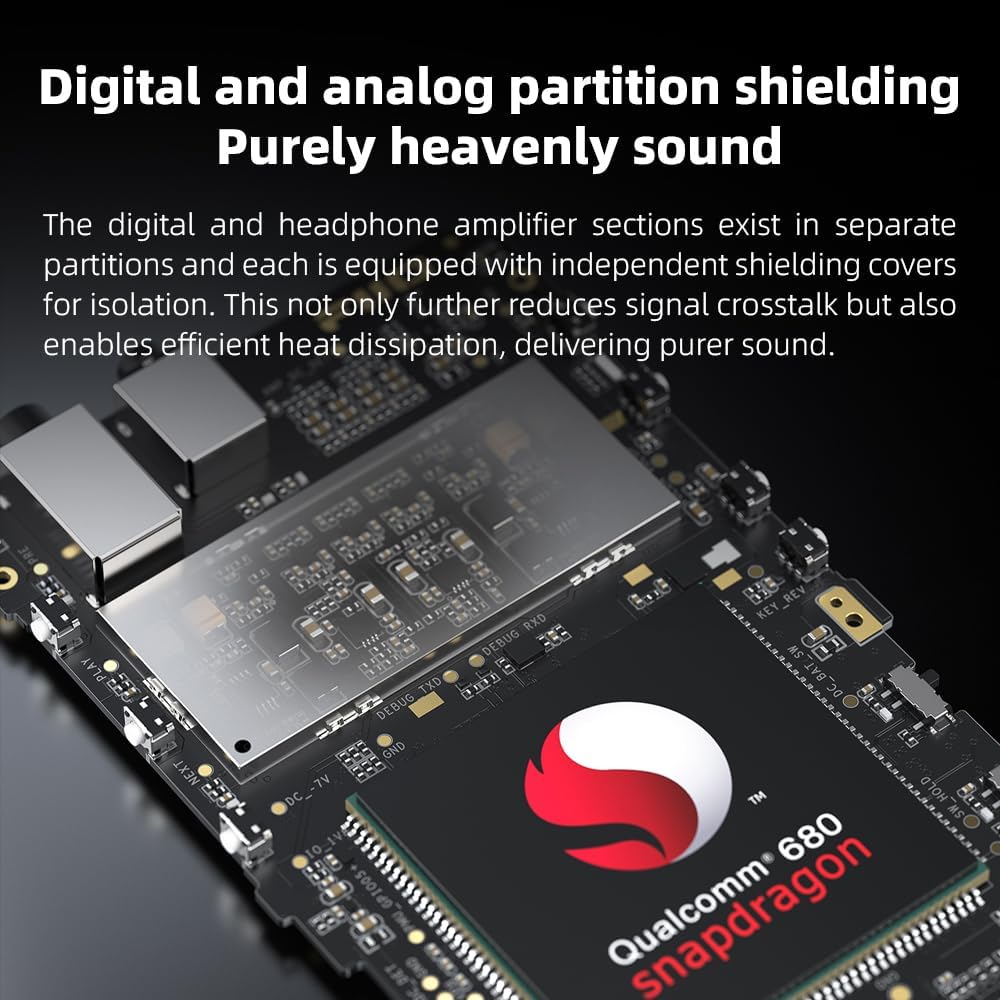
The digital and headphone amplifier sections are physically separated and equipped with independent shielding covers. This design minimizes signal crosstalk and aids in efficient heat dissipation, contributing to audio purity.

Kuva 9: Sisäinen view of the FiiO M21, demonstrating the separate shielded partitions for digital and analog components.
6.4 Tuetut ääniformaatit
The FiiO M21 supports a wide range of high-resolution audio formats, including DSD, FLAC, WAV, APE, ALAC, and MQA.
7. Huolto
7.1 Laitteen puhdistaminen
Use a soft, dry, lint-free cloth to clean the exterior of the M21. Avoid using harsh chemicals or abrasive materials, which can damage the finish or screen.
7.2 Akun hoito
To prolong battery life, avoid fully discharging the device frequently. If storing the device for an extended period, charge it to approximately 50-60% before storage. Utilize Desktop Mode when using the device as a stationary player to reduce battery wear.
7.3 Ohjelmistopäivitykset
Periodically check for system updates to ensure optimal performance and access to the latest features. Navigate to Asetukset > Tietoja puhelimesta > Järjestelmäpäivitys tarkistaa ja asentaa saatavilla olevia päivityksiä.
7.4 Tallennuksen hallinta
Regularly manage your internal and Micro SD card storage. Delete unnecessary files or transfer them to a computer to free up space and maintain device performance.
8. Vianmääritys
If you encounter issues with your FiiO M21, refer to the following common problems and solutions:
| Ongelma | Mahdollinen ratkaisu |
|---|---|
| Laite ei käynnisty. | Ensure the device is sufficiently charged. Connect it to a power source and try again. If unresponsive, perform a hard reset by holding the power button for 10-15 seconds. |
| Ei äänilähtöä. | Check headphone connections. Verify volume level. Ensure correct output mode (3.5mm/4.4mm/LO) is selected. Test with different headphones. |
| Bluetooth-yhteysongelmat. | Ensure Bluetooth is enabled on both devices. Unpair and re-pair the device. Move closer to the M21 to reduce interference. |
| Laite jumiutuu tai ei reagoi. | Press and hold the Power button for 10-15 seconds to force a restart. If issues persist, consider a factory reset (backup data first). |
| Micro SD -korttia ei tunnistettu. | Ensure the card is inserted correctly. Try reinserting. Test with another Micro SD card. Format the card (this will erase all data). |
If problems persist after attempting these solutions, please contact FiiO customer support for further assistance.
9. Tekniset tiedot
The following table outlines the key specifications of the FiiO M21 Portable High-Resolution Music Player:
| Ominaisuus | Erittely |
|---|---|
| Merkki | FiiO |
| Mallin nimi | M21 |
| Käyttöjärjestelmä | Android 13 |
| Prosessori | Qualcomm Snapdragon 680 (6nm) |
| DAC-sirut | 4x CS43198 |
| Muistin tallennus | 4 GB RAM + 64 GB Internal Storage (Expandable via Micro SD) |
| Yhteystekniikka | Bluetooth, WiFi |
| Näytön koko | 4.7 tuumaa |
| Näyttötekniikka | LCD |
| Yhteensopivat laitteet | Kuulokkeet |
| Tuetut mediatyypit | Micro SD |
| Tuetut äänistandardit | DSD, FLAC, WAV, APE, ALAC, MQA |
| Tuotteen paino | 245 grammaa |
| Lähtöteho | Up to 950mW (32Ω) in Super High Gain mode |
| Erikoisominaisuus | High-Resolution Audio, Desktop Mode |
10. Takuu ja tuki
The FiiO M21 Portable High-Resolution Music Player comes with a standard manufacturer's warranty. For specific warranty terms, conditions, and duration, please refer to the warranty card included with your product or visit the official FiiO websivusto.
For technical support, troubleshooting assistance beyond this manual, or service inquiries, please contact FiiO customer support through their official channels. Keep your purchase receipt and product serial number handy when contacting support.
Virallinen FiiO Websivusto: www.fiio.com