
1. Johdanto
This manual provides detailed instructions for setting up, operating, and maintaining your AOOSTAR MACO AMD Ryzen 7 H255 Mini PC. Please read this manual thoroughly before using the device to ensure proper functionality and safety. The AOOSTAR MACO Mini PC is designed for high performance, featuring an AMD Ryzen 7 H255 processor, Radeon 780M graphics, and extensive connectivity options.
2. Pakkauksen sisältö
Varmista, että pakkauksessasi on kaikki alla luetellut tuotteet:
- 1 x AOOSTAR MACO AMD Ryzen 7 H255 Mini PC
- 1 x SSD Cooling Pad
- 1 x 120W 19V 6.32A Type-C Power Supply
3. Tuote ohiview
The AOOSTAR MACO Mini PC is a compact yet powerful computing solution. Below are key features and an overview sen komponenteista ja porteista.
3.1 Tärkeimmät ominaisuudet
- Prosessori: AMD Ryzen 7 H255 (8-core, 16-thread, up to 4.9 GHz) with Zen 4 architecture and 4nm process.
- Grafiikka: Integrated Radeon 780M graphics (RDNA 3 architecture).
- Muisti: Dual-channel DDR5 5600MHz (expandable up to 128GB).
- Varastointi: Dual-channel M.2 2280 NVMe PCIe4.0x4 SSD (expandable up to 8TB).
- Turvallisuus: One-touch fingerprint unlock for secure access.
- Näyttötuki: Supports up to four 4K displays simultaneously.
- Liitettävyys: OCuLink, Dual USB4, USB 3.2 Gen2, USB 3.0, HDMI, DisplayPort, Dual 2.5G LAN, Wi-Fi 6.
3.2 External Components and Ports
Familiarize yourself with the various ports and components of your Mini PC.
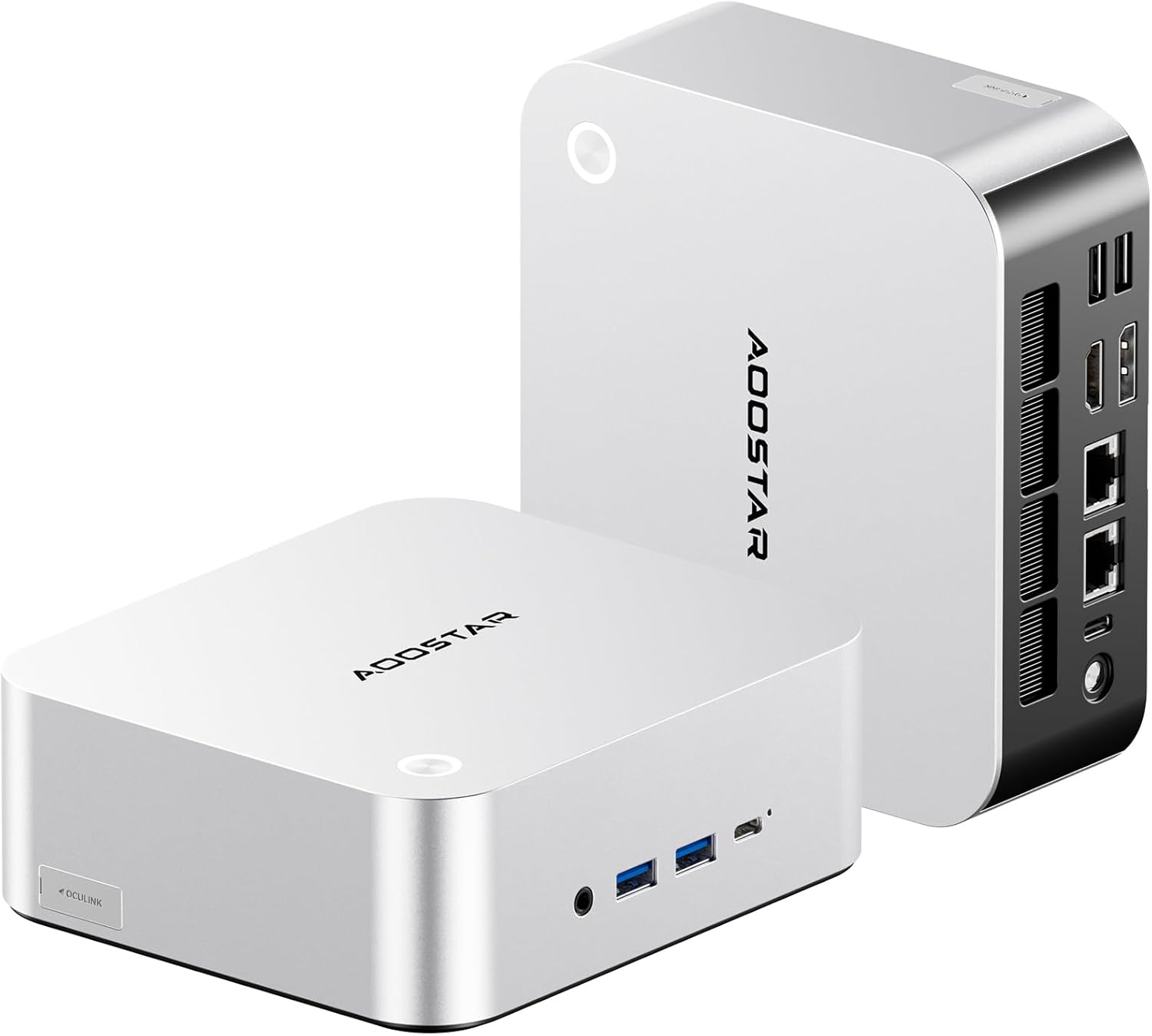
Kuva: Edestä ja takaa view of the AOOSTAR MACO Mini PC, showcasinsen kompaktin rakenteen ja lukuisten porttien ansiosta.

Kuva: Yksityiskohtainen view of the AOOSTAR MACO Mini PC's rear ports, including OCuLink, USB4, USB 3.2 Gen2, HDMI, DisplayPort, and Dual 2.5G LAN ports.
- Etupaneeli: Power button with fingerprint sensor, USB ports.
- Takapaneeli: OCuLink port (1), USB4 ports (2), USB 3.2 Gen2 ports (2), USB 3.0 ports (2), HDMI port (1), DisplayPort (1), 2.5G LAN ports (2), DC power input (1), Audio Jack (1).

Image: Close-up of the one-touch fingerprint sensor on the AOOSTAR MACO Mini PC for secure login.

Image: Visual representation of the AMD Ryzen 7 H255 processor, highlighting its core count, turbo frequency, and architecture.

Kuva: Sisäinen view showing the dual DDR5 memory slots and dual M.2 PCIe 4.0 SSD slots for high-speed storage and memory.

Image: The OCuLink port connected to an external GPU enclosure, demonstrating its use for enhanced graphics performance.

Image: Two AOOSTAR MACO Mini PCs side-by-side, highlighting the dual USB4 ports for high-speed data transfer and power delivery.
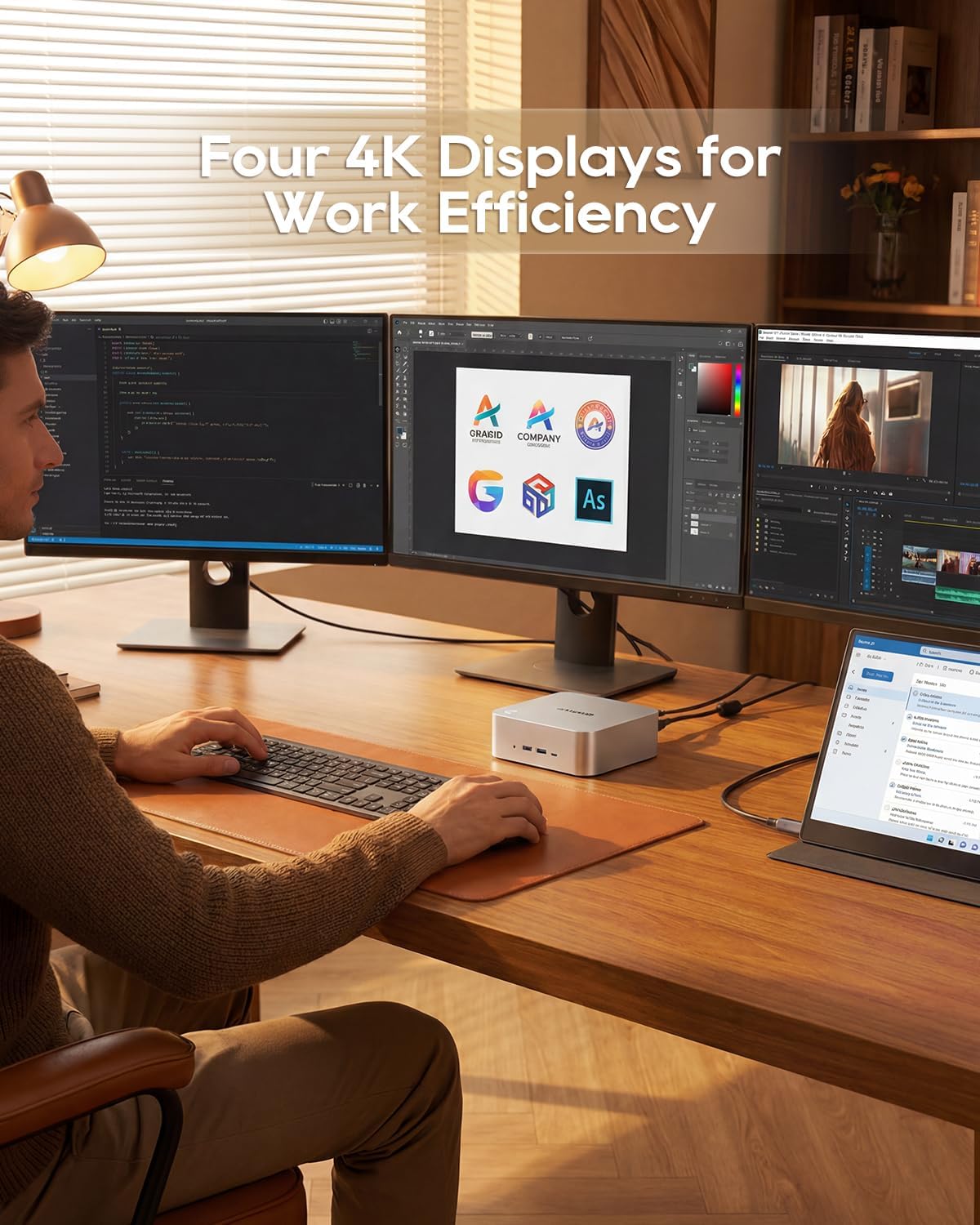
Image: A user working with the AOOSTAR MACO Mini PC connected to four 4K displays, illustrating its multi-display capability for productivity.
Image: The rear of the Mini PC showing the dual 2.5G LAN ports and an external WiFi antenna, emphasizing its high-speed networking capabilities.
Video: Yliview of the AOOSTAR MACO Mini PC, demonstrating its features such as fingerprint unlock, business applications, gaming performance, and home theater use.
4. Asennusohjeet
Follow these steps to set up your AOOSTAR MACO Mini PC:
- Yhdistä näyttö: Connect your monitor(s) to the Mini PC using an HDMI or DisplayPort cable. The Mini PC supports up to four 4K displays.
- Liitä oheislaitteet: Kytke näppäimistö, hiiri ja muut USB-laitteet käytettävissä oleviin USB-portteihin.
- Verkkoyhteys: For wired internet, connect an Ethernet cable to one of the 2.5G LAN ports. For wireless internet, ensure the Wi-Fi antenna is connected (if external) and the device is powered on to configure Wi-Fi settings.
- Virtaliitäntä: Connect the 120W Type-C power supply to the DC input port on the Mini PC, then plug the power adapter into a wall outlet.
- Virta päälle: Press the power button on the front of the Mini PC. The system will boot up.
- Alkuasennus: Follow the on-screen instructions to complete the operating system setup (e.g., Windows OS).
5. Käyttöohjeet
This section covers general operation and specific features of your Mini PC.
5.1 Sormenjälkitunnistus
The Mini PC features a one-touch fingerprint unlock for enhanced security and quick access. During initial OS setup or via system settings, you can enroll your fingerprints. Once configured, simply touch the power button to wake and log in without needing a password.
5.2 Usean näytön asetukset
The Mini PC supports connecting up to four 4K displays. Connect your monitors to the available HDMI and DisplayPort outputs. You can configure display settings (e.g., extend, duplicate) within your operating system's display settings.
5.3 OCuLink for External Graphics
The OCuLink port provides a high-bandwidth connection (64 Gbps) for external GPU solutions. This allows for significantly improved graphics performance for demanding applications or gaming. Note that OCuLink is not hot-swappable and does not occupy an M.2 2280 PCIe4.0 SSD slot.
5.4 USB4 Ports
The dual USB4 ports offer versatile connectivity with high data transfer speeds and power delivery capabilities (up to 100W). These ports can be used for external graphics card docks, NVMe SSD arrays, or other high-speed peripherals.
6. Huolto
Säännöllinen huolto auttaa varmistamaan Mini PC:si pitkän käyttöiän ja optimaalisen suorituskyvyn.
- Puhdistus: Use a soft, dry cloth to clean the exterior of the Mini PC. For dust accumulation in vents, use compressed air. Ensure the device is powered off and unplugged before cleaning.
- Ilmanvaihto: Ensure the Mini PC is placed in a well-ventilated area. Do not block the ventilation openings.
- Ohjelmistopäivitykset: Regularly update your operating system, drivers, and applications to maintain security and performance.
7. Vianmääritys
Jos Mini PC:n kanssa ilmenee ongelmia, noudata seuraavia yleisiä vianmääritysohjeita:
- Ei virtaa:
- Varmista, että virtalähde on kytketty kunnolla sekä Mini PC:hen että toimivaan pistorasiaan.
- Varmista pistorasian toiminta kytkemällä siihen toinen laite.
- Ei näyttöä:
- Check that the display cable (HDMI/DisplayPort) is securely connected to both the Mini PC and the monitor.
- Varmista, että näyttö on päällä ja asetettu oikealle tulolähteelle.
- Kokeile liittää se toiseen näyttöön tai käyttää eri kaapelia.
- Ei Internet-yhteyttä:
- Tarkista langallisen yhteyden tapauksessa Ethernet-kaapelin ja reitittimen tila.
- For Wi-Fi, ensure Wi-Fi is enabled in the operating system settings and you are connected to the correct network with the correct password.
- Käynnistä reititin/modeemi ja Mini PC uudelleen.
- Hidas suorituskyky:
- Sulje taustalla käynnissä olevat tarpeettomat sovellukset.
- Tarkista, että SSD-levylläsi on riittävästi vapaata tallennustilaa.
- Ensure the Mini PC is well-ventilated to prevent overheating.
8. Tekniset tiedot
Detailed technical specifications for the AOOSTAR MACO AMD Ryzen 7 H255 Mini PC:
| Ominaisuus | Erittely |
|---|---|
| Merkki | AOOSTAR |
| Mallinumero | MACO AMD Ryzen 7 H255 |
| CPU malli | AMD Ryzen 7 H255 |
| Prosessorin nopeus | 3.8 GHz (Base), up to 4.9 GHz (Max Boost) |
| Grafiikka rinnakkaisprosessori | Radeon 780M |
| Asennetun RAM-muistin koko | 24 Gt |
| RAM-muistitekniikka | DDR5 |
| Muistin nopeus | 5600 MHz |
| RAM-muistin enimmäiskoko | 128 Gt |
| Muistin tallennuskapasiteetti | 1 TB SSD |
| Kiintolevyn käyttöliittymä | PCIE x 4 |
| Käyttöjärjestelmä | Käyttöjärjestelmä (esiasennettu) |
| Yhteystekniikka | HDMI, USB, Wi-Fi 6, 2.5G LAN, OCuLink |
| Videolähtöliitäntä | DisplayPort, HDMI |
| Resoluutio | 4K |
| USB-portteja yhteensä | 6 (2x USB4, 2x USB 3.2 Gen2, 2x USB 3.0) |
| Tuotteen mitat | 5.12 x 5.12 x 2.36 tuumaa |
| Tuotteen paino | 660 grammaa |
| Väri | Musta |
9. Takuu ja tuki
The AOOSTAR MACO AMD Ryzen 7 H255 Mini PC comes with a 1-year warranty. For warranty claims, technical support, or service inquiries, please contact AOOSTAR customer support through their official channels or the retailer where the product was purchased. Keep your proof of purchase for warranty validation.