
1. Johdanto
This manual provides detailed instructions for the installation, operation, and maintenance of your KIMISS 4K DVR Dash Camera. This device features a 10.26-inch touchscreen, 4K front and 1080P rear cameras, Wi-Fi connectivity, and advanced driving assistance functions to enhance your safety on the road.
2. Turvallisuustiedot
- Varmista, että kojelautakamera on kiinnitetty tukevasti eikä peitä kuljettajan näkökenttää. view tai häiritä ajoneuvon ohjaimia.
- Älä yritä käyttää laitetta tai säätää asetuksia ajon aikana. Pysähdy aina turvalliseen paikkaan ennen säätöjen tekemistä.
- Use only the provided power cable and accessories to prevent damage to the device or vehicle.
- Vältä laitteen altistamista äärimmäisille lämpötiloille, pitkäaikaiselle suoralle auringonvalolle tai kosteudelle.
- Regularly check the memory card for errors and ensure it is functioning correctly.
3. Pakkauksen sisältö
Varmista, että pakkauksessa on kaikki tarvittavat osat:
- KIMISS 4K DVR Dash Camera Unit (10.26-inch touchscreen)
- Takakamera
- Ajoneuvon virtajohto
- Asennustarvikkeet
- Käyttöopas
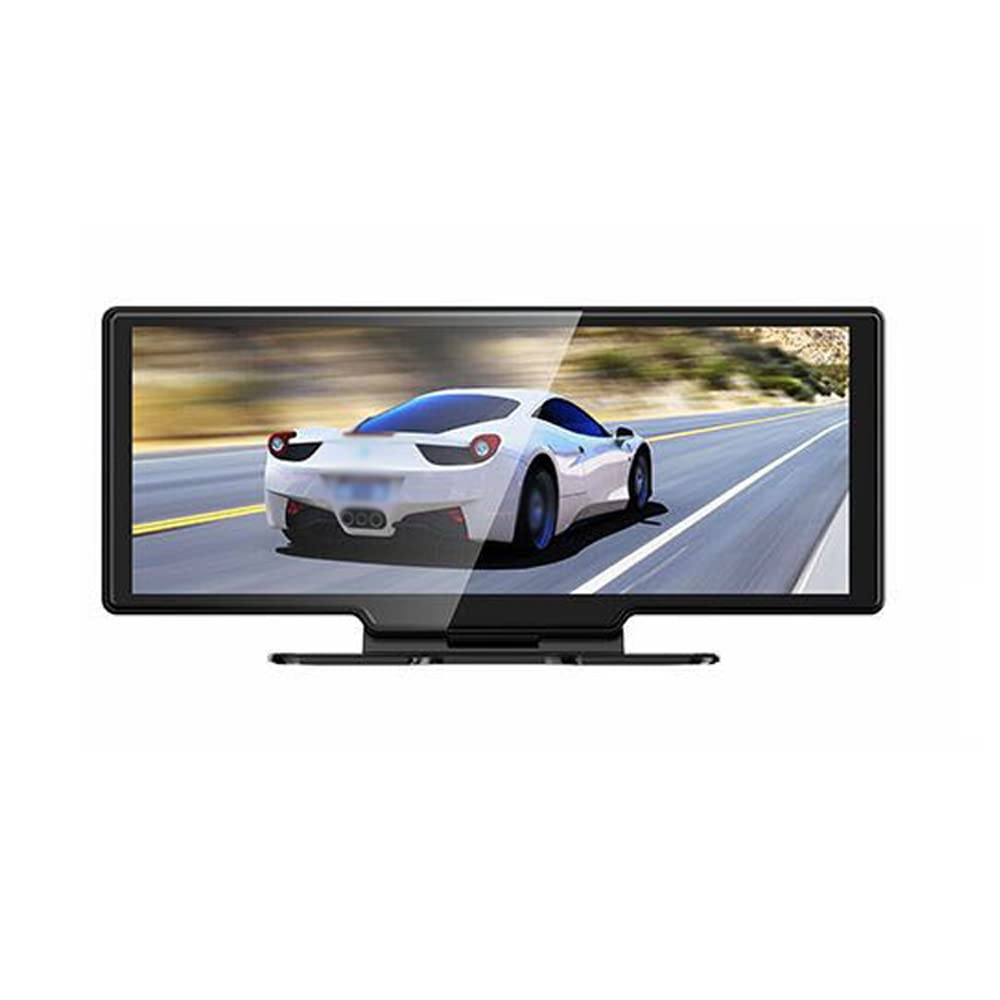
Image: The main dash camera unit, a separate rear camera, and the vehicle power cable.
4. Asennus
4.1. Muistikortin asennus
Insert a high-speed (Class 10 or higher) MicroSD card (up to 256GB, not included) into the designated slot on the dash camera. Ensure the card is inserted correctly until it clicks into place.
4.2. Mounting the Front Camera
- Clean the windshield area where the dash camera will be mounted.
- Attach the mounting bracket to the dash camera unit.
- Securely affix the dash camera to the windshield, ensuring it does not obstruct your view. Adjust the lens angle to capture the road ahead clearly.
4.3. Peruutuskameran asentaminen
- Kiinnitä peruutuskamera takalasille tai rekisterikilven alueelle varmistaen esteetön näkyvyys. view.
- Route the rear camera cable to the front dash camera unit, connecting it to the designated port. Ensure cables are tucked away safely and do not interfere with vehicle operation.
4.4. Virtaliitäntä
Connect the vehicle power cable to the dash camera and plug the other end into your car's 12V power outlet (cigarette lighter socket). The camera will typically power on automatically when the vehicle starts.

Image: Front and rear perspectives of the dash camera unit, illustrating its design and camera placement.
5. Käyttöohjeet
5.1. Perustallennus
The dash camera automatically begins recording when powered on. It records simultaneously with the 4K front camera and 1080P rear camera, providing a wide 170° angle view kattavaa kattavuutta varten.

Image: A visual representation of the dual camera system, indicating the 4K front and 1080P rear recording capabilities and their respective fields of view.
5.2. Kosketusnäyttöliittymä
Navigate the 10.26-inch touchscreen to access various functions and settings. The intuitive interface allows for easy control of recording, playback, and system configurations.

Image: The dash camera's touchscreen interface displaying icons for 'Driving recorder', 'Carplay', 'Android Auto', 'FM launch', 'BT', 'Replay', 'Screen Brightness', and 'Setting'.
5.3. Silmukkanauhoitus
The device supports loop recording. When the memory card is full, the oldest unlocked video files will be automatically overwritten by new recordings. Ensure important footage is saved or backed up to prevent loss.
5.4. Parking Monitoring & G-Sensor
The built-in G-sensor detects sudden movements or impacts while the vehicle is parked. If vibration is detected, the camera will automatically start recording to capture potential incidents, providing 24-hour monitoring.
5.5. WiFi Connectivity & App
Connect your smartphone to the dash camera via Wi-Fi to access the dedicated app. This allows for real-time video playback, downloading recorded footage, and adjusting settings directly from your phone. Compatible with Android and iOS systems.

Image: The dash camera screen showing a driving scene, with a smartphone held below it displaying the same video feed, demonstrating Wi-Fi connectivity and app mirroring.
5.6. Phone Link (CarPlay/Android Auto)
The dash camera supports Apple CarPlay for iOS phones and Android Auto for Android phones. This feature enables voice control, allowing you to manage navigation, calls, and music hands-free, keeping your focus on the road.

Image: The dash camera screen showing a split view with navigation on one side and a driving scene with a truck on the other, indicating a Bluetooth connection to a smartphone.
5.7. Reversing Assist
When the vehicle is put into reverse, the dash camera automatically displays the rear camera view on the screen, providing guidelines to assist with safe parking and reversing maneuvers.
5.8. FM-lähetin
Utilize the built-in FM transmitter to seamlessly play audio from the dash camera through your car's stereo system.
5.9. Night Vision
Equipped with a 6-layer full-glass lens, the camera provides enhanced night-vision recording capabilities, ensuring clear footage jopa heikossa valaistuksessa.
6. Huolto
- Puhdistus: Gently wipe the camera lens and screen with a soft, dry cloth. Do not use abrasive cleaners or solvents.
- Muistikortti: Format the MicroSD card regularly (e.g., once a month) within the camera's settings to maintain optimal performance and prevent data corruption. Replace the card if it shows signs of wear or error.
- Laiteohjelmistopäivitykset: Tarkista valmistajalta websivustoa säännöllisesti laiteohjelmistopäivitysten varalta, jotta laitteessasi on uusimmat ominaisuudet ja virheenkorjaukset.
7. Vianmääritys
- Kamera ei tallenna: Ensure a MicroSD card is inserted and formatted. Check if loop recording is enabled.
- Screen not turning on: Verify the power cable is securely connected and the vehicle's 12V outlet is functioning.
- Huono videon laatu: Clean the camera lenses. Ensure the protective film is removed. Check resolution settings.
- Wi-Fi-yhteysongelmat: Restart both the dash camera and your smartphone. Ensure you are within range and have selected the correct Wi-Fi network.
- G-anturi liian herkkä/ei tarpeeksi herkkä: Adjust the G-sensor sensitivity setting in the camera's menu.
8. Tekniset tiedot
| Ominaisuus | Erittely |
|---|---|
| Merkki | KIMISS |
| Mallin nimi | KIMISS3fkxbdzqi6 |
| Etukameran resoluutio | 4K |
| Takakameran resoluutio | 1080p |
| Laaja kulma | 170° |
| Näytön koko | 10.26 inches (Touchscreen) |
| Yhteydet | Wi-Fi, Ethernet (for certain functions) |
| Erikoisominaisuudet | Night Vision, Reversing Assist, Hands-free Calling, FM Transmitter, G-Sensing, Parking Monitoring, Adjustable |
| Muistikortin tuki | Jopa 256 Gt (MicroSD, ei sisälly toimitukseen) |
| Tuotteen mitat | 11.81" S x 6.69" L x 3.94" K |
| Ajoneuvopalvelun tyyppi | ATV (General compatibility) |
9. Takuu ja tuki
This KIMISS product comes with a manufacturer warranty for 90 days from the date of purchase. Please retain your proof of purchase for warranty claims.
For technical support or warranty inquiries, please contact KIMISS customer service through your retailer or the official KIMISS support channels.