
1. Johdanto
The SUPVAN E12 is a versatile and portable thermal label maker designed for efficient organization in various environments, including office, home, and school. It features a QWERTY keyboard for direct input and Bluetooth connectivity for advanced customization via a mobile application. This manual provides detailed instructions for setup, operation, maintenance, and troubleshooting to ensure optimal use of your device.

2. Turvallisuustiedot
- Älä pura tai yritä korjata laitetta itse.
- Keep the device away from water, high temperatures, and direct sunlight.
- Use only SUPVAN-approved label tapes to prevent damage and ensure print quality.
- Pidä poissa lasten ulottuvilta.
- Käytä lataamiseen mukana toimitettua USB-C-kaapelia.
3. Pakkauksen sisältö
Varmista, että pakkauksessa on kaikki tarvittavat osat:
- SUPVAN E12 Label Maker
- 1 Roll of White Label Tape (15 mm x 6 m)
- USB-C latauskaapeli
- Käyttöopas

4. Tuote ohiview
Familiarize yourself with the main components of your SUPVAN E12 label maker:

- QWERTY-näppäimistö: Suoraan tekstinsyöttöön.
- LCD-näyttö: Shows text, settings, and battery status.
- Virtapainike: Kytkee laitteen päälle/pois.
- Tulostuspainike: Initiates printing.
- USB-C-portti: Laitteen lataamiseen.
- Tarran ulostuloaukko: Mistä painetut etiketit tulevat ulos.
- Etikettilokero: Holds the label roll.
5. Asennus
5.1. Laitteen lataaminen
The SUPVAN E12 comes with a built-in 1200mAh rechargeable battery. Before first use, fully charge the device.
- Connect the provided USB-C charging cable to the USB-C port on the side of the label maker.
- Kytke kaapelin toinen pää tavalliseen USB-virtalähteeseen (ei sisälly toimitukseen) tai tietokoneen USB-porttiin.
- The charging indicator on the device will show its status. A full charge provides up to one month of standby time.

5.2. Inserting Label Roll
Proper label roll insertion is crucial for optimal printing.
- Open the label compartment cover on the back of the device.
- Insert the label roll with the printing surface facing up, ensuring it is seated correctly.
- Pull a small portion of the label tape out through the label output slot.
- Sulje etikettilokeron kansi tiiviisti.
5.3. Bluetooth Connection and App Download
To unlock advanced features, connect your label maker to the SUPVAN app.
- Download the "SUPVAN" app from your device's app store (compatible with Android and iOS).
- Turn on the SUPVAN E12 label maker.
- Ota Bluetooth käyttöön älypuhelimessa tai tabletissa.
- Open the SUPVAN app and follow the on-screen instructions to pair with your E12 device. No registration is required.
6. Käyttöohjeet
6.1. Using the QWERTY Keyboard
The integrated QWERTY keyboard allows for direct and quick label creation.
- Kirjoittaminen: Use the QWERTY keys to enter text, numbers, and special characters.
- Taustavalo: Paina Fn -näppäintä ja sen jälkeen Taustavalo key to toggle the screen backlight for improved visibility in various lighting conditions.
- Erikoismerkit: Access additional symbols and functions using the Fn avainta yhdessä muiden näppäinten kanssa.


6.2. Mobiilisovelluksen käyttäminen
The SUPVAN app offers extensive customization options for your labels.
- Text Customization: Choose from over 30 fonts, adjust size, style, and alignment.
- Icons and Frames: Access a library of over 860 icons and 50 frames to enhance your labels.
- QR-koodit ja viivakoodit: Generate and print QR codes and various barcode types directly from the app.
- Images & Shapes: Incorporate images and shapes into your label designs.
- Mallit: Utilize pre-designed templates for common labeling tasks.


6.3. Tulostusprosessi
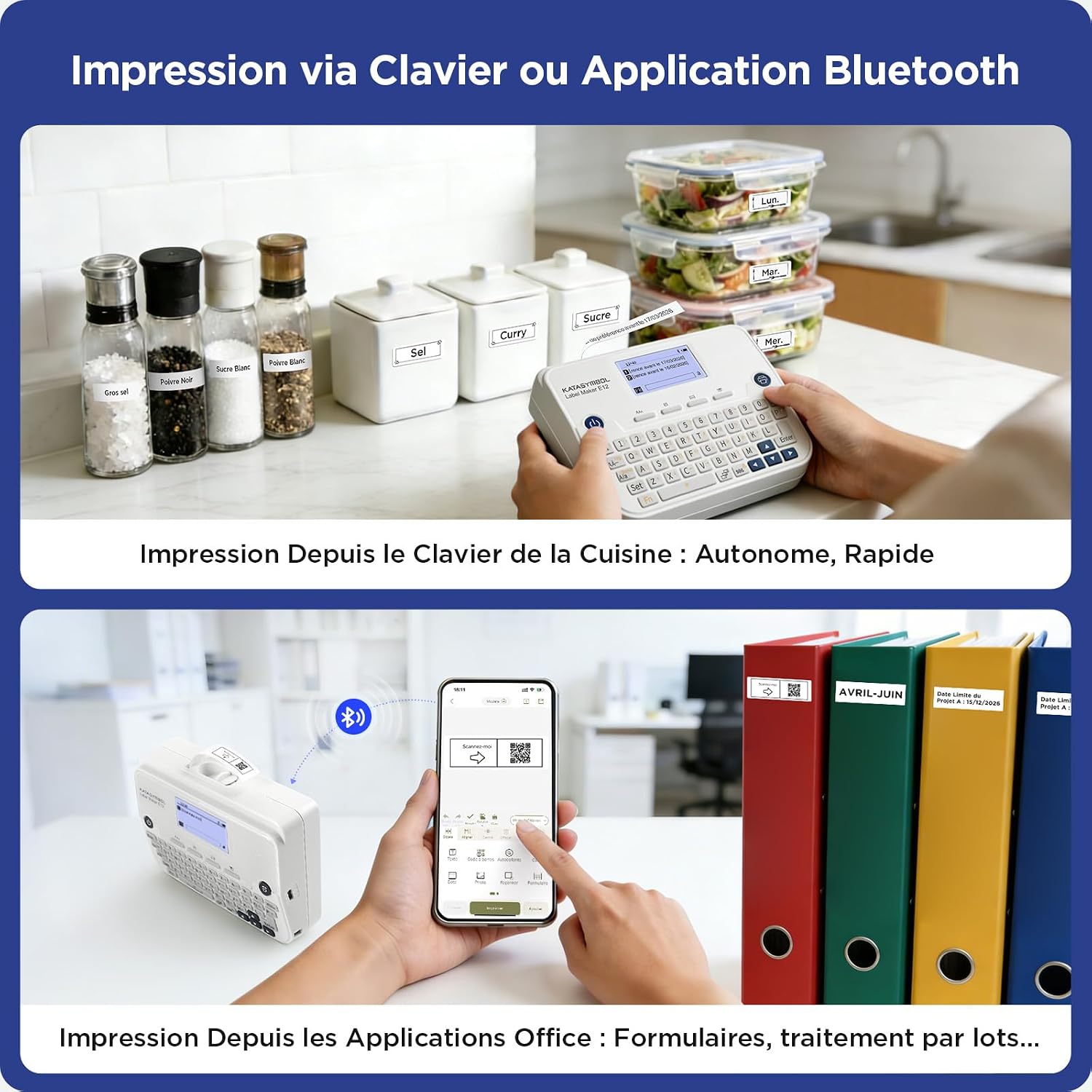
Labels can be printed directly from the keyboard or via the mobile app.

- From Keyboard: Type your desired text using the QWERTY keyboard. Review the text on the LCD display. Press the Painaa -painiketta tulostaaksesi tarran.
- Sovelluksesta: Create and customize your label design within the SUPVAN app. Ensure the label maker is connected via Bluetooth. Tap the Painaa -kuvaketta sovelluksessa.
- After printing, manually cut the label using the integrated cutter or scissors.
6.4. Label Customization and Types
The SUPVAN E12 supports various label types and allows for extensive customization.
- Fixed Size Labels: Available in white, colored, special designs, and transparent options.
- Jatkuvat otsikot: Allows for custom label lengths, minimizing waste with reduced margins.
- Lajike: Over 40 types of durable labels are available in different sizes and colors.


6.5. Label Features and Applications
SUPVAN labels are designed for durability and versatility.
- Vahva tarttuvuus: Labels adhere firmly to various surfaces.
- Puhdas poisto: Tarrat voidaan poistaa siististi jättämättä jäämiä.
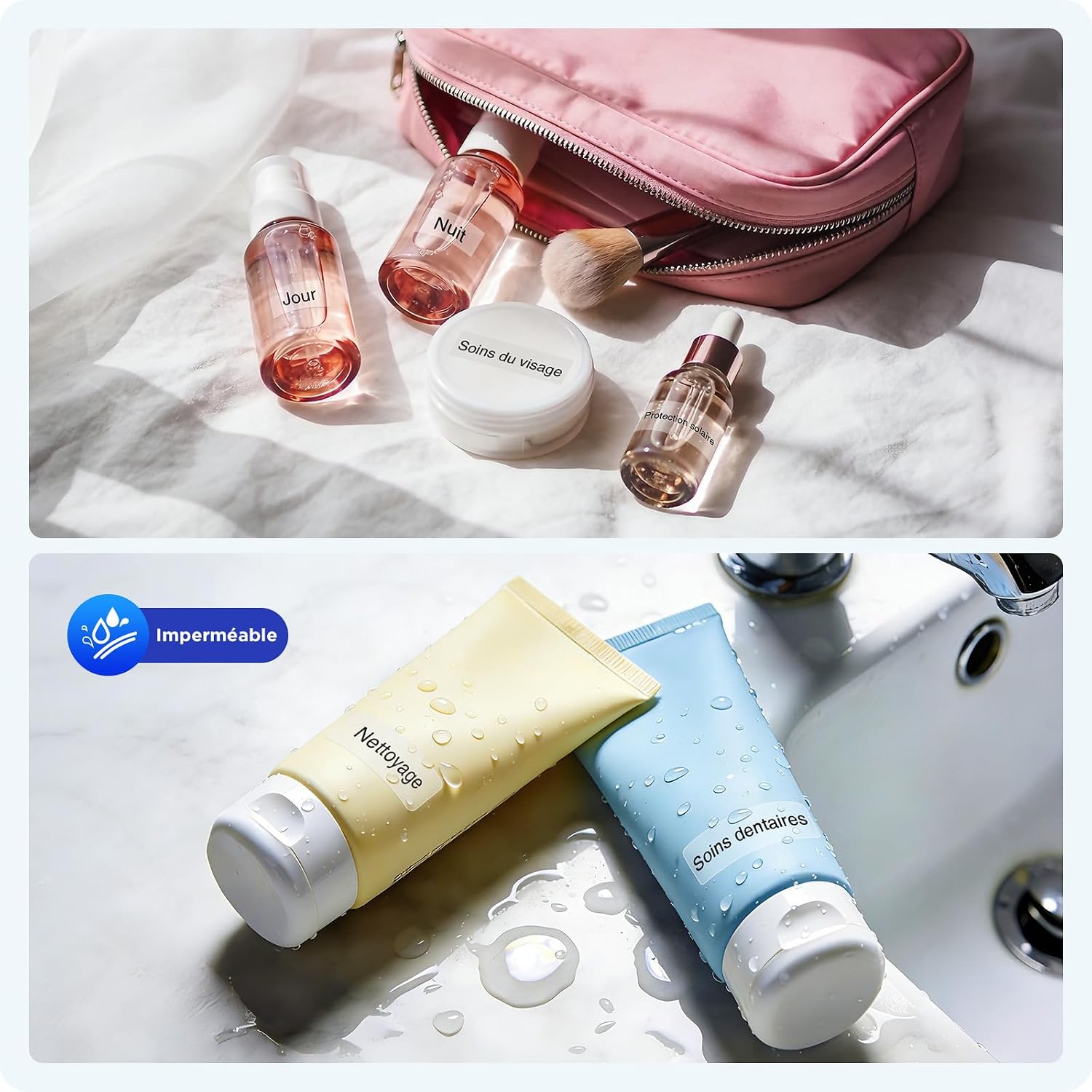
- Vedenpitävä: Resistant to water, suitable for items exposed to moisture.
- Naarmuuntumaton: Designed to withstand minor abrasions.
- BPA-vapaa: Made from safe, environmentally friendly materials.

6.6. Sovellus Esimamples
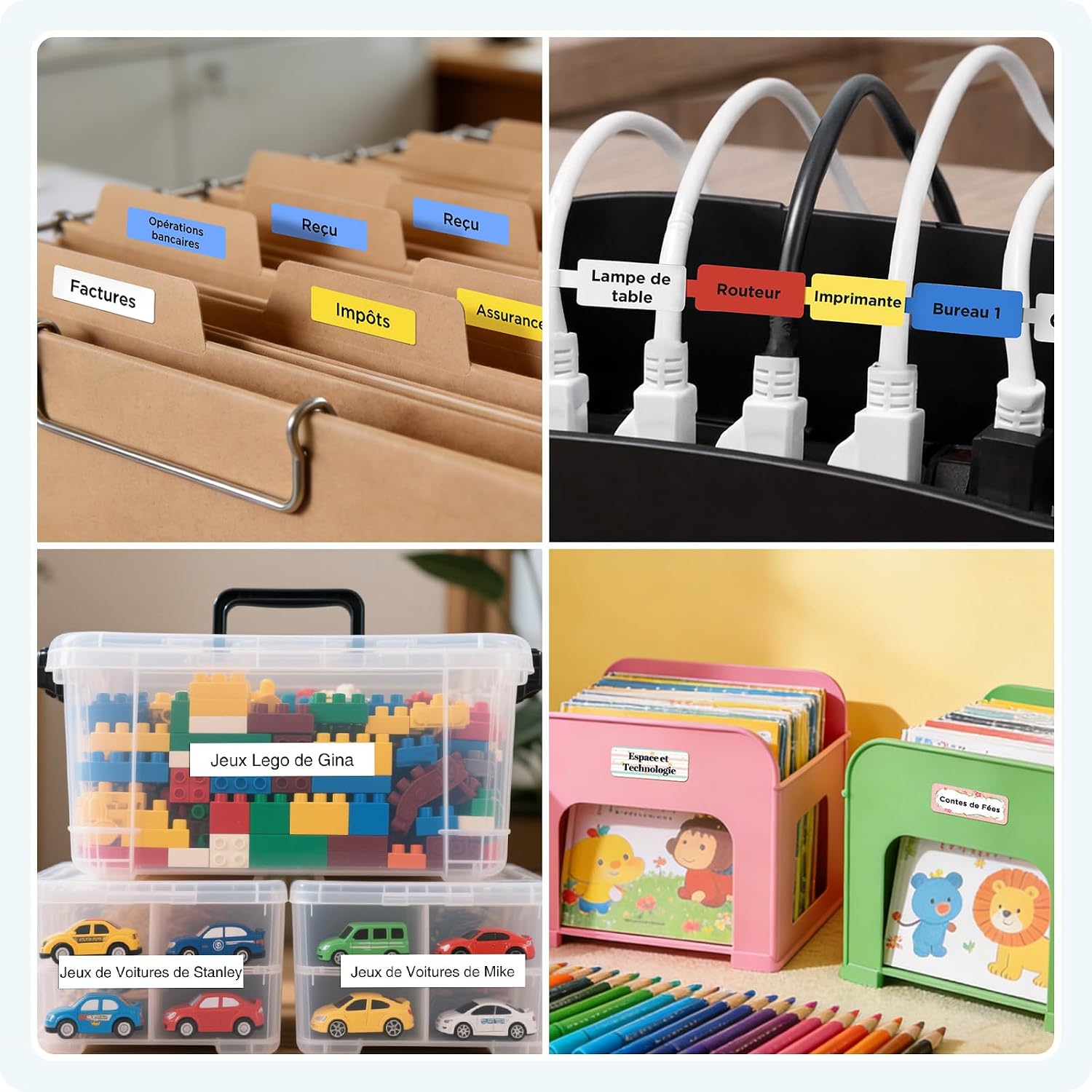
The SUPVAN E12 is suitable for a wide range of labeling needs:
- Kotiorganisaatio: Keittiöastioiden, säilytyslaatikoiden ja henkilökohtaisten tavaroiden merkitseminen.
- Toimiston organisaatio: Categorizing files, identifying cables, and organizing stationery.
- Koulutarvikkeet: Labeling notebooks, pens, water bottles, and other school items.


7. Huolto
7.1. Puhdistus
- Regularly clean the print head with a soft, lint-free cloth or a cotton swab lightly dampisopropyylialkoholilla.
- Pyyhi laitteen ulkopinta pehmeällä, kuivalla liinalla. Älä käytä hankaavia puhdistusaineita tai liuottimia.
7.2. Akun hoito
- Akun käyttöiän pidentämiseksi vältä akun usein tapahtuvaa täydellistä tyhjentymistä.
- If storing the device for an extended period, charge it to about 50% and store in a cool, dry place.
7.3. Label Storage
- Store label rolls in a cool, dry place away from direct sunlight and extreme temperatures to maintain adhesive quality and printability.
8. Vianmääritys
| Ongelma | Mahdollinen syy | Ratkaisu |
|---|---|---|
| Laite ei käynnisty | Akku vähissä tai latausta ei ole | Lataa laite USB-C-kaapelilla. |
| Huono tulostuslaatu | Dirty print head or incorrect label insertion | Clean the print head. Re-insert the label roll correctly. Ensure you are using SUPVAN labels. |
| Ei voi muodostaa yhteyttä Bluetoothin kautta | Bluetooth off, device out of range, or app issue | Ensure Bluetooth is enabled on both devices. Move the label maker closer to your phone. Restart the app and the label maker. |
| Label jam | Improper label roll insertion or foreign object | Open the label compartment, remove the jammed label, and re-insert the roll correctly. |
| Blank labels printing | Label roll inserted upside down | Re-insert the label roll with the printing surface facing up. |
9. Tekniset tiedot
| Ominaisuus | Yksityiskohta |
|---|---|
| Merkki | SUPVAN |
| Mallin nimi | E12 |
| Yhteystekniikka | Bluetooth, USB-C-tyyppi |
| Tulostustekniikka | Lämpö |
| Tulostimen lähtö | Yksivärinen |
| Suurin tulostusnopeus (yksivärinen) | 25 sivua minuutissa |
| Suurin tulostusnopeus (väri) | 12 sivua minuutissa |
| Erikoisominaisuus | Näyttöruutu |
| Tuotteen paino | 280 grammaa |
| Tuotteen mitat (P x L x K) | 147P x 39L x 78K millimetriä |
| Tulostusmateriaalin tyyppi | Tarrat |
| Akku | 1 A - included |
| USB-portteja yhteensä | 1 |
| Alkuperämaa | Kiina |
| Valmistaja | Beijing Supvan Information Technology Co., Ltd. |
| Tuotteen erityiskäyttö | Toimisto, Koti, Koulu |
10. Takuu
The SUPVAN E12 Label Maker comes with a 2 vuoden valmistajan takuu. Please retain your proof of purchase for warranty claims. For specific terms and conditions, refer to the warranty information provided with your product or contact SUPVAN customer support.
11. Asiakastuki
If you encounter any issues not covered in this manual or require further assistance, please contact SUPVAN customer support through the retailer's platform or the official SUPVAN website. Have your product model (E12) and purchase details ready when contacting support.


