
Tuote loppuview
The Edillas 461D Square Digital Sport Watch is designed for durability and functionality, featuring a large 1.5-inch display for easy readability. It includes essential functions such as time, date, day of the week, alarm, and stopwatch, making it suitable for daily activities and sports. The watch is 50M water-resistant and built with a robust silicone strap and scratch-resistant resin crystal.
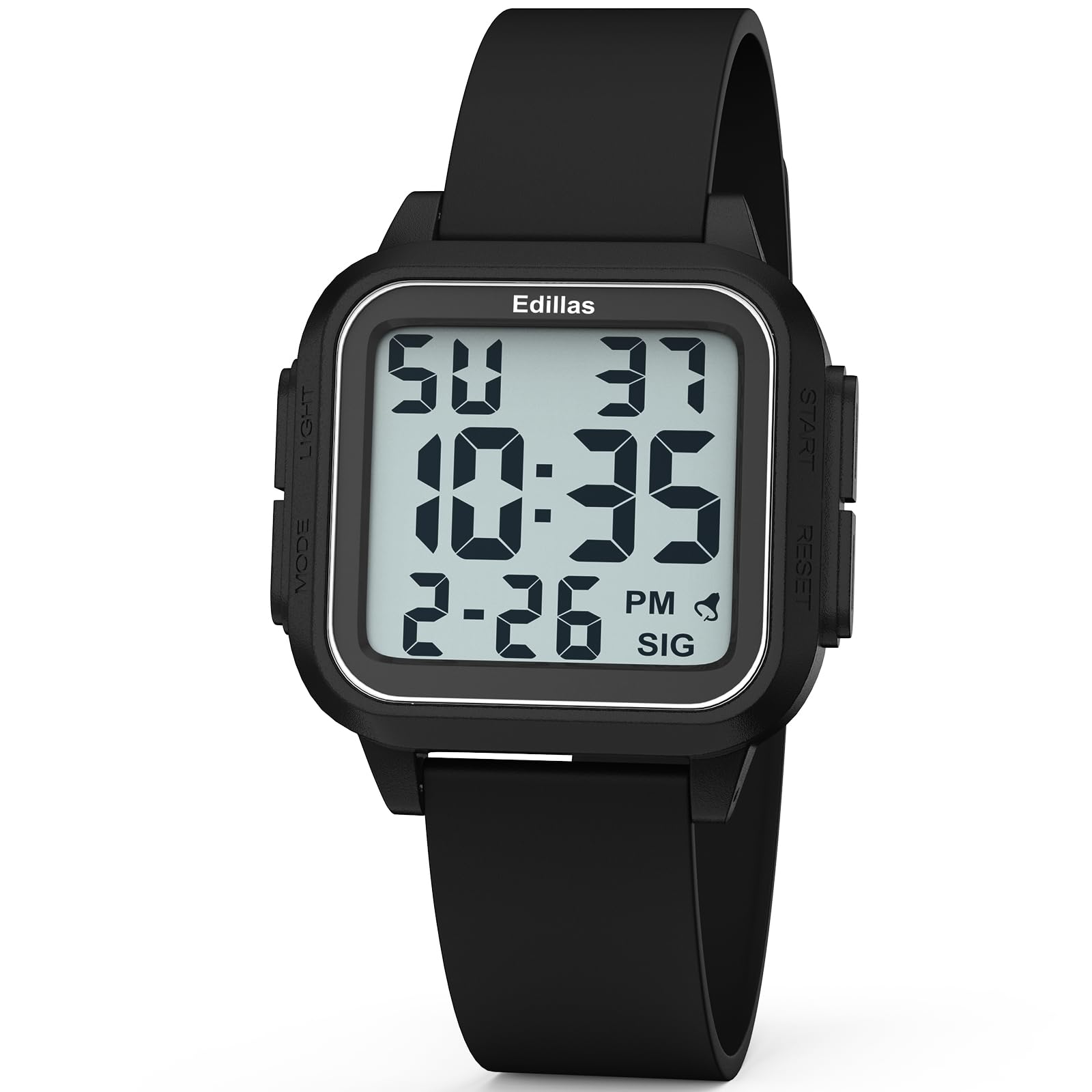
Edessä view of the Edillas 461D Square Digital Sport Watch, showcasing its large digital display and black silicone strap.
Watch Components and Controls
Tutustu kellon painikkeisiin ja näyttöelementteihin optimaalisen käytön varmistamiseksi.

This diagram illustrates the various components and controls of the Edillas 461D watch, including the Mode, Light, Start, and Reset buttons, and display indicators for week, hour, minute, second, month, date, alarm, and hourly kello.
- MODE-painike: Used to cycle through different modes (Time, Stopwatch, Alarm).
- VALO -painike: Aktivoi EL-taustavalon näkyvyyden parantamiseksi hämärässä.
- Aloitusnäppäin: Used to start/pause functions (e.g., stopwatch) or adjust settings.
- Nollaus painike: Used to reset functions (e.g., stopwatch) or switch between setting parameters.
Asennus ja ajan asettaminen
Kellonajan ja päivämäärän asettaminen
- Paina normaalista aikanäyttötilasta MODE button three times to enter time setting mode. The seconds digits will flash.
- Paina RESET button to advance to the next setting: hours, minutes, month, date, day of the week.
- Kun numero vilkkuu, paina ALOITA -painiketta sen arvon säätämiseksi.
- Voit vaihtaa 12 tunnin ja 24 tunnin muotojen välillä säätämällä tuntiasetusta 12 tai 24 tunnin ulkopuolelle.
- Kun kaikki asetukset on säädetty, paina MODE button to exit the time setting mode.
12/24 tunnin muoto
The watch supports both 12-hour (AM/PM) and 24-hour (military time) formats. This can be toggled during the time setting process by adjusting the hour past 12 or 24.
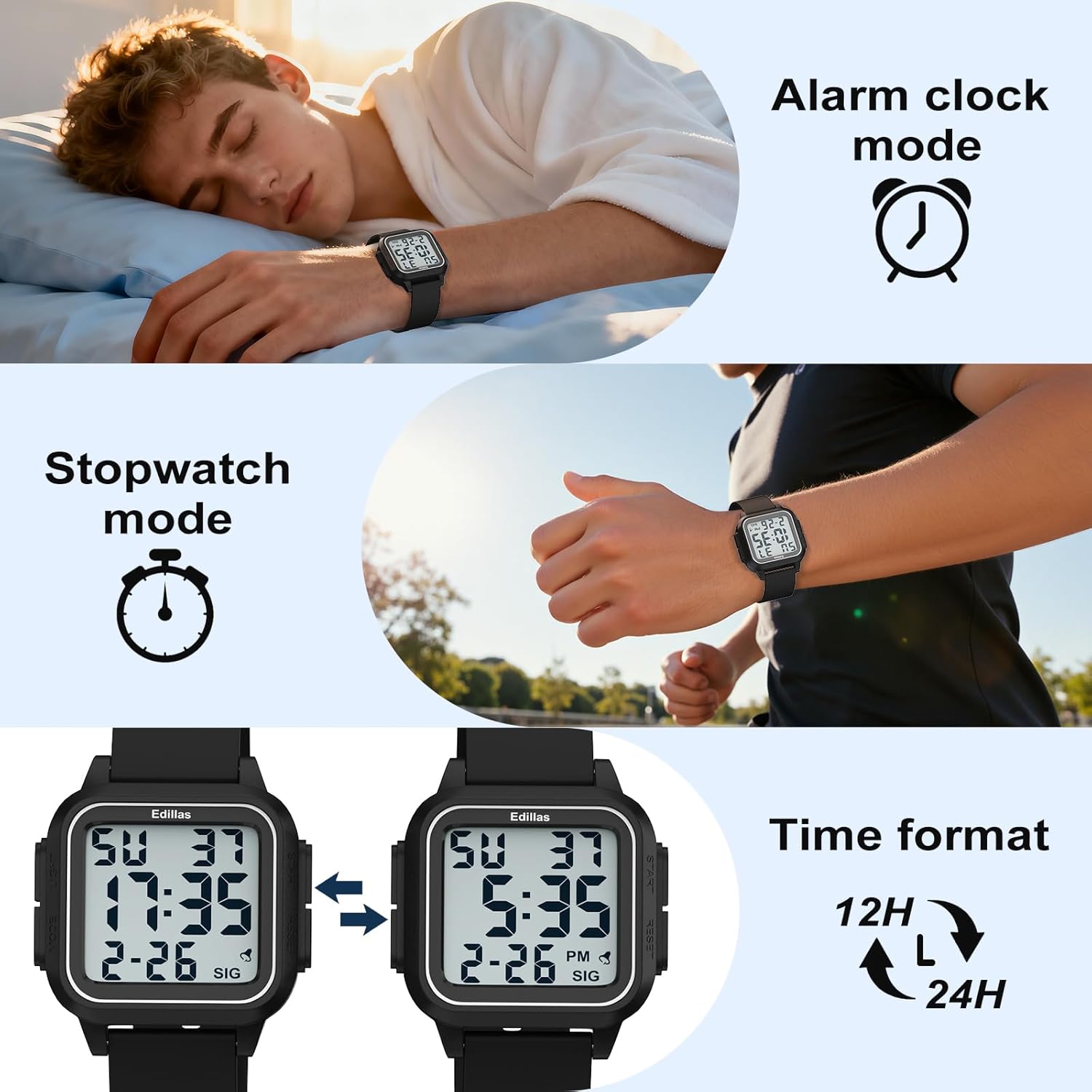
The watch display showing both 12-hour and 24-hour time formats, illustrating the flexibility in time representation.
Käyttöohjeet
Hälytystoiminto
The watch features an alarm and an hourly chime. Follow these steps to set and manage the alarm:
- Paina MODE button twice to enter the alarm mode.
- Paina ALOITA button to toggle the alarm and hourly chime on or off. A bell icon indicates the alarm is on, and "SIG" indicates the hourly chime is active. If neither is visible, both are off.
- Aseta hälytysaika painamalla RESET -painiketta. Tuntien numerot vilkkuvat.
- Paina ALOITA -painiketta säätääksesi tuntia.
- Paina RESET button to switch to minute setting, then press the ALOITA -painiketta minuuttien säätämiseksi.
- After setting the minutes, press RESET vahvistaaksesi.
- Paina MODE -painiketta poistuaksesi herätyksen asetustilasta.
Video demonstrating how to use the alarm function on the Edillas 461D watch, including setting the alarm time and activating/deactivating the alarm and hourly kello.
Sekuntikellotoiminto
The stopwatch function allows for precise timing of activities.
- Paina MODE -painiketta kerran siirtyäksesi sekuntikellotilaan.
- Paina ALOITA -painiketta ajanoton aloittamiseksi.
- Paina ALOITA -painiketta uudelleen pysäyttääksesi sekuntikello.
- Tauon aikana paina ALOITA button again to resume timing.
- To use the SPL (Split) mode while the stopwatch is running, press the RESET button. The current timing data will be frozen and displayed, while the stopwatch continues running in the background. This is useful for recording lap times.
- Painamalla RESET button again will exit SPL mode and display the current running time.
- To reset the stopwatch, first pause it by pressing the ALOITA -painiketta ja paina sitten -painiketta RESET button to return it to its initial state (00:00:00).
- Paina MODE button once to exit the stopwatch mode.
Video demonstrating how to use the stopwatch function on the Edillas 461D watch, including starting, pausing, resuming, and resetting the timer, as well as utilizing the split (SPL) mode.
Taustavalon toiminto
The watch is equipped with an EL backlight for easy reading in dark environments.
- Paina VALOA button (typically located on the top-left side) to activate the backlight.
- The backlight will illuminate the display for a few seconds, then automatically turn off.

The Edillas 461D watch display illuminated by its backlight, showing clear visibility in low-light conditions.
Vedenkestävyysohjeet
The Edillas 461D watch is rated 5ATM (50 meters) water-resistant. Please adhere to the following guidelines to maintain its water resistance:
- Suitable for daily water resistance such as splashes, rain, and shallow-water swimming.
- Suitable for cold showers.
- ÄLÄ paina mitä tahansa painiketta kellon ollessa veden alla.
- Avoid exposure to hot water, steam, or high temperatures (e.g., hot showers, saunas, hot tubs) as this can compromise the seals.
- Ei sovellu sukellukseen, snorklaukseen tai nopeisiin vesiurheilulajeihin.

The Edillas 461D watch partially submerged in water, illustrating its 50M water resistance for activities like swimming.
Huolto ja hoito
- Puhdistus: Pyyhi kello pehmeällä,amp liinalla. Vältä voimakkaita kemikaaleja tai hankaavia puhdistusaineita.
- Varastointi: Säilytä kelloa viileässä, kuivassa paikassa, poissa suorasta auringonvalosta ja äärimmäisistä lämpötiloista, kun sitä ei käytetä.
- Akku: The watch uses a CR2025 battery. Battery replacement should ideally be performed by a qualified technician to ensure water resistance is maintained.
- Hihnan hoito: The silicone strap can be cleaned with mild soap and water. Ensure it is completely dry before wearing.
- Suojakalvo: The watch comes with a high-definition, scratch-resistant protective film that does not need to be removed.

Lähikuva view of the Edillas 461D watch face, highlighting its high-definition, scratch-resistant protective film.
Vianetsintä
| Ongelma | Mahdollinen syy | Ratkaisu |
|---|---|---|
| Näyttö on tyhjä tai himmeä. | Alhainen tai tyhjä akku. | Vaihda CR2025-paristo. |
| Aika on väärä. | Aikaa ei ole asetettu oikein tai painiketta on painettu vahingossa. | Re-set the time and date following the "Setup and Time Setting" instructions. |
| Hälytys ei soi. | Herätys on pois päältä tai asetettu väärin. | Ensure the alarm is activated (bell icon visible) and the time is set correctly in alarm mode. |
| Kellon sisällä vettä. | Buttons pressed underwater or exposure to hot water/steam. | Immediately take the watch to a professional for inspection and repair. Avoid further water exposure. |
Tekniset tiedot
| Ominaisuus | Yksityiskohta |
|---|---|
| Mallinumero | 461D |
| Näytön tyyppi | Digitaalinen |
| Kotelon materiaali | ABS (with Stainless Steel Case Back) |
| Bandin materiaali | Silikoni |
| Vedenkestävyyssyvyys | 50 metriä (5ATM) |
| Kotelon halkaisija | 1.5 tuumaa (noin 3.81 cm) |
| Kotelon paksuus | 0.47 tuumaa (noin 1.2 cm) |
| Bandin pituus | 9.45 tuumaa (noin 24 cm) |
| Kaistan leveys | 0.86 tuumaa (noin 2.2 cm) |
| Tuotteen paino | 0.07 kilogrammaa (noin 40 g) |
| Akun tyyppi | 1 C battery (CR2025 included) |
| Lisäominaisuudet | Alarm, Stopwatch, EL Backlight, Date, Day, 12/24-hour format |

A detailed diagram illustrating the dimensions (case diameter, thickness, band length, band width) and weight of the Edillas 461D watch.
Takuu ja tuki
The Edillas 461D watch comes with a Lifetime Warranty. For any inquiries, missing parts, or issues, please contact customer support.
- Takuu: Elinikäinen takuu.
- Myynnin jälkeinen palvelu: 2-year after-sales support.
- Palautukset: 30 päivän palautusoikeus ilman syytä.
- Asiakaspalvelu: 12 tunnin online-asiakaspalvelu.
- Yhteydenotto Sähköposti: yadelaiaftersale@163.com

Image detailing buyer support information, including warranty, return policy, and contact email for Edillas products.