
1. Johdanto
This manual provides essential information for the safe and efficient installation, operation, and maintenance of the THKFMSRC SUN-6K-SG04LP1-EU-SM2 Hybrid Inverter. Please read this manual thoroughly before installation and keep it for future reference. This inverter is designed to convert DC power from solar panels and/or batteries into AC power for household or grid use, offering flexible energy management solutions.
The THKFMSRC SUN-6K-SG04LP1-EU-SM2 is a low-voltage single-phase hybrid inverter, suitable for various residential and small commercial solar energy systems. Its robust design ensures reliable performance and high efficiency.
2. Turvallisuusohjeet
Tärkeitä turvallisuustietoja: Failure to follow these instructions may result in electric shock, fire, or severe injury. Only qualified personnel should perform installation and maintenance.
- Ensure all power sources (AC and DC) are disconnected before performing any work on the inverter.
- Älä avaa invertteriä casing, ellei valmistaja ole nimenomaisesti ohjeistanut. Sisällä ei ole käyttäjän huollettavia osia.
- Käytä asianmukaisia henkilönsuojaimia, mukaan lukien eristetyt käsineet ja suojalasit.
- Ensure proper grounding of the inverter according to local electrical codes.
- Pidä lapset ja asiattomat henkilöt poissa asennusalueelta.
- Avoid installing the inverter in direct sunlight, rain, or areas with excessive dust or humidity.
3. Asennus ja asennus
3.1 Pakkauksesta purkaminen ja tarkastus
Carefully unpack the inverter and inspect it for any signs of damage during transit. Verify that all components listed in the packing list are present. If any damage or missing parts are found, contact your supplier immediately.
3.2 Invertterin asennus
Valitse sopiva asennuspaikka, joka on:
- Well-ventilated to ensure adequate heat dissipation.
- Suojassa suoralta auringonvalolta, sateelta ja äärimmäisiltä lämpötiloilta.
- Huoltovapaa, mutta suojattu luvattomalta käytöltä.
- On a solid, non-flammable surface capable of supporting the inverter's weight.
- Allow sufficient clearance around the inverter for airflow (minimum 20 cm on all sides).
Use the provided mounting bracket and hardware to securely fasten the inverter to the wall. Ensure the inverter is mounted vertically.
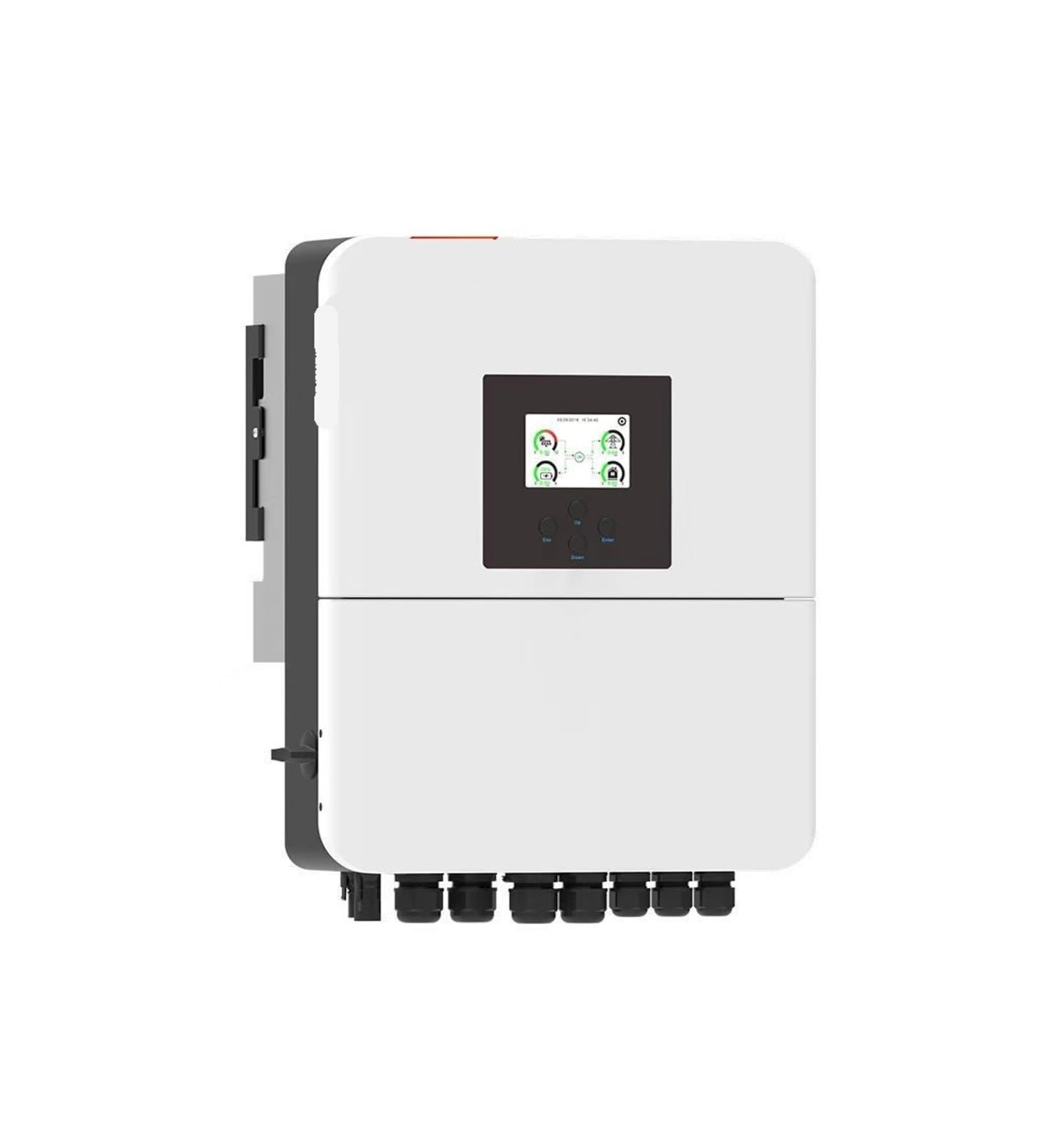
Kuva 1: Edessä view of the THKFMSRC SUN-6K-SG04LP1-EU-SM2 Hybrid Inverter, showing its compact design and display panel.
3.3 Sähköliitännät
All electrical connections must be performed by a certified electrician in accordance with local and national electrical codes.
- DC Input (PV Array): Connect the positive and negative cables from the solar PV array to the designated DC input terminals on the inverter. Ensure correct polarity.
- Akun liitäntä: Connect the battery bank to the inverter's battery terminals. Observe correct polarity and ensure the battery voltage vastaa invertterin teknisiä tietoja.
- AC Output (Load/Grid): Connect the AC output of the inverter to your household load panel or the utility grid, depending on your system configuration. Install appropriate circuit breakers.
- Maadoitus: Connect the inverter's grounding terminal to a reliable earth ground.
- Viestintäkaapelit: Connect any necessary communication cables (e.g., for monitoring, external devices) as per the system design.
3.4 Ensimmäinen käynnistys
Kun kaikki liitännät on varmistettu ja varmistettu:
- Kytke aurinkopaneelijärjestelmän tasavirtakatkaisin päälle.
- Kytke akun irrotuskytkin päälle.
- Turn on the AC output breaker.
- Observe the inverter's display and indicator lights. The inverter should initiate its startup sequence.
4. Invertterin käyttö
4.1 Näyttö ja merkkivalot
The inverter features an LCD display and LED indicators to show its operational status, energy flow, and any fault conditions. Refer to the detailed display guide in the full product manual for specific icon meanings and navigation.
- Virran merkkivalo: Osoittaa, että invertteri on päällä.
- Vika-LED: Illuminates or flashes to indicate an error or fault condition.
- Ajo-LED: Osoittaa normaalia toimintaa.
4.2 Toimintatilat
The SUN-6K-SG04LP1-EU-SM2 hybrid inverter typically supports several operating modes, which can be configured via the display panel or monitoring software:
- Omakulutustila: Prioritizes using solar power for local loads, then charging batteries, and finally exporting excess to the grid.
- Time-of-Use Mode: Optimizes energy usage based on predefined time periods, often charging batteries during off-peak hours and discharging during peak hours.
- Varmuuskopiointitila: Maintains battery charge to provide power to critical loads during a grid outage.
- Off-grid-tila: Operates independently of the utility grid, supplying power solely from solar and batteries.
Consult the inverter's advanced settings menu for detailed configuration of these modes.
5. Huolto
Säännöllinen huolto varmistaa invertterisi pitkän käyttöiän ja optimaalisen suorituskyvyn. Irrota aina kaikki virtalähteet ennen huoltotoimenpiteitä.
- Kuukausittain: Visually inspect the inverter for any signs of damage, corrosion, or loose connections. Ensure ventilation openings are clear of dust and debris.
- Neljännesvuosittain: Clean the exterior of the inverter with a soft, dry cloth. Do not use liquid cleaners. Check all cable connections for tightness.
- Vuosittain: Have a qualified technician perform a comprehensive inspection, including checking electrical parameters, grounding integrity, and firmware updates.
Do not attempt to service the internal components of the inverter. Refer all internal servicing to qualified personnel.
6. Vianmääritys
Tässä osiossa on ratkaisuja yleisiin ongelmiin. Monimutkaisten ongelmien ilmetessä ota yhteyttä tekniseen tukeen.
| Ongelma | Mahdollinen syy | Ratkaisu |
|---|---|---|
| Invertteri ei käynnisty | No DC input from PV or battery; AC breaker tripped; loose connections. | Check PV array and battery disconnects. Verify AC breaker. Inspect all wiring connections. |
| Pieni teho | Insufficient solar irradiance; dirty PV panels; battery issues; partial shading. | Check weather conditions. Clean PV panels. Inspect battery health. Clear any shading. |
| Fault LED illuminated | Internal fault; over-voltage/alle-voltage; over-temperature. | Note the error code on the display. Refer to the full manual's error code section. Power cycle the inverter. If persistent, contact support. |
| Ei verkkoyhteyttä | Grid outage; AC breaker tripped; incorrect grid parameters. | Check utility status. Reset AC breaker. Verify grid settings in inverter configuration. |
7. Tekniset tiedot
Key technical specifications for the THKFMSRC SUN-6K-SG04LP1-EU-SM2 Hybrid Inverter:
- Merkki: THKFMSRC
- Malli: SUN-6K-SG04LP1-EU-SM2
- Virtalähde: Battery Powered (Hybrid)
- Wattage: 1 kWh (Note: This typically refers to energy capacity, not continuous power output. Refer to full datasheet for detailed power ratings.)
- Kokonaismitat: 376*470*241.5mm (as per product description for similar models)
- Inverter Efficiency: 99.9% (as per product description for similar models)
- ASIN: B0GD58JT2C
For a complete list of electrical parameters, including input voltage ranges, output current, and protection features, please refer to the detailed technical datasheet provided with your inverter or available on the manufacturer's websivusto.
8. Takuutiedot
THKFMSRC products are typically covered by a limited warranty against defects in materials and workmanship. The specific duration and terms of the warranty may vary by region and purchase agreement.
Please retain your proof of purchase and refer to the warranty card included with your product or visit the official THKFMSRC website for detailed warranty terms and conditions. Unauthorized repairs or modifications will void the warranty.
9. Asiakastuki
If you encounter any issues that cannot be resolved using the troubleshooting guide, or if you require technical assistance, please contact your installer or the THKFMSRC customer support team.
Yhteystiedot:
- Refer to your purchase documentation for reseller contact details.
- Visit the official THKFMSRC websivusto tukiresursseille, usein kysytyille kysymyksille ja yhteydenottolomakkeille.
- Have your inverter's model number (SUN-6K-SG04LP1-EU-SM2) and serial number ready when contacting support.