
ESX VMX1000DAB
ESX Vision VMX1000DAB User Manual
Universal 1-DIN Multi-Angle Media Moniceiver with 10 Inch Touchscreen
Johdanto
Thank you for choosing the ESX Vision VMX1000DAB Multi-Angle Media Moniceiver. This device is a universal 1-DIN car multimedia system featuring a 10-inch touchscreen display. It offers advanced connectivity options including wireless Apple CarPlay and Android Auto, DAB+ digital radio, Bluetooth hands-free calling and audio streaming, and a versatile media player. This manual provides essential information for the proper installation, operation, and maintenance of your VMX1000DAB unit.
Mitä laatikossa on
Carefully unpack your ESX Vision VMX1000DAB and ensure all items are present:
- VMX1000DAB Moniceiver Unit
- GPS-vastaanotin
- DAB+ Window Adhesive Antenna
- Ulkoinen mikrofoni
- Mounting Hardware and Cables (ISO harness, USB cables, RCA cables)
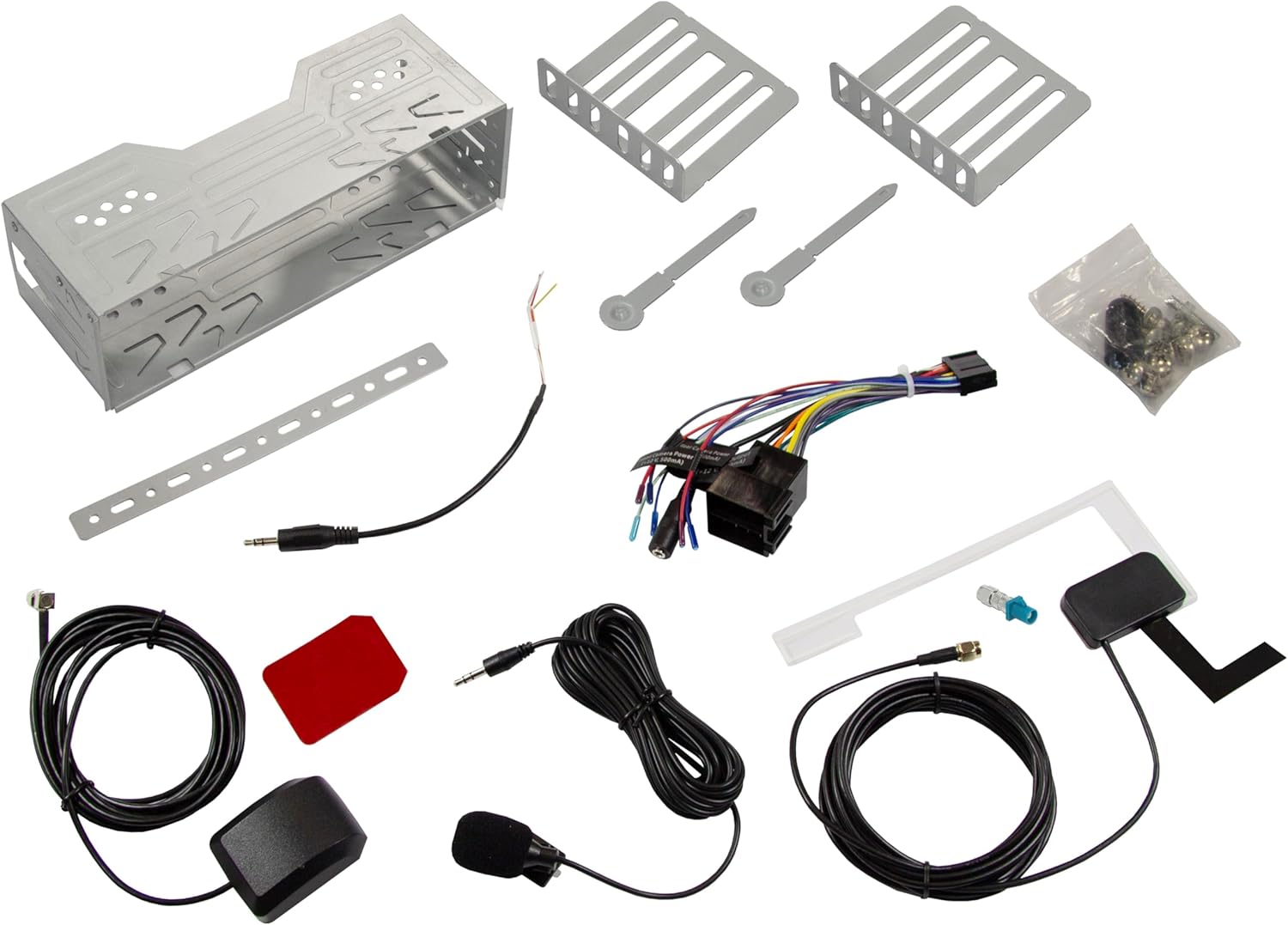
Image: All components included in the ESX Vision VMX1000DAB package.
Asennus ja asennus
The VMX1000DAB is designed for universal 1-DIN installation. Professional installation is recommended to ensure correct wiring and functionality.
1. Yksikön asennus
- Install the 1-DIN chassis into your vehicle's dashboard opening using the provided mounting cage and brackets.
- The 10-inch monitor is multi-angle adjustable and removable for anti-theft protection. To attach, slide the monitor onto the front of the main unit until it clicks securely into place. To remove, press the release button (if applicable) and slide it off.

Image: The VMX1000DAB unit with its detachable monitor.
2. Johdotusliitännät
Connect the wiring harness, antennas, and external devices to the rear of the moniceiver. Refer to the wiring diagram provided with your unit for specific connections.
- Virta-/kaiutinjohtosarja: Connect the main ISO harness to your vehicle's wiring.
- USB-A-portit: Two USB-A ports are available. One for media playback and charging (1.5A), and another specifically for Apple CarPlay/Android Auto and charging (1.5A).
- RCA-esivahvistinlähdöt: Six 4V RCA preamplifier outputs (FL/FR/RL/RR/SUB1/SUB2) for connecting external amppelastajia.
- RCA AUX Inputs: Stereo audio (L/R) and video input for external sources.
- Kameran tulot: Dedicated RCA inputs for front and rear cameras.
- GPS-antenni: Connect the GPS receiver for optimized navigation.
- DAB+-antenni: Connect the included DAB+ window adhesive antenna for digital radio reception.
- Ulkoinen mikrofoni: Plug in the external microphone for clear hands-free calls.
- Ohjauspyörän hallinta: Connect to your vehicle's analog steering wheel controls (learnable function).

Image: Rear connections of the VMX1000DAB unit.
Käyttöohjeet
The VMX1000DAB features a user-friendly interface controlled via its 10-inch touchscreen, a large volume knob, and four function keys.
1. Perussäätimet
- Virta päälle/pois: Press and hold the power button (usually integrated with the volume knob).
- Äänenvoimakkuus: Rotate the large knob to adjust the volume.
- Toimintonäppäimet: Use the dedicated function keys for quick access to common features.
- Kosketusnäyttö: Navigate menus and control functions by touching the display icons.

Image: VMX1000DAB Home Screen with various application icons.
2. Apple CarPlay ja Android Auto
The VMX1000DAB supports both wireless and wired (via USB) Apple CarPlay and Android Auto. This allows you to mirror and control compatible smartphone apps directly from the 10-inch touchscreen.
- Langaton yhteys: Enable Bluetooth and Wi-Fi on your smartphone and pair it with the VMX1000DAB. Follow the on-screen prompts to initiate CarPlay or Android Auto.
- Kiinteä yhteys: Connect your smartphone to the dedicated USB-A port using a certified USB cable.
- Ominaisuudet: Access navigation apps (e.g., Google Maps with Live Trading), music streaming services (e.g., Spotify), phone calls, messages, and other compatible applications.
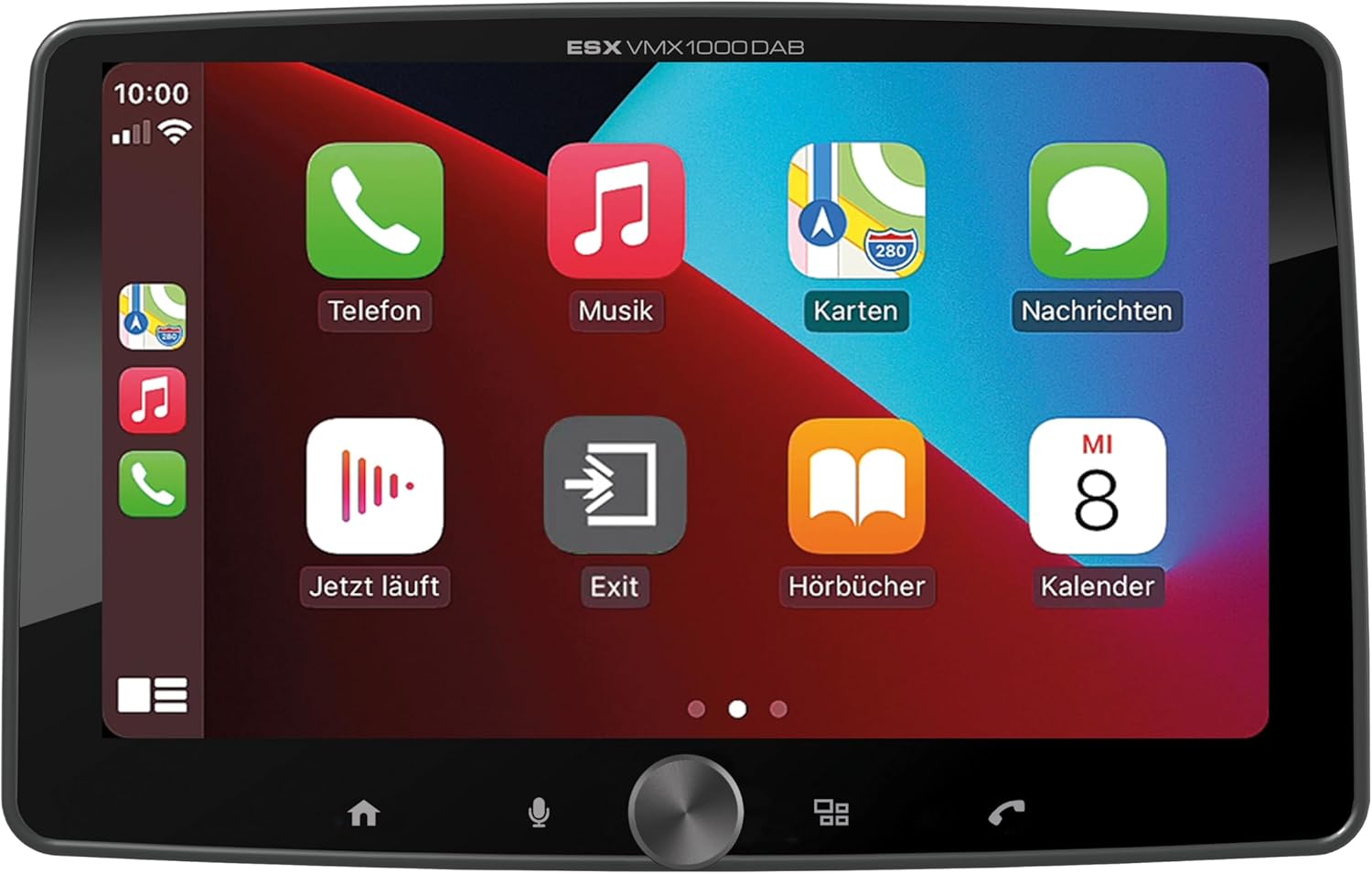
Image: Apple CarPlay interface on the VMX1000DAB.
3. Radiotoiminnot
- DAB+ digitaaliradio: Select the DAB+ source to enjoy high-quality digital radio. Ensure the DAB+ antenna is properly installed.
- FM/AM-radio: Tune into FM or AM stations. The RDS (Radio Data System) function provides station information and traffic announcements where available.
- Asemien esiasetukset: Tallenna suosikkiasemasi nopeaa käyttöä varten.
4. Bluetooth-yhteys
- Pariliitos: Go to the Bluetooth menu on the moniceiver and your smartphone. Etsi and select the VMX1000DAB to pair.
- Handsfree-puhelut: Make and receive calls directly through the moniceiver using the external microphone and your car's speakers.
- Äänen suoratoisto: Play music from your smartphone via Bluetooth audio streaming (A2DP).
5. Mediasoitin
The integrated media player supports various audio, video, and photo formats from USB storage devices.
- Yhteensopivat muodot: AVI, FLV, MOV, MKV, WMV (video); WMA, MP3, FLAC (audio); JPEG, PNG, BMP (photo).
- USB-toisto: Insert a USB drive into the media USB-A port. The unit will automatically detect and allow you to browse and play media files.
6. Kameratulot
Connect front and rear cameras to the dedicated RCA inputs for enhanced safety and parking assistance. The unit will automatically switch to the rear camera view when reverse gear is engaged (if properly wired).
7. Ääniasetukset
The VMX1000DAB features a 4 x 80 Watt max integrated amplifier. Access the equalizer (EQ) and sound settings to customize your audio experience. Future software updates (available from ESX homepage) will include advanced audio features such as variable high-pass/low-pass filters, time alignment for front, rear, and subwoofer, and dual HD camera input support.
Huolto
To ensure the longevity and optimal performance of your ESX Vision VMX1000DAB, follow these maintenance guidelines:
- Näytön puhdistaminen: Pyyhi kosketusnäyttö varovasti pehmeällä, nukkaamattomalla liinalla. Pinttyneisiin tahroihin hankaa kevyesti.ampKostuta liina vedellä tai näytönpuhdistusaineella. Vältä hankaavia materiaaleja tai voimakkaita kemikaaleja.
- Laitteen puhdistus: Wipe the main unit and buttons with a dry, soft cloth. Do not allow liquids to enter the unit.
- Liitännät: Tarkista säännöllisesti kaikki kaapeliliitännät varmistaaksesi, että ne ovat tukevasti kiinni ja että niissä ei ole korroosiota.
- Ohjelmistopäivitykset: Check the official ESX homepage for available software updates to benefit from new features and improvements.
Vianetsintä
If you encounter issues with your VMX1000DAB, refer to the following common troubleshooting steps:
- Ei virtaa: Check the power connections and the vehicle's fuse box. Ensure the unit is properly seated in its harness.
- Ei ääntä: Verify speaker connections. Check volume levels and ensure the mute function is not active. Confirm that the correct audio source is selected.
- Bluetooth-yhteysongelmat: Ensure Bluetooth is enabled on both the moniceiver and your smartphone. Delete previous pairings and attempt to re-pair. Try restarting both devices.
- CarPlay/Android Auto ei muodosta yhteyttä: For wired connections, try a different USB cable or port. For wireless, ensure Wi-Fi is also enabled on your phone. Check for any software updates for your phone or the moniceiver.
- Huono radiovastaanotto: Check the antenna connection. For DAB+, ensure the adhesive antenna is correctly positioned and not obstructed.
- Kosketusnäyttö ei reagoi: Kokeile käynnistää laite uudelleen. Jos ongelma jatkuu, tehdasasetusten palautus saattaa olla tarpeen (katso lisätietoja näytön asetuksista).
- Monitor Detachment: Ensure the monitor is fully inserted and clicked into place. If it detaches easily, inspect the locking mechanism for any damage.
Jos nämä toimenpiteet eivät ratkaise ongelmaa, ota yhteyttä asiakastukeen tai pätevään teknikkoon.
Tekniset tiedot
| Ominaisuus | Yksityiskohta |
|---|---|
| Merkki | ESX |
| Mallinumero | VMX1000DAB |
| Yhteystekniikka | AUX, Bluetooth, USB, Wi-Fi |
| Valvontamenetelmä | Touch, Mechanical Knob |
| Erikoisominaisuudet | Apple CarPlay/Android Auto (Wireless & USB), Removable Monitor with CLICK System |
| Yhteensopivat laitteet | Älypuhelimet |
| Äänilähtötila | Stereot |
| Videon koodaus | AVI, FLV, MOV, MKV, WMV |
| Ääniformaatit | WMA, MP3, FLAC |
| Kuvamuodot | JPEG, PNG, BMP |
| Lähtöteho (RMS) | 80 Watts (per channel, max) |
| Yhteensä Wattage | 320 wattia (enintään) |
| Kanavien lukumäärä | 4 |
| Preampelinvoimaisemmat lähdöt | 4V RCA (FL/FR/RL/RR/SUB1/SUB2) |
| USB-tulo | USB Type A (with 1.5A charging) |
| Pakkauksen sisältö | Moniceiver, GPS receiver, DAB+ window adhesive antenna |
Takuu ja tuki
Takuutiedot: Please refer to your purchase documentation, retailer, or the official ESX websivustolta löydät tarkemmat takuuehdot, jotka koskevat aluettasi.
Asiakastuki: For technical assistance, troubleshooting beyond this manual, or inquiries regarding service, please contact your authorized ESX dealer or visit the official ESX homepage for support resources and contact information.
Ohjelmistopäivitykset: New functions and software updates are periodically released and made available free of charge via the ESX homepage. It is recommended to check for updates to ensure your device has the latest features and performance enhancements.
Ask a question about this manual
Ask about setup, troubleshooting, compatibility, parts, safety, or missing instructions. Manuals+ will review the question and use this page’s manual context to help answer it.