
Johdanto
This instruction manual provides detailed information on the setup, operation, and maintenance of your Kuephom CD Player Boombox with Cassette Player, Model CD-X2A. Please read this manual thoroughly before using the device to ensure proper functionality and to maximize your listening experience. Keep this manual for future reference.
Tuote loppuview
The Kuephom CD Player Boombox is a versatile audio system designed for both modern and classic audio formats. It features CD, cassette, Bluetooth, FM/AM radio, USB, and AUX input capabilities.

This image displays the Kuephom CD Player Boombox, highlighting its versatile features including CD/MP3 playback, Bluetooth connectivity, Type I/II tape support, USB input, FM/AM radio, sleep timer, remote control, phone jack, AUX input, and tape recording capabilities.
Pakkauksen sisältö

This image shows the items included in the product package: the CD Player Boombox, an AC Power Cord, the User Manual, and a Remote Control.
- Kuephom CD Player Boombox (Model CD-X2A)
- AC virtajohto
- Kaukosäädin
- Käyttöopas
Asennus
Laitteen virransyöttö
Your Kuephom CD Player Boombox can be powered by either AC power or batteries.

This image illustrates the dual power options for the boombox: AC power for indoor use and battery power (6 C-size batteries, not included) for portable outdoor use.
AC Power (for Home Use)
- Varmista, että boombox on sammutettu.
- Connect the AC power cord to the AC input jack on the back of the unit.
- Kytke virtajohdon toinen pää tavalliseen pistorasiaan.
Battery Power (for Outdoor/Portable Use)
- Varmista, että boombox on sammutettu.
- Avaa paristolokeron kansi, joka sijaitsee laitteen pohjassa.
- Insert 6 C-size batteries (not included), ensuring correct polarity (+/-).
- Sulje paristolokeron kansi kunnolla.
Antennin säätö
For optimal FM/AM radio reception, extend the telescopic antenna fully and adjust its position. For AM reception, rotating the unit itself may improve signal quality.
Käyttöohjeet
Yleiset säätimet
Familiarize yourself with the main controls on the unit and the remote control for easy operation.

This image shows the Kuephom CD Player Boombox along with its remote control, demonstrating its convenience for operation from a distance.
CD-toisto

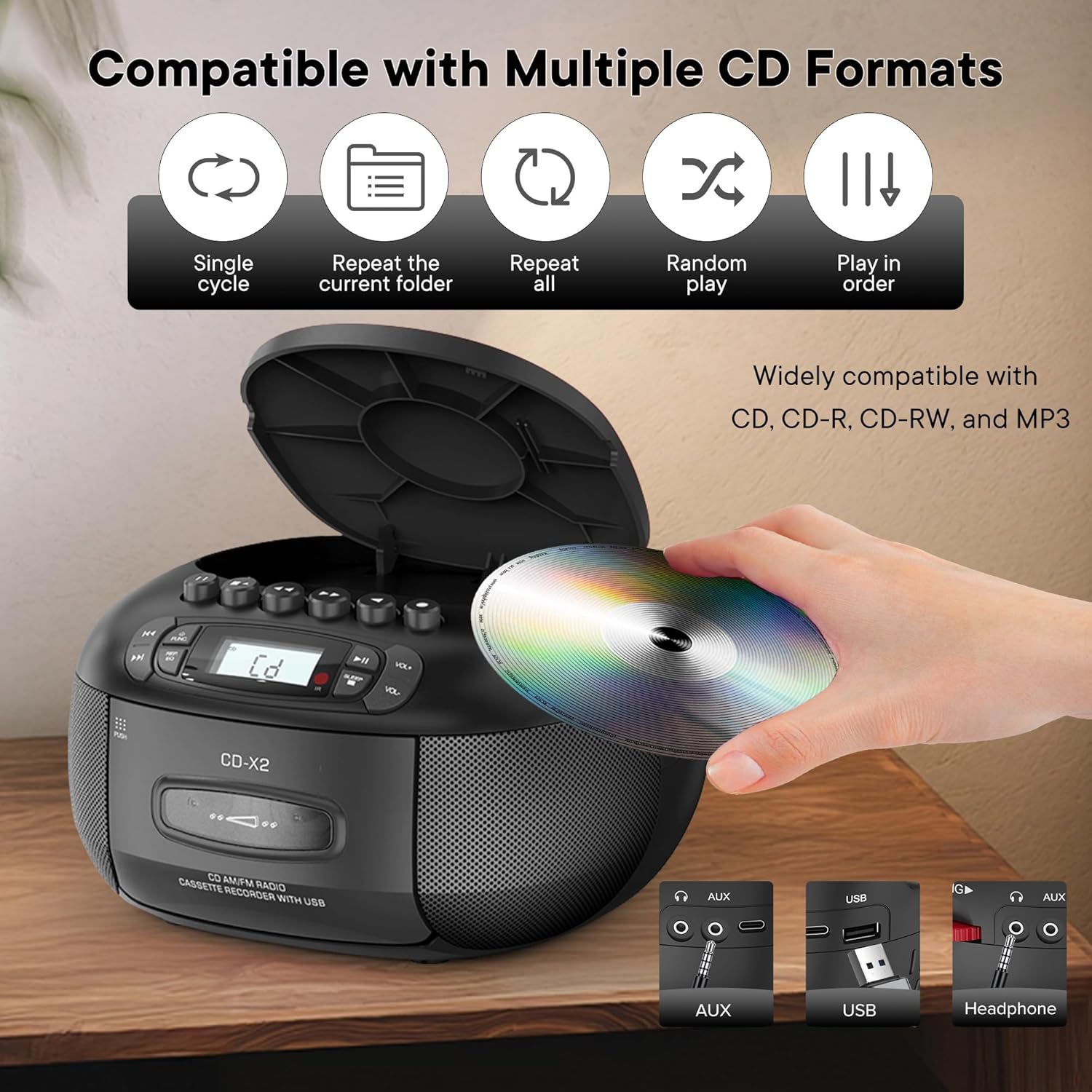
This image illustrates the CD compatibility of the boombox, supporting CD, CD-R, CD-RW, and MP3 formats. It also shows various playback modes: single cycle, repeat current folder, repeat all, random play, and play in order.
- Paina TYÖNTEKIJÄ button to select CD mode. The display will show "CD".
- Open the CD compartment cover by pressing the AUKI/KIINNI -painiketta.
- Place a CD (CD, CD-R, CD-RW, or MP3 CD) onto the spindle with the label side facing up.
- Close the CD compartment cover. The unit will read the disc and display the total number of tracks.
- Paina TOISTA/TAUKO -painiketta toiston aloittamiseksi.
- Käytä OHITA ETEENPÄIN or OHITA TAAKSEPÄIN painikkeita kappaleiden välillä navigointiin.
- Paina REP/EQ button repeatedly to cycle through repeat modes (single track, repeat all, random play).
- Säädä äänenvoimakkuutta VOL+ ja VOL- painikkeita.
Kasetin toisto ja tallennus
This image shows a user inserting a cassette tape into the boombox, emphasizing its cassette playback and recording functions.
Toisto
- Paina TYÖNTEKIJÄ button to select TAPE mode. The display will show "TAP".
- Paina TYÖNNÄ painiketta avataksesi kasettitilan.
- Insert a cassette tape with the open edge facing up.
- Sulje kasettipesä.
- Paina PELATA button (usually indicated by a triangle symbol) to start playback.
- Käytä NOPEA ETEENPÄIN or KEELA TAAKSEPÄIN buttons to quickly move through the tape.
- Paina PYSÄYTÄ/POISTA button to stop playback or eject the tape.
Tallennus
You can record audio from CD, Bluetooth, USB, or FM/AM radio onto a cassette tape.
- Aseta tyhjä kasetti kasettipesään.
- Select the desired source (CD, Bluetooth, USB, or Radio) using the TYÖNTEKIJÄ -painiketta.
- Start playback on the source (e.g., play a CD track, start Bluetooth streaming).
- Paina TALLENTAA button (usually indicated by a red circle) on the boombox. The unit will begin recording the audio onto the cassette.
- Paina STOP -painiketta tallennuksen lopettamiseksi.
FM/AM radio
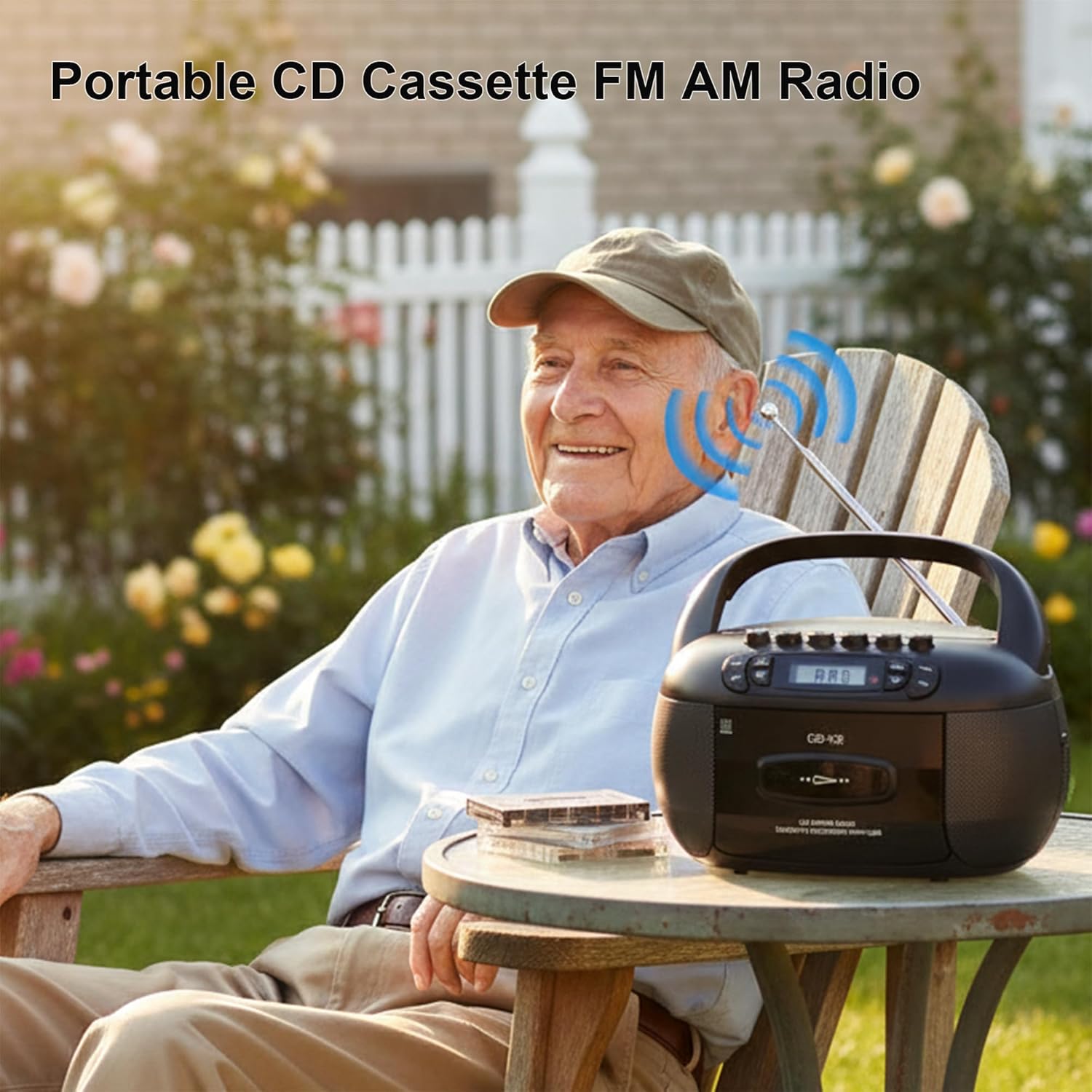
This image depicts a user enjoying the portable FM/AM radio function of the boombox outdoors, with the antenna extended for better reception.
- Paina TYÖNTEKIJÄ button to select RADIO mode. The display will show "rAd".
- Extend the telescopic antenna for FM reception. For AM, adjust the unit's position.
- Käytä TUNING nuppi (tai OHITA buttons if available) to tune to your desired FM or AM station. The frequency will be displayed.
- Säädä äänenvoimakkuutta VOL+ ja VOL- painikkeita.
Bluetooth-yhteys

The image demonstrates the boombox's Bluetooth functionality, allowing wireless audio streaming from a smartphone.
- Paina TYÖNTEKIJÄ button to select Bluetooth mode. The display will show "bt" and flash, indicating it's in pairing mode.
- Ota Bluetooth käyttöön älypuhelimessasi tai muussa Bluetooth-laitteessasi ja hae käytettävissä olevia laitteita.
- Select "Kuephom CD-X2A" (or similar name) from the list of devices.
- Once paired, the "bt" indicator on the boombox display will stop flashing and remain solid.
- Voit nyt toistaa ääntä liitetystä laitteesta boomboxin kautta.
USB/MP3 Playback
- Paina TYÖNTEKIJÄ button to select USB mode. The display will show "USB".
- Aseta USB-muistitikku laitteen USB-porttiin.
- The unit will automatically detect and begin playing MP3/WMA files USB-asemasta.
- Käytä TOISTA/TAUKO, OHITA ETEENPÄIN, ja OHITA TAAKSEPÄIN painikkeita toiston ohjaamiseen.
AUX-tulo
- Paina TYÖNTEKIJÄ Valitse AUX-tila painamalla -painiketta. Näytössä näkyy "AUX".
- Connect an external audio device (e.g., smartphone, tablet, MP3 player) to the AUX input jack on the boombox using a 3.5mm audio cable (not included).
- Aloita toisto ulkoisella laitteellasi. Ääni toistetaan boombox-kaiuttimien kautta.
- Säädä äänenvoimakkuutta VOL+ ja VOL- boomboxin ja/tai ulkoisen laitteen painikkeita.
Uniajastin

This image shows the boombox on a bedside table next to a sleeping person, highlighting the convenient sleep timer function that automatically stops playback.
- While the unit is playing, press the NUKKUA -painiketta.
- Each press will cycle through available sleep timer durations (e.g., 10, 20, 30, 60, 90 minutes).
- Select your desired duration. The unit will automatically power off after the set time.
Huolto
Laitteen puhdistus
- Pyyhi laitteen ulkopuoli pehmeällä, damp kangas. Älä käytä hankaavia puhdistusaineita tai liuottimia.
- Käytä CD-linssin puhdistamiseen erityistä CD-linssin puhdistussarjaa. Älä koske linssiin suoraan.
- Keep the cassette head and pinch rollers clean to ensure optimal tape playback and recording quality. Use a cotton swab lightly dampisopropyylialkoholilla.
Varastointi
When not in use for extended periods, disconnect the AC power cord and remove batteries. Store the unit in a cool, dry place away from direct sunlight and extreme temperatures.
Vianetsintä
| Ongelma | Mahdollinen syy | Ratkaisu |
|---|---|---|
| Ei virtaa | Verkkojohtoa ei ole kytketty; Paristot ovat tyhjentyneet tai asetettu väärin. | Tarkista verkkojohdon liitäntä; Vaihda paristot tai varmista oikea napaisuus. |
| Ei ääntä | Äänenvoimakkuus liian alhainen; Väärä tila valittu; Kuulokkeet kytketty. | Increase volume; Select correct source mode; Disconnect headphones. |
| CD-levy ei soi | CD inserted incorrectly; CD dirty or scratched; Disc format not supported. | Reinsert CD label side up; Clean or replace CD; Ensure CD is supported format (CD, CD-R, CD-RW, MP3). |
| Huono radiovastaanotto | Antenni ei ole ojennettuna; Heikko signaali; Häiriöitä. | Vedä ulos ja säädä FM-antennia; Käännä laitetta AM-signaalia varten; Siirry kauemmas elektronisista laitteista. |
| Bluetooth-pariliitos epäonnistuu | Boombox ei ole pariliitostilassa; Laite liian kaukana; Bluetooth poistettu käytöstä laitteessa. | Ensure boombox is in BT pairing mode; Move device closer; Enable Bluetooth on your device. |
| Kasetti ei soita/tallenna | Tape inserted incorrectly; Tape damaged; Cassette head dirty. | Reinsert tape correctly; Use a different tape; Clean cassette head. |
Tekniset tiedot
| Ominaisuus | Yksityiskohta |
|---|---|
| Merkki | Kuephom |
| Mallinumero | CD-X2A |
| Yhteystekniikka | Lisälaite, Bluetooth, USB |
| Väri | Musta |
| Kaiuttimen tyyppi | Stereot |
| Tuotteen mitat (P x L x K) | 8.39 x 4.8 x 8.54 tuumaa |
| Virtalähde | Corded Electric, Battery (6 C-size) |
| Wattage | 12 wattia |
| Bluetooth-tuki | Kyllä |
| Kaiuttimien määrä | 2 |
| Signaali-kohinasuhde | 80 dB |
| Äänilähtötila | Stereot |
| Tuotteen paino | 1.57 kiloa |
Takuu ja tuki
Kuephom products are manufactured with attention to quality and performance. For any questions, technical assistance, or warranty claims, please refer to the contact information provided with your purchase or visit the official Kuephom websivusto. Säilytä ostokuitti takuun voimassaoloa varten.