
Johdanto
The AOC MS200 Wireless Optical Mouse is designed to provide freedom, precision, and comfort for your daily computing tasks. Featuring a stable 2.4 GHz wireless connection, an adjustable optical sensor, and an ergonomic, lightweight design, this mouse is suitable for various applications, from general browsing to tasks requiring higher precision.
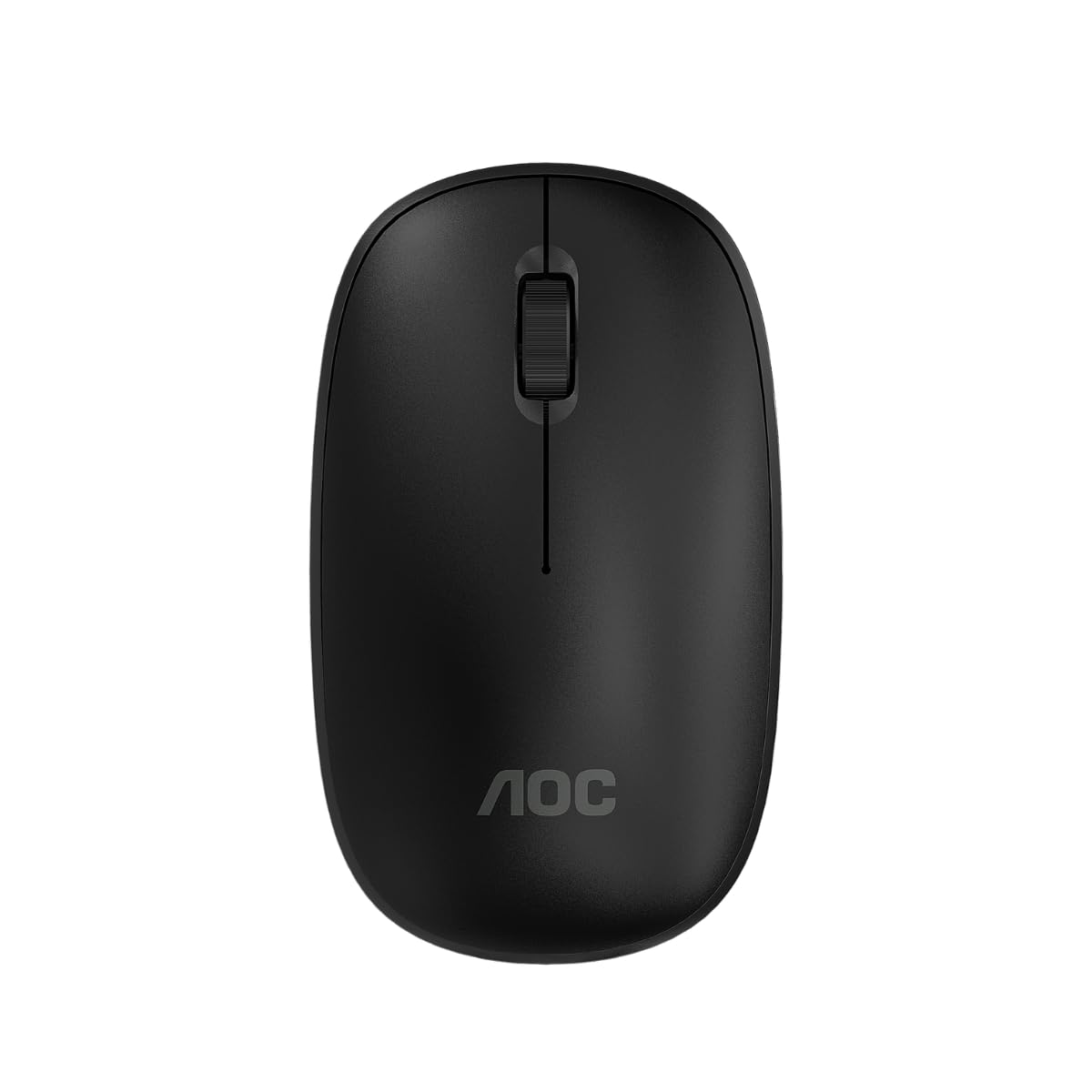
Image: The AOC MS200 Wireless Optical Mouse shown alongside its retail packaging.
Pakkauksen sisältö
Tarkista pakkauksen sisältö varmistaaksesi, että kaikki osat ovat mukana:
- AOC MS200 Wireless Optical Mouse
- USB 2.4 GHz -vastaanotin
- Käyttöopas (tämä asiakirja)
Huomautus: Paristot eivät sisälly toimitukseen ja ne on ostettava erikseen.
Asennus
- Aseta akku: Open the battery compartment cover located on the underside of the mouse. Insert one AA battery (not included), ensuring correct polarity (+/-). Close the cover securely.
- Liitä USB-vastaanotin: Locate the USB 2.4 GHz receiver, usually stored within the battery compartment or packaged separately. Plug the USB receiver into an available USB port on your computer.
- Hiiri käynnistyksen yhteydessä: Turn on the mouse using the power switch, typically located on the underside of the device. The mouse should automatically connect to your computer.
- Ohjaimen asennus: Käyttöjärjestelmäsi pitäisi tunnistaa ja asentaa tarvittavat ajurit automaattisesti. Manuaalista ajurien asentamista ei yleensä tarvita.

Image: The underside of the AOC MS200 mouse, illustrating the optical sensor and the battery compartment.
Käyttöohjeet
The AOC MS200 mouse features a standard three-button layout with a scroll wheel for intuitive navigation.
- Vasen painike: Ensisijainen napsautustoiminto kohteiden valitsemiseen, linkkien avaamiseen jne.
- Oikea painike: Toissijainen napsautustoiminto, avaa yleensä kontekstivalikot.
- Vierityspyörä: Vieritä asiakirjoja ylös tai alas ja web sivuja. Vierityspyörä toimii myös keskipainikkeena, kun sitä painetaan.
DPI-säätö
The MS200 mouse features an adjustable DPI (Dots Per Inch) setting, allowing you to change cursor sensitivity. The mouse supports 800 and 1200 DPI settings. To switch between DPI modes, press the DPI button located on the top of the mouse, usually below the scroll wheel. Each press cycles through the available DPI settings.

Kuva: Yläosa view of the AOC MS200 mouse, highlighting the left and right click buttons, scroll wheel, and DPI adjustment button.
Huolto
Puhdistus
Optimaalisen suorituskyvyn ja hygienian ylläpitämiseksi puhdista hiiri säännöllisesti:
- Käytä pehmeää, nukkaamatonta liinaa hieman dampvedellä tai miedolla puhdistusliuoksella.
- Vältä voimakkaiden kemikaalien, hankaavien puhdistusaineiden tai liuottimien käyttöä.
- Do not allow liquids to enter the mouse casing.
- Clean the optical sensor on the underside of the mouse with a dry cotton swab to prevent tracking issues.
Akun vaihto
When the mouse performance degrades or it stops responding, it is likely time to replace the battery:
- Open the battery compartment on the underside of the mouse.
- Poista vanha AA-paristo.
- Aseta uusi AA-paristo paikalleen varmistaen oikean napaisuuden.
- Sulje paristolokeron kansi.
Vianetsintä
If you encounter issues with your AOC MS200 mouse, refer to the following common solutions:
- Hiiri ei vastaa:
- Tarkista, onko hiiri päällä.
- Varmista, että akku on asetettu oikein ja että siinä on riittävästi virtaa. Vaihda akku tarvittaessa.
- Varmista, että USB-vastaanotin on kytketty tukevasti tietokoneen toimivaan USB-porttiin. Kokeile toista USB-porttia.
- Ensure the mouse is within the 10-meter wireless range of the receiver.
- Käynnistä tietokone uudelleen.
- Kohdistimen epäsäännöllinen liike tai ei seurantaa:
- Puhdista hiiren alapuolella oleva optinen anturi.
- Ensure you are using the mouse on a suitable surface. Highly reflective, transparent, or uneven surfaces may affect tracking.
- Viive tai viivästynyt vastaus:
- Lyhennä hiiren ja USB-vastaanottimen välistä etäisyyttä.
- Move the receiver to a front USB port if possible, to avoid interference from other devices.
- Varmista, ettei hiiren ja vastaanottimen välillä ole suuria metalliesineitä tai muita langattomia laitteita, jotka aiheuttaisivat häiriöitä.
Tekniset tiedot
| Ominaisuus | Erittely |
|---|---|
| Mallinumero | AOCMS200B-LA |
| Yhteystekniikka | Langaton (2.4 GHz) |
| Wireless Range | Jopa 10 metriä |
| Sensor Technology | Optinen |
| DPI-asetukset | 800 / 1200 DPI (Adjustable) |
| Painikkeiden lukumäärä | 3 (Vasen, Oikea, Vieritysrulla/Keskimmäinen) |
| Virtalähde | Paristokäyttöinen (1 x AA, ei sisälly toimitukseen) |
| Materiaali | Muovi |
| Tuotteen paino | 43 g |
| Tuotteen mitat | 10.4 x 6.1 x 0.1 cm (P x L x K) |
| Kestävyys | Switches with up to 2 million clicks lifespan |
| Väri | Musta |
Takuutiedot
AOC products are manufactured to the highest quality standards. This product is covered by a manufacturer's warranty. Please refer to the warranty card included with your purchase or visit the official AOC websivustolta tarkemmat takuuehdot omalle alueellesi.
Tukea
For further assistance, technical support, or to inquire about replacement parts, please contact AOC customer service. You can find contact information and additional resources on the official AOC websivusto:
When contacting support, please have your product model (MS200) and any relevant purchase information ready.