
Tuote loppuview
The DIERYA DK68 is a 60% compact mechanical keyboard designed for versatility and performance. It features triple-mode connectivity, allowing seamless switching between Bluetooth 5.0, 2.4GHz wireless, and USB-C wired connections. Equipped with clicky blue mechanical switches and vibrant RGB backlighting, it offers a responsive and customizable typing experience for both gaming and office use.

Figure 1: DIERYA DK68 Wireless Mechanical Keyboard showcasinsen kompaktin muotoilun ja RGB-valaistuksen ansiosta.
Pakkauksen sisältö
Varmista, että pakkauksessa on kaikki tarvittavat osat:
- DIERYA DK68 Wireless Mechanical Keyboard
- USB-C-USB-A-kaapeli
- Näppäimistön vetäjä
- 2.4GHz USB Receiver (stored in the keyboard's back compartment)
- Käyttöopas (tämä asiakirja)
Asennus ja liitettävyys
The DK68 keyboard supports three connection modes: USB-C wired, 2.4GHz wireless, and Bluetooth 5.0. Choose the mode that best suits your needs.
1. USB-C-langallinen tila
- Liitä mukana toimitettu USB-C-kaapeli näppäimistön USB-C-porttiin.
- Liitä kaapelin USB-A-pää tietokoneen vapaaseen USB-porttiin.
- Näppäimistö tunnistetaan automaattisesti ja on käyttövalmis.
2. 2.4 GHz:n langaton tila
- Locate the 2.4GHz USB receiver in the compartment on the back of the keyboard.
- Remove the receiver and plug it into an available USB port on your computer.
- Turn on the keyboard using the switch located on the back.
- Näppäimistön pitäisi muodostaa automaattisesti yhteys vastaanottimeen. Jos ei, paina Fn + G (labeled '2.4G' on the key) to activate 2.4GHz pairing mode.

Figure 2: Triple-mode connectivity options including 2.4GHz wireless.
3. Bluetooth 5.0 -tila
Näppäimistö voi muodostaa yhteyden jopa kolmeen Bluetooth-laitteeseen.
- Turn on the keyboard using the switch on the back.
- Paina ja pidä painettuna Fn+Z (labeled 'BT1'), Fn + X (labeled 'BT2'), or Fn+C (labeled 'BT3') for 3-5 seconds until the corresponding key's backlight flashes rapidly. This indicates pairing mode.
- On your device (PC, laptop, tablet, phone), enable Bluetooth and search for "DIERYA DK68".
- Select the keyboard to pair. The key's backlight will stop flashing once connected.
- Vaihda paritettujen Bluetooth-laitteiden välillä painamalla Fn + Z/X/C.

Figure 3: Bluetooth connectivity for multiple devices.
Käyttöohjeet
RGB-taustavalon säätö
The DK68 features 20 built-in RGB lighting effects and 16.8 million customizable colors. Use the following key combinations to control the lighting:
- Fn + askelpalautin: Turn backlighting On/Off.
- Fn + Vaihto: Switch light colors.
- Fn + Enter: Switch light modes (20 dynamic RGB modes).
- Fn + ylänuoli: Lisää kirkkautta.
- Fn + alanuoli: Vähennä kirkkautta.
- Fn + vasen nuoli: Decrease light speed.
- Fn + oikea nuoli: Increase light speed.

Figure 4: RGB lighting control key combinations for the DK68 keyboard.
Näppäinten mukauttaminen ja makrot
The DIERYA DK68 supports full key anti-ghosting and N-Key Rollover (NKRO) for accurate input. For advanced customization, including key remapping, macro programming, and additional lighting effects, dedicated software is available. Please refer to the official DIERYA websivusto ohjelmistojen latauksille ja ohjeille.

Figure 5: Full N-Key Rollover and software customization capabilities.
Mekaaniset siniset kytkimet
The keyboard is equipped with clicky blue mechanical switches, providing a distinct tactile bump and an audible click with each keystroke. These switches are ideal for users who prefer clear feedback and a satisfying typing experience. They feature a medium 60gf actuation force (±15gf) and 2.3mm travel (±0.6mm), with a lifespan of 50 million clicks.

Kuva 6: Yksityiskohtainen view of mechanical blue switches and their specifications.
Huolto
Akun hallinta
The keyboard is powered by a 3000mAh lithium battery. To charge, connect the keyboard via the USB-C cable to a power source. The keyboard can be used while charging.
- Usage Time (Backlighting On)Jopa 12 tuntia.
- Usage Time (Backlighting Off)Jopa 333 tuntia.
- Automaattinen lepotila: The keyboard enters auto-sleep mode after 3 minutes of inactivity to conserve power.
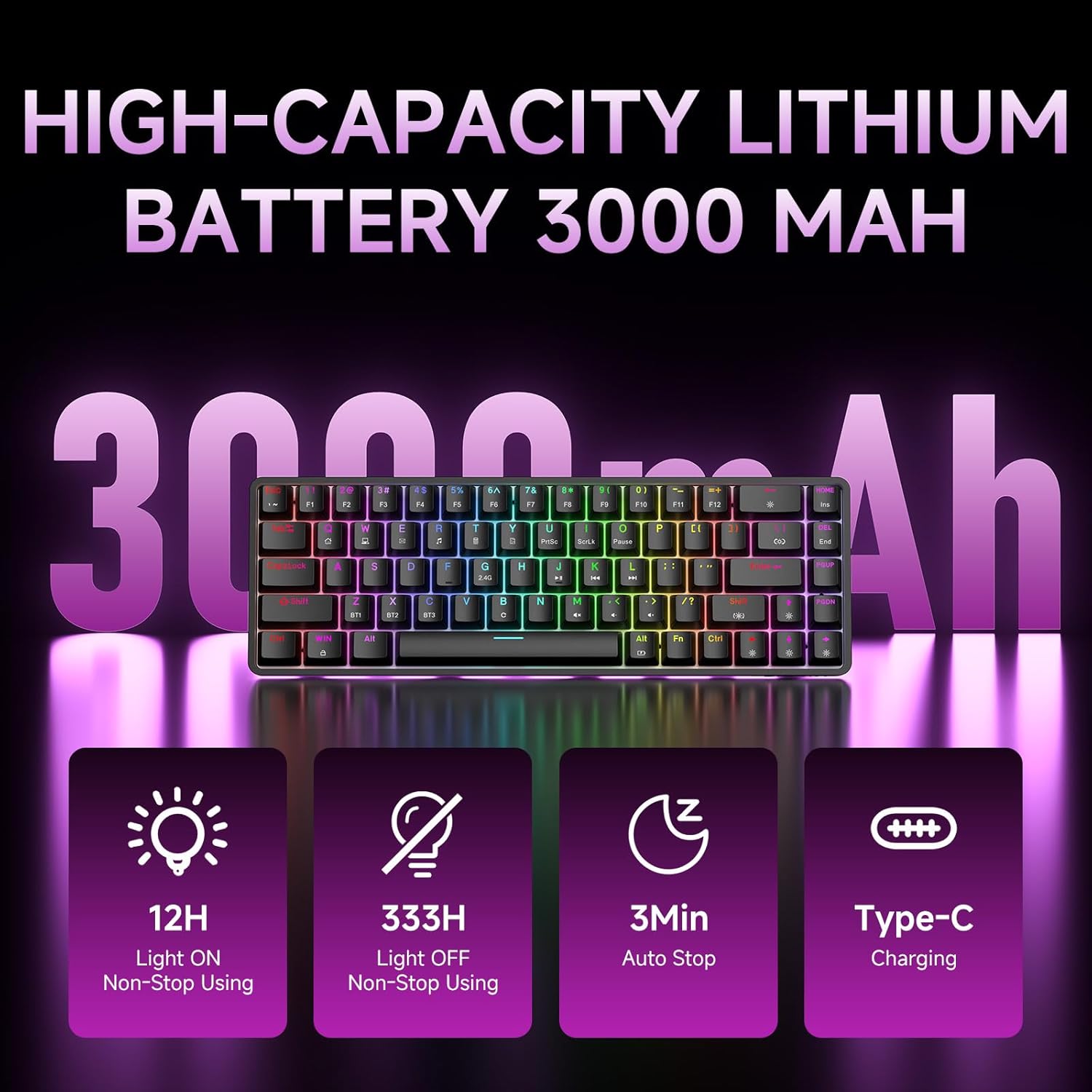
Figure 7: Battery capacity and power-saving features of the DK68.
Puhdistus ja hoito
- Use the provided keycap puller to carefully remove keycaps for cleaning.
- Clean the keyboard surface with a soft, damp liinalla. Vältä liiallista kosteutta.
- Älä käytä voimakkaita kemikaaleja tai hankaavia puhdistusaineita.
- Varmista, että näppäimistö on sammutettu ennen puhdistamista.
Vianetsintä
- Näppäimistö ei vastaa:
- Check the power switch on the back of the keyboard.
- Ensure the correct connection mode (wired, 2.4GHz, or Bluetooth) is selected.
- Varmista, että USB-vastaanotin on kytketty kunnolla 2.4 GHz:n taajuudella.
- Bluetooth-yhteyden osalta varmista, että näppäimistö on paritettu ja valittu laitteellasi. Kokeile paritusta uudelleen tarvittaessa.
- Jos käytät langallista tilaa, kokeile eri USB-porttia tai kaapelia.
- Taustavalo ei toimi:
- Paina Fn + askelpalautin to toggle the backlighting.
- Check battery level; low battery may disable backlighting.
- Avaimet eivät rekisteröidy:
- Ensure the keyboard is properly connected and powered on.
- If specific keys are not working, try removing and re-seating their keycaps.
Tekniset tiedot
| Ominaisuus | Yksityiskohta |
|---|---|
| Mallinumero | DK68 |
| Yhteystekniikka | 2.4 GHz:n langaton, Bluetooth 5.0, USB-C-langallinen |
| Kytkimen tyyppi | Clicky Blue -mekaaniset kytkimet |
| Avaimen asettelu | 68 näppäintä (60 % asettelu) |
| Taustavalo | RGB (16.8 miljoonaa väriä, 20 tehostetta) |
| Akun kapasiteetti | 3000 mAh litiumpolymeeri |
| Yhteensopivat laitteet | Pelikonsoli, kannettava tietokone, tietokone, tabletti |
| Anti-Ghosting | Full Key Anti-Ghosting & NKRO |
| Materiaali | Muovi |
| Tuotteen paino | 1.76 paunaa (noin 800 g) |
| Pakkauksen mitat | 14.33 x 4.37 x 1.73 tuumaa |

Figure 8: Keyboard dimensions and compact 68-key layout.
Takuu ja tuki
For warranty information and technical support, please refer to the documentation included with your product or visit the official DIERYA website. Amazon's return policy for this product is 30 days from the date of receipt.


