
Johdanto
Thank you for choosing the TMEZON C680 Indoor Window Security Camera. This manual provides essential information for setting up, operating, and maintaining your camera. Please read it thoroughly before use and retain it for future reference.
Turvallisuustiedot
- Käytä vain mukana toimitettua virtalähdettä.
- Älä altista kameraa äärimmäisille lämpötiloille tai kosteudelle.
- Tämä kamera on suunniteltu vain sisäkäyttöön.
- Pidä poissa lasten ulottuvilta.
Pakkauksen sisältö
Varmista, että pakkauksessasi on kaikki tarvittavat tuotteet. Jos jokin puuttuu tai on vaurioitunut, ota yhteyttä asiakaspalveluun.
- TMEZON C680 Indoor Window Security Camera
- Virtalähde
- USB-virtakaapeli
- Kiinnityssarja (ruuvit, ankkurit)
- Käyttöopas
Tuote loppuview
Familiarize yourself with the components of your TMEZON C680 camera.
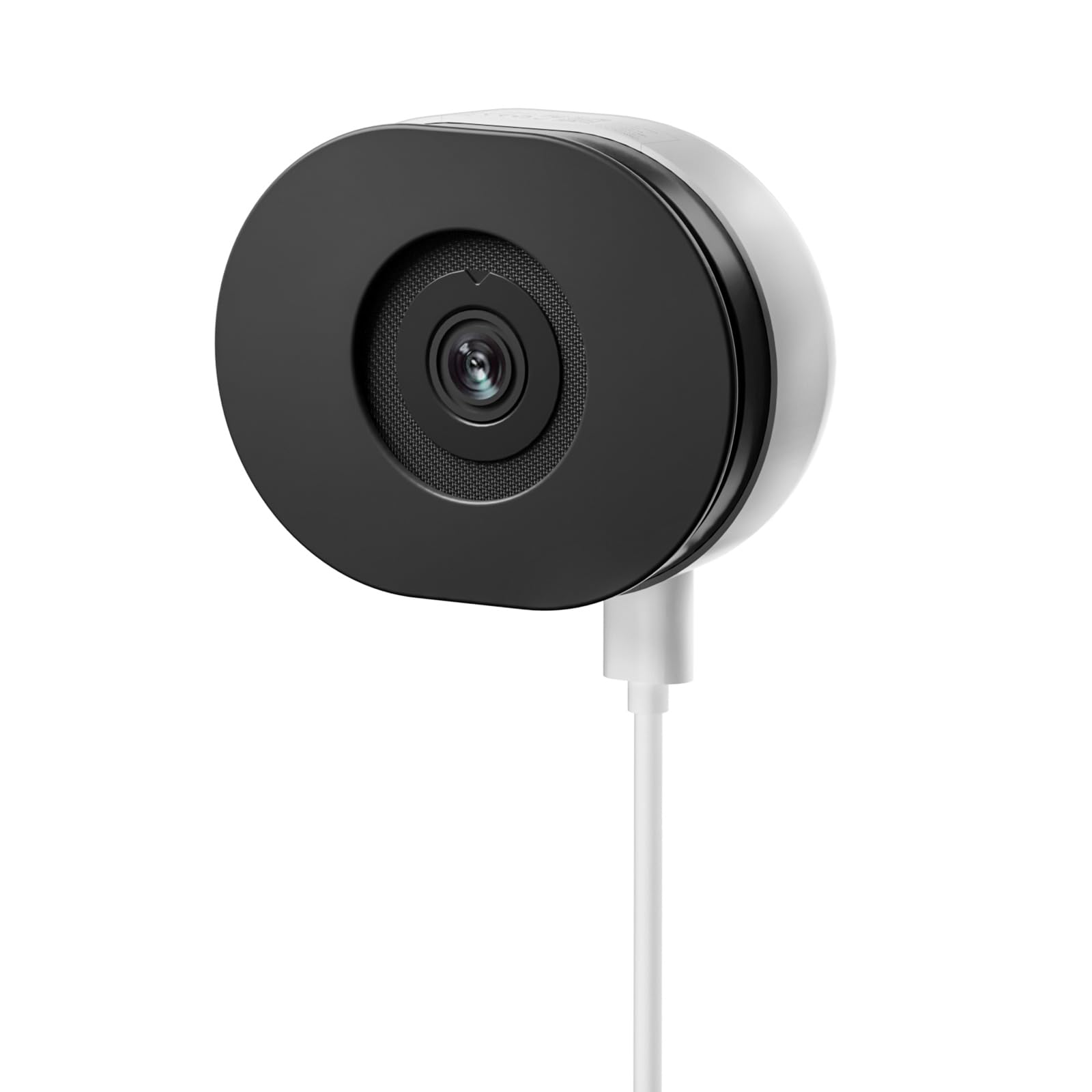
Image: The TMEZON C680 Indoor Window Security Camera. This image displays the camera's compact, circular form factor, highlighting the main lens and overall design.
Kameran osat
- Kameran linssi: Captures 4MP 2.5K video.
- Tilan merkkivalo: Indicates camera status (e.g., solid blue for connected, flashing red for disconnected).
- Mikrofoni: For audio input and two-way audio communication.
- Kaiutin: For audio output and two-way audio communication.
- Virtaportti: Liitetään virtalähteeseen.
- Reset-painike: Press and hold for 5 seconds to reset the camera to factory settings.
- MicroSD -korttipaikka: For local storage (card not included).
Asennus
Vaihe 1: Lataa sovellus
Etsi the "TMEZON Smart" app (or similar, as specified in your product documentation) in your mobile device's app store (App Store for iOS, Google Play Store for Android). Download and install the app.
Vaihe 2: Käynnistä kamera
Connect the USB power cable to the camera's power port and plug the power adapter into a wall outlet. The camera's status indicator light will turn on. Wait for it to flash red, indicating it's ready for pairing.
Vaihe 3: Lisää laite sovellukseen
- Open the TMEZON Smart app and create an account or log in.
- Tap the "+" icon (or "Add Device") to add a new camera.
- Valitse laiteluettelosta "Turvakamera" tai "Älykamera".
- Follow the on-screen instructions to connect the camera to your 2.4GHz Wi-Fi network. Ensure your phone is connected to the same 2.4GHz Wi-Fi network.
- The app will display a QR code. Position your camera to scan this QR code from your phone screen. You will hear a confirmation sound from the camera once scanned successfully.
- Kun yhteys on muodostettu, tilan merkkivalo palaa tasaisesti sinisenä.
Step 4: Window Mounting
The TMEZON C680 is designed for easy window mounting.
- Choose a clean, flat window surface for optimal viewing.
- Use the provided mounting kit to secure the camera to the window frame or a nearby wall, ensuring the lens faces outwards.
- Adjust the camera angle to cover your desired surveillance area.
Käyttöohjeet
Elää View
Open the TMEZON Smart app and select your camera from the device list to access the live video feed.
Tallennus ja toisto
The camera supports 24/7 continuous recording to a local MicroSD card (not included).
- Aseta MicroSD-kortti: Power off the camera, insert a MicroSD card (up to 128GB, Class 10 or higher recommended) into the slot, then power on.
- View Nauhoitukset: Sovelluksen live-tilassa view, tap the "Playback" or "History" icon to access recorded footage.
Kaksisuuntainen ääni
Livenä view interface, tap the microphone icon to speak through the camera's speaker. Tap the speaker icon to listen to audio from the camera's microphone.
Värillinen Night Vision
The camera automatically switches to color night vision in low-light conditions, providing clear, vivid footage up to 32 feet. No manual adjustment is typically required.
Liiketunnistus ja hälytykset
The camera features motion-only alert type.
- In the app, navigate to the camera settings.
- Find "Motion Detection" or "Alert Settings."
- Enable motion detection and customize sensitivity levels and alert schedules as needed.
- You will receive push notifications on your mobile device when motion is detected.
Huolto
Puhdistus
Pyyhi kameran linssi ja runko varovasti pehmeällä, kuivalla liinalla. Älä käytä nestemäisiä puhdistusaineita tai hankaavia aineita.
Firmware-päivitykset
Periodically check the TMEZON Smart app for available firmware updates to ensure optimal performance and security. Follow the in-app instructions for updating.
Varastointi
When not in use for extended periods, store the camera in a cool, dry place, away from direct sunlight.
Vianetsintä
| Ongelma | Ratkaisu |
|---|---|
| Kamera ei käynnisty. | Ensure the power adapter is securely connected to both the camera and a working power outlet. Try a different outlet. |
| Ei voi muodostaa yhteyttä Wi-Fi-verkkoon. |
|
| No recording to MicroSD card. |
|
| Huono videon laatu. |
|
Tekniset tiedot
- Malli: C680
- Resoluutio: 4MP (2.5K)
- Pimeänäkö: Värillinen yönäkö, jopa 32 metrin päähän
- Liitettävyys: 2.4 GHz Wi-Fi
- Varastointi: MicroSD-kortti (jopa 128 Gt, ei sisälly toimitukseen)
- Audio: Kaksisuuntainen ääni (sisäänrakennettu mikrofoni ja kaiutin)
- Teho: Corded Electric, 5W
- Sisä-/ulkokäyttö: Vain sisätiloissa
- Viewkulma: 120 astetta
- Mitat: Noin 3.5 x 3.5 x 3.5 tuumaa
- Materiaali: Muovi
- Hälytyksen tyyppi: Vain liike
Takuu ja tuki
TMEZON products are designed for reliability and performance. For warranty information, technical support, or customer service inquiries, please refer to the contact information provided on the product packaging or visit the official TMEZON websivusto.
You can also visit the TMEZON store on Amazon for additional product information and support: TMEZON Amazon Store.