
Johdanto
Thank you for choosing the Spacetronik Manual Height-Adjustable Sit-Stand Desk. This ergonomic desk is designed to provide a flexible workspace, allowing you to easily switch between sitting and standing positions to promote better posture and reduce fatigue. This manual provides essential information for the safe assembly, operation, and maintenance of your desk.
The desk features a robust steel frame and a silent, smooth crank mechanism for height adjustment. It supports a load capacity of up to 40 kg, making it suitable for various office or gaming setups.
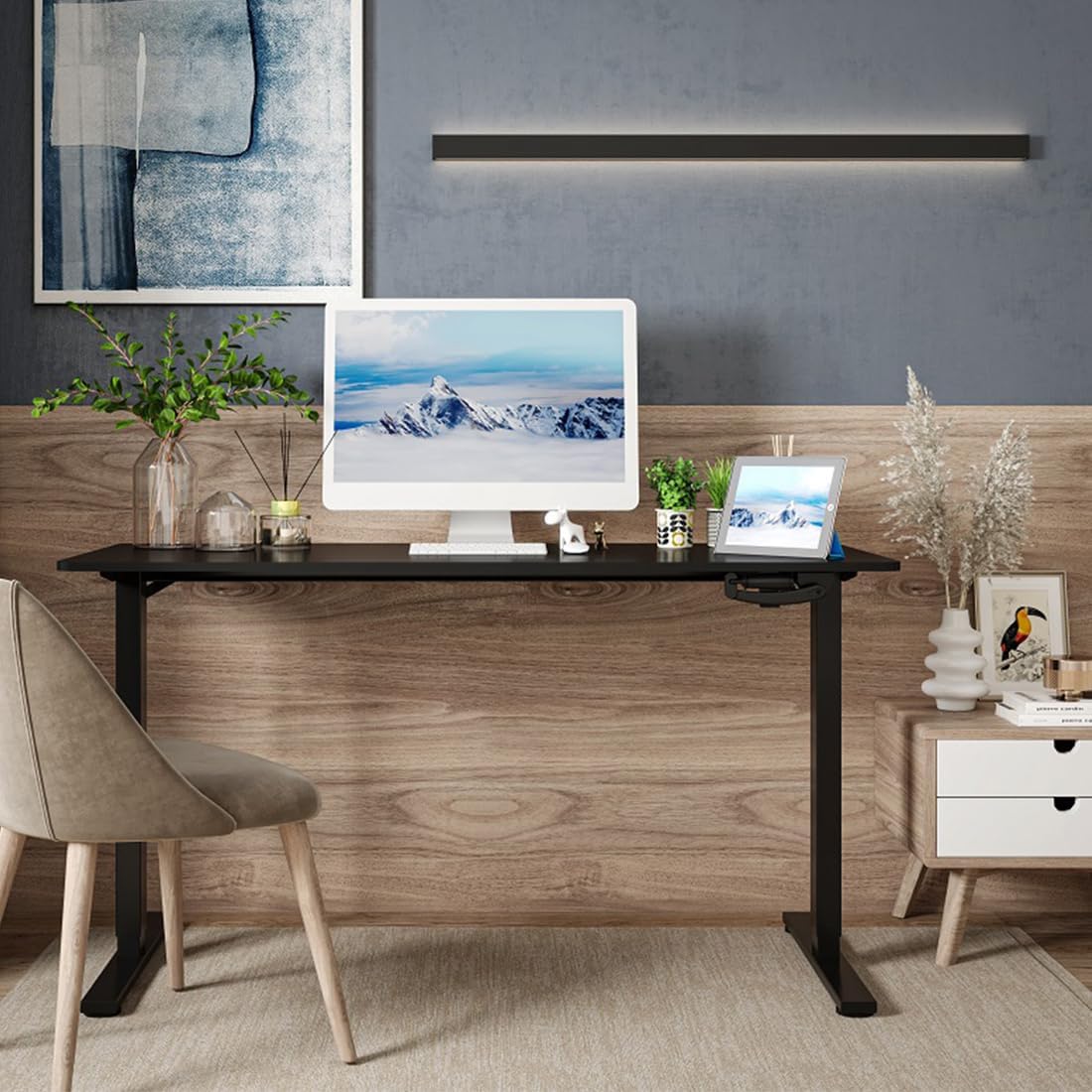
Image: The Spacetronik desk in a contemporary office environment, showcasing sen muotoilu ja toiminnallisuus.
Turvallisuustiedot
- Lue kaikki ohjeet huolellisesti ennen kokoamista ja käyttöä.
- Keep children and pets away from the desk during assembly and operation.
- Varmista, että kaikki ruuvit ja pultit on kiristetty tiukasti ennen käyttöä. Tarkista ne säännöllisesti ja kiristä tarvittaessa.
- Älä ylikuormita pöytää. Suurin kuormituskapasiteetti on 40 kg.
- Vältä nesteiden asettamista suoraan pöydälle ilman suojaavia alustoja.
- When adjusting the height, ensure there are no obstructions above or below the desk that could cause damage or injury.
- Use the desk on a level surface to ensure stability.
Pakkauksen sisältö
Please check the package contents against the list provided in your separate assembly instructions. Ensure all parts are present and undamaged before beginning assembly. If any parts are missing or damaged, please contact Spacetronik customer support.
Tyypillisiä komponentteja ovat:
- Pöydän pöytätaso
- Pöydän jalat ja jalkaterät
- Crank mechanism and handle
- Poikkipuun/rungon komponentit
- Tarvikesarja (ruuvit, pultit, työkalut)
- Kokoamisohjeet
Asennus ja kokoonpano
Assembly of the Spacetronik desk is designed to be straightforward. Follow the detailed step-by-step instructions provided in the separate assembly manual included with your product. Ensure you have adequate space and the necessary tools (usually included in the hardware kit) before starting.
- Pura komponentit: Carefully remove all parts from the packaging and lay them out on a clean, soft surface to prevent scratches. Verify all parts are present using the provided parts list.
- Kokoa kehys: Attach the crossbar and side frames to the desk legs according to the diagrams in the assembly manual. Ensure all connections are secure.
- Install Crank Mechanism: Mount the crank mechanism and handle onto the designated area of the frame. Test the mechanism for smooth rotation.
- Kiinnitä pöytälevy: Aseta pöytälevy varovasti kootun rungon päälle. Kohdista esiporatut reiät ja kiinnitä pöytälevy mukana toimitetuilla ruuveilla.
- Lopputarkastus: Once assembled, ensure all screws are tightened, and the desk is stable.

Image: A technical drawing illustrating the dimensions and structure of the Spacetronik desk, useful for assembly reference.
Käyttöohjeet
The Spacetronik desk features a manual crank system for height adjustment, allowing you to effortlessly switch between sitting and standing positions.
Pöydän korkeuden säätö:
- Locate the Crank Handle: The crank handle is typically located on the front or side of the desk frame.
- Rotate to Adjust: To raise the desk, turn the crank handle clockwise. To lower the desk, turn the crank handle counter-clockwise.
- Sujuva toiminta: The crank mechanism is designed for smooth and quiet operation, adjusting the desk height by approximately 8 mm per turn.
- Optimaalinen korkeus: Adjust the desk to a height that allows for comfortable posture, whether sitting or standing. For standing, your elbows should form a 90-degree angle when typing.

Kuva: Yksityiskohtainen view of the manual crank system, highlighting its smooth and precise adjustment capability.

Image: Illustration of the desk's height adjustment range, demonstrating comfortable sitting (72 cm) and standing (109.5 cm) positions.
Huolto
Regular maintenance will help prolong the life and appearance of your Spacetronik desk.
- Puhdistus: Pyyhi pöydän pinta pehmeällä, damp liinaa. Käytä pinttyneisiin tahroihin mietoa, hankaamatonta puhdistusainetta. Vältä voimakkaita kemikaaleja, jotka voivat vahingoittaa pintaa.
- Kehyksen hoito: The steel frame can be cleaned with a damp liinalla. Varmista, että se on kuivattu perusteellisesti ruostumisen estämiseksi.
- Kampimekanismi: The crank mechanism is generally maintenance-free. If it becomes stiff, a small amount of silicone-based lubricant can be applied to the moving parts, avoiding excessive application.
- Laitteiston tarkistus: Periodically check all screws and bolts to ensure they remain tight. Re-tighten if any looseness is detected.
Vianetsintä
If you encounter any issues with your Spacetronik desk, refer to the following common problems and solutions:
- Työpöytä on epätasainen:
- Varmista, että kaikki kokoonpanoruuvit ja -pultit on kiristetty tiukasti.
- Check that the desk is placed on a level surface. Adjust the leveling feet if present.
- Crank mechanism is stiff or difficult to turn:
- Ensure the desk is not overloaded beyond its 40 kg capacity.
- Tarkista, onko mekanismin vapaata liikettä estäviä esteitä.
- Apply a small amount of silicone lubricant to the moving parts of the crank mechanism.
- Desk does not adjust evenly:
- This is unlikely with a manual crank system but ensure the crank is fully engaged and turning both legs simultaneously.
- Verify that the desk is not obstructed on one side.
If these solutions do not resolve the issue, please contact Spacetronik customer support for further assistance.
Tekniset tiedot
| Ominaisuus | Yksityiskohta |
|---|---|
| Merkki | Spacetronik |
| Mallinumero | SPEO113 |
| Väri (nykyinen tuote) | Valkoinen |
| Mitat (P x L x K) | 120 x 60 x 72-109.5 cm (approx. 60P x 120l x 109H cm) |
| Korkeuden säätöalue | 72 cm - 109.5 cm |
| Korkeuden säätömekanismi | Manual Crank (approx. 8 mm per turn) |
| Kuormituskapasiteetti | 40 kg |
| Rungon materiaali | Robust Steel |
| Tuotteen paino | 20 kiloa |
| Available Tabletop Sizes | 100x60 cm, 120x60 cm, 140x60 cm |
| Available Tabletop Colors | White, Black, Dark Wood |

Image: Visual representation of the three available tabletop sizes for the Spacetronik desk.

Image: The desk supporting a computer, monitor, and other accessories, illustrating its robust 40 kg load capacity.
Takuu ja tuki
Spacetronik products are designed for durability and performance. For specific warranty information, please refer to the documentation included with your purchase or visit the official Spacetronik websivusto.
For customer support, technical assistance, or to inquire about replacement parts, please contact Spacetronik directly through their official channels. When contacting support, please have your model number (SPEO113) and purchase details ready.
Valmistaja: Spacetronik
Alkuperämaa: Kiina