
Johdanto
Thank you for choosing the Spacetronik Manual Height Adjustable Desk. This ergonomic sit-stand desk is designed to provide a flexible and comfortable workspace, allowing you to easily switch between sitting and standing positions. This manual provides essential information for the safe assembly, operation, and maintenance of your new desk.
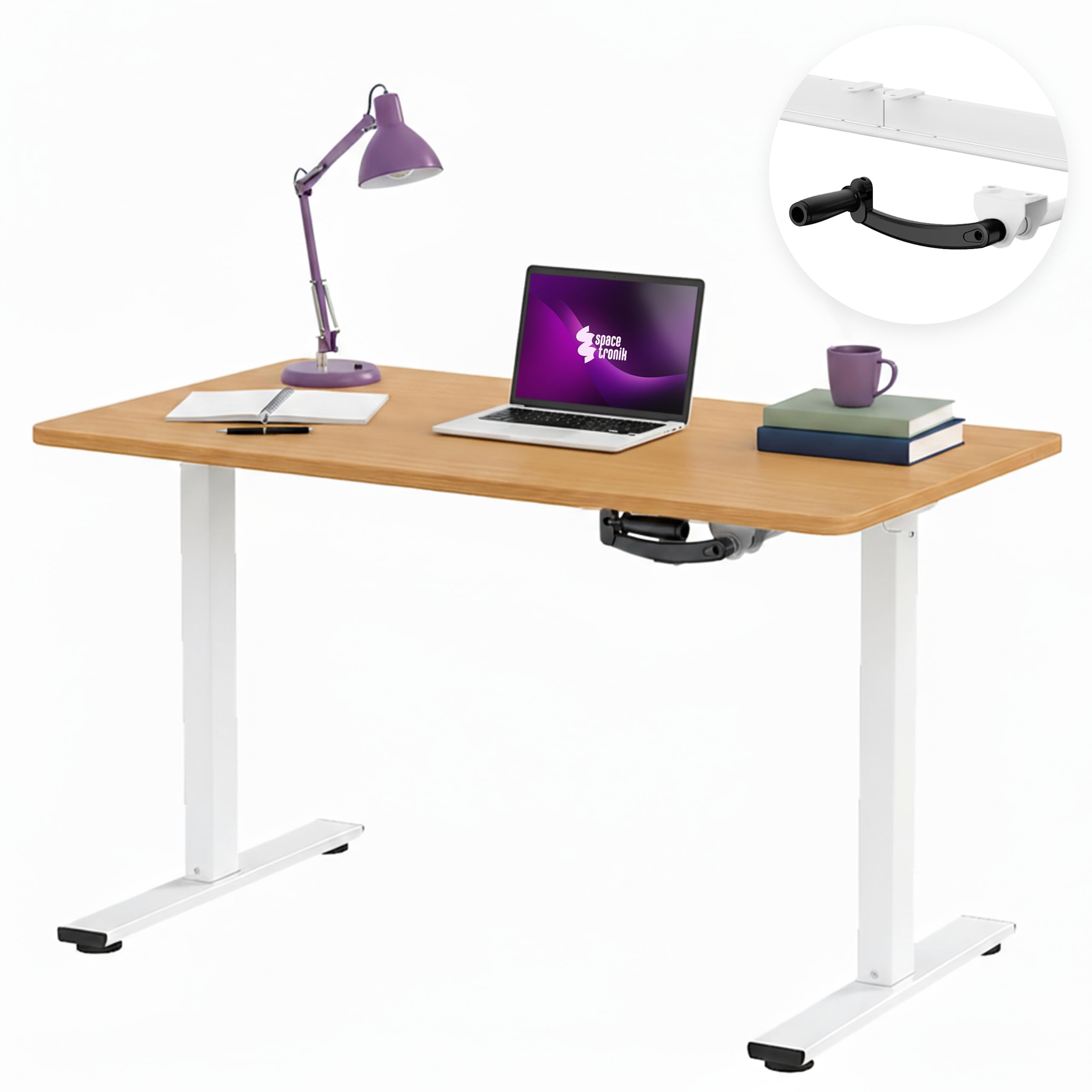
Image: The Spacetronik Manual Height Adjustable Desk in a modern office environment, showcasing sen tyylikäs muotoilu ja toiminnallisuus.
Turvallisuustiedot
- Lue kaikki ohjeet huolellisesti ennen kokoamista ja käyttöä.
- Ensure all components are securely fastened before placing items on the desk.
- Älä ylitä 40 kg:n enimmäiskuormitusta.
- Pidä kädet ja sormet poissa liikkuvista osista korkeussäädön aikana.
- Aseta työpöytä tasaiselle alustalle vakauden varmistamiseksi.
- Vältä nesteiden asettamista suoraan pöydälle ilman suojaavia alustoja.
- Tämä työpöytä on tarkoitettu vain sisäkäyttöön.
Asennus ja kokoonpano
Assembly is required for this product. Please refer to the separate assembly instructions included in your package for detailed, step-by-step guidance. Ensure all parts are present and undamaged before beginning assembly.
Yleiskokouksen vinkkejä:
- Aseta kaikki osat pehmeälle ja puhtaalle alustalle naarmujen välttämiseksi.
- Tunnista kaikki osat kokoamisoppaassa olevan osaluettelon avulla.
- Kiristä kaikki ruuvit ja pultit tiukasti, mutta älä kiristä liikaa.
- On suositeltavaa, että kokoamiseen on kaksi henkilöä turvallisuuden ja helppouden takaamiseksi.

Image: Technical drawing illustrating the desk's dimensions, including height range (72-109.5 cm), width (100 cm), and depth (60 cm).
Käyttöohjeet
Height Adjustment with Manual Crank:
The Spacetronik desk features a manual crank system for smooth and quiet height adjustment. This allows you to effortlessly transition between sitting and standing positions to improve comfort and reduce fatigue during long work sessions.
- Locate the manual crank handle on the side of the desk frame.
- To raise the desk, turn the crank clockwise.
- To lower the desk, turn the crank counter-clockwise.
- Adjust the desk to your desired height within the range of 72 cm to 109.5 cm. The crank mechanism provides a smooth adjustment of approximately 8 mm per turn.

Kuva: Lähikuva view of the manual crank mechanism, highlighting its smooth and precise operation for height adjustment.
Ergonomiset edut:
Regularly changing your posture between sitting and standing can help alleviate back, shoulder, and neck strain, enhance concentration, and promote overall well-being during extended periods of work or gaming.

Image: A visual comparison demonstrating the desk at its minimum sitting height (72 cm) and maximum standing height (109.5 cm), illustrating the ergonomic flexibility.
Huolto
Puhdistus:
- Pyyhi pöydän pinta pehmeällä, damp kangas.
- Vältä kovien kemikaalien tai hankaavien puhdistusaineiden käyttöä, koska ne voivat vahingoittaa pintaa.
- For the steel frame, use a mild detergent solution if necessary, then wipe dry.
Yleishoito:
- Tarkista säännöllisesti kaikki ruuvit ja pultit varmistaaksesi, että ne ovat edelleen kireällä.
- Do not drag the desk; lift it when moving to prevent damage to the frame or floor.
- Keep the crank mechanism free from dust and debris to ensure smooth operation.
Vianetsintä
Crank is Stiff or Not Moving Smoothly:
- Tarkista esteet: Ensure there are no objects blocking the crank mechanism or the desk legs.
- Tarkista kokoonpano: Confirm that all parts of the frame and crank mechanism were assembled correctly and are not overtightened or misaligned.
- Voitelu: A small amount of silicone-based lubricant can be applied to the moving parts of the crank mechanism if stiffness persists.
Desk is Unstable:
- Tasainen pinta: Ensure the desk is placed on a flat, level floor.
- Kiristä kiinnikkeet: Re-check and tighten all screws and bolts on the frame and tabletop.
- Painon jakautuminen: Distribute items evenly on the desk surface, ensuring the load does not exceed 40 kg.
Tekniset tiedot
| Mallinumero | SPEO113 |
| Mitat (P x L x K) | 100 cm x 60 cm x 72-109.5 cm |
| Korkeuden säätöalue | 72 cm to 109.5 cm (manual crank) |
| Kuormituskapasiteetti | 40 kg asti |
| Materiaalit | Engineered wood tabletop with melamine finish, steel frame, plastic components |
| Väri (nykyinen variantti) | Tumma Puu |
| Paino | 20 kg |
| Pöytälevyn paksuus | 2.5 cm |

Image: The desk demonstrating its robust construction and ability to support up to 40 kg of equipment, ensuring stability in any position.
Available Tabletop Sizes:
The Spacetronik Manual Height Adjustable Desk is available with various tabletop dimensions to suit different workspace needs:
- 100 x 60 cm (current model)
- 120 x 60 cm
- 140 x 60 cm

Image: Visual representation of the three available tabletop sizes: 100x60 cm, 120x60 cm, and 140x60 cm, offering flexible workspace options.
Takuutiedot
For specific warranty details regarding your Spacetronik Manual Height Adjustable Desk, please refer to the warranty card included with your product or contact your retailer. Warranty terms typically cover manufacturing defects and material faults under normal use.
Asiakastuki
If you have any questions, require assistance with assembly, or encounter any issues with your Spacetronik desk, please contact the retailer where you purchased the product or visit the official Spacetronik webtukiresurssien sivusto.
Valmistaja: Spacetronik
Alkuperämaa: Kiina