
Johdanto
The ShanWan Wireless Controller is a versatile gaming peripheral designed for use across multiple platforms, including PC, iPhone, Android, Nintendo Switch, and Steam. It offers tri-mode connectivity (Bluetooth, 2.4G wireless, and USB-C wired) to ensure a seamless gaming experience. This manual provides detailed instructions for setup, operation, maintenance, and troubleshooting to help you maximize your controller's performance.
Note: This controller is not compatible with Xbox or PlayStation 4/5 consoles.
Pakkauksen sisältö
- ShanWan Wireless Controller
- USB-C latauskaapeli
- 2.4G langaton sovitin
- Käyttöopas (tämä asiakirja)
Ohjain ohiview
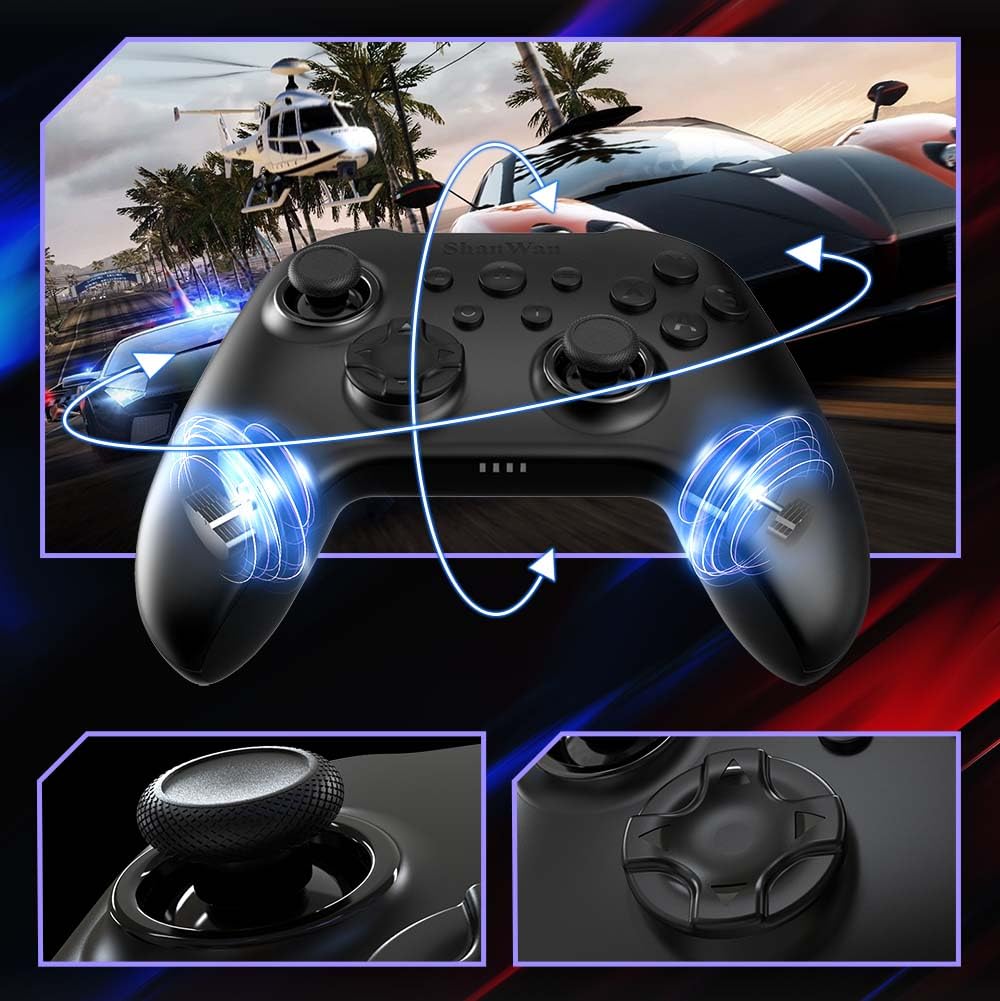
Kuva: Edessä view of the ShanWan Wireless Controller, showcasing its ergonomic design, dual joysticks, D-pad, and face buttons (A, B, X, Y).
Kuva: Takaisin view of the ShanWan Wireless Controller, highlighting the mode switch for different platforms (X, D, S).
Tärkeimmät ominaisuudet:
- Hall-efektiohjaimia: Designed for precision with no dead zones and anti-drift capabilities.
- Durable Gel Buttons: Conductive gel buttons tested for 1 million clicks for long-lasting performance.
- 6-akselinen gyroskooppi: Tarjoaa tarkan liiketunnistuksen mukaansatempaavaa pelaamista varten.
- Kaksoisvärähtelymoottorit: Delivers strong and subtle haptic feedback for an enhanced gaming experience.
- Turbo-toiminto: Allows for rapid, repeated button presses.
Asennus
1. Ohjaimen lataaminen
Before initial use, fully charge the controller using the provided USB-C cable. Connect the USB-C end to the controller and the USB-A end to a power source (e.g., computer USB port, USB wall adapter). The charging indicator lights will show charging status and turn off when fully charged.
2. Yhteyden muodostaminen laitteisiin
The ShanWan Wireless Controller supports three connection modes: Bluetooth, 2.4G Wireless, and USB-C Wired. Ensure the mode switch on the back of the controller is set to the appropriate platform before attempting to connect.

Kuva: Visual representation of the controller's tri-mode connectivity, illustrating Bluetooth, 2.4G wireless, and USB-C wired options.
Mode Switch Settings:
- 'S' Mode: Nintendo Switchille.
- 'X' Mode: For PC (X-input), Android.
- 'D' Mode: For PC (D-input), iOS.
Bluetooth-yhteys:
- Set the mode switch on the back of the controller to the desired platform ('S', 'X', or 'D').
- Press and hold the pairing button (usually a small button on the top or back) until the indicator lights flash rapidly.
- On your device (PC, iPhone, Android, Switch), go to Bluetooth settings and search for new devices.
- Select "ShanWan Controller" or a similar name from the list to pair.
- Once paired, the indicator lights on the controller will become solid.
2.4G Wireless Connection (for PC/Switch):
- Set the mode switch on the back of the controller to 'X' (for PC) or 'S' (for Switch).
- Insert the 2.4G wireless dongle into a USB port on your PC or Switch dock.
- Press the Home button on the controller to power it on. It should automatically connect to the dongle.
- The indicator lights will become solid once connected.
USB-C-langallinen yhteys:
- Connect the USB-C cable to the controller and the other end to your PC or Switch dock.
- The controller will automatically be recognized as a wired device.
- No specific mode switch setting is required for wired connection, but setting it to the correct platform mode ('X' for PC, 'S' for Switch) is recommended for optimal compatibility.
Käyttöohjeet
Virta päälle/pois:
- Virta päälle: Paina Koti-painiketta kerran.
- Virta pois: Press and hold the Home button for 3-5 seconds, or the controller will automatically power off after a period of inactivity.
Liikeohjaus:
The built-in 6-axis gyroscope provides motion control capabilities, particularly useful for games on Nintendo Switch or other compatible platforms. Ensure the game supports motion controls for this feature to function.
Värinäpalaute:
The dual vibration motors provide haptic feedback during gameplay. The intensity of the vibration can often be adjusted through game settings or the Gamepad Space app.
Turbo-toiminto:
Turbo-toiminnon aktivointi tietylle painikkeelle:
- Pidä painettuna painiketta, jonka haluat asettaa Turbo-tilaan.
- While holding the button, press the Turbo button (refer to controller layout for location).
- The button will now repeatedly register presses as long as it is held down.
To deactivate Turbo for a button, repeat the process.
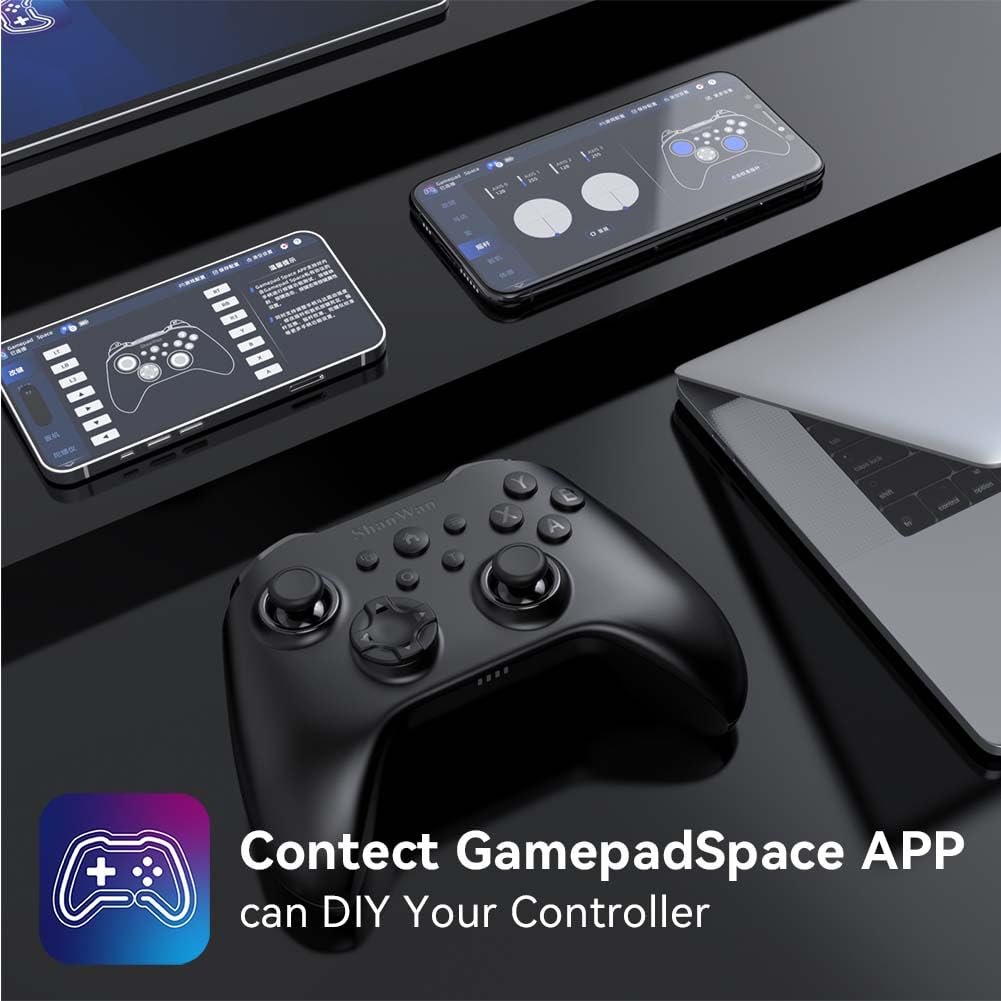
Software Customization (Gamepad Space App):
Enhance your gaming experience by customizing controller settings using the Gamepad Space mobile application.

Kuva: A ShanWan controller alongside smartphones displaying the Gamepad Space app, illustrating options for calibration and on-the-fly adjustments.
- Download the "Gamepad Space" app from your mobile device's app store.
- Connect your controller to your mobile device via Bluetooth.
- Sovelluksen sisällä voit:
- Päivitä laiteohjelmisto.
- Säädä vipua ja liipaisimen kuolleita alueita.
- Mukauta tärinän voimakkuutta.
- Testipainikkeet.
Huolto
- Puhdistus: Puhdista ohjain pehmeällä, kuivalla liinalla. Vältä voimakkaiden kemikaalien tai hankaavien materiaalien käyttöä.
- Varastointi: Säilytä ohjainta viileässä, kuivassa paikassa, poissa suorasta auringonvalosta ja äärimmäisistä lämpötiloista.
- Akun hoito: Akun käyttöiän pidentämiseksi vältä ohjaimen jatkuvaa tyhjentämistä kokonaan. Lataa se säännöllisesti, vaikka sitä ei käytettäisikään jatkuvasti.
Vianetsintä
Ohjain ei muodosta yhteyttä:
- Varmista, että ohjain on ladattu.
- Verify the mode switch on the back of the controller is set correctly for your platform (S, X, or D).
- Bluetoothin osalta varmista, että laitteesi Bluetooth on päällä ja ohjain on pariliitostilassa.
- For 2.4G wireless, ensure the dongle is properly inserted and the controller is in the correct mode.
- Kokeile käynnistää sekä ohjain että laite uudelleen.
Syöttöviive tai katkokset:
- Varmista, ettei lähellä ole voimakkaita sähkömagneettisia häiriöitä.
- Move closer to your device for a stronger wireless signal.
- Varmista, että ohjaimen paristo ei ole vähissä.
- Consider using a wired USB-C connection for the most stable experience.
Joystick Drift or Unresponsive Buttons:
- Calibrate the joysticks and test buttons using the Gamepad Space app.
- Ensure the controller's firmware is up to date via the Gamepad Space app.
- Puhdista painikkeiden ja ohjaussauvojen ympäristö roskista.
Tekniset tiedot
| Malli | B0FS13DT2B |
| Yhteystekniikka | Bluetooth, 2.4G langaton, USB-C-johdollinen |
| Yhteensopivat laitteet | Android, iOS, Nintendo Switch, Nintendo Switch 2, PC |
| Ohjaimen tyyppi | Peliohjain |
| Painike Määrä | 12 |
| Erikoisominaisuudet | Hall Effect Joysticks, 6-Axis Gyroscope, Dual Vibration, Turbo Function, Software Customization |
| Virtalähde | Paristokäyttöinen |
| Tuotteen paino | 300 grammaa |
| Tuotteen mitat (S x L x K) | 2.5 cm x 4 cm x 6 cm |
Takuu ja tuki
ShanWan products are designed for reliability and performance. For specific warranty information, please refer to the documentation included with your purchase or visit the official ShanWan support website. If you encounter any issues not covered in this manual, please contact ShanWan customer support for assistance.
Online-tuki: Visit the ShanWan Store on Amazon


