
Johdanto
This manual provides detailed instructions for the setup, operation, maintenance, and troubleshooting of your GMKtec Mini PC M2Pro S. This compact desktop computer is equipped with an 11th generation Intel Core i7-1185G7 processor, 32GB DDR4 RAM, and a 512GB NVMe SSD, designed for efficient performance in various applications. Please read this manual thoroughly before using the device to ensure proper functionality and longevity.
Pakkauksen sisältö
Varmista, että pakkauksessasi on kaikki alla luetellut tuotteet:
- 1 x GMKtec Nucbox Mini PC Computer
- 1 x virtalähde
- 1 x VESA-kiinnike ruuveilla
- 1 x HDMI kaapeli
- 1 x Käyttöohje (tämä asiakirja)

Image: Contents of the GMKtec Mini PC M2Pro S retail box.
Tuote loppuview
The GMKtec Mini PC M2Pro S is a high-performance, compact desktop solution. Key features include:
- Prosessori: 11th Gen Intel Core i7-1185G7 (up to 4.8 GHz, 4 Cores, 8 Threads, 12MB Cache)
- Muisti: 32GB DDR4 SODIMM (dual-channel, expandable up to 64GB)
- Varastointi: 512GB M.2 2280 NVMe SSD (PCIe3.0, expandable up to 2TB), additional M.2 2242 SATA slot (expandable up to 2TB)
- Grafiikka: Intel Iris Xe Graphics G7 96EU
- Näytön lähtö: Supports triple 4K displays via 2 x HDMI (4K@60Hz) and 1 x USB Type-C (4K@60Hz)
- Verkko: 2.5Gbps LAN (RJ45), WiFi 6 (802.11ax), Bluetooth 5.2
- Portit: USB 3.2, USB Type-C (40Gbps), Audio (3.5mm CTIA)
- Jäähdytys: Upgraded quiet cooling fan with copper vapor chamber and multiple exhaust vents
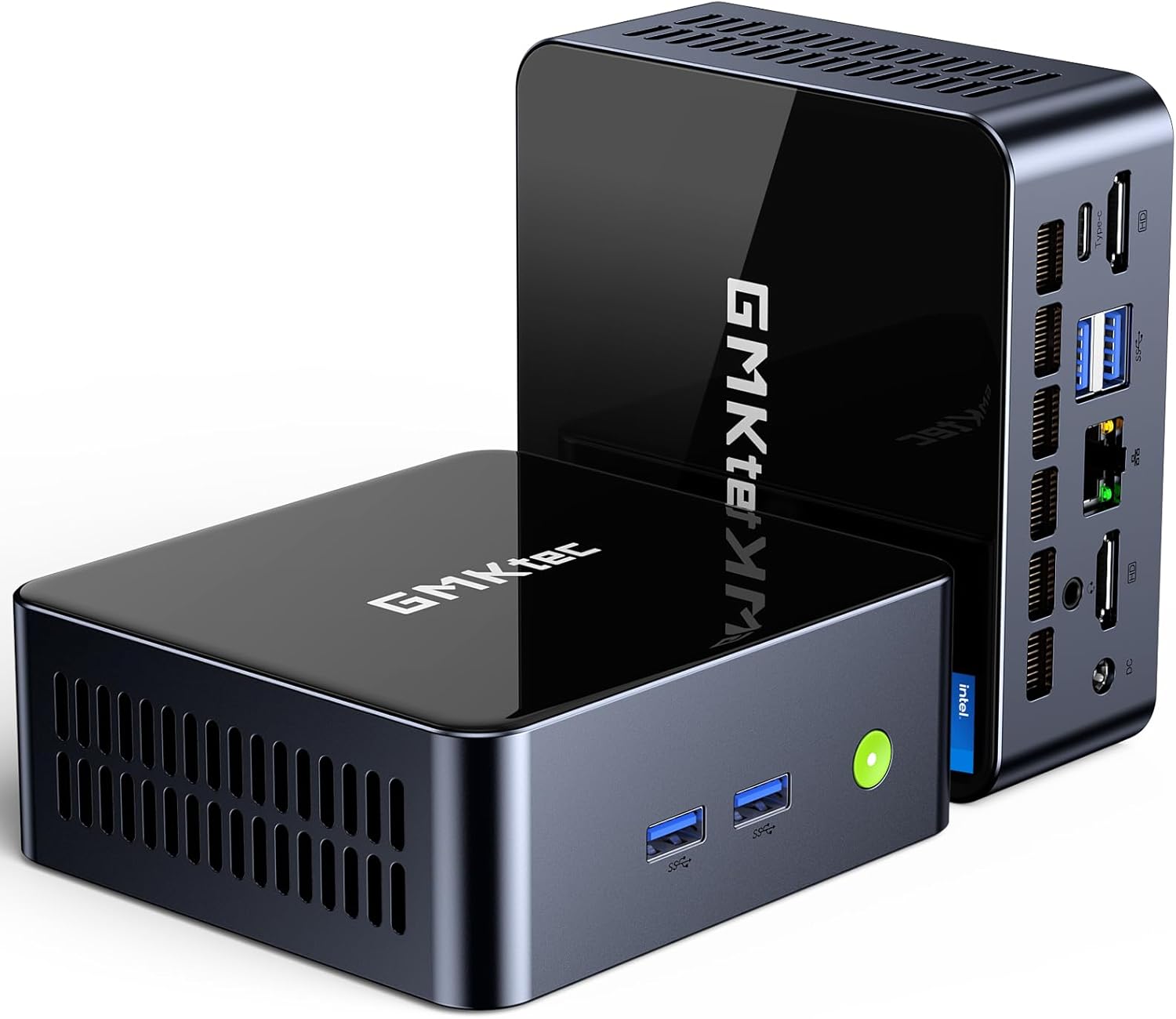
Kuva: Edessä view of the GMKtec Mini PC M2Pro S.
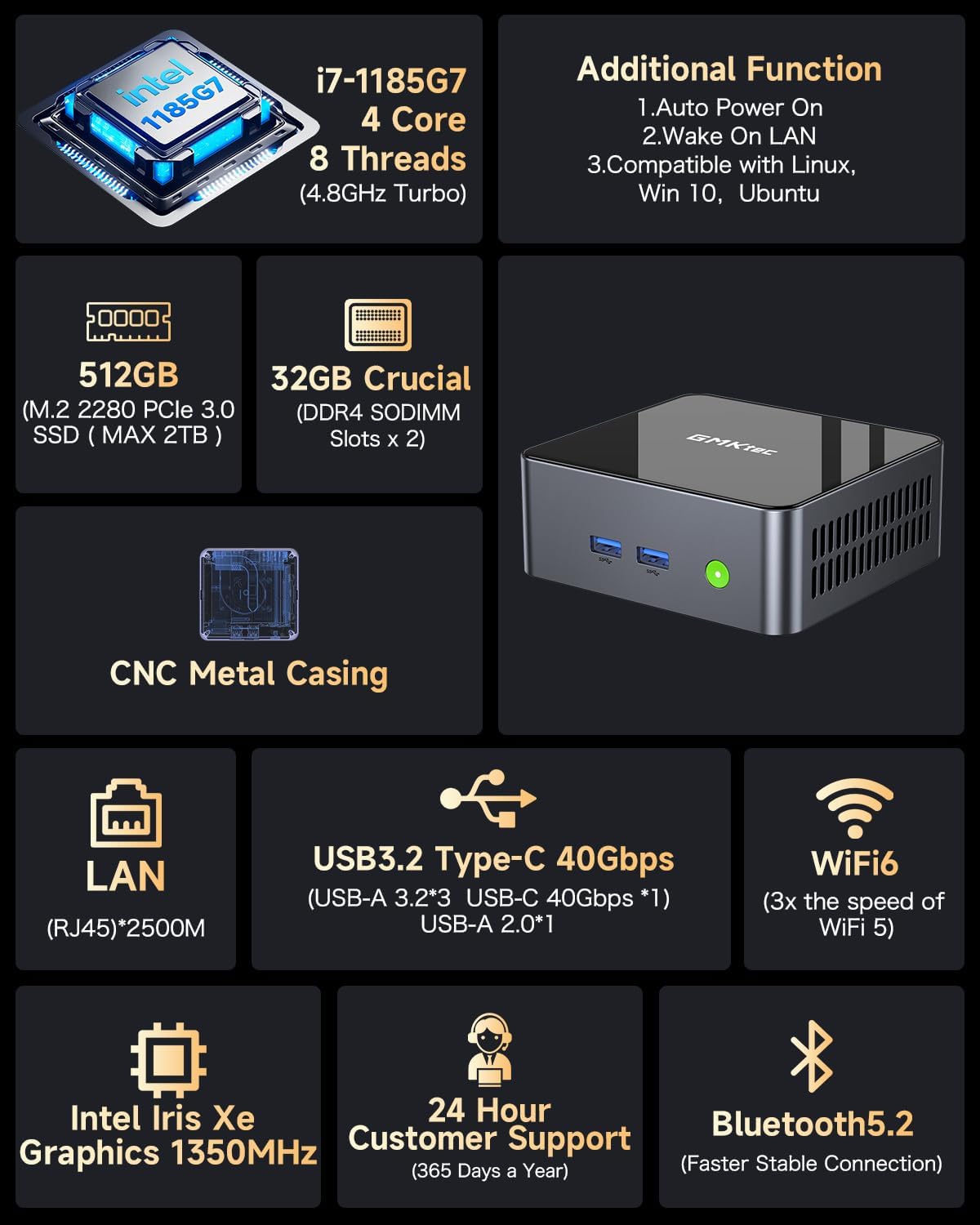
Kuva: Yliview of the GMKtec Mini PC M2Pro S features and specifications.
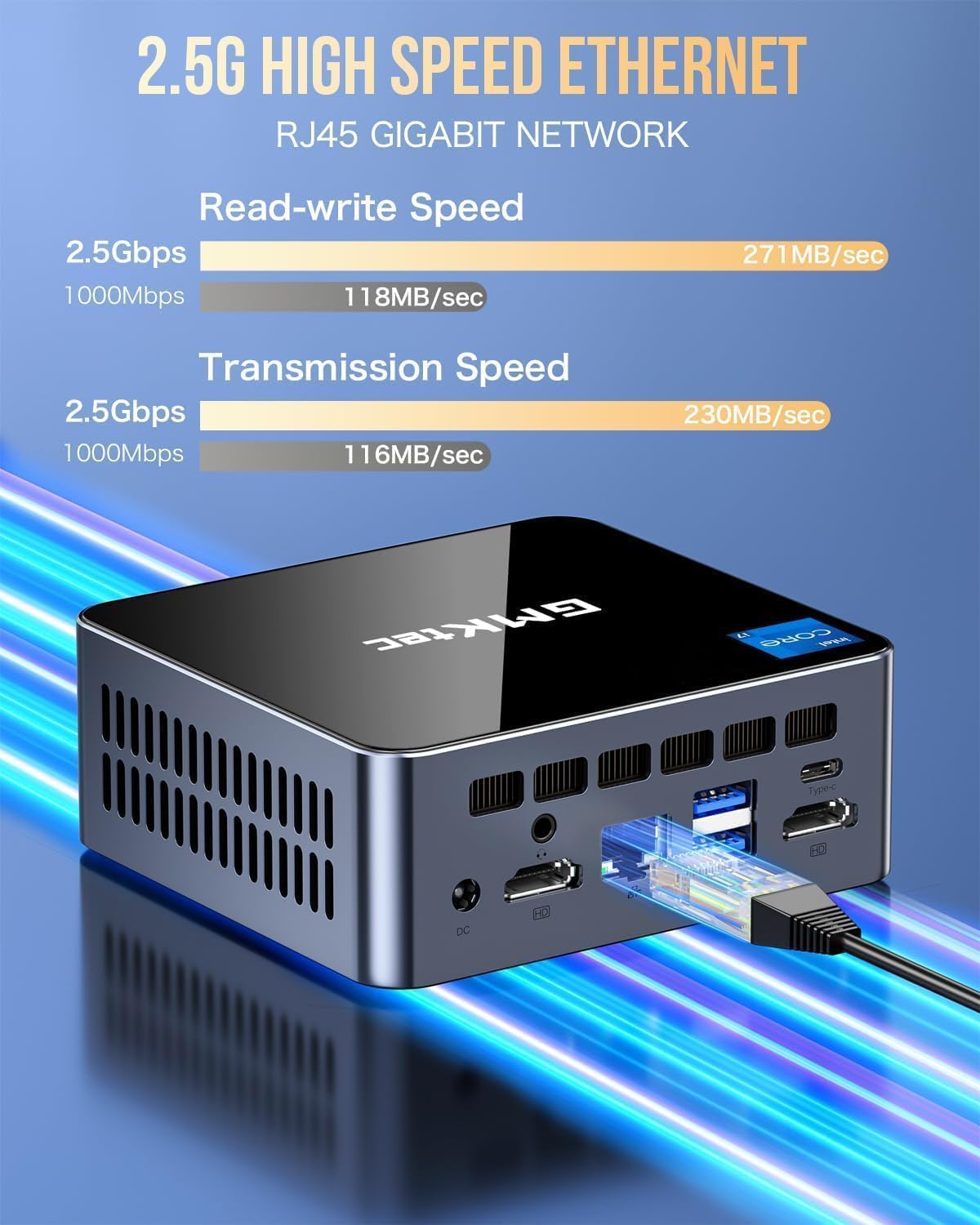
Kuva: Yksityiskohtainen view of the multi-purpose ports on the GMKtec Mini PC M2Pro S.
Asennusopas
- Liitä oheislaitteet: Connect your monitor(s) using the HDMI or USB Type-C ports. Connect your keyboard and mouse to the available USB ports.
- Verkkoyhteys: For a wired connection, plug an Ethernet cable into the 2.5Gbps LAN port. For wireless, the device supports WiFi 6 and Bluetooth 5.2, which can be configured after initial boot.
- Virtaliitäntä: Connect the provided power adapter to the DC IN port on the mini PC and then to a power outlet.
- Virta päälle: Press the power button located on the front of the mini PC. The system will boot up.
- Windowsin alkuasennus: Suorita Windows 11 Pron asennus loppuun noudattamalla näytön ohjeita, mukaan lukien kielen, alueen, verkon ja käyttäjätilin luominen.
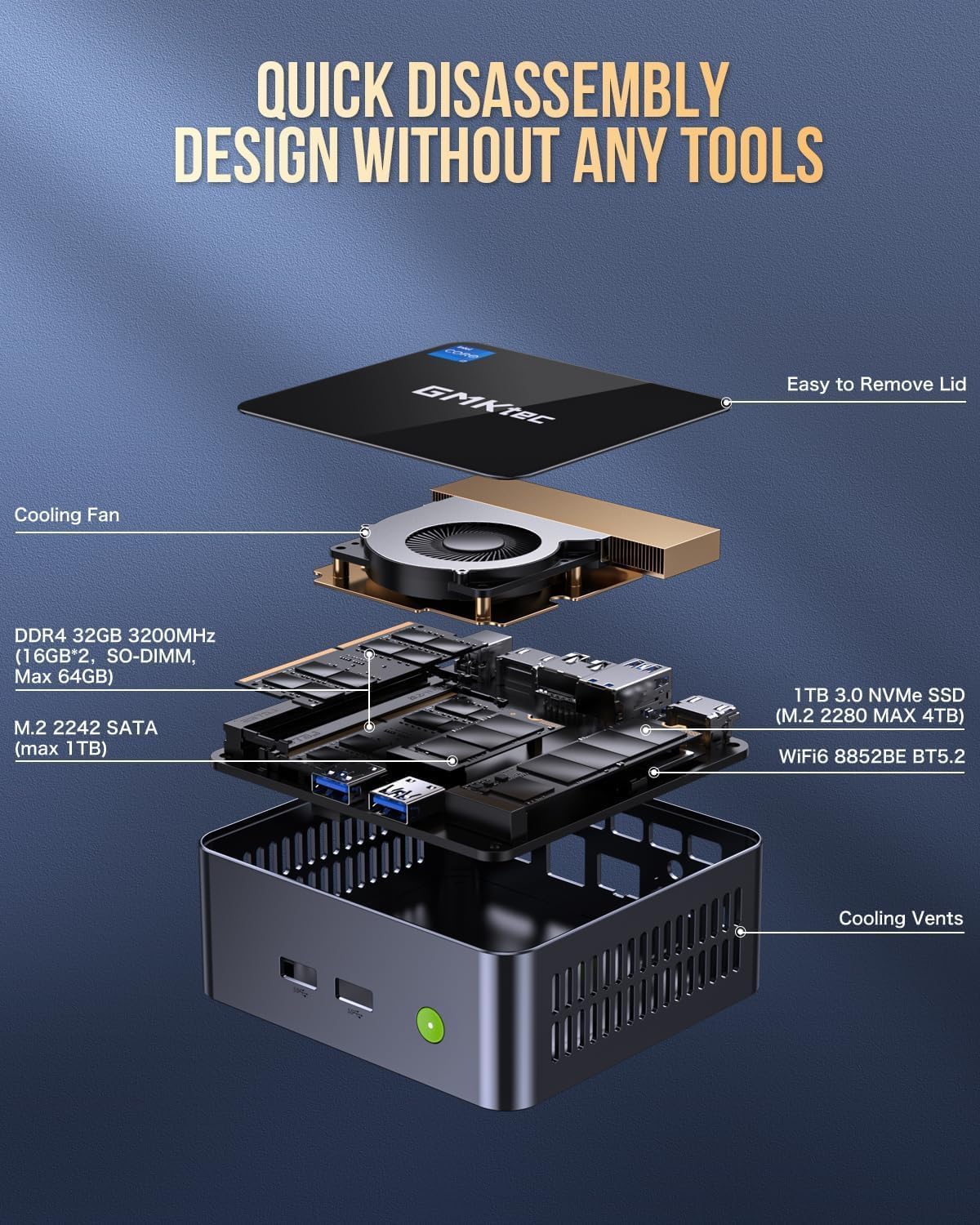
Image: Desktop placement and VESA mount installation options for the Mini PC.
Käyttöohjeet
Virta päälle/pois
- Virran kytkeminen: Paina laitteen etuosassa olevaa virtapainiketta.
- Sammuttaa: Napsauta Windowsin Käynnistä-painiketta ja valitse sitten Virta > Sammuta.
- Käynnistää uudelleen: Napsauta Windowsin Käynnistä-painiketta ja valitse sitten Virta > Käynnistä uudelleen.
Kolminkertaisen näytön asetukset
The GMKtec Mini PC M2Pro S supports up to three 4K displays simultaneously. Connect your monitors to the available HDMI ports and the USB Type-C port. Once connected, Windows will automatically detect the displays. You can configure display settings (e.g., extend, duplicate) via Asetukset > Järjestelmä > Näyttö.

Kuva: esimample of a triple 4K display setup with the Mini PC.
Verkkoyhteydet
- Langallinen (lähiverkko): Connect an Ethernet cable to the RJ45 port for a stable 2.5Gbps connection.
- Langaton (WiFi): Access network settings in Windows to connect to a WiFi 6 network.
- Bluetooth: Pair Bluetooth devices (e.g., headphones, keyboard, mouse) via Windows Bluetooth settings.
Ylläpito ja päivitykset
Tallennustilan laajennus
The GMKtec Mini PC M2Pro S supports storage expansion:
- The existing M.2 2280 NVMe (PCIe3.0) SSD can be upgraded to a maximum of 2TB.
- An additional M.2 2242 SATA slot is available for expansion up to 2TB.
RAM -laajennus
The device comes with 32GB DDR4 SODIMM RAM in a dual-channel configuration. It can be expanded up to a maximum of 64GB by replacing the existing modules with higher capacity ones.
Sisäisten komponenttien käyttö
The mini PC features a quick disassembly design for easy access to internal components for upgrades or maintenance. Carefully remove the lid to access the RAM and SSD slots. Refer to the diagram below for guidance.

Image: Quick disassembly design for internal component access.

Image: Illustration of the upgraded quiet cooling fan system.
Vianetsintä
If you encounter issues with your GMKtec Mini PC M2Pro S, refer to the following common solutions:
- Ei virtaa: Ensure the power adapter is securely connected to both the mini PC and a working power outlet. Check the power button for any damage.
- Ei näyttöä: Verify that the monitor is powered on and correctly connected to the mini PC via HDMI or USB Type-C. Try a different cable or monitor if possible. Ensure the correct input source is selected on your monitor.
- Ei verkkoyhteyttä (langallinen): Check if the Ethernet cable is properly connected to both the mini PC and your router/modem. Verify router status.
- Ei verkkoyhteyttä (langaton): Ensure WiFi is enabled in Windows settings. Check if the correct WiFi network is selected and the password is entered correctly.
- Hidas suorituskyky: Close unnecessary applications. Check for background processes. Ensure sufficient free storage space. Consider upgrading RAM or SSD if performance issues persist after basic troubleshooting.
- Windows Activation Issues: If you experience problems activating Windows 11 Pro, ensure your internet connection is active. If the issue persists, contact GMKtec customer support for assistance.
For further assistance, please contact GMKtec customer support.
Tekniset tiedot
| Ominaisuus | Erittely |
|---|---|
| Merkki | GMKtec |
| Mallinumero | M2 Pro S |
| Prosessori | Intel Core i7-1185G7 (4.8 GHz Turbo, 4 Cores, 8 Threads) |
| RAM | 32GB DDR4 SDRAM (3200 MHz, Dual-channel, expandable to 64GB) |
| Varastointi | 512GB M.2 2280 NVMe SSD (PCIe 3.0, expandable to 2TB), M.2 2242 SATA slot (expandable to 2TB) |
| Grafiikka rinnakkaisprosessori | Intel Iris Xe Graphics G7 96EU |
| Suurin näytön tarkkuus | 5120 x 2880 pikseliä |
| Käyttöjärjestelmä | Windows 11 Pro |
| Langaton tyyppi | WiFi 6 (802.11ax), Bluetooth 5.2 |
| LAN | 2.5Gbps RJ45 Ethernet |
| USB-portit | 3 x USB 3.2, 1 x USB Type-C (40Gbps) |
| Videolähtö | 2 x HDMI (4K@60Hz), 1 x USB Type-C (4K@60Hz) |
| Ääniportti | 3.5 mm CTIA |
| Tuotteen paino | 3.3 kiloa |
| Pakkauksen mitat | 6.38 x 6.26 x 4.69 tuumaa |
Takuu ja tuki
Your GMKtec Mini PC M2Pro S comes with a standard manufacturer's warranty. Please refer to the warranty card included in your package for specific terms and conditions. For technical support, troubleshooting assistance, or warranty claims, please contact GMKtec customer service directly. Contact information can typically be found on the GMKtec official website or through the seller from whom you purchased the product.
Tämän tuotteen myyjä on GMKtec一Store. Please reach out to them for product-specific inquiries.


