
1. Johdanto
The Cudy AX300 WU300 Wi-Fi 6 Nano USB Adapter provides a compact and efficient solution for adding Wi-Fi 6 connectivity to your desktop or laptop computer. Designed for ease of use, this adapter offers fast and stable 2.4GHz wireless performance, making it ideal for everyday internet activities such as streaming, browsing, and online communication. Its nano size ensures it remains discreetly plugged into your USB port.
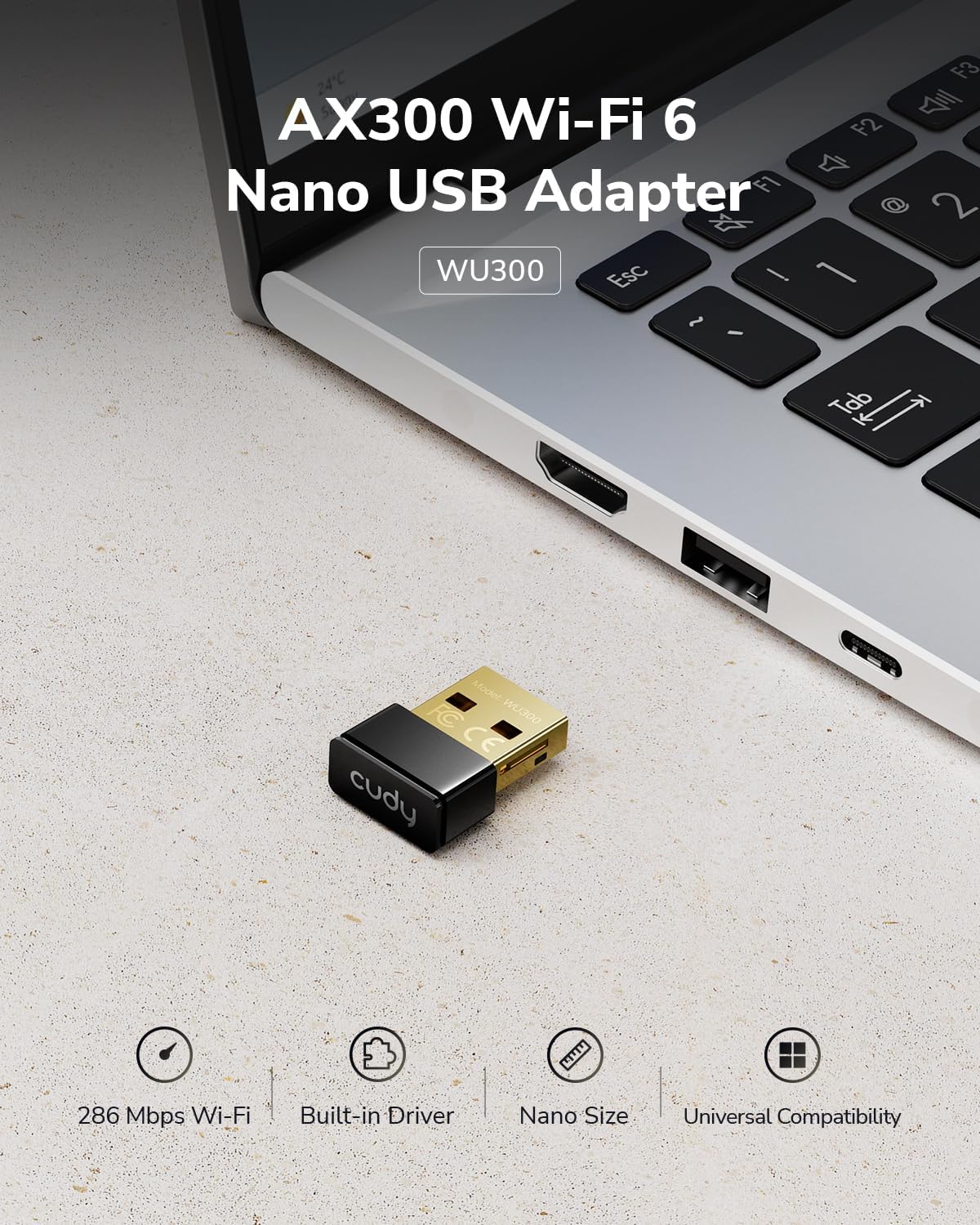
Image: The Cudy AX300 WU300 Nano USB Adapter shown plugged into a laptop's USB port, highlighting its small form factor.
2. Tuote ohiview
Tärkeimmät ominaisuudet:
- Erittäin nopea Wi-Fi 6 nopeutta: Experience wireless speeds up to 286 Mbps on the 2.4GHz band for smooth online activities.
- Compact Nano Design: The ultra-small dimensions (20 × 15 × 8 mm) allow for discreet integration into your device without obstructing other ports.
- Flexible Soft AP Mode: Convert your computer's wired internet connection into a Wi-Fi hotspot to share with other devices.
- Universal USB 2.0 Compatibility: Works with standard USB 2.0 ports, ensuring broad compatibility with various devices.
- Laaja järjestelmätuki: Compatible with Windows 7, Windows 10, Windows 11, and Linux operating systems.
Mitä laatikossa on:
- Cudy AX300 WU300 Wi-Fi 6 Nano USB Adapter

Image: The compact design of the Cudy AX300 WU300 adapter, illustrating its small physical dimensions.
3. Asennus
The Cudy AX300 WU300 adapter features a built-in driver for convenient installation.
Asennusvaiheet:
- Aseta sovitin: Plug the Cudy AX300 WU300 Nano USB Adapter into an available USB 2.0 port on your computer.
- Ohjaimen asennus:
- Windows 10 / 11: The adapter is typically plug-and-play. Your operating system should automatically detect the device and install the necessary drivers.
- For Windows 7 and Linux: Manual driver installation may be required. The adapter functions as a small flash drive containing the driver installer. Navigate to 'My Computer' or 'This PC', locate the adapter's drive, and run the installer executable. Follow the on-screen prompts to complete the installation.
- Yhdistä Wi-Fi-verkkoon: Once the drivers are installed, you can connect to your Wi-Fi network through your operating system's network settings.

Image: The Cudy AX300 WU300 adapter illustrating its easy setup process with a built-in driver, eliminating the need for a physical CD.
4. Käyttöohjeet
Yhdistäminen Wi-Fi-verkkoon:
- After driver installation, click on the Wi-Fi icon in your system tray (Windows) or network manager (Linux).
- Valitse haluamasi Wi-Fi-verkko käytettävissä olevien verkkojen luettelosta.
- Anna verkon suojausavain (salasana), jos sitä pyydetään.
- Napsauta Yhdistä. Tietokoneesi pitäisi nyt olla yhteydessä Wi-Fi-verkkoon.
Using Soft AP Mode:
Soft AP (Access Point) mode allows your computer to act as a Wi-Fi hotspot, sharing its internet connection with other wireless devices.
- Varmista, että tietokoneellasi on aktiivinen internetyhteys (esim. Ethernetin kautta).
- Avaa käyttöjärjestelmäsi verkkoasetukset.
- Look for an option like 'Mobile hotspot', 'Wi-Fi hotspot', or 'Soft AP'.
- Määritä uuden tukiaseman verkon nimi (SSID) ja salasana.
- Enable the hotspot feature. Your other devices can now connect to this new Wi-Fi network.

Image: A user demonstrating the Soft AP mode, sharing a laptop's internet connection with a smartphone.
5. Huolto
To ensure optimal performance and longevity of your Cudy AX300 WU300 Wi-Fi 6 Nano USB Adapter, follow these general maintenance guidelines:
- Pidä puhtaana: Puhdista sovitin säännöllisesti pehmeällä, kuivalla liinalla. Vältä nestemäisten puhdistusaineiden tai liuottimien käyttöä.
- Vältä fyysisiä vaurioita: Handle the adapter carefully. While compact, excessive force or bending can damage the USB connector or internal components.
- Optimaalinen ympäristö: Use the adapter in a dry environment, away from extreme temperatures, direct sunlight, and humidity.
- Laiteohjelmistopäivitykset: Check the official Cudy website periodically for any available firmware or driver updates to ensure the best performance and security.
6. Vianmääritys
If you encounter issues with your Cudy AX300 WU300 adapter, refer to the following troubleshooting tips:
Adapter Not Recognized / Drivers Not Installing:
- Kokeile eri USB-porttia: Some USB ports may have power delivery issues or compatibility problems. Try plugging the adapter into another USB port on your computer.
- Asenna ohjaimet uudelleen: If automatic installation fails (especially on Windows 7 or Linux), manually run the driver installer from the adapter's virtual drive. Ensure you have administrator privileges.
- Tarkista Laitehallinta (Windows): Open Device Manager and look for any unknown devices or devices with warning signs. Right-click and select 'Update driver' or 'Uninstall device' and then restart your computer.
Ei voi muodostaa yhteyttä Wi-Fi-verkkoon:
- Verify Network Band: The Cudy AX300 WU300 adapter supports Vain 2.4 GHz:n Wi-Fi-verkot. Ensure your router's 2.4GHz band is enabled and that you are attempting to connect to a 2.4GHz network.
- Oikea salasana: Tarkista, että annat oikean Wi-Fi-salasanan.
- WPA3 Compatibility: This adapter does not support WPA3 security. If your network is configured for WPA3-only, you may need to adjust your router settings to allow WPA2 connections or create a separate WPA2 SSID.
- Reitittimen etäisyys: Ensure you are within a reasonable range of your Wi-Fi router.
- Restart Router/PC: Sometimes, a simple restart of your router and computer can resolve connectivity issues.
Hitaat Wi-Fi-nopeudet:
- Häiriöt: Other electronic devices (microwaves, cordless phones, Bluetooth devices) can interfere with 2.4GHz signals. Try to minimize these or move closer to your router.
- Reitittimen sijoittelu: Ensure your router is centrally located and not obstructed by large objects.
- Verkon ruuhkat: If many devices are using the 2.4GHz network, speeds may be reduced.
Boot Issues (Advanced Users):
- Some users have reported that the adapter's built-in storage for drivers can cause boot issues on certain systems if BIOS settings are not configured correctly. If you experience boot problems with the adapter plugged in, try adjusting your BIOS settings to prioritize your primary boot drive or disable USB boot options.
7. Tekniset tiedot
| Malli | WU300 |
| Laitteistorajapinta | USB 2.0 tyyppi A |
| Wi-Fi-standardin | Wi-Fi 6 (802.11ax) |
| Taajuuskaista | Vain 2.4 GHz |
| Tiedonsiirtonopeus | Jopa 286 Mbps |
| Yhteensopivat käyttöjärjestelmät | Windows 7 / 10 / 11, Linux |
| Tuotteen mitat (P x L x K) | 0.79" x 0.59" x 0.31" (20 x 15 x 8 mm) |
| Tuotteen paino | 1.13 unssia |

Image: Visual representation of the Cudy AX300 WU300 adapter's compatibility with Windows 11, Windows 10, Windows 7, and Linux operating systems.
8. Takuu ja tuki
Cudy products are designed for reliability and performance. For warranty information, technical support, or further assistance, please visit the official Cudy websivustolta tai ota yhteyttä heidän asiakastukitiimiinsä. Säilytä ostokuitti takuuvaatimuksia varten.
Cudy virkamies Websivusto: www.cudy.com