
1. Johdanto
The SinoTrack V529 OBD2 Scanner is a professional diagnostic tool designed to provide comprehensive vehicle health reports. It offers a range of functions including reading and clearing diagnostic trouble codes, live data streaming, battery health tests, I/M readiness checks, and performance testing for gasoline vehicles. This manual provides detailed instructions for setting up and operating your V529 scanner.
1.1 Pakkauksen sisältö
- V529 OBD2 Diagnostic Scanner
- PU Waterproof Bag
- Käyttöopas
1.2 Tärkeimmät ominaisuudet
- Lue ja tyhjennä koodit: Access and clear diagnostic trouble codes (DTCs) across multiple vehicle systems.
- Live-datavirta: View real-time data from various sensors, including oxygen sensor tests, with graphing capabilities.
- Battery Test & Voltage Valvonta: Mittaa akun tilavuustage and cranking health to prevent unexpected breakdowns.
- I/M-valmiustila: Check the status of emission-related monitors to determine if the vehicle is ready for an inspection/maintenance test.
- Mode 6 & Mode 8 (EVAP Test): Utilize advanced emissions monitoring and EVAP system tests.
- Suorituskykytestit: Conduct acceleration, braking, and distance tests to evaluate vehicle safety and performance.
- DTC Library & Repair Guidance: Access an extensive built-in database of over 40,000 fault codes with definitions and troubleshooting guides.
- Käyttäjäystävällinen muotoilu: Features a 2.8-inch color screen, quick search function, data replay, and a smart indicator light.
- Monikielinen tuki: Supports 12 languages including English, German, French, Spanish, Japanese, and Russian.
2. Turvallisuustiedot
Please read and understand all safety instructions before using the SinoTrack V529 OBD2 Scanner. Failure to follow these instructions may result in injury or damage to the device or vehicle.
- Suorita autojen testaus aina turvallisessa ympäristössä.
- Do not wear loose clothing or jewelry when working on a vehicle.
- Keep the scanner away from hot engine parts or moving components.
- Varmista, että ajoneuvo on pysäköity tasaiselle alustalle ja että seisontajarru on kytketty.
- Never connect or disconnect the scanner while the ignition is on or the engine is running, unless specifically instructed by a diagnostic procedure.
- Use appropriate eye protection and gloves when necessary.
- The V529 is designed for gasoline vehicles and does not support advanced functions like ABS, SRS, TPMS, transmission temperature, service resets, or MS-CAN connections.
3. Asennus
The SinoTrack V529 scanner is designed for easy plug-and-play operation. It draws power directly from your vehicle's OBD-II port.
3.1 Locating the OBD-II Port
The OBD-II (On-Board Diagnostics II) port is typically located under the dashboard on the driver's side of the vehicle. In some vehicles, it may be found in the center console area or near the passenger side. Refer to your vehicle's owner's manual if you have difficulty locating it.
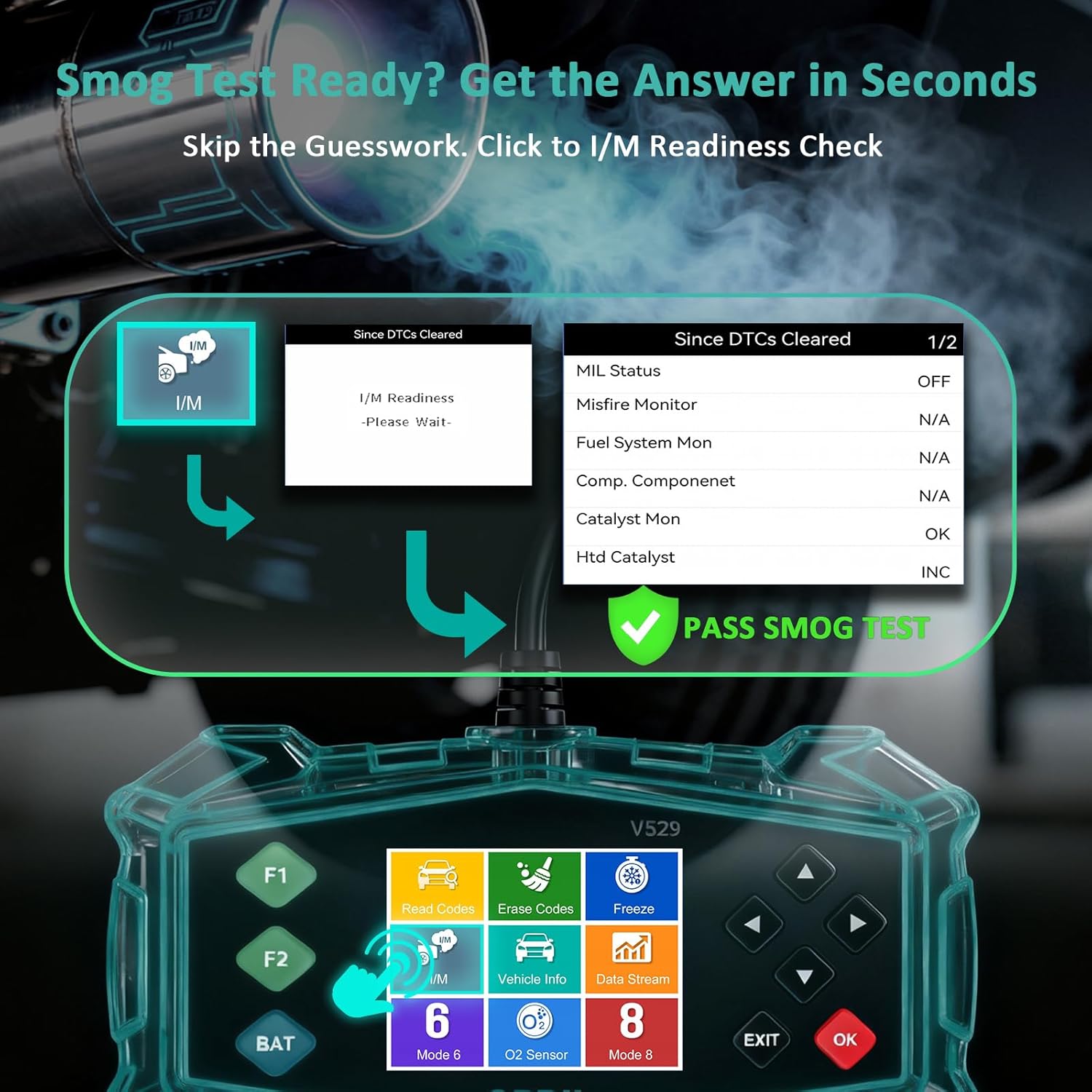
Figure 3.1: Universal Compatibility and OBD-II Port Location
3.2 Skannerin kytkeminen
- Varmista, että ajoneuvon sytytysvirta on OFF-asennossa.
- Plug the V529 scanner's OBD-II connector firmly into the vehicle's OBD-II port.
- Käännä ajoneuvon virta-avain ON-asentoon (moottori voi olla sammutettu tai käynnissä testistä riippuen). Skanneri käynnistyy automaattisesti.
4. Käyttöohjeet
The V529 features a user-friendly interface with a 2.8-inch color screen and intuitive navigation buttons.
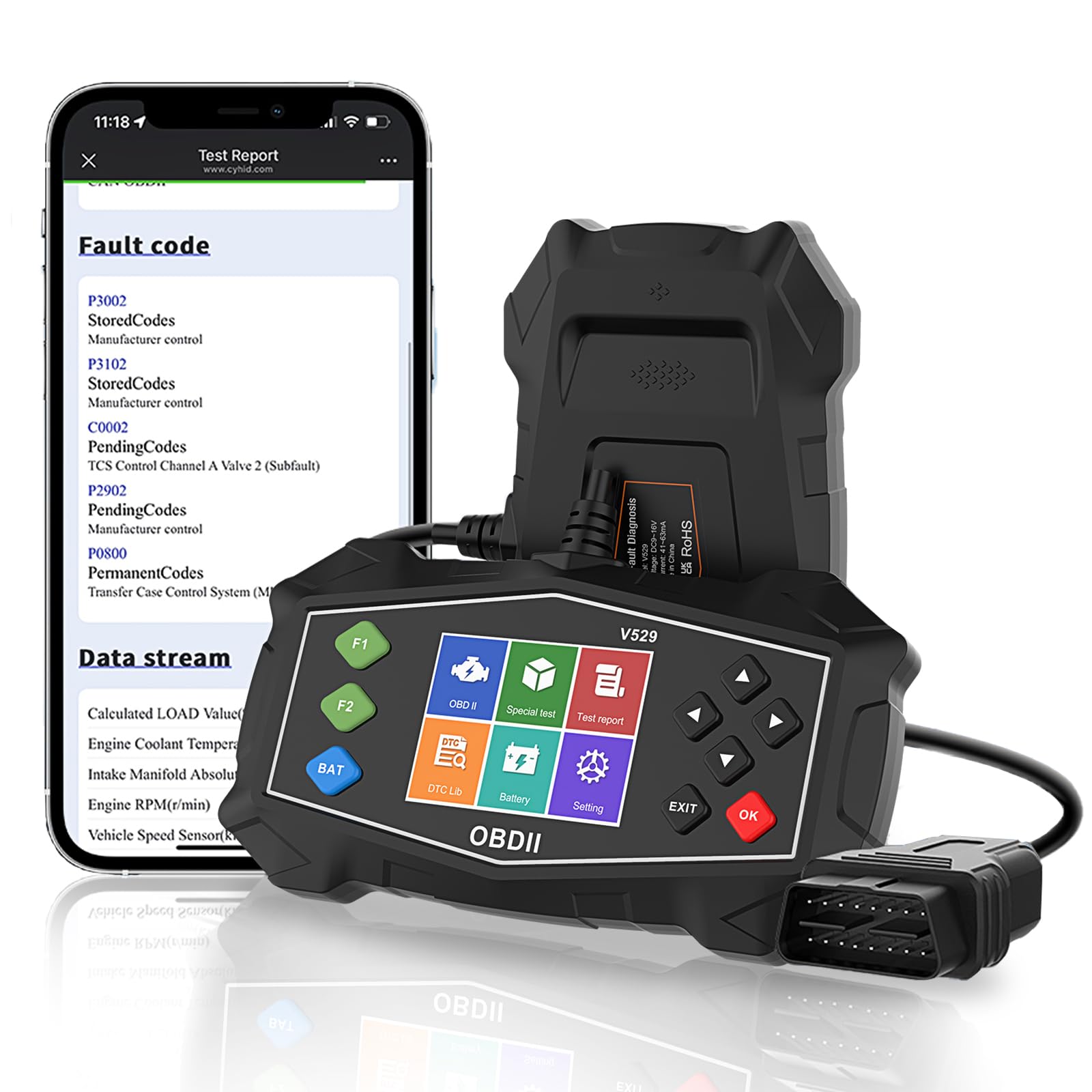
Figure 4.1: SinoTrack V529 Main Interface Overview
4.1 Perusnavigointi
- Käytä YLÖS/ALAS nuolinäppäimiä selataksesi valikkovaihtoehtoja.
- Käytä VASEN/OIKEA arrow buttons to navigate between screens or adjust values.
- Paina OK button to confirm a selection or enter a menu.
- Paina EXIT -painiketta palataksesi edelliselle näytölle tai poistuaksesi toiminnosta.
4.2 Vikakoodien (DTC) lukeminen ja poistaminen
This function allows you to retrieve and clear fault codes that illuminate the Check Engine Light (MIL).

Kuva 4.2: Keskeiset diagnostiset toiminnot
- Valitse päävalikosta Lue koodeja to view nykyiset, odottavat ja pysyvät vikakoodit.
- The scanner will display the codes and their definitions.
- Tyhjennä koodit valitsemalla Poista koodit from the main menu. Confirm your selection when prompted.
- Note: Clearing codes will turn off the Check Engine Light, but if the underlying issue is not resolved, the light will reappear.
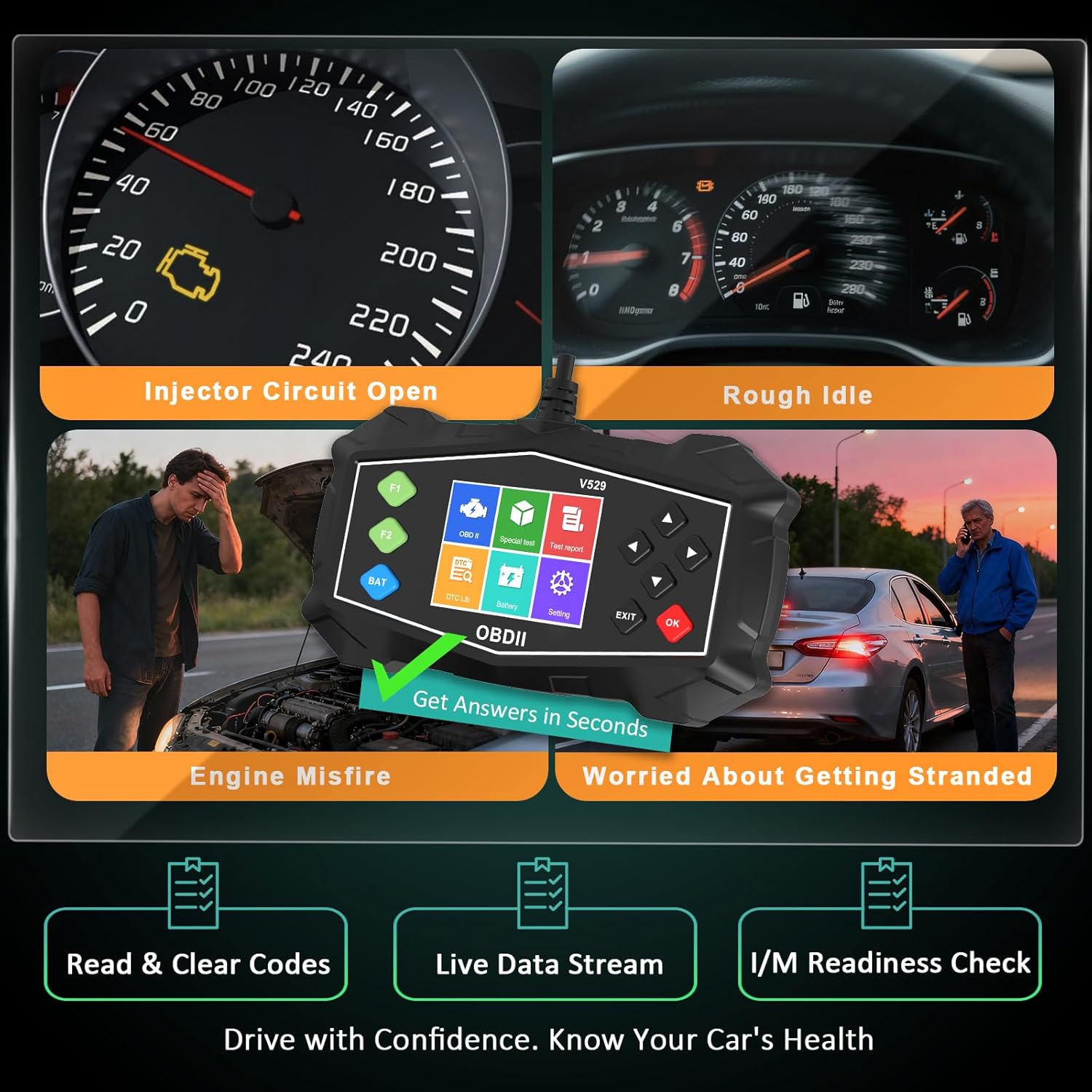
Figure 4.3: Identifying Common Vehicle Issues
4.3 DTC-haku
The V529 includes an extensive built-in library to define DTCs.
- Valitse päävalikosta DTC-kirjasto.
- Enter the 5-character DTC using the arrow buttons and OK -painiketta.
- The scanner will display the definition and potential causes for the code.

Figure 4.4: Instant DTC Definitions
4.4 Reaaliaikainen datavirta
Monitor real-time sensor data to observe vehicle performance and diagnose intermittent issues.
- Valitse päävalikosta Live Data.
- Valitse view data in list format or graphical format.
- Scroll through the various parameters such as engine RPM, coolant temperature, fuel trim, and oxygen sensor readings.
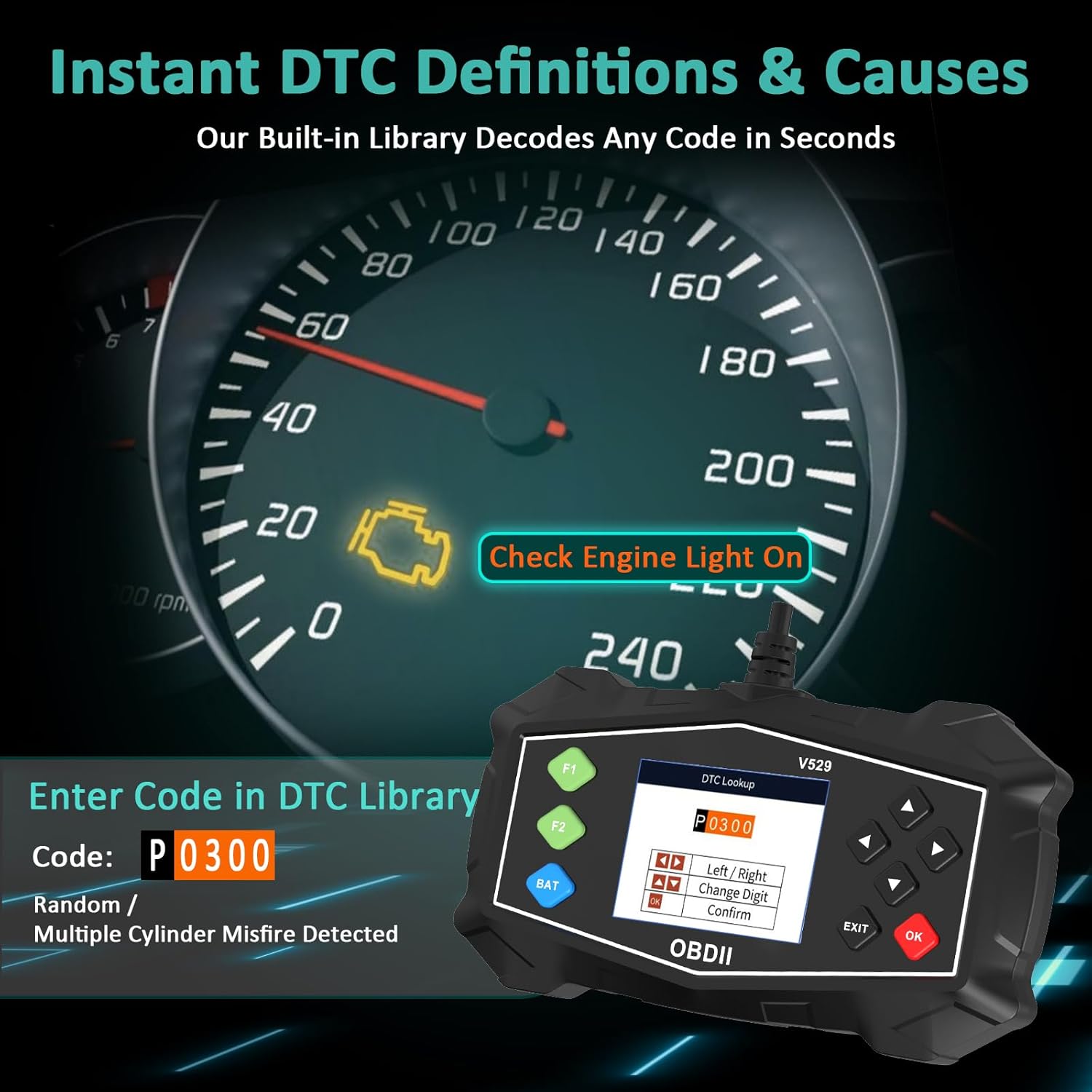
Figure 4.5: Live Data Stream Interface
4.5 I/M-valmiustarkistus
This function checks the status of the vehicle's emission-related monitoring systems.
- Valitse päävalikosta I/M-valmius.
- The scanner will display the status of various monitors (e.g., Misfire Monitor, Fuel System Monitor, O2 Sensor Monitor).
- A 'Ready' status indicates the monitor has completed its diagnostic cycle. 'Not Ready' means the cycle is incomplete.

Kuva 4.6: I/M-valmiustila
4.6 Akkutesti
Perform a quick test to assess the vehicle's battery voltage and cranking health.
- Valitse päävalikosta Akun testi.
- Suorita testi noudattamalla näytön ohjeita.
- Skanneri näyttää akun varaustilantage and a health assessment.
4.7 Mode 6 & Mode 8 (EVAP Test)
These advanced functions provide access to non-continuous monitor test results and allow for control of the EVAP system leak test.
- Tila 6: Retrieves test results for continuously and non-continuously monitored systems.
- Mode 8 (EVAP Test): Käynnistää haihtumispäästöjen hallintajärjestelmän (EVAP) testin vuotojen tarkistamiseksi.
4.8 Performance Tests
Evaluate your vehicle's acceleration, braking, and distance performance.
- Valitse päävalikosta Suorituskykytesti.
- Choose the desired test (Acceleration, Braking, or Distance).
- Follow the on-screen instructions carefully to perform the test safely.
5. Huolto
Proper maintenance ensures the longevity and reliable operation of your SinoTrack V529 scanner.
- Puhdistus: Käytä pehmeää, damp liinalla skannerin ulkopinnan puhdistamiseen. Älä käytä hankaavia puhdistusaineita tai liuottimia.
- Varastointi: Store the scanner in its protective PU waterproof bag when not in use. Keep it in a dry, cool place away from direct sunlight and extreme temperatures.
- Kaapelihuolto: Avoid bending or crimping the OBD-II cable excessively. Always grasp the connector when plugging or unplugging, not the cable itself.
- Ohjelmistopäivitykset: Check the SinoTrack official websivustolta säännöllisesti saatavilla olevien ohjelmistopäivitysten varalta optimaalisen suorituskyvyn ja yhteensopivuuden varmistamiseksi.
6. Vianmääritys
If you encounter issues while using your SinoTrack V529 scanner, refer to the following common problems and solutions:
| Ongelma | Mahdollinen syy | Ratkaisu |
|---|---|---|
| Skanneri ei käynnisty. | Loose connection; vehicle ignition off; blown fuse in vehicle's OBD-II circuit. | Ensure the scanner is firmly connected. Turn vehicle ignition to ON. Check vehicle's fuse box for a blown fuse related to the OBD-II port. |
| Viesti "Linkkivirhe" tai "Tietoliikennevirhe". | Incorrect protocol; vehicle not OBD-II compliant; faulty connection. | Verify your vehicle is OBD-II compliant (most vehicles 1996 and newer). Ensure the connection is secure. Try on another OBD-II compliant vehicle if possible. |
| Vikakoodeja ei voi poistaa. | Ignition not in ON position; underlying fault still present. | Ensure ignition is ON (engine off). If the fault is still active, the code cannot be cleared until the issue is repaired. |
| Näyttö on jähmettynyt tai ei reagoi. | Väliaikainen ohjelmistohäiriö. | Disconnect the scanner from the vehicle, wait a few seconds, then reconnect. If the issue persists, contact customer support. |
7. Tekniset tiedot
| Ominaisuus | Yksityiskohta |
|---|---|
| Merkki | SinoTrack |
| Malli | V529 |
| Näytön koko | 2.8 tuumaa |
| Virtalähde | Johdollinen sähköauto (OBD-II-portin kautta) |
| Käyttöjärjestelmä | Android 4.0 (Internal System) |
| Automotive Fit Type | Universal Fit (for OBD-II compliant gasoline vehicles) |
| Tuetut OBDII-protokollat | SAE J1850 PWM, SAE J1850 VPW, ISO9141-2, ISO14230-4 KWP (5 baud init), ISO14230-4 KWP (fast init), ISO15765-4 CAN (11bit ID, 500 Kbaud), ISO15765-4 CAN (29bit ID, 500 Kbaud), ISO15765-4 CAN (11bit ID, 250 Kbaud), ISO15765-4 CAN (29bit ID, 250 Kbaud) |
| Tuotteen paino | 15.5 unssia |
| Pakkauksen mitat | 8.7 x 5.08 x 1.93 tuumaa |
8. Takuu ja tuki
SinoTrack products are designed for reliability and performance. For warranty information, technical support, or service inquiries, please refer to the contact information provided in your product packaging or visit the official SinoTrack websivusto. Säilytä ostokuitti takuuvaatimuksia varten.
Lisätietoja ja usein kysyttyjä kysymyksiä varten voit käydä osoitteessa SinoTrack Store on Amazon.