
OOYCYOO EC60A
OOYCYOO 60A MPPT Solar Charge Controller User Manual
Model: EC60A
1. Johdanto
This manual provides detailed instructions for the installation, operation, and maintenance of the OOYCYOO 60A MPPT Solar Charge Controller, Model EC60A. This device is designed to efficiently manage power flow from solar panels to various battery types, including 12V, 24V, 36V, and 48V systems.
Lue tämä käyttöohje huolellisesti ennen asennusta ja käyttöä varmistaaksesi laitteen oikean toiminnan ja turvallisuuden.
2. Tärkeimmät ominaisuudet
- 60A MPPT-lataus: Utilizes Maximum Power Point Tracking technology for efficient solar energy conversion.
- Multi-Stage Lataus: Sisältää 4-stage battery charging algorithm (Bulk Charge, Boost Charge, Float Charge, Equalization) for optimal battery health.
- Wide Voltage Tuki: Automatically detects and supports 12V, 24V, 36V, and 48V battery systems.
- Korkea PV-tulo: Supports solar panel open circuit voltage up to 160VDC and input power up to 2800W (for 48V systems).
- Akun yhteensopivuus: Compatible with various battery types including AGM, Gel, Flooded, and Lithium (LFP), with pre-set and user-defined charging parameters.
- Korkea tehokkuus: Tracking efficiency not less than 98.1% and peak conversion efficiency up to 98%.
- Lisäsuojaus: Includes PV over current/power, PV short circuit, PV reverse polarity, night reverse charging, battery reverse polarity, over voltage, over discharge, overheating, lithium battery low temperature, load short circuit, load overload, and TVS high voltage ohimeneviä.
- LCD-näyttö: Integrated blacklight LCD for monitoring system status, including KWH charge amount.
- Tehokas jäähdytys: Die-cast aluminum construction with built-in cooling fan for effective heat dissipation.
3. Turvallisuusohjeet
Noudata seuraavia turvaohjeita asennuksen ja käytön aikana:
- Varmista, että kaikki liitännät ovat oikein ja tukevasti kiinni ennen virran kytkemistä.
- Kytke aina ensin akku, sitten aurinkopaneeli ja lopuksi kuorma. Irrota liitännät käänteisessä järjestyksessä.
- Älä pura tai yritä korjata ohjainta itse. Ota yhteyttä pätevään huoltohenkilöstöön.
- Asenna ohjain hyvin ilmastoituun tilaan, kauas syttyvistä materiaaleista ja suorasta auringonvalosta.
- Käytä asianmukaisia henkilönsuojaimia (PPE) työskennellessäsi sähköjärjestelmien kanssa.
- Varmista, että järjestelmä voltage ei ylitä ohjaimen suurinta syöttövolyymiatage (160 VDC).
4. Tuote ohiview
The OOYCYOO 60A MPPT Solar Charge Controller features a robust design with an intuitive LCD display and clearly labeled terminals for easy connection.

Kuva 4.1: Etuosa view of the OOYCYOO 60A MPPT Solar Charge Controller, showing the LCD display, control buttons, and terminal connections.

Kuva 4.2: Yksityiskohtainen view of the controller highlighting the LCD display, control buttons (SET, A, B, C, D), 5-second reset function, and clearly marked Solar Panel, Battery, and Load terminals.
4.1. Komponentit ja käyttöliittymä
- LCD-näyttö: Shows real-time system parameters such as PV input voltage, akkutilavuustage, load output, and charging status.
- Control Buttons (A, B, C, D, SET): Used for navigating menus, adjusting settings, and confirming selections.
- Solar Panel Terminals: Connect positive and negative leads from the solar array.
- Akun navat: Connect positive and negative leads to the battery bank.
- Kuormaliittimet: Connect positive and negative leads to DC loads.
5. Asennus ja asetukset
5.1. Ohjaimen asentaminen
Mount the controller vertically on a wall or a stable surface in a dry, well-ventilated indoor location. Ensure adequate clearance around the unit for proper airflow and heat dissipation. Avoid direct sunlight, high temperatures, and humid environments.
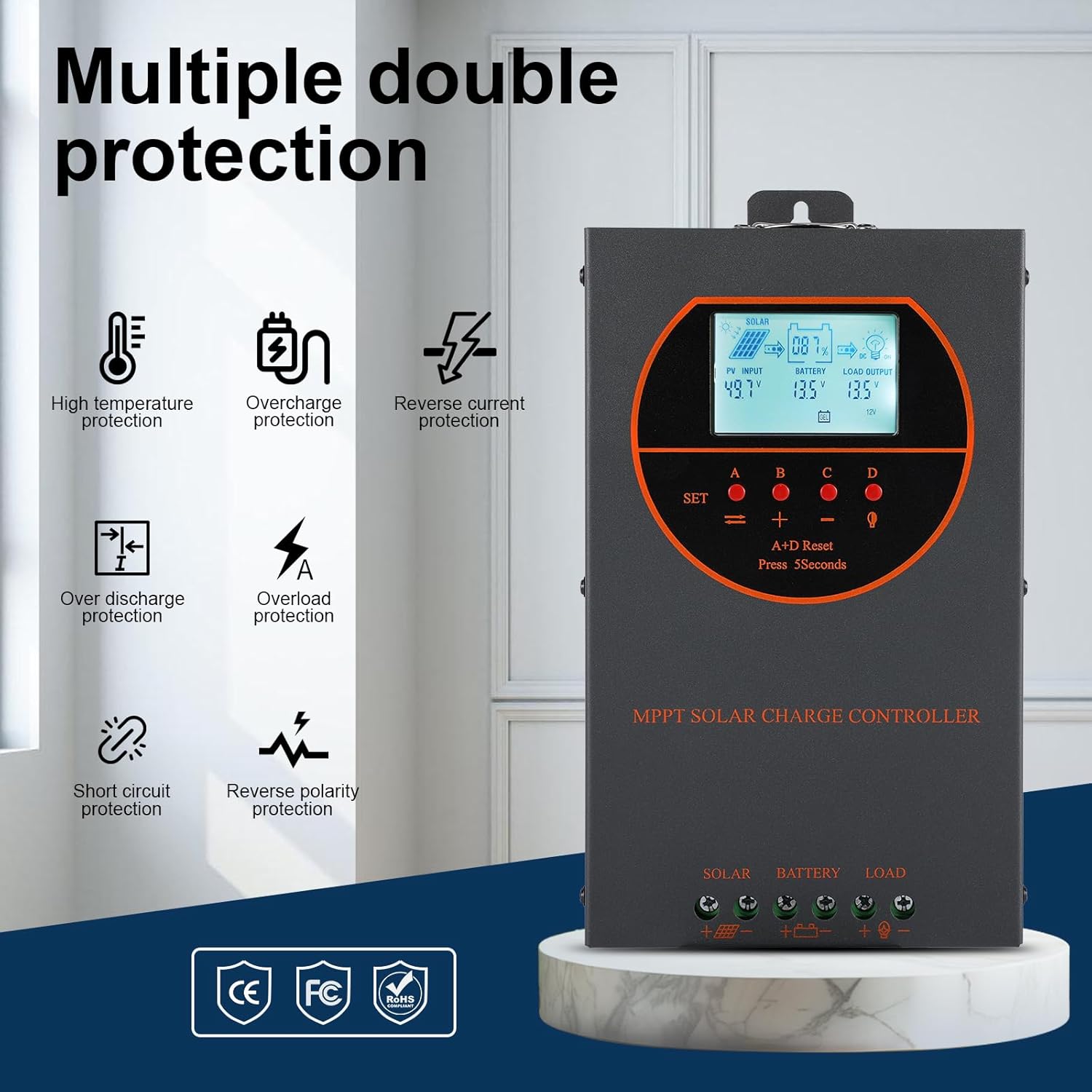
Figure 5.1: Dimensions of the OOYCYOO 60A MPPT Solar Charge Controller, showing approximate measurements of 14cm (5.5in) width, 5.5cm (2.2in) depth, and 23cm (9.1in) length.
5.2. Johdotusjärjestys
Follow this wiring sequence carefully to prevent damage to the controller or other components:
- Liitä akku: Kytke akun positiivinen ja negatiivinen napa ohjaimen vastaaviin akkuliittimiin. Varmista oikea napaisuus. Ohjain tunnistaa akun varaustilan automaattisesti.tage (12V/24V/36V/48V).
- Liitä aurinkopaneeli: Connect the positive and negative leads from the solar panel array to the corresponding PV input terminals on the controller. Ensure correct polarity.
- Kytke tasavirtakuorma (valinnainen): Connect the positive and negative leads of your DC load to the corresponding load terminals on the controller.
Tärkeää: Always connect the battery first and disconnect the solar panel first when disassembling the system.

Figure 5.2: Illustrative wiring diagram showing connections from solar panels to the controller, then to the battery, and finally to DC and AC loads via an inverter. This diagram also shows the possibility of connecting two 60A controllers in parallel for increased capacity.
5.3. System Voltage and Power Configuration
The controller automatically identifies the battery system voltage. Ensure your solar panel array's open circuit voltage (Voc) and maximum input power are within the specified limits for your battery system:
| Akkujärjestelmä | Max. PV Open Circuit Voltage (ääni) | Max. PV syöttöteho |
|---|---|---|
| 12V | ≤72V | 720W |
| 24V | ≤108V | 1440W |
| 36V | ≤144V | 2100W |
| 48V | ≤160V | 2800W |

Figure 5.3: Diagram illustrating the connection of multiple PV modules in series to the controller, with a table detailing recommended system parameters for 12V, 24V, and 48V systems, including battery float voltage, tilavtage suojaus, palautus voltage, and maximum input power.
6. Käyttö
6.1. LCD-näyttö ja ilmaisimet
The LCD display provides real-time information about the solar charging system. Key indicators include:
- PV-tulo: Näyttää nykyisen voltage and power from the solar panels.
- Akku: Näyttää akun nykyisen varaustasontage ja lataustila.
- Kuorman lähtö: Indicates the status of the DC load output.
- KWH: Displays the total accumulated charge in kilowatt-hours.
6.2. Akkutyypin valinta
The controller is compatible with various battery types. You can select the appropriate battery type through the controller's settings menu to ensure optimal charging. Supported types include:
- GEELI
- AGM
- USER (user-defined parameters)
- SEL (Sinetöity)
- FLD (tulvinut)
- LI (litium)
- LiFePO4

Figure 6.1: Diagram illustrating the controller's strong adaptability to various battery types (GEL, AGM, USER, SEL, FLD, LI, LiFePO4) and a graph showing the 4-stage charging process: Bulk Charge, Constant Charging (Boost), and Float Charge.
6.3. Latausalgoritmi
Ohjain käyttää 4 sekunnintage charging algorithm to maximize battery life and performance:
- Irtolataus: Tarjoaa maksimivirran akun lataamiseksi nopeasti noin 80 %:n kapasiteettiin.
- Tehostinlataus: Charges the battery at a higher voltage to ensure full charge and equalization.
- Kelluva veloitus: Pitää akun varaustason turvallisenatage to prevent self-discharge and overcharging.
- Tasoitus: Ylilataa säännöllisesti tulvineita akkuja tasapainottaakseen kennojen lataustatages and prevent sulfation. (Applicable to flooded batteries only, if enabled).
7. Huolto
Säännöllinen huolto varmistaa aurinkolataussäätimesi pitkän käyttöiän ja optimaalisen suorituskyvyn:
- Tarkista liitännät: Tarkista säännöllisesti kaikkien johtojen liitännät kireyden ja korroosion varalta.
- Puhdas ohjain: Keep the controller clean and free from dust. Use a dry cloth to wipe the exterior. Ensure ventilation openings are not obstructed.
- Monitorin suorituskyky: Regularly check the LCD display for normal operating parameters. Note any unusual readings.
- Akun tarkastus: Inspect batteries for any signs of damage, leakage, or corrosion. Clean battery terminals as needed.
8. Vianmääritys
This section addresses common issues you might encounter with the OOYCYOO 60A MPPT Solar Charge Controller.
8.1. Yleisiä ongelmia ja ratkaisuja
| Ongelma | Mahdollinen syy | Ratkaisu |
|---|---|---|
| Ei näyttöä/Ohjain ei käynnisty | Akkua ei ole kytketty tai akku on tyhjätage; käänteinen napaisuus. | Tarkista akun liitännät ja voltage. Varmista oikea napaisuus. Lataa akku, jos se on tyhjä.tage on liian alhainen. |
| Ei aurinkolatausta | Solar panel not connected; reverse polarity; low sunlight; PV over-voltage/nykyinen. | Tarkista aurinkopaneelien liitännät ja napaisuus. Varmista, että auringonvaloa on riittävästi. Tarkista aurinkopaneelien tilavuus.tage and current are within limits. |
| Kuorma ei toimi | Load not connected; load short circuit; overload; battery low voltage. | Check load connections. Inspect for short circuits or overloads. Ensure battery has sufficient charge. |
| Säätimen ylikuumeneminen | Huono ilmanvaihto; liiallinen kuormitus/aurinkosähkön syöttö. | Varmista riittävä ilmanvaihto ohjaimen ympärillä. Vähennä kuormitusta tai aurinkopaneelien syöttöä, jos ohjain ylikuumenee jatkuvasti. |
8.2. Suojaustoiminnot
The controller includes multiple protection features to safeguard the system:
- PV ylivirta/teho
- PV-oikosulku
- PV Käänteinen napaisuus
- Yösuuntainen lataus
- Akun käänteinen napaisuus
- Akku yli voltage
- Akun ylipurkaus
- Battery Overheating, Controller Overheating
- Litiumakun alhainen lämpötila
- Kuorman oikosulku
- Kuormituksen ylikuormitus
- TVS High Voltage Transientit
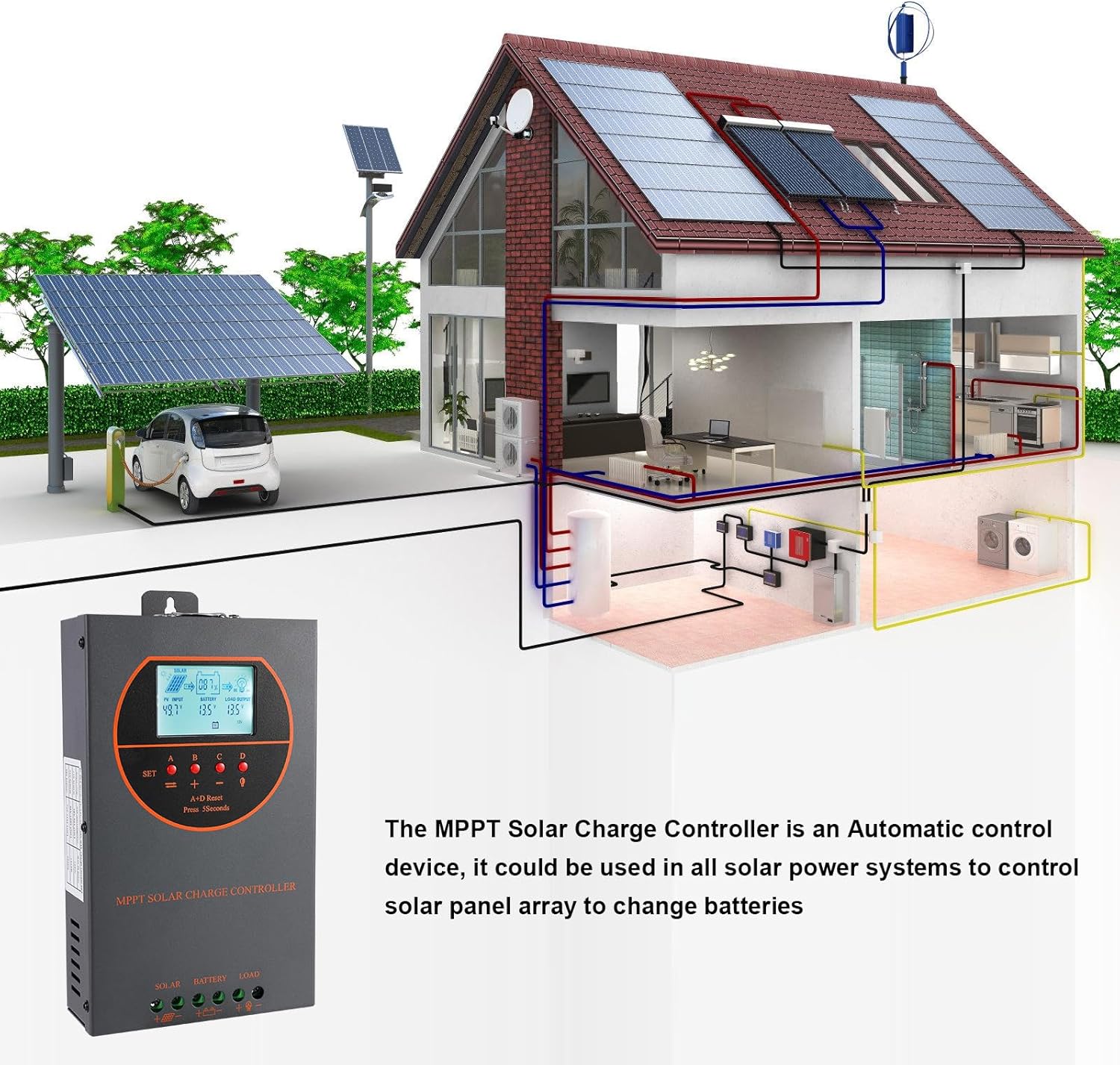
Figure 8.3: Visual representation of the multiple protection features integrated into the controller, including low voltage, overheat, short circuit, reverse protection, overload, and overcurrent protection.

Kuva 8.4: Sisäinen view of the controller, highlighting key components such as copper coil transformers and capacitors, which contribute to its robust performance and protection features.
9. Tekniset tiedot
| Parametri | Erittely |
|---|---|
| Nimellislatausvirta | 60A |
| System Nominal Voltage | 12V/24V/36V/48V DC Auto Identifying |
| Akku Voltage Alue | 9V ~ 55V |
| Max. PV Open Circuit Voltage | 160VDC |
| Aurinkopaneelien maksimituloteho (12 V järjestelmä) | 720W |
| Aurinkopaneelien maksimituloteho (24 V järjestelmä) | 1440W |
| Aurinkopaneelien maksimituloteho (36 V järjestelmä) | 2100W |
| Aurinkopaneelien maksimituloteho (48 V järjestelmä) | 2800W |
| Virtaliitin | 6–12 AWG |
| Mitat (P*L*K) | 11 x 6 x 2.5 tuumaa (noin 27.9 x 15.2 x 6.3 cm) |
| Paino | 4.07 paunaa (noin 1.8 kg) |
| Seurannan tehokkuus | ≥ 98.1 % |
| Huippukonversiotehokkuus | Jopa 98 % |
| Jäähdytys | Die-cast aluminum housing, built-in cooling fan |
| Tuetut akkutyypit | AGM, Gel, Flooded, Lithium (LFP), Sealed, User-defined |
| Materiaali | Alumiini |
| Tuotteen mallinumero | EC60A |
| UPC | 750864834470 |
10. Tuki ja yhteydenotto
For technical support, warranty claims, or further assistance, please contact OOYCYOO customer service through the retailer where the product was purchased or visit the official OOYCYOO store on Amazon:
Ask a question about this manual
Ask about setup, troubleshooting, compatibility, parts, safety, or missing instructions. Manuals+ will review the question and use this page’s manual context to help answer it.