
Johdanto
Welcome to the user manual for your new HONOR Magic V5 5G smartphone. This guide provides essential information to help you set up, operate, maintain, and troubleshoot your device. The HONOR Magic V5 5G combines a revolutionary foldable design with powerful performance, advanced camera capabilities, and a long-lasting battery.
Please read this manual thoroughly to ensure optimal use and longevity of your device.
1. Asennus
1.1 Laatikon avaaminen ja pakkauksen sisältö
Upon opening your HONOR Magic V5 5G package, verify that all items are present:
- HONOR Magic V5 5G Smartphone
- USB-kaapeli
- SIM-lokeron poisto
- Polyurethane Case
- Pre-applied Screen Protectors (inner and outer screens)
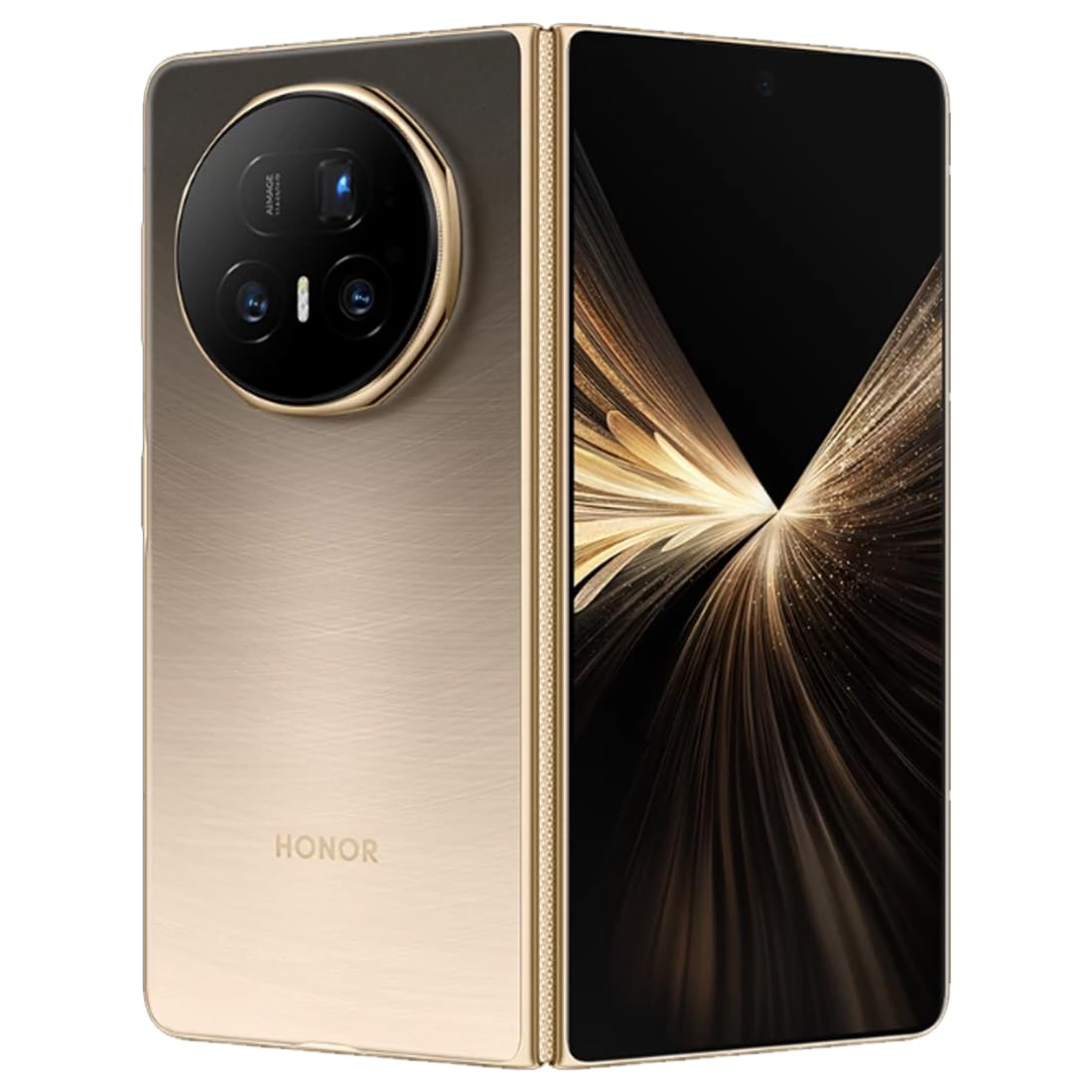
Kuva: Takaosa view of the HONOR Magic V5 5G smartphone, highlighting the camera array and the device's elegant finish.
1.2 SIM -kortin asennus
The HONOR Magic V5 5G supports Dual SIM functionality.
- Paikanna SIM-kortin alusta laitteen sivusta.
- Aseta SIM-kortin poistotyökalu pieneen reikään alustan vieressä ja paina varovasti, kunnes alusta ponnahtaa ulos.
- Place your Nano-SIM card(s) into the tray with the gold contacts facing down, ensuring they are correctly oriented.
- Aseta SIM-kortin pidike varovasti takaisin puhelimeen.
1.3 Ensimmäinen käynnistys ja lataus
To power on your device, press and hold the power button until the HONOR logo appears. Follow the on-screen instructions to complete the initial setup, including language selection, Wi-Fi connection, and Google account setup.
For optimal performance, fully charge your device before first use. The device supports 66W wired fast charging and 50W wireless charging. Use the provided USB cable and a compatible charger.
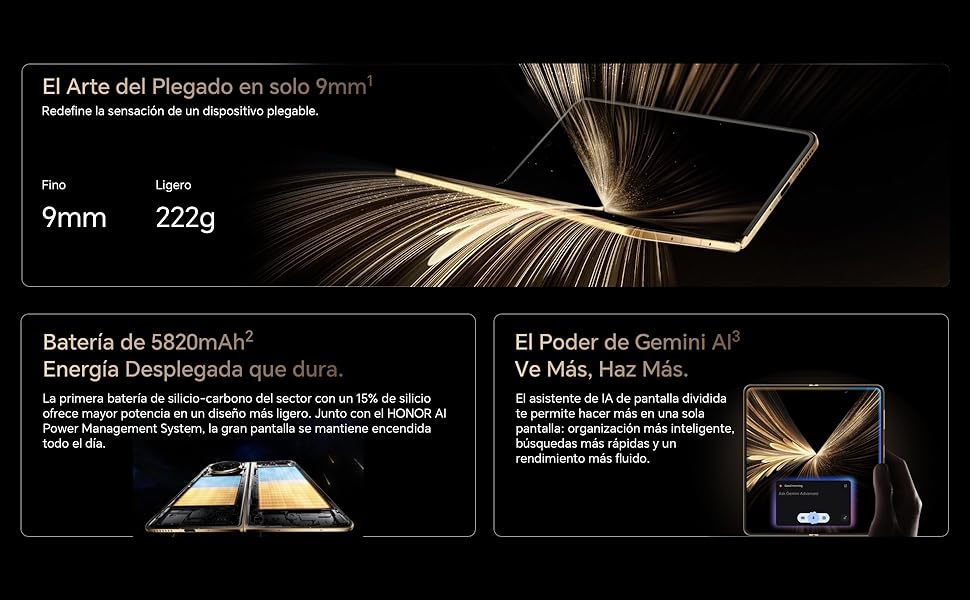
Image: Visual representation of the HONOR Magic V5 5G's large 5820mAh battery and the Gemini AI assistant's split-screen functionality.
2. Laitteen käyttö
2.1 Foldable Display and Navigation
The HONOR Magic V5 5G features a unique foldable design. When unfolded, it reveals an impressive 7.95-inch LTPO OLED display with a 120Hz refresh rate and up to 5000 nits peak brightness. When folded, it maintains a compact form factor with a secondary display.
Navigate through the Android 15 operating system with MagicOS 9 using touch gestures. Swipe up from the bottom to go home, swipe and hold for recent apps, and swipe down from the top for notifications and quick settings.
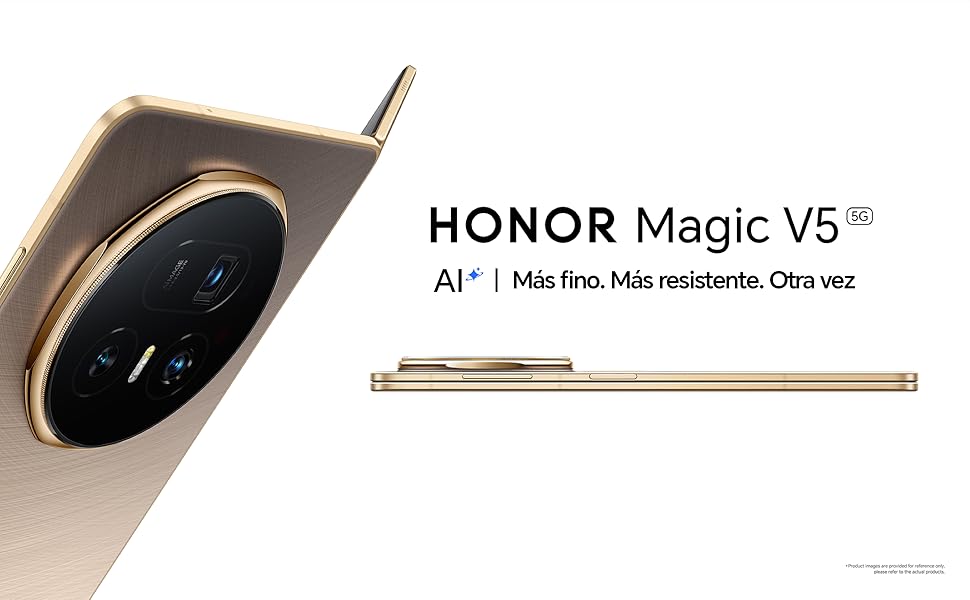
Image: The HONOR Magic V5 5G in its folded state, emphasizing its slim profile and lightweight construction.
2.2 Kameran ominaisuudet
Your device is equipped with an advanced HONOR Falcon AI Camera system:
- Pääkamera: 50 megapikseliä korkearesoluutioisille valokuville.
- Periscope Telephoto Camera: 64 megapikseliä ja 3x optinen zoom.
- Ultralaajakulmakamera: 50MP for expansive shots.
- Etukamerat: Dual 20MP cameras (internal and cover screen).
The camera supports 4K HDR video recording and various AI-enhanced features for optimal image quality in different scenarios, including low light.
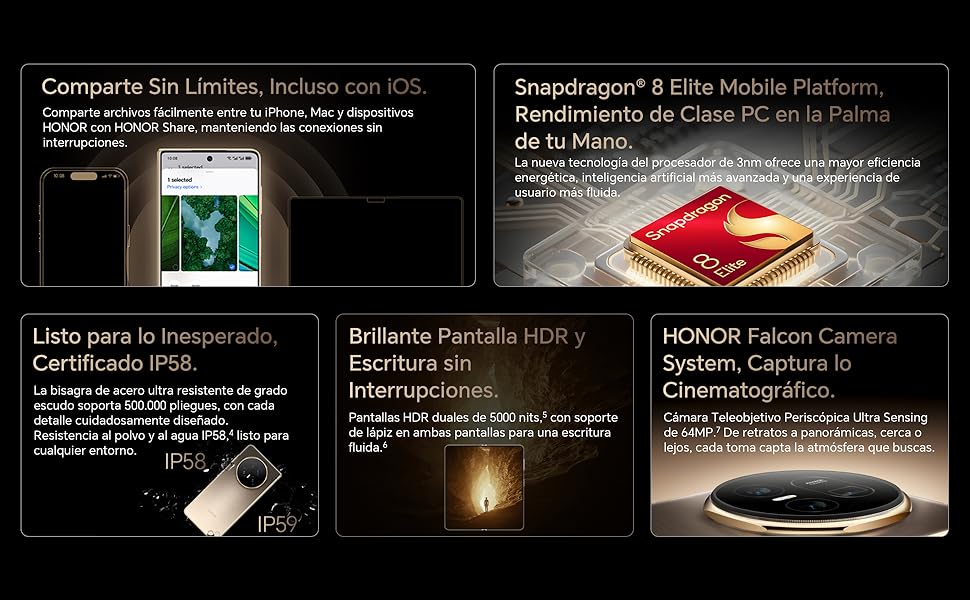
Image: A compilation of key features including the Snapdragon 8 Elite processor, IP58 dust and water resistance, and the advanced HONOR Falcon Camera System.
2.3 Suorituskyky ja liitettävyys
Powered by the Snapdragon 8 Elite 3nm chip and 16GB of RAM, the Magic V5 5G delivers flagship-level performance for smooth multitasking and fast app launches.
Connectivity options include 5G for high-speed mobile data, Wi-Fi, and Bluetooth. The device features a USB Type-C port for charging and data transfer.
2.4 Suojausominaisuudet
Unlock your device securely using facial recognition. Ensure your face is clearly visible to the front camera for accurate recognition.
2.5 HONOR Share and Gemini AI
HONOR Share: Jaa helposti files between your HONOR device, iPhone, and Mac for seamless connectivity.
Kaksosten tekoäly: The split-screen AI assistant enhances productivity with smarter organization, faster searches, and smoother performance.
3. Huolto
3.1 Laitteen puhdistaminen
To clean your HONOR Magic V5 5G, use a soft, lint-free cloth. Avoid abrasive materials, solvents, or aerosol sprays. For the screen, a screen cleaner specifically designed for electronics can be used. Do not spray liquids directly onto the device.
3.2 Ohjelmistopäivitykset
Tarkista säännöllisesti ohjelmistopäivitykset ja asenna ne varmistaaksesi, että laitteessasi on uusimmat ominaisuudet, tietoturvapäivitykset ja suorituskyvyn parannukset. Löydät tämän vaihtoehdon yleensä kohdasta Asetukset > Järjestelmä ja päivitykset > Ohjelmistopäivitys.
3.3 Akun hoito
Pidentääksesi 5820 mAh:n akun käyttöikää:
- Vältä äärimmäisiä lämpötiloja.
- Älä anna akun tyhjentyä kokonaan usein.
- Käytä alkuperäisiä tai sertifioituja latauslisävarusteita.
3.4 Kestävyys ja vedenkestävyys
The device is IP58 certified for dust and water resistance. This means it can withstand immersion in up to 1.5 meters of fresh water for up to 30 minutes. However, water resistance is not permanent and may decrease over time with normal wear. Avoid exposing the device to pressurized water, seawater, or other liquids. The hinge is designed for over 500,000 folds.
4. Vianmääritys
4.1 Yleiset ongelmat ja ratkaisut
- Laite ei käynnisty: Varmista, että akku on ladattu. Liitä laturiin vähintään 10 minuutiksi ja yritä sitten käynnistää laite.
- Sovellukset jumiutuvat tai kaatuvat: Sulje sovellus ja avaa se uudelleen. Jos ongelma jatkuu, käynnistä laite uudelleen.
- Huono akunkesto: Tarkista taustasovellusten käyttö, vähennä näytön kirkkautta ja poista käytöstä tarpeettomat ominaisuudet, kuten GPS tai Bluetooth, kun niitä ei käytetä.
- Verkkoyhteysongelmat: Kytke lentokonetila päälle ja pois päältä. Tarkista SIM-kortin asetus. Käynnistä laite uudelleen.
- Kosketusnäyttö ei reagoi: Käynnistä laite uudelleen. Jos ongelma jatkuu, ota yhteyttä tukeen.
4.2 Tehdasasetusten palautus
Jos kohtaat jatkuvia ohjelmisto-ongelmia, tehdasasetusten palautus saattaa ratkaista ne. Varoitus: Tehdasasetusten palautus poistaa kaikki laitteesi tiedot. Varmuuskopioi tärkeät tiedot ennen jatkamista.
- Siirry osoitteeseen Asetukset > Järjestelmä ja päivitykset > Palauta.
- Valitse Nollaa puhelin or Poista kaikki tiedot (palauta tehdasasetukset).
- Vahvista valintasi ja anna salasanasi/PIN-koodisi, jos sitä pyydetään.
5. Tekniset tiedot
| Ominaisuus | Yksityiskohta |
|---|---|
| Mallin nimi | Magic V5 |
| Mallinumero | MBH-N49 |
| Käyttöjärjestelmä | Android 15 + MagicOS 9 |
| Prosessori | Snapdragon 8 Elite |
| RAM | 16 Gt |
| Varastointi | 512 Gt |
| Päänäyttö | 7.95 inches LTPO OLED, 2352 x 2172 resolution, 120Hz refresh rate, 5000 nits peak brightness |
| Takakamera | 50 MP (Main) + 64 MP (Periscope Telephoto) + 50 MP (Ultra Wide) |
| Etukamera | 20 MP (Internal) + 20 MP (Cover Screen) |
| Akun kapasiteetti | 5820 mAh |
| Lataus | 66W Wired, 50W Wireless |
| SIM-kortti | Kaksois-nano-SIM |
| Yhteydet | 5G, Wi-Fi, Bluetooth, USB Type-C |
| Vedenkestävyys | IP58 (pöly- ja roiskevesitiivis) |
| Mitat (taitettu) | 9mm paksuus |
| Paino | 222 g |
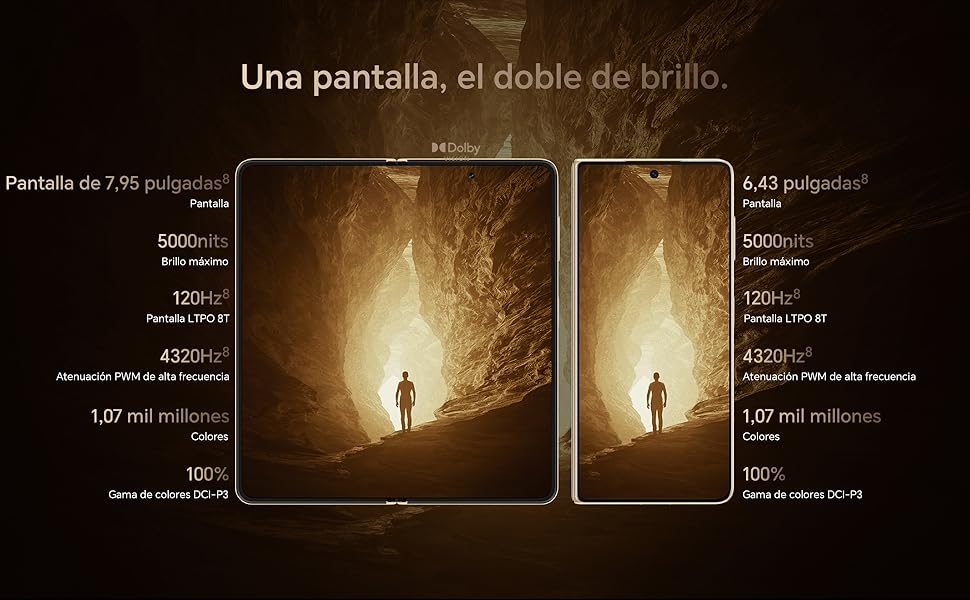
Image: Display comparison showing the large 7.95-inch main screen and the 6.43-inch cover screen, both featuring high brightness and refresh rates.
6. Takuutiedot
Your HONOR Magic V5 5G comes with a 3 vuoden valmistajan takuu. This warranty covers defects in materials and workmanship under normal use. It does not cover damage caused by accidents, misuse, unauthorized repairs, or normal wear and tear.
Please retain your proof of purchase for warranty claims. For detailed terms and conditions, refer to the warranty card included in your product packaging or visit the official HONOR websivusto.
7. Tukea
For further assistance, technical support, or service inquiries, please visit the official HONOR support websivustolla tai ota yhteyttä heidän asiakaspalveluunsa.