1. Johdanto
This manual provides comprehensive instructions for the installation, operation, and maintenance of your Polarlander 10.26" Portable Car Stereo. Please read this manual thoroughly before using the device to ensure proper function and safety. Keep this manual for future reference.
2. Tuote ohiview
The Polarlander 10.26" Portable Car Stereo is designed to enhance your in-car entertainment and connectivity. It features a high-definition touchscreen and supports wireless CarPlay and Android Auto for seamless smartphone integration.
Tärkeimmät ominaisuudet:
- 10.26" 1080P Full HD Touchscreen: A large, responsive display for clear visuals and easy interaction.
- Langaton CarPlay ja Android Auto: Connect your smartphone wirelessly for navigation, calls, messages, and music.
- Flexible Audio Output: Built-in speaker, Bluetooth, AUX, and FM transmission options for audio output.
- Yleinen yhteensopivuus: Designed for 9-32V vehicles, including cars, trucks, vans, and RVs.
- Puhelimen peililinkki: Display your smartphone screen directly on the stereo.
- Dual Bluetooth Technology: Allows simultaneous connection for CarPlay/Android Auto and original car Bluetooth audio.
System Functions Overview:
The device supports various functions as indicated by the system icons.

Kuva: Yliview of system functions supported by the device, including Android Auto, CarPlay, Bluetooth, and more.
3. Turvallisuustiedot
- Älä käytä laitetta tavalla, joka häiritsee ajamista. Aseta aina liikenneturvallisuus etusijalle.
- Varmista, että laite on tukevasti kiinnitetty eikä estä liikkumistasi. view tai häiritä ajoneuvon ohjaimia.
- Use only the provided power adapter or a compliant high-quality cigarette charger to prevent damage or injury.
- Vältä laitteen altistamista äärimmäisille lämpötiloille, pitkäaikaiselle suoralle auringonvalolle tai kosteudelle.
- Älä yritä purkaa tai korjata laitetta itse. Jätä kaikki huoltotyöt pätevän henkilöstön tehtäväksi.
4. Asennus ja asennus
This portable car stereo is designed for easy installation on your dashboard using the provided self-adhesive brackets.
Asennusvaiheet:
- Valitse asennuspaikka: Valitse kojelaudaltasi tasainen ja puhdas alue, joka ei peitä view tai ajoneuvon hallintalaitteita.
- Kiinnitä kiinnike: Secure the self-adhesive bracket to the chosen location. Ensure it is firmly attached.
- Kiinnityslaite: Attach the car stereo to the bracket.
- Virtaliitäntä: Connect the power cable to the device and then to your vehicle's cigarette lighter socket. Use only the original or a compliant high-quality charger to prevent issues from insufficient voltage tai lämpöä.

Image: Wiring instructions for connecting the car stereo to the vehicle's power source.
5. Käyttöohjeet
5.1. Langaton CarPlay / Android Auto
This device supports wireless connection to Apple CarPlay and Android Auto, allowing you to access smartphone features safely while driving.
- Ota Bluetooth käyttöön: Varmista, että Bluetooth on käytössä älypuhelimellasi.
- Laitepari: Siirry auton stereossa Bluetooth-asetuksiin ja muodosta pariliitos älypuhelimeesi.
- Käynnistä CarPlay/Android Auto: Once paired, the system will prompt you to start CarPlay or Android Auto. Follow the on-screen instructions.
- Automaattinen uudelleenkytkentä: The device will automatically attempt to connect to the last paired phone when powered on.

Image: Wireless CarPlay interface and connection method.
5.2. Bluetooth/AUX/FM Transmission
You can output audio from the car stereo to your vehicle's sound system using several methods:
- Sisäänrakennettu kaiutin: Laitteessa on integroitu kaiutin suoraa äänentoistoa varten.
- Bluetooth-pariliitos: Pair the car stereo with your vehicle's original Bluetooth system for louder, higher-quality sound through your car speakers.
- AUX-kaapelin liitäntä: Connect an AUX cable from the car stereo's AUX output to your vehicle's AUX input.
- FM Frequency Synchronization: Transmit audio via FM radio.
Setting up FM Transmitter:
- Ota FM-lähetintoiminto käyttöön SmartScreenissä. Sisäänrakennettu kaiutin mykistetään.
- Tune your car radio to the same FM frequency displayed on the SmartScreen.
- Enjoy music through your car speakers.
- Ensure the original car charger or step-down cable is used for this function to work correctly.

Image: FM Radio interface and setup instructions.
5.3. Puhelimen peililinkki
The Mirror Link function allows you to display your smartphone's screen directly onto the car stereo's display.
- Yhdistä USB:n kautta: Use a USB cable to connect your Android phone or iPhone to the car stereo.
- Aktivoi peililinkki: Select the Mirror Link option on the car stereo's interface.
- Screen Synchronization: Your phone's screen content will be synchronized and displayed on the car stereo.

Image: Demonstration of the Mirror Link function displaying smartphone content.
6. Tekniset tiedot
| Ominaisuus | Erittely |
|---|---|
| Mallinumero | T95CW |
| Näytön koko | 10.26 tuumaa |
| Näytön resoluutio | 1080P Full HD |
| Mitat (noin) | 250 mm (leveys) x 110 mm (korkeus) |
| Virran yhteensopivuus | 9-32V DC |
| Prosessori | Quad-core AI processor (Rockchip RV1126, 1.5GHz, 4-core 32-bit ARM Cortex-A7) |
| Yhteydet | Wireless CarPlay, Android Auto, Bluetooth, AUX, FM, WiFi |

Image: Product dimensions and physical overview.
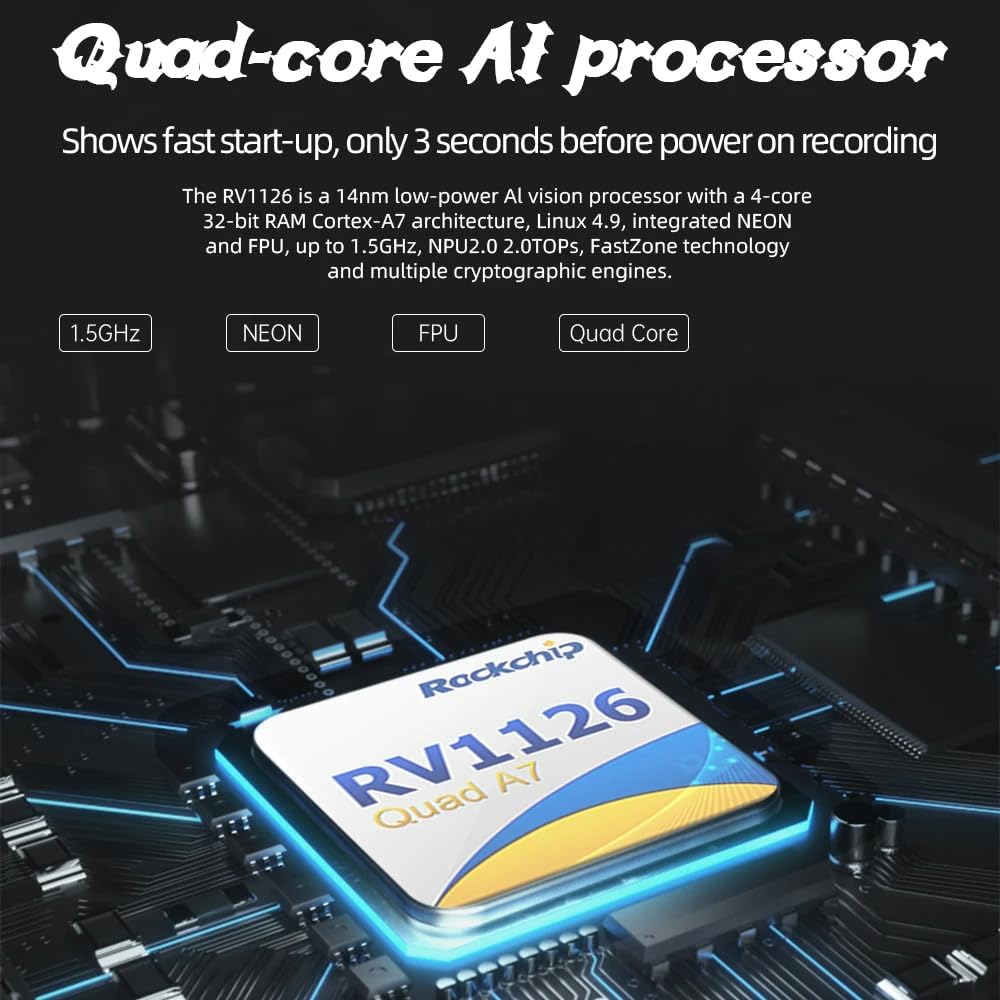
Image: Illustration of the device's quad-core AI processor.
7. Vianmääritys
If you encounter issues with your Polarlander Portable Car Stereo, refer to the following common problems and solutions:
- Ei virtaa:
- Ensure the power cable is securely connected to both the device and the vehicle's cigarette lighter socket.
- Check the vehicle's cigarette lighter fuse.
- Varmista, että ajoneuvon sytytysvirta on päällä.
- Ei äänilähtöä:
- Check volume settings on both the car stereo and your vehicle's audio system.
- Jos käytät Bluetoothia, varmista, että laite on yhdistetty oikein autosi äänentoistojärjestelmään.
- Jos käytät AUX-liitäntää, varmista, että kaapeli on kytketty oikein ja että auton äänituloksi on asetettu AUX.
- If using FM transmission, verify that the car stereo's FM transmitter frequency matches your car radio's frequency.
- CarPlay/Android Auto ei muodosta yhteyttä:
- Varmista, että Bluetooth ja Wi-Fi ovat käytössä älypuhelimellasi.
- Unohda laite puhelimesi Bluetooth-asetuksista ja muodosta pariliitos uudelleen.
- Käynnistä uudelleen sekä älypuhelin että auton stereot.
- Varmista, että puhelimesi käyttöjärjestelmä on ajan tasalla.
- Kosketusnäyttö ei reagoi:
- Käynnistä laite uudelleen.
- Varmista, että näyttö on puhdas eikä siinä ole roskia tai kosteutta.
8. Huolto
- Puhdistus: Puhdista näyttö ja laitteen ulkopinta pehmeällä, kuivalla liinalla. Älä käytä hankaavia puhdistusaineita tai liuottimia.
- Varastointi: Jos laitetta säilytetään pitkään, irrota se virtalähteestä ja säilytä sitä viileässä ja kuivassa paikassa.
- Kaapelihuolto: Regularly inspect power and audio cables for any signs of wear or damage. Replace damaged cables immediately.
9. Takuu ja tuki
For warranty information, please refer to the documentation provided at the time of purchase. If you require technical support or have questions not covered in this manual, please contact Polarlander customer service through the retailer where the product was purchased or visit the official Polarlander support websivusto.