
1. Johdanto
This manual provides essential information for the setup, operation, maintenance, and troubleshooting of your Cooler Master TD5 Pro Gaming PC. Please read this manual thoroughly before using your new system to ensure proper functionality and longevity.
The Cooler Master TD5 Pro is a high-performance desktop computer designed for demanding gaming and professional computing tasks. It features an Intel Ultra 9 285K processor, an NVIDIA RTX 5090 32GB graphics card, 64GB DDR5 6000MHz RAM, and a 2TB Gen4 M.2 SSD, all housed in a TD 500 Mesh ARGB Case with a 360L liquid cooler and a Platinum 1100W power supply.
2. Pakkauksen sisältö
Varmista, että pakkauksessa on kaikki tarvittavat osat:
- Cooler Master TD5 Pro Gaming PC
- Virtakaapeli
- Water Cooling System (pre-installed)
- Dokumentaatio (pikaopas, takuutiedot)
- Additional accessories (e.g., Wi-Fi antenna, extra cables, screws)
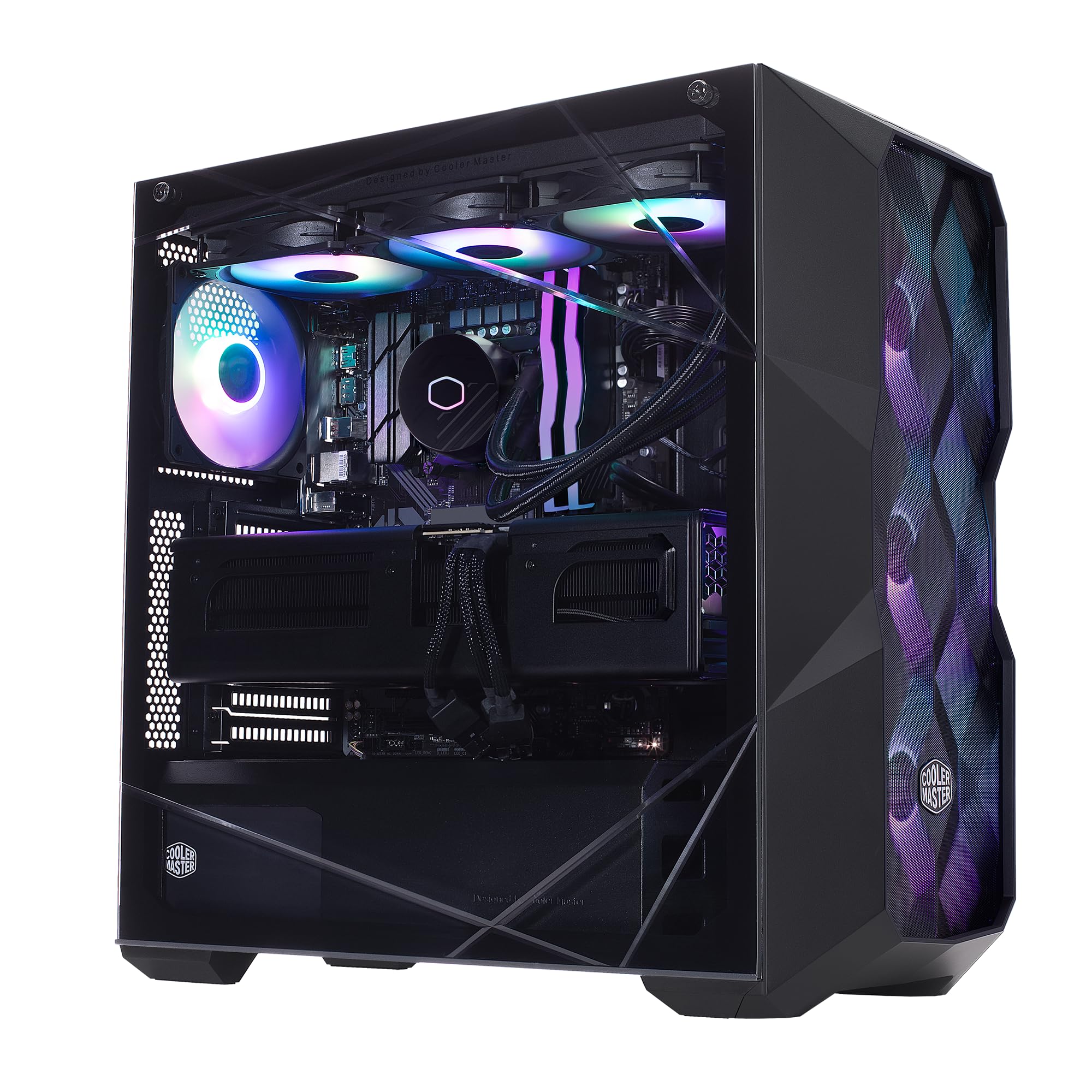
Image: The Cooler Master TD5 Pro Gaming PC, showcasing its internal components and RGB lighting.
3. Asennus
3.1 Pakkauksesta purkaminen ja sijoittaminen
- Poista tietokone varovasti pakkauksestaan. Säilytä kaikki pakkausmateriaalit myöhempää kuljetusta tai huoltoa varten.
- Place the PC on a stable, flat surface with adequate ventilation. Ensure there is sufficient space around the case for airflow.
- Remove any internal packing materials or foam inserts from inside the PC case. Refer to the quick start guide for instructions on opening the side panel.
3.2 Oheislaitteiden liittäminen
- Monitori: Connect your monitor(s) to the graphics card (RTX 5090) ports (HDMI or DisplayPort). Avoid connecting to motherboard video outputs if a dedicated graphics card is present.
- Näppäimistö ja hiiri: Liitä näppäimistö ja hiiri käytettävissä oleviin USB-portteihin.
- Verkko: Connect an Ethernet cable to the LAN port for a wired internet connection, or attach the Wi-Fi antenna(s) for wireless connectivity.
- Teho: Connect the power cable to the power supply unit (PSU) at the rear of the PC, then plug it into a grounded electrical outlet.
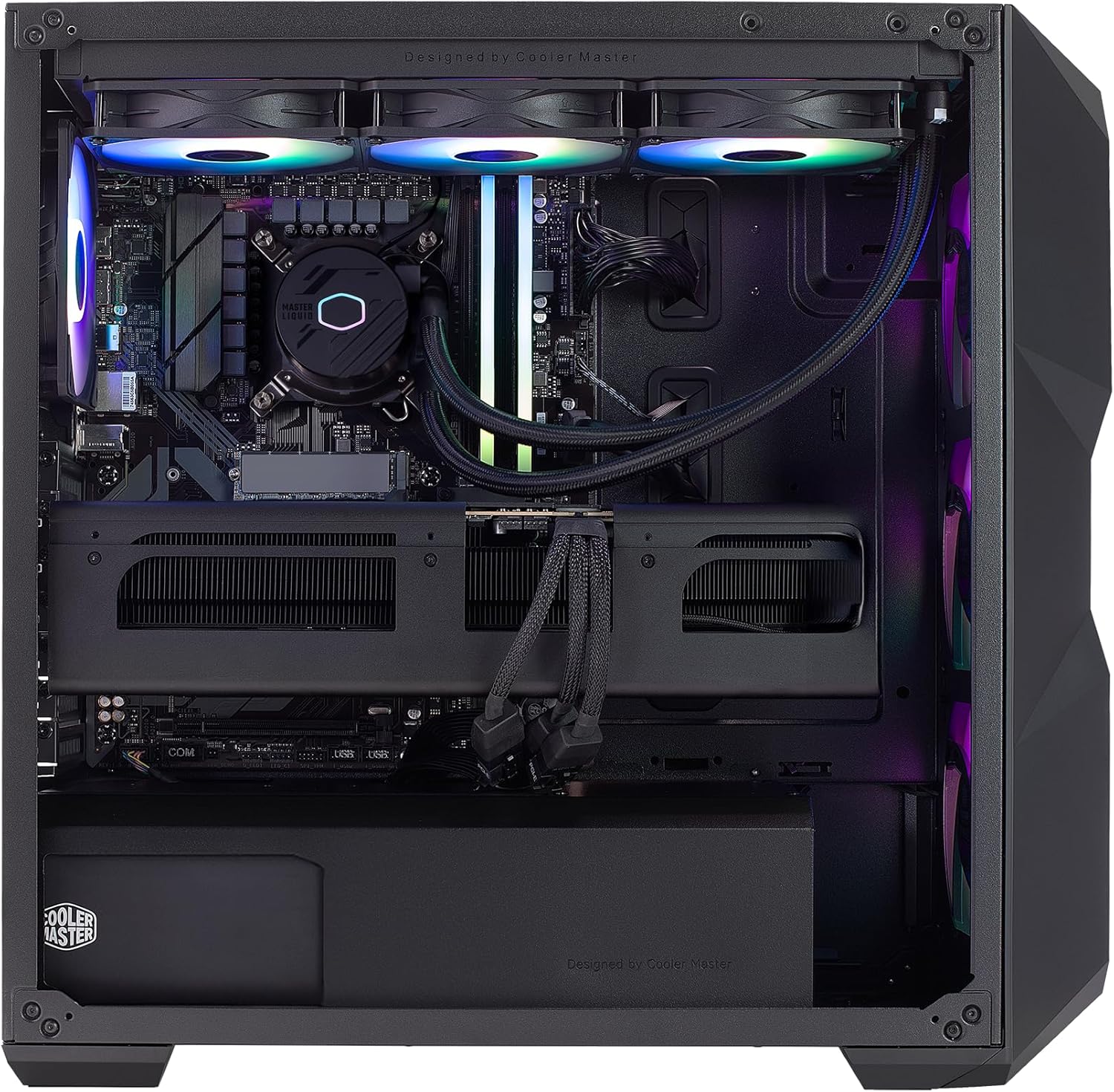
Kuva: Sisäinen view of the PC, highlighting the liquid cooler, RAM, and graphics card.
4. Käyttöohjeet
4.1 Ensimmäinen käynnistys ja Windowsin asennus
- Press the power button located on the top of the PC case.
- Follow the on-screen instructions to complete the Windows 11 Home setup. This typically involves selecting your region, language, creating a user account, and connecting to a network.
- Once Windows is set up, ensure all drivers are installed and updated. You can check for updates via Windows Update or by visiting the Cooler Master and component manufacturer websivustoja.
4.2 Tärkeimmät ominaisuudet ja suorituskyky
- Prosessori: Intel Ultra 9 285K 3.7GHz (5.7 GHz Turbo) 24-Core (8 P-cores + 16 E-cores) for exceptional multitasking and gaming performance.
- Grafiikka: NVIDIA RTX 5090 32GB for stunning visuals, high frame rates, and AI acceleration in games and creative applications.
- Muisti: 64GB (2x32GB) DDR5 6000MHz RGB RAM with heatsink for blazing speed and vibrant lighting.
- Varastointi: 2TB Gen4 M.2 SSD for high-speed data access and rapid application loading.
- Jäähdytys: 360L Liquid Cooler with a Gen S Dual Chamber Pump for superior thermal management.
- Virtalähde: V Platinum 1100 V2 80+ Platinum Efficiency Power Supply for stable and efficient power delivery.

Image: The NVIDIA RTX 5090 graphics card, a core component for high-performance visuals.
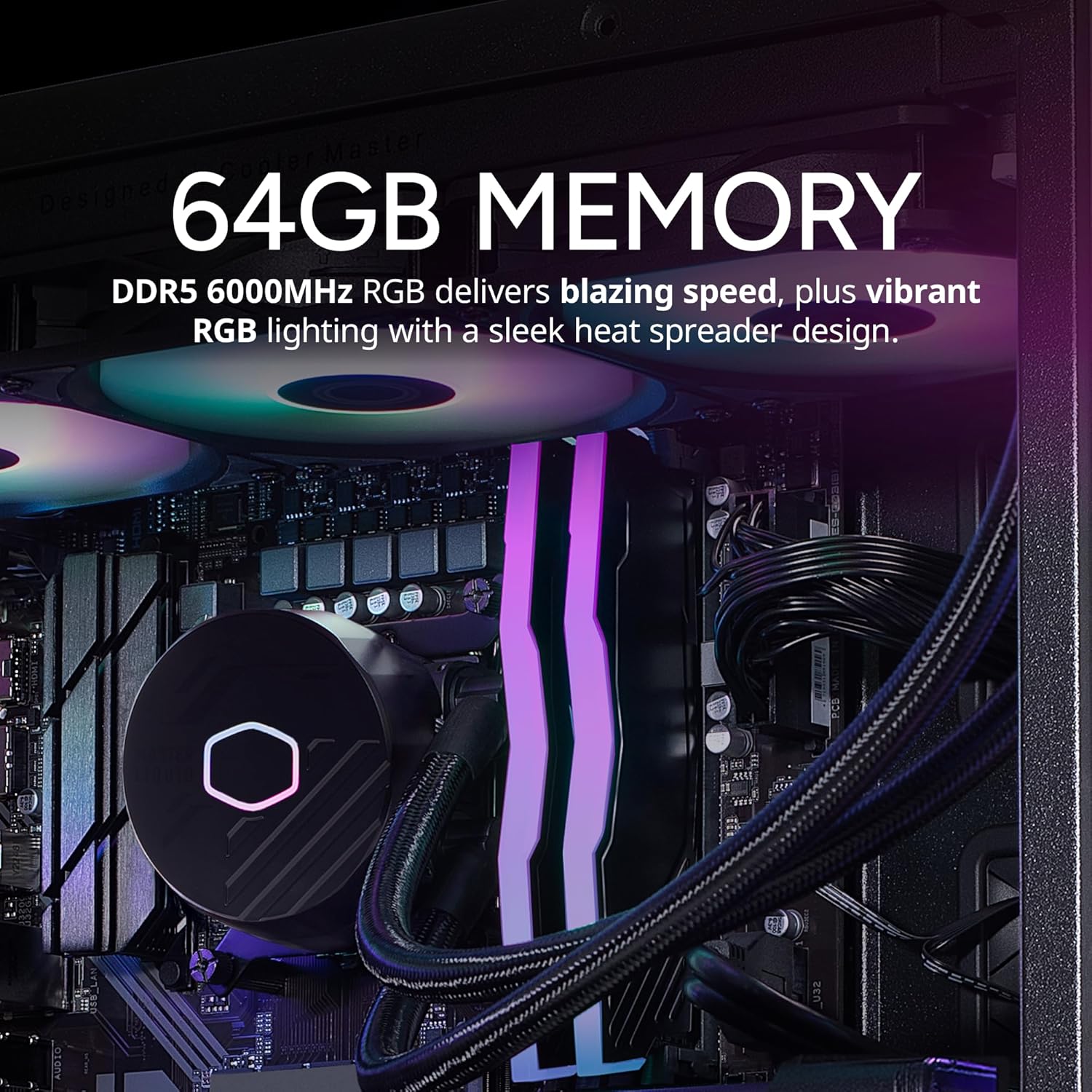
Image: The 64GB DDR5 6000MHz RGB RAM modules with heatsinks.
5. Huolto
5.1 Puhdistus
- Ulkopuoli: Käytä pehmeää, damp cloth to clean the exterior of the case. Avoid abrasive cleaners.
- Pölysuodattimet: Regularly clean the dust filters (if present) on the case to maintain optimal airflow.
- Sisäiset komponentit: Periodically use compressed air to remove dust from internal components, especially fans and heatsinks. Ensure the PC is powered off and unplugged before cleaning.
5.2 Ohjelmistopäivitykset
- Tarkista ja asenna säännöllisesti Windows-päivitykset varmistaaksesi järjestelmän vakauden ja turvallisuuden.
- Update graphics drivers (NVIDIA GeForce Experience) and motherboard drivers (Gigabyte website) for optimal performance and compatibility.

Image: The 360L liquid cooler, essential for maintaining CPU temperatures.
6. Vianmääritys
6.1 Ei virtaa
- Varmista, että virtajohto on kytketty kunnolla sekä tietokoneeseen että pistorasiaan.
- Check the power switch on the PSU at the rear of the PC; it should be in the 'ON' position.
- Testaa pistorasiaa toisella laitteella varmistaaksesi, että se toimii.
6.2 Ei näyttöä
- Verify that the monitor is powered on and the video cable is securely connected to the graphics card (RTX 5090) and the monitor.
- Ensure the monitor input source is correctly selected.
- If using multiple monitors, try connecting only one to isolate the issue.
6.3 Järjestelmän epävakaus tai kaatumiset
- Ensure all drivers (graphics, chipset, etc.) are up to date.
- Monitor system temperatures using software utilities to check for overheating.
- Suorita muistidiagnostiikkatyökalu tarkistaaksesi RAM-ongelmat.
7. Tekniset tiedot
| Komponentti | Erittely |
|---|---|
| Merkki | Viileämpi mestari |
| Sarja | TD5 Pro |
| Mallinumero | AYG-M6C9-N69GIA32-N1 |
| Käyttöjärjestelmä | Windows 11 Home |
| Prosessori | Intel Ultra 9 285K (3.7 GHz, 5.7 GHz Turbo, 24-Core) |
| Grafiikka rinnakkaisprosessori | NVIDIA RTX 5090 32GB |
| RAM | 64GB DDR5 6000MHz |
| Varastointi | 2TB Gen4 M.2 SSD |
| Virtalähde | V Platinum 1100 V2 80+ Platinum Efficiency |
| Jäähdytys | 360L Liquid Cooler |
| Langaton yhteys | 802.11a/b/g/n/ac Wi-Fi, Bluetooth |
| USB-portit | 7x USB 3.0, 1x Type-C, 2x USB 3.2 Gen 2 Type-C |
| Videolähdöt | 1 x HDMI-liitäntää, 2 x DisplayPort-liitäntä |
| Mitat (PxLxK) | 19.7 x 8.3 x 19.7 tuumaa |
| Paino | 38 kiloa |

Image: The V Platinum 1100 V2 80+ Platinum Efficiency Power Supply.
8. Takuu ja tuki
Your Cooler Master TD5 Pro Gaming PC comes with a 1 vuoden osien ja työn takuu ja Elinikäinen tekninen tuki. Tämä takuu kattaa materiaali- ja valmistusvirheet normaalikäytössä.
For technical assistance, troubleshooting, or warranty claims, please contact Cooler Master customer support. Refer to the documentation included with your PC for specific contact details or visit the official Cooler Master websivusto.
Kasattu USA:ssa