
1. Johdanto
This manual provides essential information for setting up, operating, and maintaining your Tecno Pova Slim 5G smartphone. Please read this guide carefully to ensure proper use and to maximize the device's performance and longevity.
The Tecno Pova Slim 5G is a 5G-enabled smartphone featuring a slim design, a 3D curved display, and a large battery capacity. It incorporates advanced features such as a Dynamic Mood Light and Ella AI with regional language support.

Kuva 1.1: Edestä ja takaa view of the Tecno Pova Slim 5G smartphone.
2. Mitä laatikossa on
Upon unboxing your Tecno Pova Slim 5G, verify that all the following items are included:
- Tecno Pova Slim 5G Smartphone
- Virtalähde
- USB-kaapeli
- Puhelinkotelo
- Näytönsuoja (valmiiksi asennettu tai laatikossa)
- SIM-lokeron poisto
- Pikaopas (tämä käsikirja)
3. Laite loppuview
Familiarize yourself with the physical components of your Tecno Pova Slim 5G smartphone.
3.1. Fyysinen asettelu
- Edessä: Curved AMOLED display, front camera, earpiece.
- Takaisin: Dual rear cameras, LED flash, Dynamic Mood Light, Tecno branding.
- Oikea puoli: Virtapainike, äänenvoimakkuuden lisäys/vähennyspainikkeet.
- Vasen puoli: SIM-korttikotelo.
- Pohja: USB Type-C port, microphone, speaker grille.
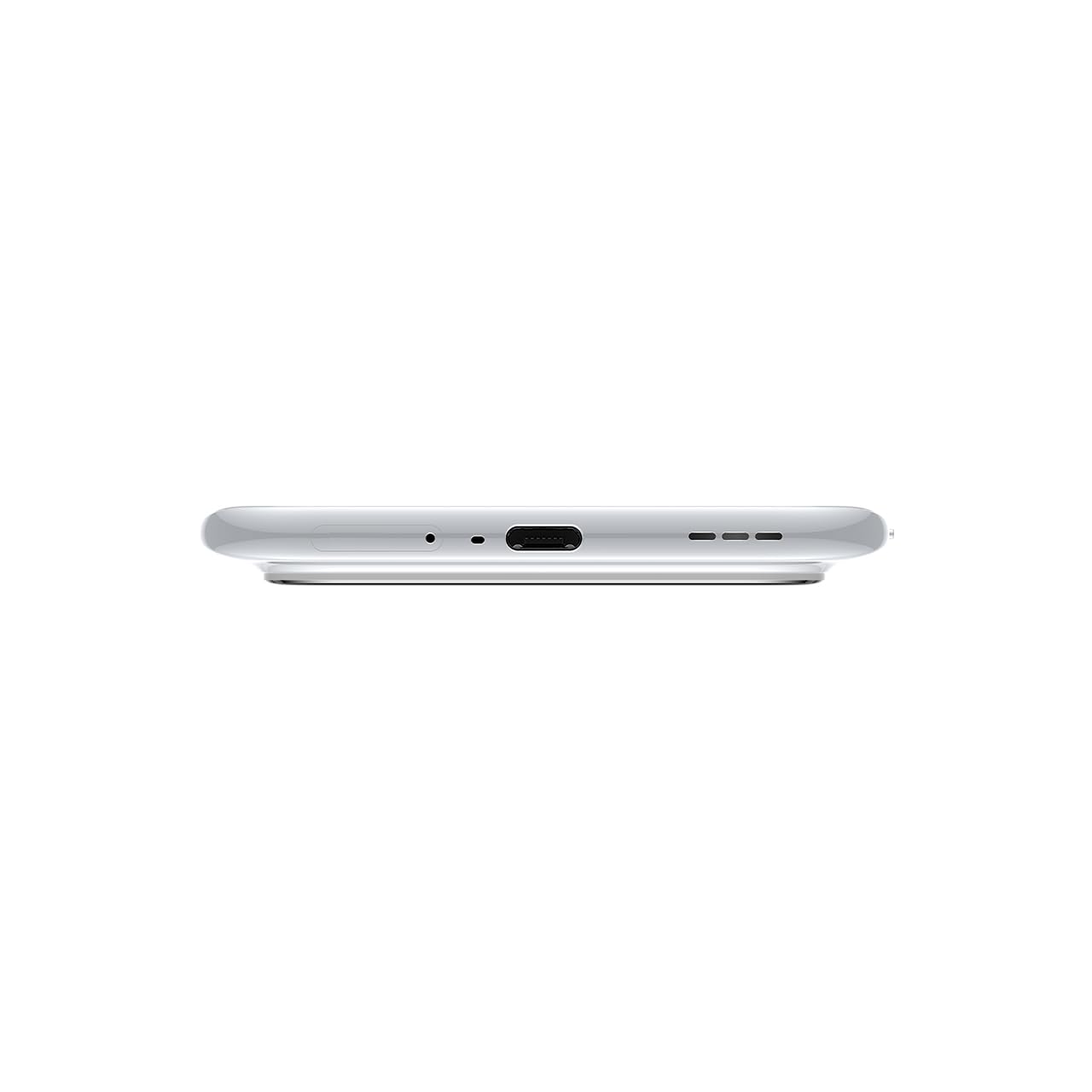
Kuva 3.1: Pohja view of the device, highlighting the USB-C port and speaker.
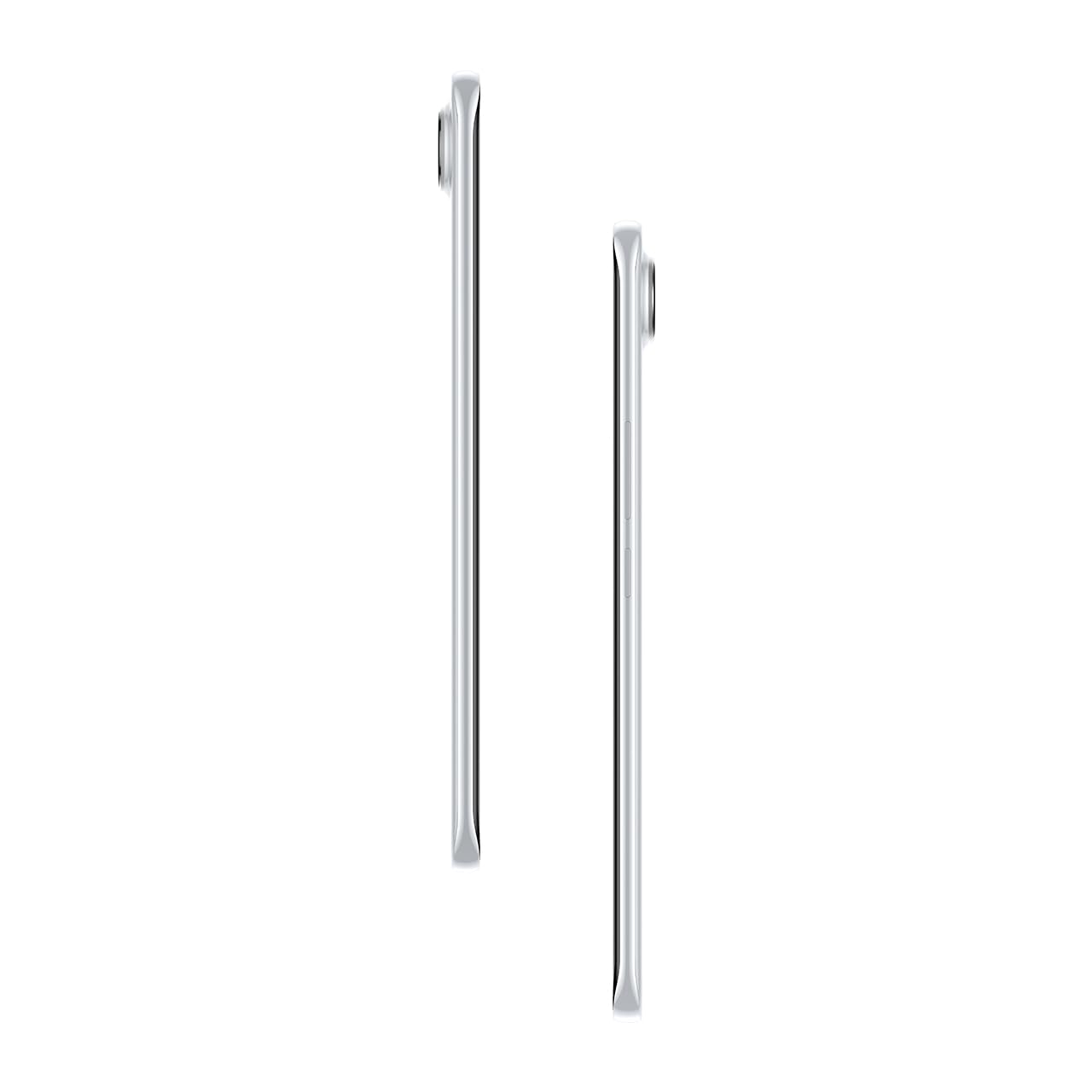
Kuva 3.2: Sivu view havainnollistaa Slim Pro -malliafile älypuhelimesta.
4. Asennus
4.1. SIM-kortin asettaminen
- Etsi SIM-kortin alusta laitteen vasemmalta puolelta.
- Aseta SIM-kortin alustan poistotyökalu alustan vieressä olevaan pieneen reikään ja paina varovasti, kunnes alusta ponnahtaa ulos.
- Aseta Nano-SIM-kortti(t) lokeron niille tarkoitettuihin paikkoihin. Varmista, että kultaiset koskettimet osoittavat alaspäin.
- Työnnä pidike varovasti takaisin puhelimeen, kunnes se napsahtaa paikalleen.
4.2. Virta päälle / pois
- Virran kytkeminen: Press and hold the Power button on the right side of the phone until the Tecno logo appears.
- Virran sammuttaminen: Pidä virtapainiketta painettuna ja valitse sitten näytön vaihtoehdoista 'Virta pois'.
- Käynnistää uudelleen: Pidä virtapainiketta painettuna ja valitse sitten vaihtoehdoista 'Käynnistä uudelleen'.
4.3. Alkukokoonpano
Upon first power-on, follow the on-screen instructions to set up your device. This includes selecting your language, connecting to Wi-Fi, setting up your Google account, and configuring security features like fingerprint or face unlock.
5. Laitteen käyttö
5.1. Näytön ominaisuudet
The Tecno Pova Slim 5G features a 1.5K Curved AMOLED display with a 144Hz refresh rate, providing smooth visuals. It offers up to 4500 nits peak brightness for clear visibility in various lighting conditions and is protected by Corning Gorilla Glass 7i.
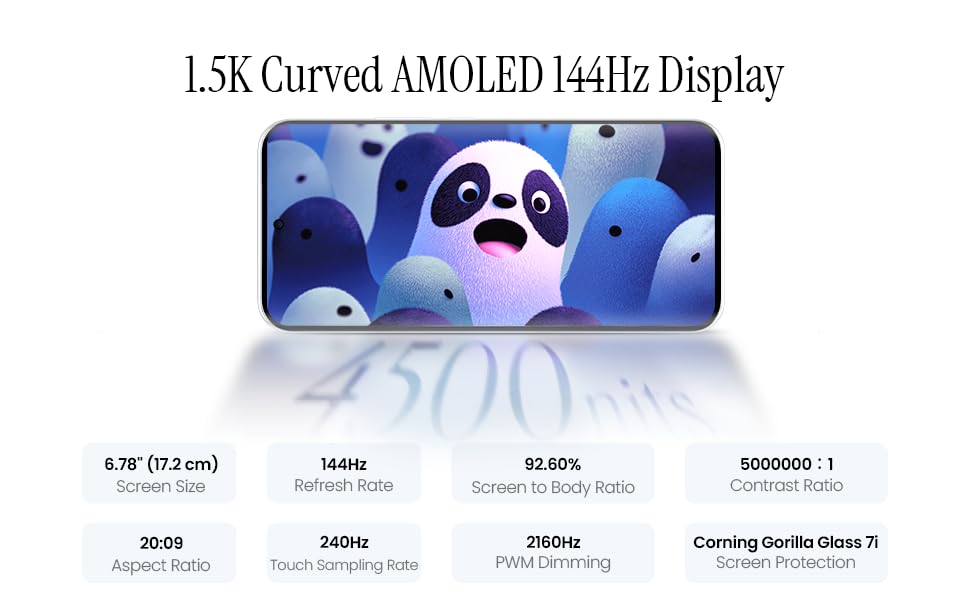
Image 5.1: Display specifications including screen size, refresh rate, and brightness.
5.2. Kameran käyttö
The device is equipped with a 50MP AI camera system. To take photos or record videos, open the Camera application. You can switch between different modes (Photo, Video, Portrait, Night, etc.) and adjust settings like zoom, flash, and filters.
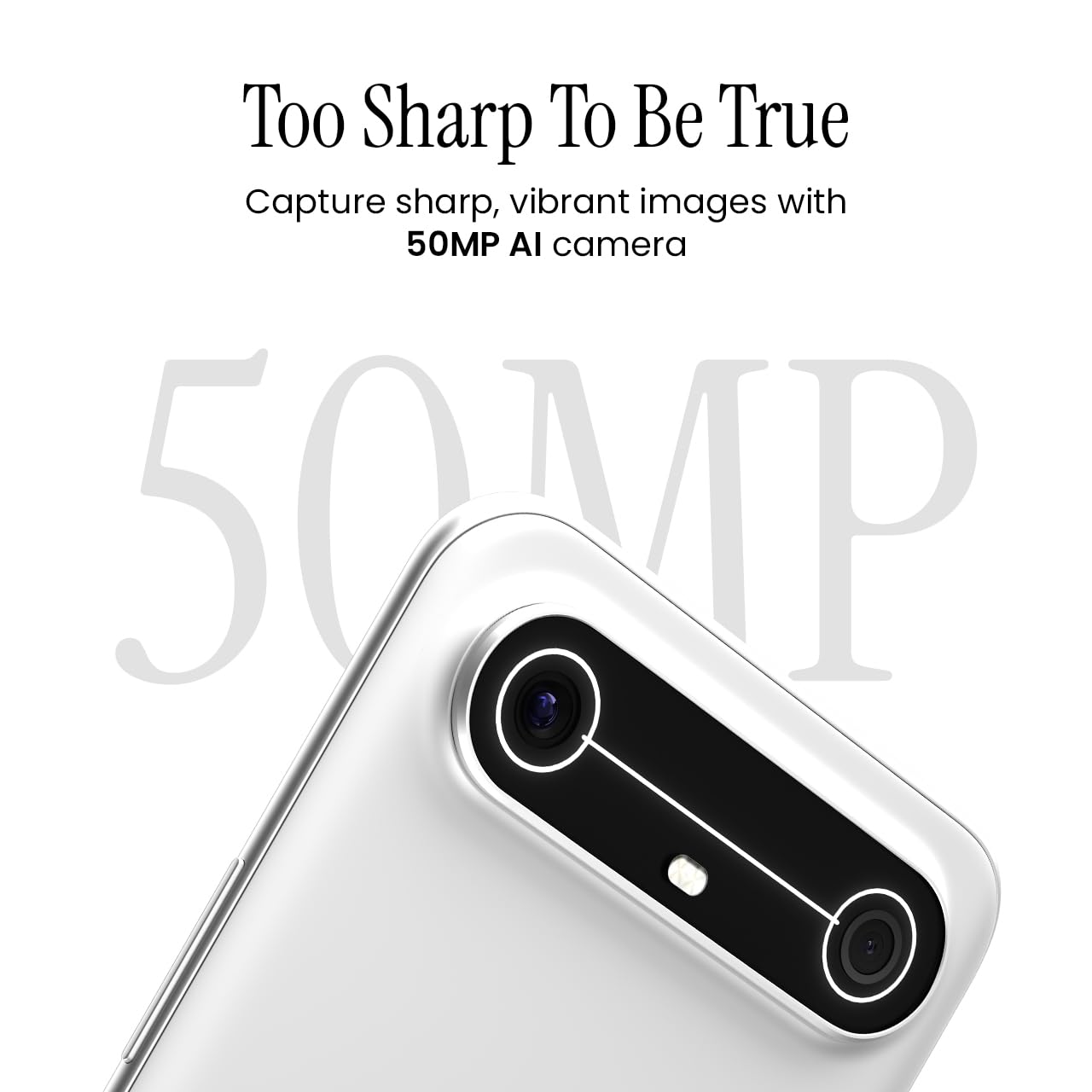
Image 5.2: Detail of the 50MP AI camera module.
5.3. Dynamic Mood Light
The Dynamic Mood Light is an integrated lighting feature on the back of the device that responds to various notifications, calls, and system events, providing visual cues.

Image 5.3: The Dynamic Mood Light design on the device's rear.
5.4. Ella AI Features
Ella AI provides intelligent assistance, including support for Indian regional languages. Key features include:
- AI Writing Assistant: Helps in drafting messages and content.
- Ympyröi hakeaksesi: Allows users to search for information by circling objects on the screen.
- Kielen ymmärtäminen: Processes and responds to voice commands in various Indian languages.
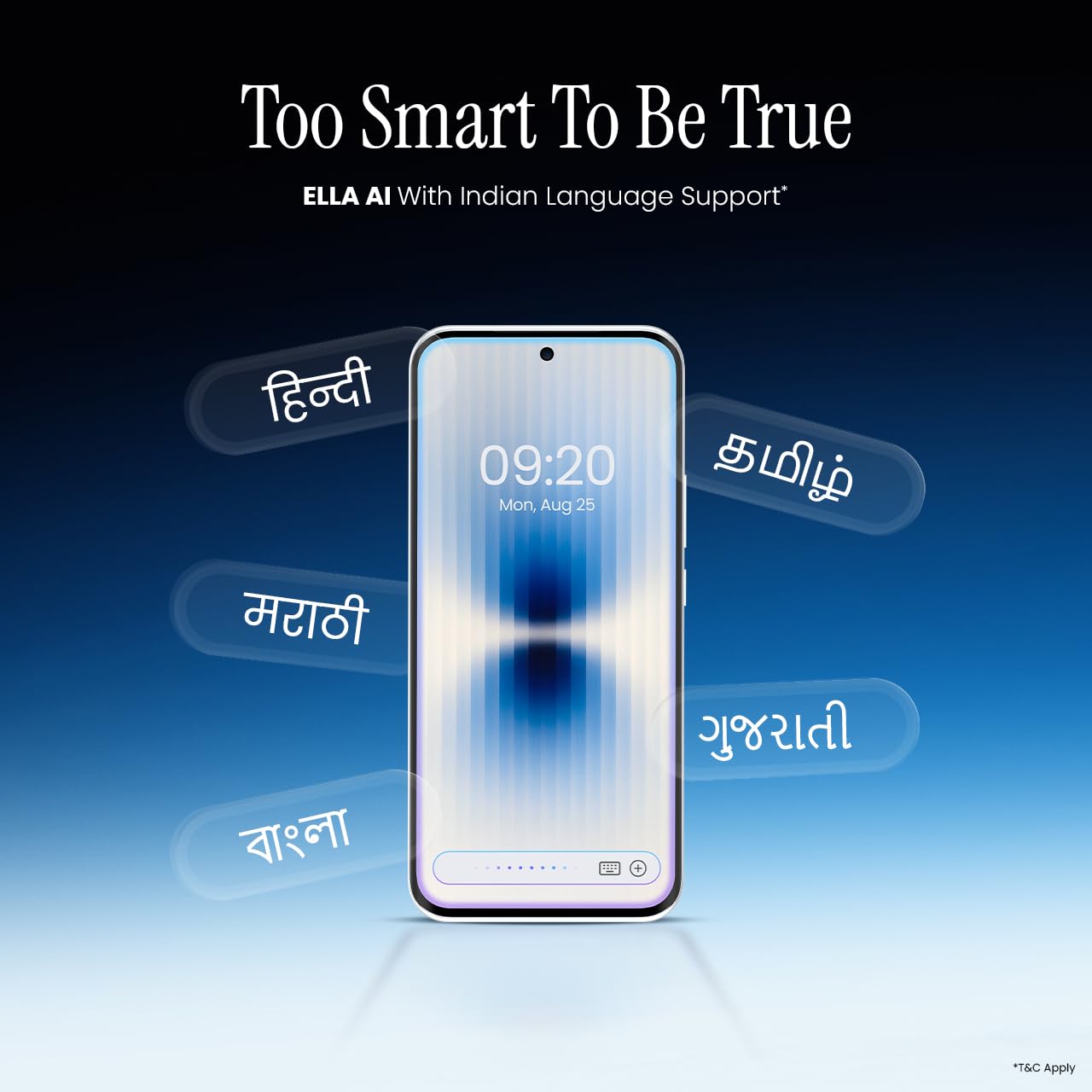
Image 5.4: Ella AI demonstrating Indian language support.
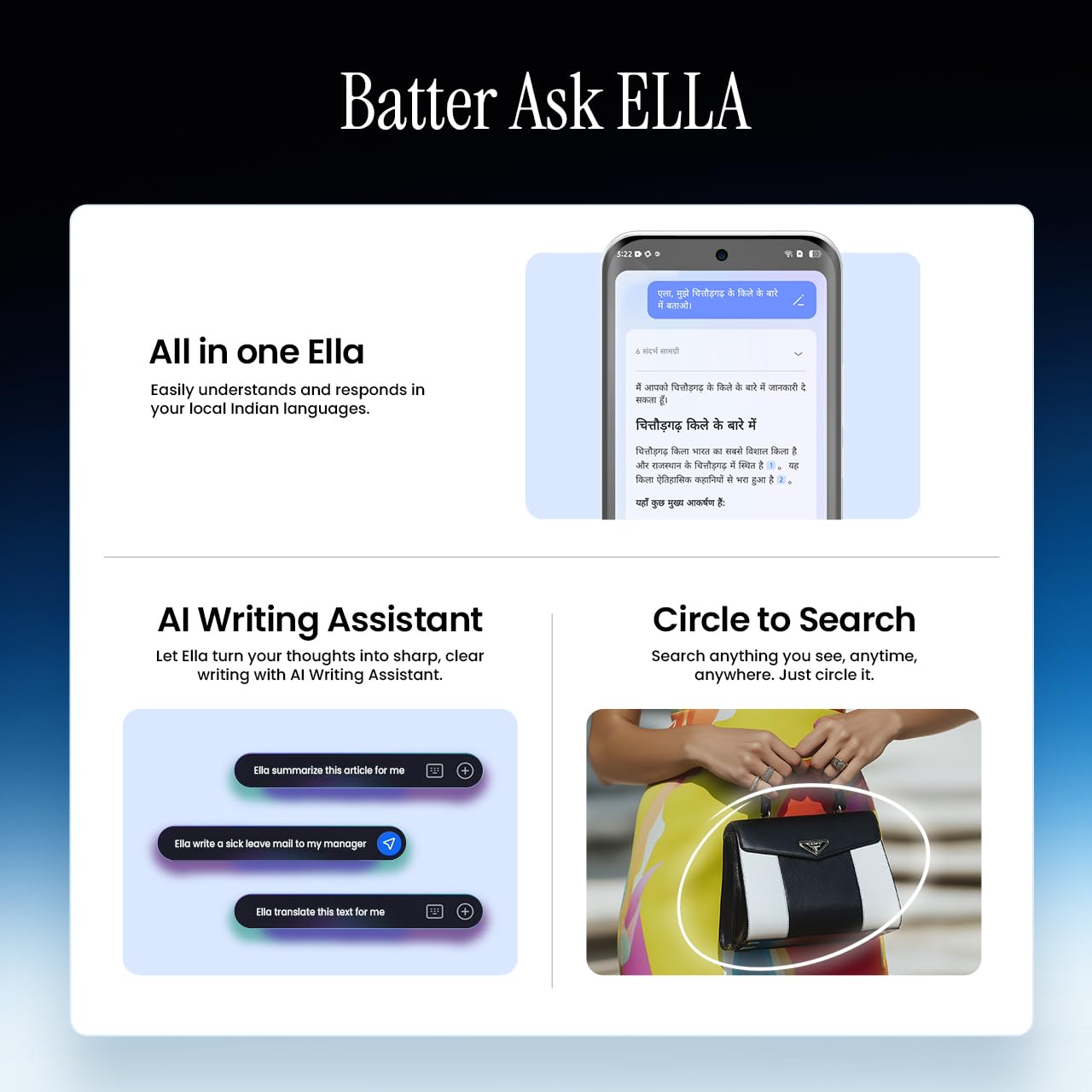
Image 5.5: Visual representation of Ella AI's writing assistant and circle to search functions.
5.5. Yhteydet
The Pova Slim 5G supports 5G networks for high-speed data, Wi-Fi for local network access, and Bluetooth for connecting to accessories. It features an Intelligent Signal Hub System with 4x4 MIMO & N28 Band for enhanced network performance.
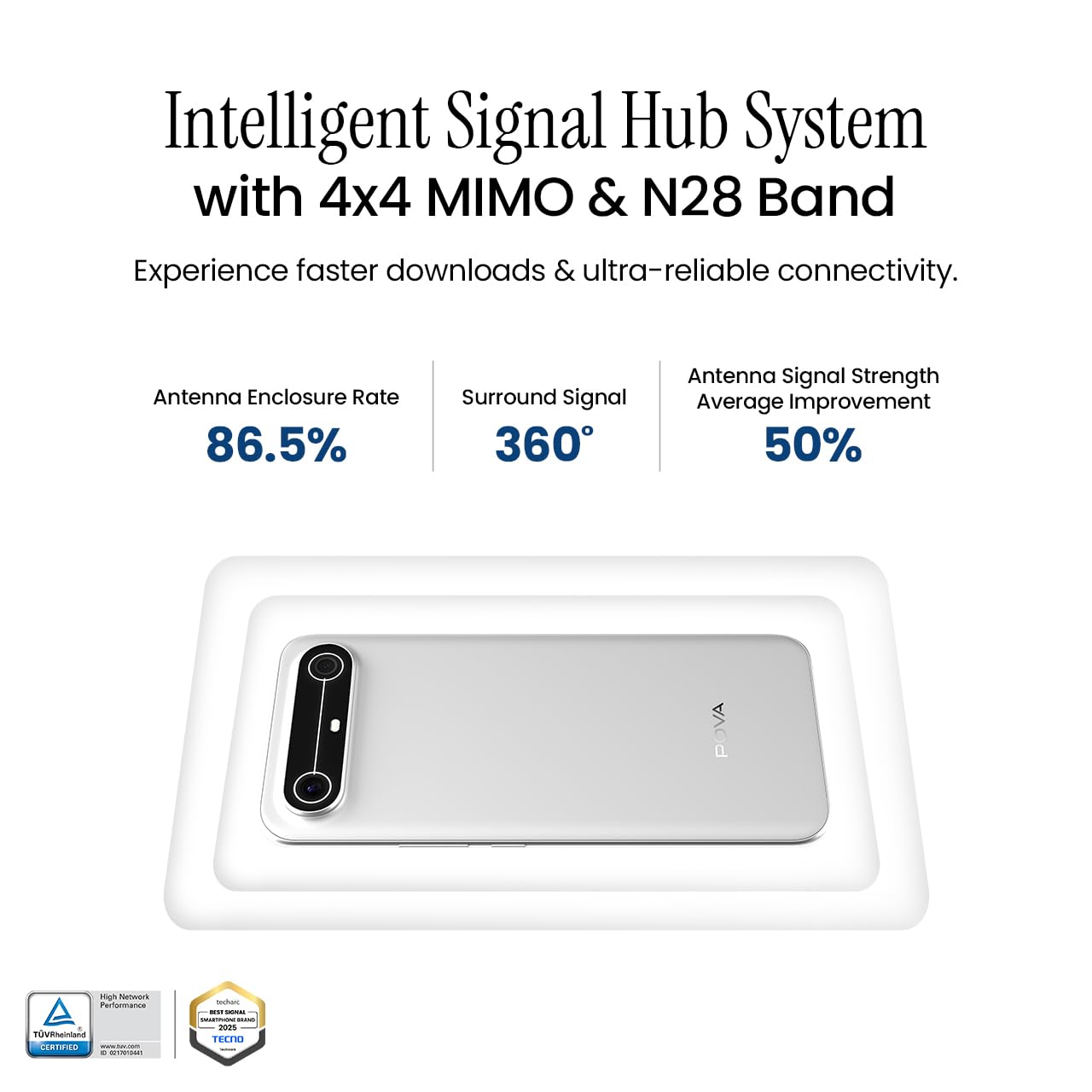
Image 5.6: Diagram illustrating the Intelligent Signal Hub System.
5.6. Akku ja lataus
The device is powered by a 5160mAh battery and supports 45W fast charging. Use the provided power adapter and USB cable for optimal charging performance. Avoid using uncertified chargers or cables.

Image 5.7: Representation of the 5160mAh battery and 45W charging capability.
6. Huolto
6.1. Akun hoito
- Vältä äärimmäisiä lämpötiloja, sillä ne voivat lyhentää akun käyttöikää.
- Älä tyhjennä akkua kokonaan säännöllisesti; lataa se ennen kuin se laskee liian alas.
- Unplug the charger once the battery is full to prevent overcharging.
6.2. Laitteen puhdistaminen
Puhdista puhelimen näyttö ja runko pehmeällä, nukkaamattomalla liinalla. Vältä voimakkaiden kemikaalien tai hankaavien materiaalien käyttöä. Pinttyneisiin tahroihin, pyyhi kevyesti.ampKostuta liina vedellä tai elektroniikalle tarkoitetulla näytönpuhdistusaineella.
6.3. Ohjelmistopäivitykset
Regularly check for and install software updates. Updates often include security patches, performance improvements, and new features. To check for updates, go to Asetukset > Järjestelmä > Järjestelmäpäivitys.
6.4. Kestävyysominaisuudet
The Pova Slim 5G is built with durability in mind, featuring MIL-STD-810H military-grade toughness, IP64 dust and splash resistance, and Corning Gorilla Glass 7i for screen protection.

Image 6.1: Indication of MIL-STD-810H military-grade protection.

Image 6.2: Visual representation of Corning Gorilla Glass 7i protection.

Image 6.3: Device shown with IP64 dust and splash resistance.
7. Vianmääritys
Jos laitteessasi ilmenee ongelmia, kokeile seuraavia ratkaisuja:
- Laite ei käynnisty: Varmista, että akku on ladattu. Kytke laturi ja odota muutama minuutti ennen kuin yrität käynnistää laitteen uudelleen.
- Verkkoyhteysongelmat: Check if your SIM card is properly inserted. Try restarting the device. Verify that mobile data or Wi-Fi is enabled in settings.
- Hidas suorituskyky: Close unnecessary background applications. Clear cache from apps. Consider restarting the device. Ensure sufficient storage space is available.
- Akku tyhjenee nopeasti: Reduce screen brightness. Disable unused features like Bluetooth or GPS. Limit background app activity.
- Sovellukset kaatuvat: Clear the app's cache and data (Settings > Apps > [App Name] > Storage > Clear Cache/Clear Data). If the issue persists, reinstall the app.
For persistent issues, contact customer support or visit an authorized service center.
8. Tekniset tiedot
| Ominaisuus | Erittely |
|---|---|
| Mallinumero | KM9 |
| Käyttöjärjestelmä | Android 15 |
| Asennetun RAM-muistin koko | 8 Gt |
| Tallennustila (ROM) | 128 Gt |
| Prosessorin nopeus | 2, 2.5 GHz |
| Tuotteen mitat | 16.4 x 7.6 x 0.6 cm |
| Tuotteen paino | 156 g |
| Akun teholuokitus | 5160 mAh |
| Resoluutio | 1224 x 2720 pikseliä |
| Yhteysteknologiat | Bluetooth, Infrared, USB, Wi-Fi |
| Väri | Slim White |
| Alkuperämaa | Intia |
9. Takuu ja tuki
Your Tecno Pova Slim 5G smartphone comes with a limited manufacturer's warranty. Please refer to the warranty card included in your product packaging for specific terms and conditions, including coverage period and limitations.
For technical support, service inquiries, or to find authorized service centers, please visit the official Tecno website or contact their customer service helpline. Keep your purchase receipt and device's serial number handy when seeking support.
Online-tuki: Tecno India Support