
1. Johdanto
Thank you for choosing the AOBOCAM W06 Mini 4K UHD WiFi Indoor Security Camera. This compact and versatile camera is designed to provide reliable indoor surveillance with advanced features such as 4K Ultra HD video, automatic night vision, instant motion detection alerts, and flexible storage options. This manual will guide you through the setup, operation, and maintenance of your device to ensure optimal performance and security.
2. Tuote ohiview
2.1 Tärkeimmät ominaisuudet
- Real-time Monitoring via App: Connect the mini WiFi camera to your home network for live viewing from anywhere using the dedicated app.
- 4K Ultra HD Video & Automatic Night Vision: Capture clear details day and night with 4K resolution and automatic night vision up to 5 meters in complete darkness.
- Instant Motion Detection Alerts: High-sensitivity motion sensor detects activity and sends push notifications to your smartphone, allowing real-time event viewing.
- Continuous Recording with Dual Storage: Securely save videos to the cloud (optional service) or directly to a microSD card (not included). Loop recording overwrites older files automaattisesti.
- Pika-asennus: Bluetooth pairing with the app for intuitive and fast Wi-Fi configuration. Clear instructions and video tutorials are provided for a stress-free setup.
2.2 Pakkauksen sisältö
Tarkista paketti varmistaaksesi, että kaikki osat ovat mukana:
- AOBOCAM W06 Mini Camera
- Adjustable Mount/Stand
- USB-latauskaapeli
- Käyttöopas (tämä asiakirja)
2.3 Kameran osat
Familiarize yourself with the camera's parts:

Kuva 1: Etuosa view of the AOBOCAM W06 Mini Camera, showing the lens and IR lights.
- Linssi: Captures 4K UHD video.
- IR-valot: Tarjoa valaistusta yönäköä varten.
- Mikrofoni: Tallentaa ääntä.
- Kaiutin: For two-way audio (if supported, not explicitly mentioned but common).
- MicroSD -korttipaikka: For local storage (card not included).
- USB-portti: Virtaa ja latausta varten.
- Reset-painike: Kameran tehdasasetusten palauttaminen.
3. Asennus
3.1 Kameran lataaminen
Before first use, fully charge the camera using the provided USB cable and a standard 5V/1A USB power adapter (not included). The charging indicator light will show the charging status.
3.2 MicroSD-kortin asettaminen (valinnainen)
For local video storage, insert a compatible microSD card (up to 128GB, Class 10 or higher, not included) into the microSD card slot. Ensure the camera is powered off before inserting or removing the card.
3.3 Sovelluksen lataus ja asennus
Download the dedicated AOBOCAM app from your smartphone's app store (iOS App Store or Google Play Store). Etsi "AOBOCAM" or scan the QR code provided in the quick start guide (if available).
3.4 Wi-Fi-yhteyden muodostaminen
- Kytke kameraan virta.
- Open the AOBOCAM app and create an account or log in.
- Follow the in-app instructions to add a new device. The app will guide you through Bluetooth pairing for quick Wi-Fi configuration.
- Valitse 2.4 GHz:n Wi-Fi-verkkosi ja anna salasana. (Huomaa: 5 GHz:n Wi-Fi-verkkoa ei tueta.)
- Once connected, the camera's indicator light will change, and you will see the camera online in the app.

Figure 2: Illustration of the camera's three connection modes: Wi-Fi, mobile hotspot, and no Wi-Fi (local recording).
3.5 Asennus ja sijoittelu
The AOBOCAM W06 is designed for flexible placement. Use the included adjustable mount to position the camera on flat surfaces, shelves, or even magnetically attach it to metallic surfaces.
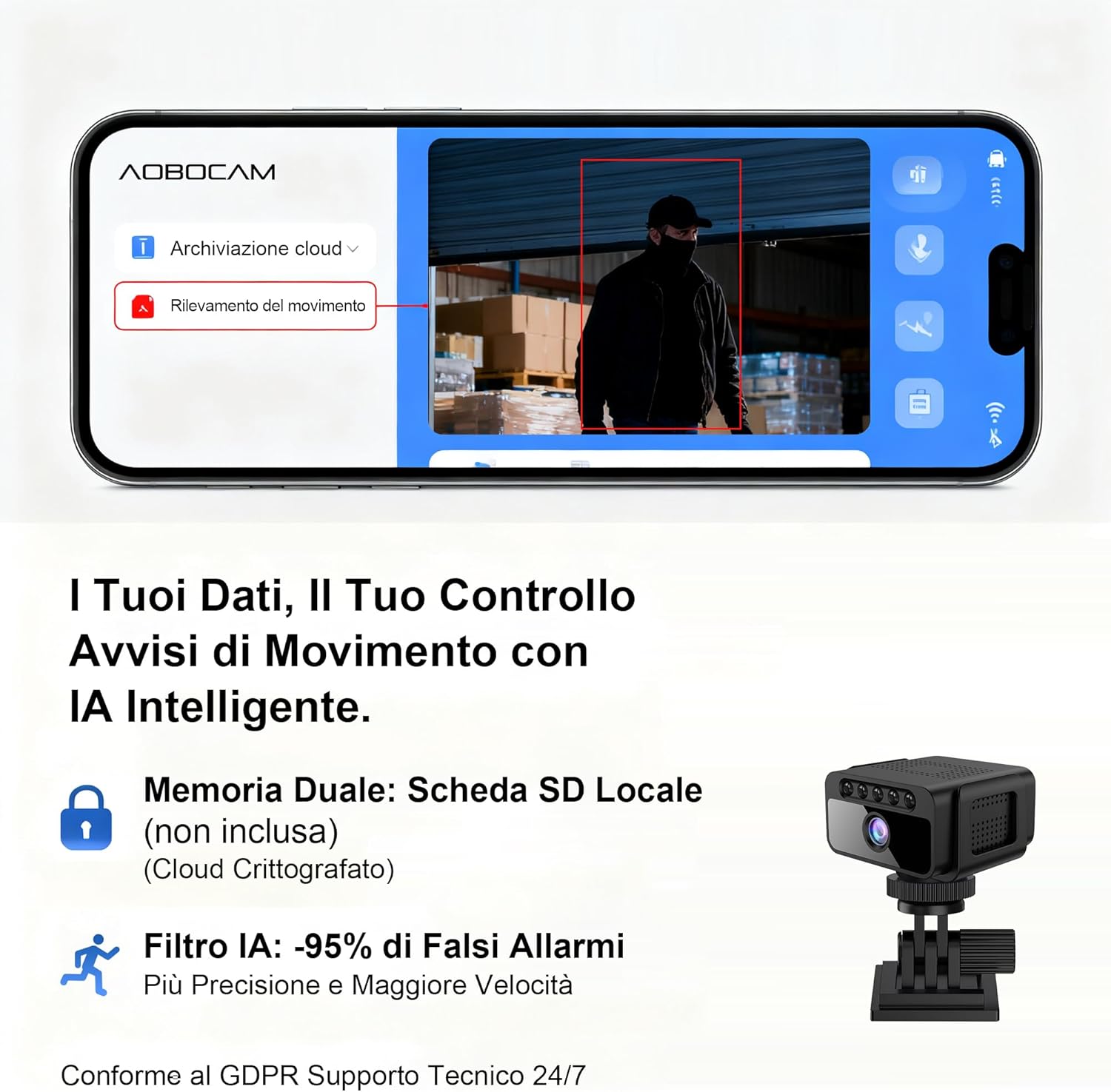
Figure 3: The compact size of the AOBOCAM W06 camera shown next to a mouse and phone, with examples of discreet placement on a desk, door frame, and shelf.

Figure 4: The AOBOCAM W06 camera mounted on a wall, demonstrating its versatile installation options.
Video: Installation and Placement Options
This video demonstrates the various ways to install and position your AOBOCAM W06 camera, highlighting its flexible mounting options and compact design.
Video 1: AOBOCAM W06 Mini Camera installation and usage preview.
4. Käyttöohjeet
4.1 Livenä View ja etävalvonta
Once the camera is connected to your Wi-Fi network, open the AOBOCAM app on your smartphone. Select your camera from the device list to access the live video feed. You can monitor your space in real-time from anywhere.

Figure 5: The AOBOCAM app interface showing live view ja liiketunnistushälytykset.
4.2 Liiketunnistus ja hälytykset
The camera features a sensitive motion sensor. When motion is detected, the camera will automatically start recording and send an instant push notification to your smartphone.
- Enable/Disable Motion Detection: In the app settings, you can turn motion detection on or off.
- Säädä herkkyyttä: Customize the motion detection sensitivity to reduce false alarms.
- Toiminta-alueet: Aseta kameran sisällä olevat tietyt alueet view liikkeentunnistusta varten.
4.3 Pimeänäkö
The AOBOCAM W06 is equipped with automatic night vision, providing clear video footage even in complete darkness up to 5 meters. The camera automatically switches to night vision mode when ambient light is low.

Figure 6: Comparison of standard camera night vision versus AOBOCAM W06's clear 4K night vision in low light conditions.
4.4 Videotallennus ja -toisto
- Jatkuva tallennus: If a microSD card is inserted or cloud storage is active, the camera will record continuously. Older footage will be overwritten by new recordings when the storage is full (loop recording).
- Tapahtuman tallennus: Recordings triggered by motion detection are saved separately.
- Toisto: Access recorded videos through the app's "Cloud Playback" or "TF Card" sections. You can review footage päivämäärän ja kellonajan mukaan.
5. Huolto
- Puhdistus: Pyyhi kameran linssi ja runko varovasti pehmeällä, kuivalla liinalla. Vältä voimakkaiden kemikaalien tai hankaavien materiaalien käyttöä.
- Laiteohjelmistopäivitykset: Periodically check the app for available firmware updates. Keeping your camera's firmware up-to-date ensures optimal performance and security features.
- Akun hoito: For optimal battery life, avoid exposing the camera to extreme temperatures. If storing for extended periods, charge the battery to about 50%.
- MicroSD-kortin hallinta: Varmuuskopioi säännöllisesti tärkeät tiedottage from your microSD card. Format the microSD card periodically through the app to maintain its performance.
6. Vianmääritys
| Ongelma | Ratkaisu |
|---|---|
| Kamera ei muodosta yhteyttä Wi-Fi-verkkoon. |
|
| Ei liiketunnistushälytyksiä. |
|
| Video footage on epäselvä tai epäselvä. |
|
| MicroSD-kortti ei tallenna. |
|
7. Tekniset tiedot
| Ominaisuus | Yksityiskohta |
|---|---|
| Merkki | AOBOCAM |
| Mallin nimi | W06 |
| Suositellut käyttötavat | Home Monitoring, Indoor Surveillance |
| Yhteystekniikka | 2.4Ghz Wi-Fi, Hotspot, Wireless |
| Erikoisominaisuudet | Portable, HD Resolution (4K UHD), Motion Sensor, Night Vision |
| Videon resoluutio | 4K Ultra HD |
| Yönäköalue | Jopa 5 metriä |
| Akun kesto | Approximately 5 hours (stated in product title, assuming continuous use) |
| Tallennusvaihtoehdot | MicroSD Card (up to 128GB, not included), Cloud Storage (optional service) |
8. Takuu ja tuki
For warranty information and technical support, please refer to the contact details provided with your product packaging or visit the official AOBOCAM websivusto.