
1. Tuote ohiview
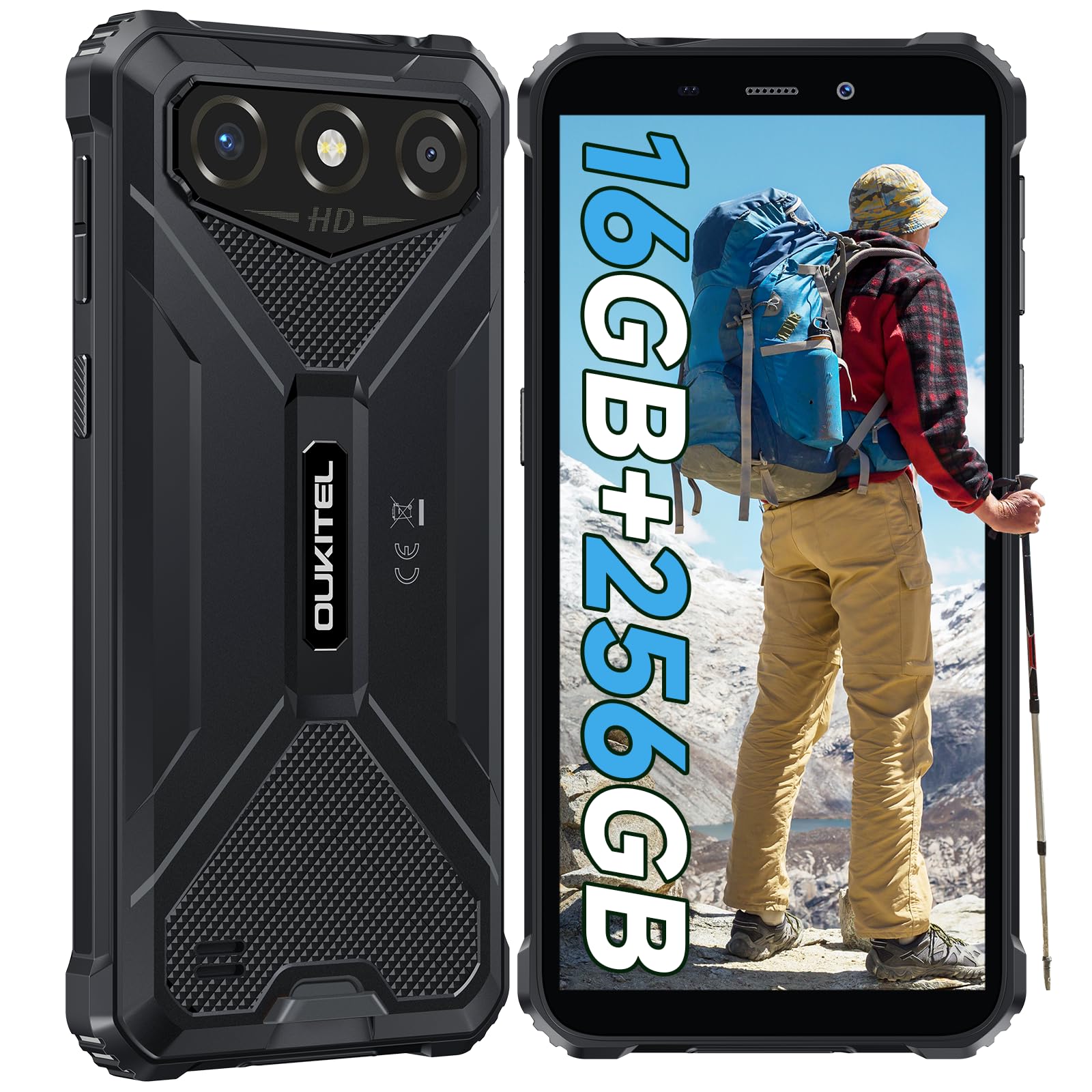
The OUKITEL G3 is a rugged smartphone designed for durability and performance in challenging environments. It features a 6.0-inch HD display, a 6300mAh battery, 16GB RAM (expandable), 256GB ROM (expandable to 1TB), and a 13MP main camera. The device is certified with IP68, IP69K, and MIL-STD-810H ratings, ensuring resistance to water, dust, and drops. It operates on Android 14 and supports 4G Dual SIM, GPS, Face ID, and OTG functionality.
2. Pakkauksen sisältö
Varmista, että pakkauksessasi on kaikki tarvittavat osat:
- 1 x OUKITEL G3 -älypuhelin
- 1x laturi
- 1 x Type-C kaapeli
- 1x SIM Card Ejector Pin
- 1x käyttöopas

3. Alkuasetukset
3.1. SIM-korttien ja TF-korttien asettaminen
- Paikanna SIM-kortin alusta laitteen sivusta.
- Avaa lokero mukana toimitetulla SIM-kortin poistotapilla.
- Carefully place your Nano SIM cards (up to two) and/or a TF card (for memory expansion up to 1TB) into the designated slots.
- Varmista, että kortit ovat oikein päin lokeron merkintöjen mukaisesti.
- Työnnä pidike varovasti takaisin puhelimeen, kunnes se napsahtaa paikalleen.

3.2. Akun lataaminen
Before first use, fully charge the device. Connect the Type-C cable to the phone's charging port and the other end to the provided charger. Plug the charger into a power outlet. The battery indicator on the screen will show charging status. The OUKITEL G3 features a 6300mAh battery for extended use.
3.3. Virta päälle / pois
- To power on: Press and hold the Power button until the OUKITEL logo appears.
- Virran katkaiseminen: Pidä virtapainiketta painettuna ja valitse sitten näytön vaihtoehdoista "Virta pois".
- Uudelleenkäynnistys: Pidä virtapainiketta painettuna ja valitse sitten vaihtoehdoista "Käynnistä uudelleen".
4. Käyttöohjeet
4.1. Näyttö ja navigointi
The OUKITEL G3 features a 6.0-inch HD display with 450 nits brightness and Corning Glass 5 protection. Navigate the Android 14 interface using touch gestures: tap, swipe, pinch-to-zoom. Access quick settings by swiping down from the top of the screen.

4.2. Kameran toiminnot
The device is equipped with a 13MP rear camera and a 5MP front camera. Open the Camera app to capture photos and videos. Features include:
- Normaali valokuvatila: Arkipäivän valokuvaukseen.
- Tekoälyn kauneustila: Korostaa kasvonpiirteitä muotokuvissa.
- Vedenalainen kameratila: Allows capturing photos and videos while submerged up to 1.5m for 30 minutes. Ensure all ports are securely sealed before underwater use.
- Panoraamatila: For wide-angle landscape shots.

4.3. Akun hallinta ja OTG
The 6300mAh battery provides extended usage. To optimize battery life, manage screen brightness, close unused applications, and enable power-saving modes when needed. The device supports OTG (On-The-Go) reverse charging, allowing you to use your OUKITEL G3 to charge other compatible devices via a Type-C OTG cable (sold separately).

4.4. Mukautettu avain ja turvaominaisuudet
- Mukautettu avain: A programmable button on the side of the device for quick access to specific applications or functions. Configure its actions (single click, double click, long press) in the phone settings.
- Kasvotunnus: Use facial recognition for secure unlocking of your device. Set up Face ID in the Security settings.
- GPS-navigointi: The OUKITEL G3 supports GPS, GLONASS, Beidou, and Galileo navigation systems for accurate positioning.

5. Huolto ja kestävyys
The OUKITEL G3 is built to withstand harsh conditions, certified with IP68, IP69K, and MIL-STD-810H standards.
- IP68-vedenkestävyys: Protected against continuous immersion in water up to 1.5 meters for 30 minutes. Ensure all port covers are tightly sealed before exposure to water.
- IP69K-pölynkestävyys: Täysin suojattu pölyltä ja korkeapaineiselta, korkean lämpötilan vesisuihkulta.
- MIL-STD-810H Pudotuksenkestävyys: Designed to withstand drops from up to 1.5 meters. The aluminum frame and rubberized corners provide enhanced shock absorption.
Käytä laitteen puhdistamiseen pehmeää, damp cloth. Avoid harsh chemicals or abrasive materials. Regularly check port covers for proper sealing to maintain water and dust resistance.

6. Vianmääritys
Jos kohtaat ongelmia OUKITEL G3 -puhelimesi kanssa, katso seuraavia yleisiä ratkaisuja:
| Ongelma | Mahdollinen ratkaisu |
|---|---|
| Laite ei käynnisty | Varmista, että akku on ladattu. Kytke laturi ja odota muutama minuutti ennen kuin yrität käynnistää laitteen uudelleen. |
| Huono verkkosignaali | Check if SIM cards are correctly inserted. Move to an area with better network coverage. Contact your service provider if the issue persists. |
| Sovellukset kaatuvat tai jumiutuvat | Close background applications. Clear the cache of the problematic app. Restart the device. Ensure sufficient storage space is available. |
| Akku tyhjenee nopeasti | Reduce screen brightness. Disable unused features like Wi-Fi, Bluetooth, GPS. Close power-intensive apps. Check battery usage in settings to identify culprits. |
| Kosketusnäyttö ei reagoi | Käynnistä laite uudelleen. Jos ongelma jatkuu, suorita tehdasasetusten palautus (varmuuskopioi ensin tiedot). |
7. Tekniset tiedot
| Ominaisuus | Yksityiskohta |
|---|---|
| Merkki | OUKITEL |
| Malli | G3 |
| Käyttöjärjestelmä | Android 14 |
| RAM | 4 Gt (laajennettavissa 16 Gt:iin virtuaali-RAM-muistia) |
| Sisäinen tallennustila (ROM) | 256GB |
| Laajennettava tallennustila | Jopa 1 Tt (TF-kortti) |
| Näytön koko | 6.0 tuumaa |
| Näytön resoluutio | HD (450 nits brightness, Corning Glass 5) |
| Päivitystaajuus | 60 Hz |
| Takakamera | 13 megapikseliä |
| Etukamera | 5 megapikseliä |
| Akun kapasiteetti | 6300 mAh |
| Latausportti | USB Type-C |
| Kestävyysluokitukset | IP68, IP69K, MIL-STD-810H |
| SIM-kortin tuki | Dual 4G Nano SIM |
| Navigointi | GPS, GLONASS, Beidou, Galileo |
| Biometrinen turvallisuus | Kasvojen tunnus |
| Audio Jack | 3.5 mm |
Tarkempia tietoja energiatehokkuudesta on EU:n EPREL-tietokannassa: https://eprel.ec.europa.eu/qr/2400970

8. Takuu ja tuki
OUKITEL provides the following support for the G3 smartphone:
- Palautuskäytäntö: 30-day no-reason return.
- Takuu: TWO-YEAR warranty.
- Tekninen tuki: Long-term technical assistance.
- Asiakaspalvelu: 24 tunnin online-asiakaspalvelu.
For any inquiries or support, please contact OUKITEL official customer service.