
FANGOR 158KZ
FANGOR 15.6-inch WiFi Digital Picture Frame User Manual
Malli: 158KZ
Johdanto
This manual provides instructions for the setup, operation, and maintenance of your FANGOR 15.6-inch WiFi Digital Picture Frame. Please read this manual thoroughly before using the device to ensure proper functionality and to maximize your user experience.
Pakkauksen sisältö
Varmista, että pakkauksessasi on kaikki alla luetellut tuotteet:
- 15.6-inch WiFi Digital Picture Frame
- Virtalähde
- Pöytäteline
- Seinäkiinnitysruuvit (x2)
- Käyttöopas

Image: All components included in the FANGOR 15.6-inch WiFi Digital Picture Frame package.
Asennusopas
1. Fyysinen sijoittelu
The digital picture frame can be placed on a flat surface using the included table stand or mounted on a wall.
- Pöytäkäyttöön: Attach the table stand to the back of the frame. The stand allows for both horizontal and vertical orientation.
- Seinäkiinnitykseen: Use the provided screws to securely mount the frame to a wall. The frame supports automatic rotation of photos based on its orientation.

Image: The digital picture frame configured for both tabletop and wall-mounted display.
2. Virtaliitäntä
Connect the power adapter to the frame and then plug it into a power outlet. The frame will automatically power on.
3. Alkuasetukset ja Wi-Fi-yhteys
- Upon first power-on, follow the on-screen prompts to select your preferred language and connect to a Wi-Fi network.
- Ensure a stable Wi-Fi connection for seamless photo and video sharing.
4. Uhale-sovelluksen lataus ja yhteyden muodostaminen
To share photos and videos, download the free "Uhale" app from the iOS App Store or Google Play Store.
- Install the "Uhale" app on your smartphone or tablet.
- Rekisteröi tili sähköpostiosoitteellasi.
- Connect the app to your digital frame by scanning the QR code displayed on the frame or by entering the pairing code.

Image: Step-by-step guide for connecting the Uhale app to the digital picture frame.
5. Adding Friends/Users
You can invite multiple users to share photos and videos to your frame. Share the frame's QR code or pairing code with family and friends, allowing them to upload content via the Uhale app.

Image: Multiple users can connect to and share photos with the digital picture frame.
Käyttöohjeet
1. Kuvien ja videoiden lataaminen
There are several methods to transfer your media to the frame:
- Uhale-sovelluksen kautta: Select photos/videos from your phone's gallery, choose the recipient frame(s), add a caption, and send. The app allows uploading up to 100 pictures at a time and videos up to 2 minutes long.
- PC:n kautta Web Siirtää: Log in to the "Uhale" website on your computer, add your frame(s), select photos to upload, and they will appear on the frame. This method supports uploading up to 500 photos at once.
- Via SD Card or USB Flash Drive: Insert an SD card or USB flash drive (formatted to FAT32) into the designated slots on the frame. You can play, import, or back up photos/videos directly. There is no time limit for videos uploaded this way. For best compatibility, 32GB SD cards or USB drives are recommended, as larger capacities (64GB, 128GB) may not function correctly.

Kuva: Yliview of media transfer options for the FANGOR digital picture frame.
2. Näytön ominaisuudet
- FHD 1080P IPS Touch Screen: The 15.6-inch screen offers a 1920 x 1080 resolution for clear and vivid display. The IPS panel ensures wide viewkulmat ja tarkat värit.
- Automaattinen kierto: The frame automatically adjusts photo orientation (horizontal or vertical) based on its physical placement.
- Videon toisto äänen kanssa: The frame supports video playback with audio through its built-in speaker.
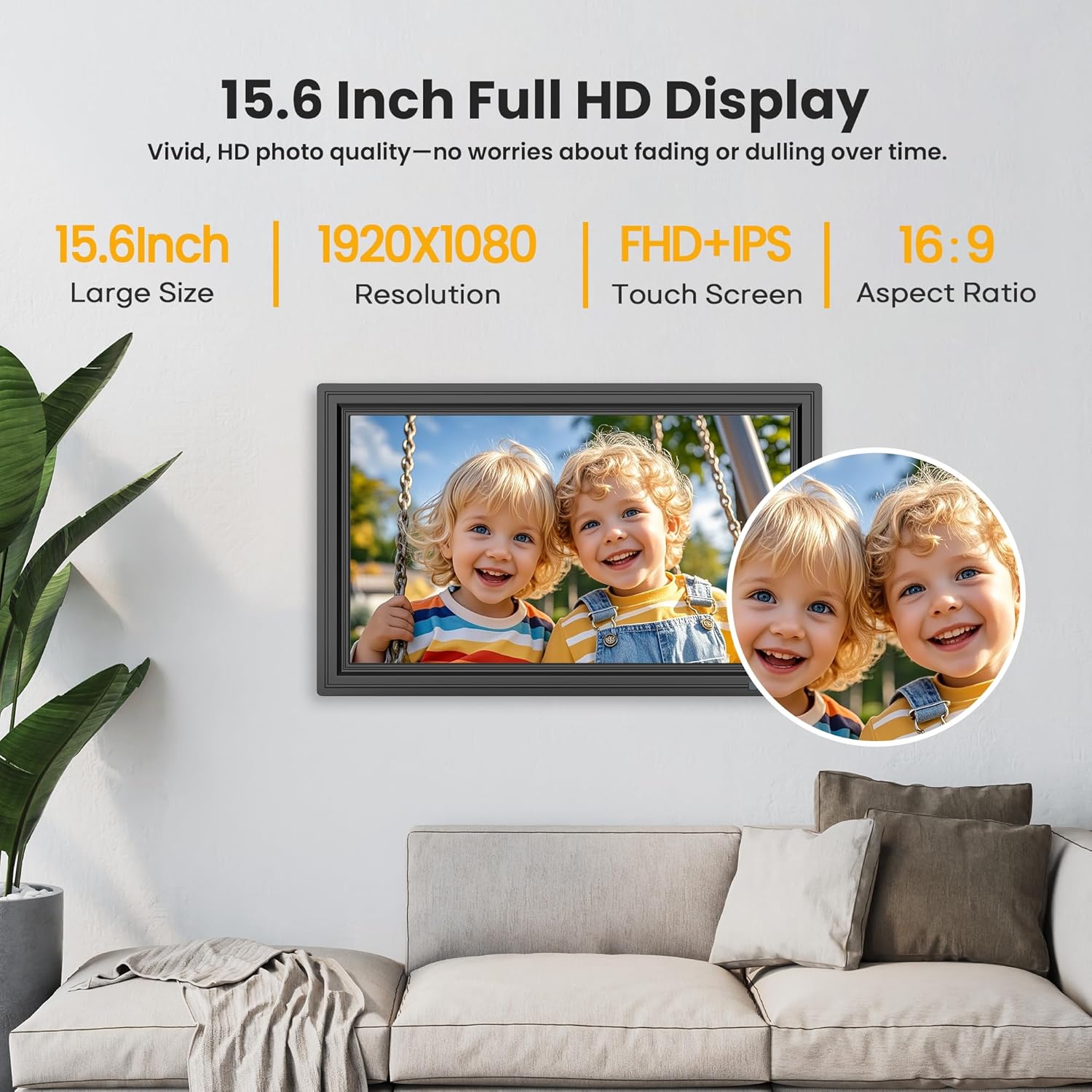
Image: The 15.6-inch Full HD IPS touch screen displaying a vibrant image.
3. Customization and Additional Functions
Access settings on the frame or through the Uhale app to customize your experience:
- Diaesitystila: Adjust playback order, transition effects, and display duration for photos.
- Kirkkaus ja äänenvoimakkuus: Control screen brightness and video volume.
- Nukkumismoodi: Set a schedule for the frame to enter and exit sleep mode. Photos and videos can still be received during sleep mode.
- Weather and Clock: Näytä nykyiset säätiedot ja aika näytöllä.
- Send Blessings: Utilize built-in blessing templates via the Uhale app to send personalized messages with photos.

Image: The digital picture frame demonstrating its customizable sleep mode and information display.
Varastointi
The FANGOR digital picture frame comes with 64GB of built-in storage, capable of holding over 160,000 photos.
Storage can be expanded using an SD card or USB flash drive. Ensure external storage devices are formatted to FAT32 for optimal compatibility. For best results, 32GB SD cards or USB drives are recommended, as larger capacities (64GB, 128GB) may not function correctly.

Image: The digital picture frame's storage capabilities, including built-in memory and external card/USB support.
Tekniset tiedot
| Ominaisuus | Yksityiskohta |
|---|---|
| Näytön koko | 15.6 tuumaa |
| Resoluutio | 1920x1080 (FHD) |
| Näytön tyyppi | IPS -kosketusnäyttö |
| Sisäinen tallennustila | 64GB |
| Ulkoisen tallennustilan tuki | SD Card, USB Flash Drive (FAT32 format recommended) |
| Yhteydet | Wi-Fi |
| Sovellusten yhteensopivuus | Uhale App (iOS & Android) |
| Tuotteen mitat | 9.68 x 15.59 x 0.99 tuumaa |
| Tuotteen paino | 3.65 kiloa |
| Mallinumero | 158KZ |
| Valmistaja | FANGOR |
Vianetsintä
If you encounter issues with your digital picture frame, consider the following common solutions:
- Ei virtaa: Varmista, että virtalähde on kytketty kunnolla sekä runkoon että toimivaan pistorasiaan.
- Wi-Fi-yhteysongelmat: Verify your Wi-Fi network is active and the password is correct. Try restarting your router and the picture frame.
- Kuvat eivät näy: Check if the Uhale app is correctly connected to the frame. Ensure photos/videos are successfully uploaded through the app or that SD cards/USB drives are properly formatted (FAT32) and inserted.
- Näyttö ei reagoi: Kokeile käynnistää laite uudelleen. Jos ongelma jatkuu, ota yhteyttä asiakastukeen.
- External Storage Not Recognized: Confirm the SD card or USB drive is formatted to FAT32. Try a different card/drive, especially if using capacities larger than 32GB.
Takuu ja tuki
Your FANGOR digital picture frame is covered by a 365-day warranty for quality issues, ensuring replacements if necessary. Lifetime technical support is also provided.
For any concerns or technical assistance, please contact our dedicated after-sales team via Amazon Message or email. Our team aims to respond within 24 hours.
Ask a question about this manual
Ask about setup, troubleshooting, compatibility, parts, safety, or missing instructions. Manuals+ will review the question and use this page’s manual context to help answer it.