Johdanto
This manual provides detailed instructions for the Fanvace EU-K11 MP3 Player. This device combines an Android 13 operating system with a 4-inch touchscreen, offering a versatile portable media experience. It features 96GB of storage, Wi-Fi, and Bluetooth connectivity, supporting various music and video formats, along with popular streaming applications.

Kuva: Edessä view of the Fanvace EU-K11 MP3 Player, showcasinsen 4-tuumaisen kosketusnäytön.
Pakkauksen sisältö
Varmista, että pakkauksessa on kaikki tarvittavat osat:
- 1 x Fanvace EU-K11 MP3 Player
- 1 x 64 Gt: n Micro SD -kortti
- 1 x USB-C kaapeli
- 1 x langalliset kuulokkeet
- 1x näytönsuoja
- 1 x suojakotelo
- 1 x Käyttöohje
Asennus
1. Laitteen lataaminen
Before first use, fully charge the MP3 player.
- Liitä laite virtalähteeseen mukana toimitetulla USB-C-kaapelilla.
- Täysi lataus kestää yleensä 3-4 tuntia.
- Näytöllä oleva akun merkkivalo näyttää latauksen tilan.

Image: Illustration of the MP3 player's 2000mAh battery and charging process, indicating 20 hours music playback, 6 hours video playback, and 3-4 hours charge time.
2. Micro SD -kortin asettaminen
The device comes with a 64GB Micro SD card pre-installed or included. You can expand storage up to 512GB.
- Paikanna laitteen sivussa oleva Micro SD -korttipaikka.
- Työnnä Micro SD -kortti varovasti korttipaikkaan, kunnes se napsahtaa paikalleen.
- Poistaaksesi kortin, paina sitä varovasti, kunnes se ponnahtaa ulos.

Image: Diagram showing the 32GB ROM, 64GB SD card, and expandable storage up to 512GB for the MP3 player.
3. Virta päälle / pois
- To power on: Press and hold the power button until the screen lights up.
- Virran katkaiseminen: Pidä virtapainiketta painettuna ja valitse sitten vaihtoehdoista "Virta pois".
- To restart: Press and hold the power button, then select "Restart" from the options.
Käyttöohjeet
1. Perusnavigointi
The Fanvace EU-K11 features a 4-inch HD touchscreen. Navigate the interface by tapping, swiping, and pinching.
- Napauta: Valitse kohde tai avaa sovellus.
- Pyyhkäise: Selaa luetteloita tai vaihda näyttöjen välillä.
- Hyppysellinen: Lähennä tai loitonna tuetuissa sovelluksissa.
2. Musiikin toisto
The device supports a wide range of audio formats and online streaming services.
- Tuetut muodot: MP3, WAV, FLAC, APE, OGG, M4A, AAC, WMA.
- Nettimusiikki: Pre-installed applications include Spotify, Omnia, Deezer, Amazon Music, and access to the Play Store for more.
- Offline-musiikki: Siirrä musiikkia files to the device's internal storage or Micro SD card.
- Äänitehosteet: Adjust audio settings for a personalized listening experience.
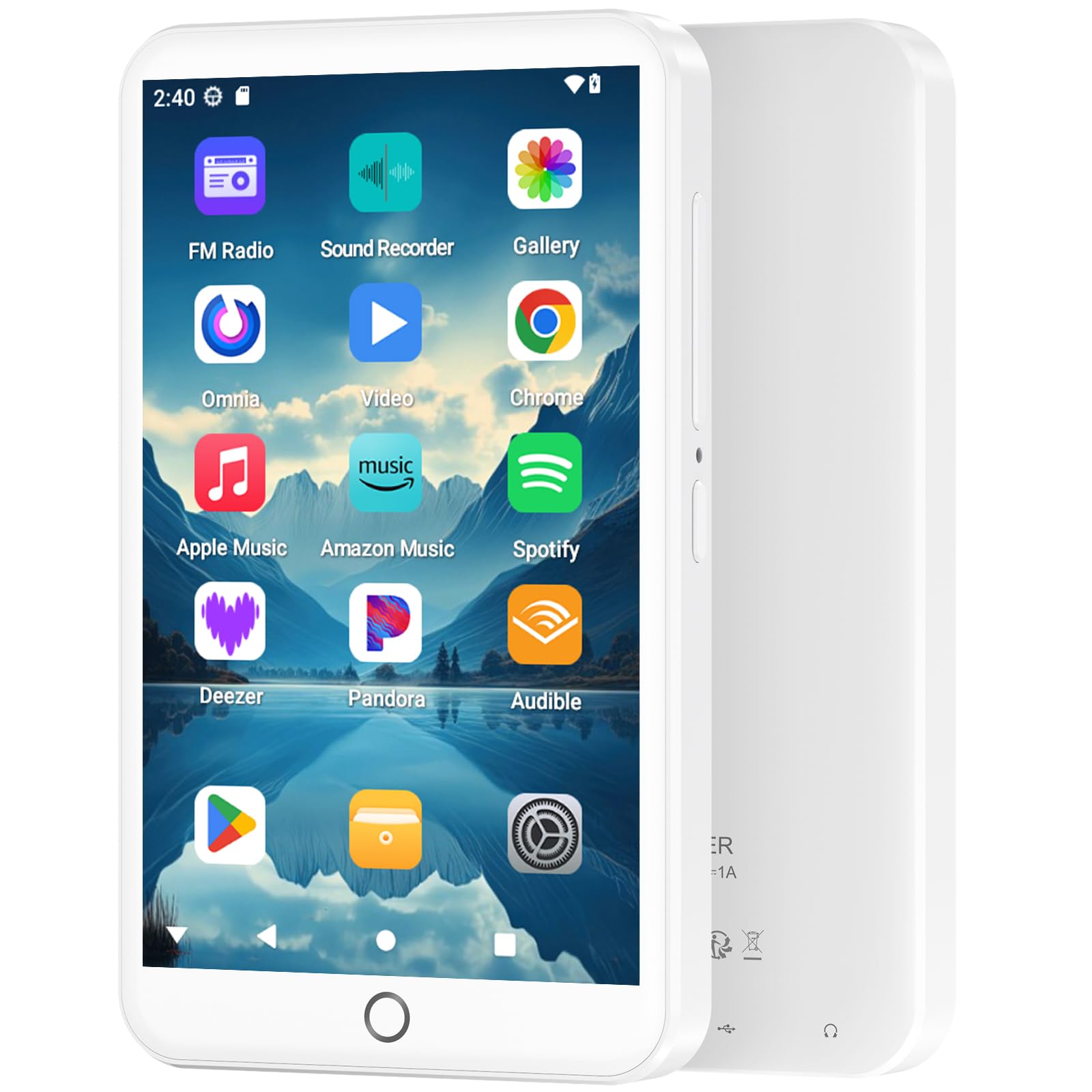
Image: The MP3 player displaying its music playback interface, highlighting features like gapless playback, playlist synchronization, Bluetooth autoplay, resume playback, adjustable sound effects, and support for various music formats.
3. Videon toisto
Enjoy videos on the 4-inch HD screen with 480*800P resolution.
- Tuetut muodot: RM, RMVB, FLV, MP4, DAT, MKV, MPG, MOV, TS.
- Videos can be played directly without conversion.

Image: The MP3 player displaying a video, emphasizing its 4.0-inch HD screen, 480*800P resolution, and high color reproduction for video playback.
4. Yhteydet (Bluetooth ja Wi-Fi)
Connect wirelessly for app downloads, online streaming, and peripheral devices.
- Wi-Fi: Access the internet to download apps, stream music/videos, and browse.
- Bluetooth 5.0: Connect to Bluetooth headphones, speakers, or other compatible devices for stereo and dual-channel audio.
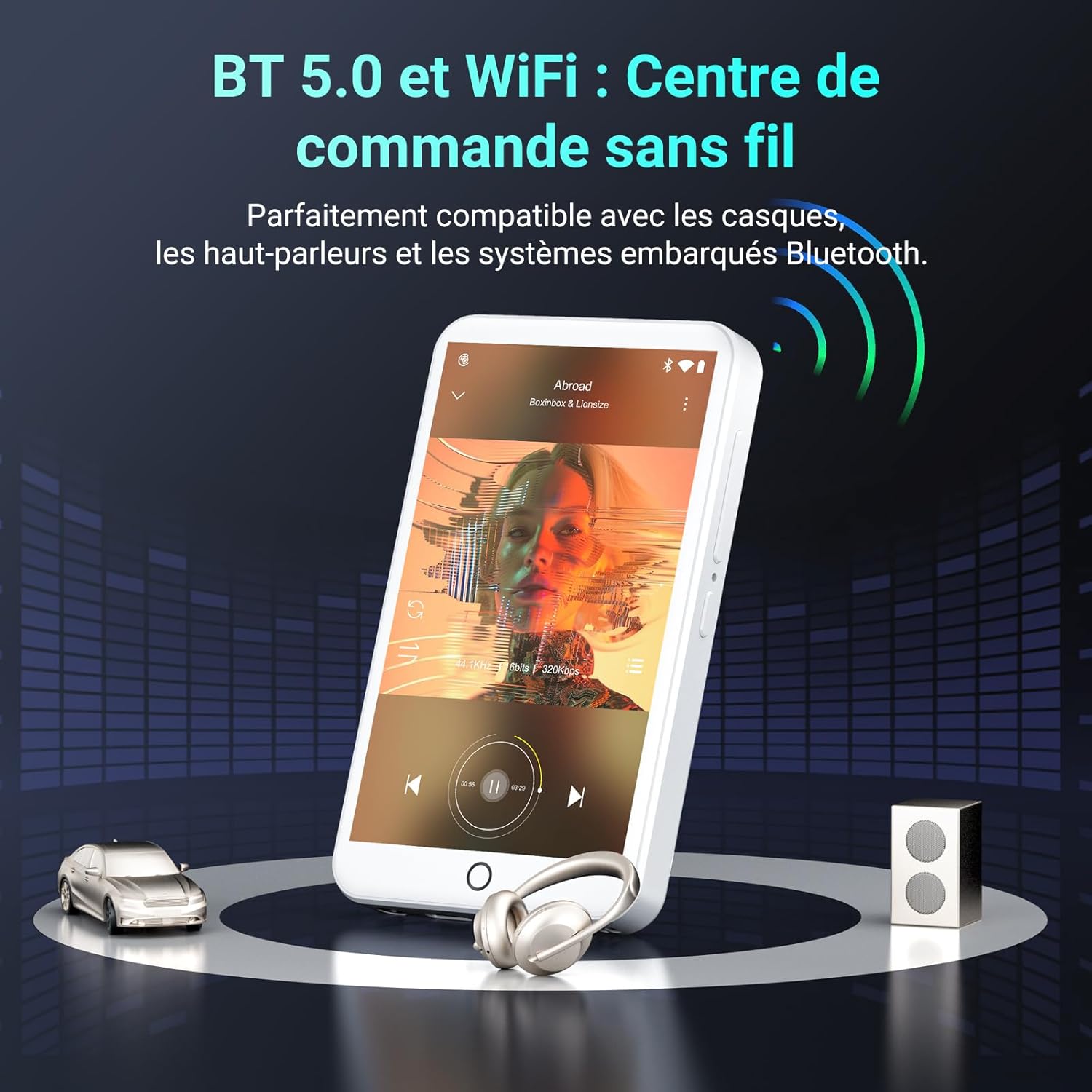
Image: The MP3 player demonstrating Bluetooth 5.0 and Wi-Fi connectivity, showing it paired with headphones and a speaker.
5. Android 13 OS and Applications
The device runs on Android 13, providing a smooth user experience and access to a wide range of applications.
- Esiasennetut sovellukset: Spotify, Omnia, Deezer, Amazon Music, Play Store, FM Radio, etc.
- Räätälöinti: Install or remove applications to personalize your device.

Image: The MP3 player displaying its Android 13 interface with various application icons, illustrating its intelligent and adaptive OS.
6. Multifunction Features
Beyond music and video, the player offers several additional functionalities:
- Lapsilukko
- FM-radio
- Äänen tallennus
- E-kirjoja
- Laskin
- Chrome-selain
Huolto
1. Laitteen puhdistaminen
- Puhdista laitteen näyttö ja runko pehmeällä, nukkaamattomalla liinalla.
- Vältä kovien kemikaalien tai hankaavien materiaalien käyttöä.
- Älä altista laitetta liialliselle kosteudelle.
2. Akun hoito
- Vältä akun usein toistuvaa täydellistä tyhjentymistä.
- Lataa laite säännöllisesti, vaikka sitä ei käytettäisikään, akun kunnon ylläpitämiseksi.
- Säilytä laitetta viileässä ja kuivassa paikassa, kun sitä ei käytetä pitkään aikaan.
3. Ohjelmistopäivitykset
Tarkista säännöllisesti laitteen asetuksista ohjelmistopäivitysten saatavuus varmistaaksesi optimaalisen suorituskyvyn ja uusimpien ominaisuuksien käytön.
Vianetsintä
If you encounter issues with your Fanvace EU-K11 MP3 Player, refer to the following common solutions:
| Ongelma | Ratkaisu |
|---|---|
| Laite ei käynnisty | Ensure the battery is charged. Connect to a charger for at least 30 minutes. If unresponsive, perform a hard reset by holding the power button for 10-15 seconds. |
| Ei voi muodostaa yhteyttä Wi-Fi-verkkoon | Check if Wi-Fi is enabled in settings. Ensure you are within range of a Wi-Fi network and have entered the correct password. Restart the device and your router. |
| Bluetooth-laite ei muodosta pariliitosta | Ensure Bluetooth is enabled on both devices and they are in pairing mode. Keep devices close to each other. Try restarting both devices. |
| Musiikki/video fileei pelaa | Varmista, että file format is supported (see Specifications). Ensure the files are not corrupted. Try playing other files. |
| Laite on hidas tai ei reagoi | Close unnecessary background applications. Clear cache from apps. Restart the device. If issues persist, consider a factory reset (back up your data first). |
If the problem persists, please contact Fanvace customer support for further assistance.
Tekniset tiedot
| Ominaisuus | Yksityiskohta |
|---|---|
| Merkki | Fanvace |
| Mallinumero | EU-K11 |
| Käyttöjärjestelmä | Android 13 |
| Näytön koko | 4 tuumaa |
| Näytön resoluutio | 480*800P |
| RAM | 3 Gt |
| Sisäinen tallennustila (ROM) | 32 Gt |
| Included Micro SD Card | 64 Gt |
| Kokonaistallennustila | 96 GB (32GB ROM + 64GB SD) |
| Laajennettava tallennustila | Jopa 512 Gt (MicroSD) |
| Yhteydet | Wi-Fi, Bluetooth 5.0 |
| Akun kapasiteetti | 2000 mAh Litium-ioni |
| Musiikin toistoaika | Jopa 20 tuntia |
| Videon toistoaika | Jopa 6 tuntia |
| Latausaika | 3-4 tuntia |
| Tuetut äänimuodot | MP3, WAV, FLAC, APE, OGG, M4A, AAC, WMA |
| Tuetut videomuodot | RM, RMVB, FLV, MP4, DAT, MKV, MPG, MOV, TS |
| Erikoisominaisuudet | Touchscreen, Online Music App Support, Parental Control, FM Radio, Voice Recording, E-books, Calculator, Chrome |
Takuu ja tuki
Takuutiedot
The Fanvace EU-K11 MP3 Player comes with a 1 vuoden valmistajan takuu ostopäivästä lukien. Tämä takuu kattaa materiaali- ja valmistusvirheet normaalissa käytössä. Se ei kata väärinkäytöstä, onnettomuuksista, luvattomista muutoksista tai normaalista kulumisesta aiheutuneita vahinkoja. Säilytä ostokuitti takuuvaatimuksia varten.
Asiakastuki
For technical assistance, troubleshooting, or warranty inquiries, please contact Fanvace customer support. Refer to the contact information provided with your product packaging or visit the official Fanvace websivusto tukitietojen saamiseksi.