
1. Johdanto
This manual provides detailed instructions for the setup, operation, maintenance, and troubleshooting of your Jectse WiFi 6 4G/5G CPE LTE Router. Please read this manual carefully before using the device to ensure optimal performance and safety.
Tärkeimmät ominaisuudet:
- Korkea suorituskyky: Connects up to 32 devices simultaneously, covering an area of approximately 300 square meters. Ideal for home or small office environments.
- Comprehensive 4G LTE Support: Compatible with a wide range of 4G LTE bands including FDD (B1, 3, 5, 7, 8, 20), TDD (B38, 40, 41), and WCDMA (B1, 5, 8), ensuring stable connectivity across various network providers.
- 6 Antenna Design: Equipped with six antennas for enhanced signal coverage and faster network speeds, providing a stable and consistent internet experience.
- Fast Internet Speeds: Achieves 4G download speeds up to 150 Mbps, upload speeds up to 50 Mbps, and wireless transfer rates up to 300 Mbps for smooth streaming, gaming, and browsing.
- Helppo asennus: Simply insert a standard SIM card to convert 4G LTE into a WiFi hotspot, allowing multiple devices to connect without complex installations.
2. Pakkauksen sisältö
Tarkista pakkauksesta seuraavat tuotteet:
- Jectse WiFi 6 4G/5G CPE LTE Router
- Virtalähde
- Ethernet-kaapeli
- Käyttöopas (tämä asiakirja)

Image: Package contents including the router, power adapter, and Ethernet cable.
3. Tuote ohiview
Etu ja yläosa View:
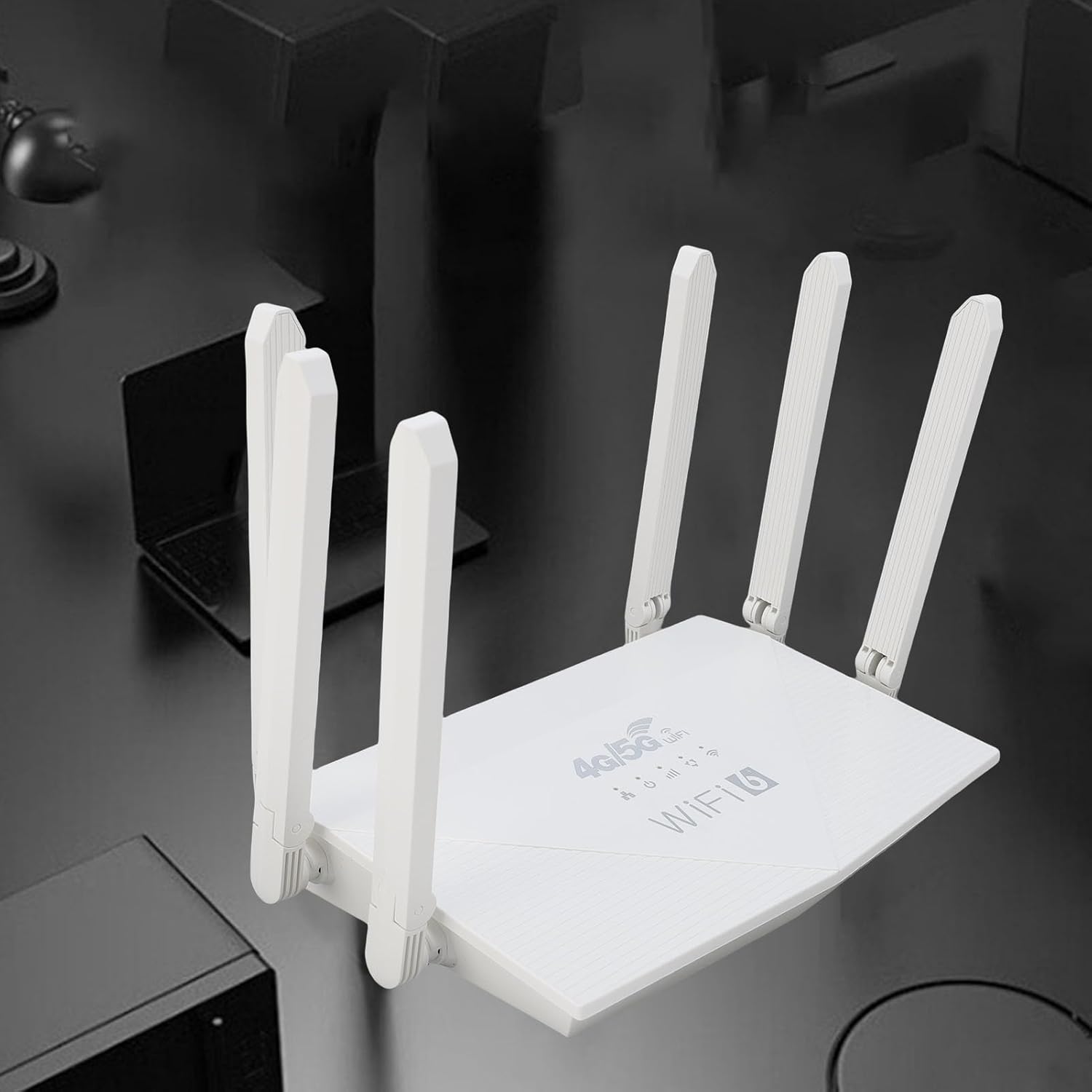
Kuva: Yläosa view of the router, showing the '4G/5G LTE WiFi 6' branding and six external antennas.
Takapaneeli ja portit:

Kuva: Takaosa view of the router, displaying the various ports and antenna connections.
- Reset-painike: Käytetään tehdasasetusten palauttamiseen.
- C-tyypin portti: For power input (if applicable, check power adapter type).
- Virtaportti: DC tehon syöttö.
- SIM-korttipaikka: For inserting a standard 4G/5G SIM card.
- ETH1-ETH4 Ports: Four Ethernet LAN ports for wired connections.

Image: Close-up of the reset button, Type-C port, power port, and SIM card slot.

Image: Close-up of the four Ethernet LAN ports (ETH1, ETH2, ETH3, ETH4).
Bottom Label:
The bottom label contains important information such as the default WiFi name, WiFi key, IP address, and login credentials.

Image: Bottom label of the router with essential network details.
4. Asennusohjeet
- Aseta SIM-kortti: Locate the SIM card slot on the rear panel. Gently insert a standard-sized 4G/5G SIM card until it clicks into place. Ensure the SIM card is correctly oriented.
- Liitä virta: Connect the provided power adapter to the router's power port and then plug the adapter into a power outlet.
- Virta päälle: The router will automatically power on. Wait for the indicator lights to stabilize, which typically takes a few minutes.
- Yhdistä laitteet:
- Langaton yhteys: On your device (smartphone, tablet, laptop), search for available Wi-Fi networks. Select the network name (SSID) found on the router's bottom label. Enter the default Wi-Fi key (password) also found on the label.
- Kiinteä yhteys: Connect one end of the Ethernet cable to any of the ETH1-ETH4 ports on the router and the other end to the Ethernet port on your computer or other wired device.
- Pääsy Web Liitäntä (valinnainen): Avaa a web browser and enter the default IP address (e.g., 192.168.0.1) found on the bottom label. Use the default username and password (e.g., admin/admin) to log in and configure advanced settings.
5. Käyttöohjeet
Verkkoon yhdistäminen:
Once the router is powered on and the SIM card is active, your devices can connect to the internet:
- Wi-Fi: Use the SSID and password printed on the router's bottom label to connect your wireless devices.
- Ethernet: Connect devices directly to the ETH ports for a stable wired connection.
Reitittimen asetusten hallinta:
To customize your network, such as changing the Wi-Fi name or password, or configuring advanced features:
- Varmista, että laitteesi on yhdistetty reitittimeen (Wi-Fin tai Ethernetin kautta).
- Avaa a web browser and enter the router's IP address (e.g., 192.168.0.1).
- Log in using the username and password from the bottom label.
- Navigate through the interface to adjust settings as needed.
6. Huolto
- Puhdistus: Pidä reititin puhtaana ja pölyttömänä. Käytä pehmeää, kuivaa liinaa. Älä käytä nestemäisiä puhdistusaineita.
- Ilmanvaihto: Varmista, että reititin on sijoitettu hyvin ilmastoituun tilaan ylikuumenemisen estämiseksi. Älä peitä tuuletusaukkoja.
- Laiteohjelmistopäivitykset: Tarkista säännöllisesti valmistajan website for firmware updates. Keeping your router's firmware up-to-date can improve performance and security.
- Käynnistetään uudelleen: Jos verkkoyhteydessä on ongelmia, käynnistä reititin uudelleen irrottamalla virtalähde, odottamalla 10 sekuntia ja kytkemällä se sitten takaisin.
7. Vianmääritys
Ei Internet-yhteyttä:
- Tarkista, että SIM-kortti on asetettu oikein ja aktiivinen.
- Verify that the router's indicator lights are stable.
- Käynnistä reititin ja siihen liitetty laite uudelleen.
- Varmista, että SIM-kortillasi on aktiivinen datapaketti.
- Käytä reitittimen web interface to check the network status and APN settings.
Hidas internet-nopeus:
- Varmista, että reititin on sijoitettu avoimelle alueelle, kauas esteistä ja häiriölähteistä.
- Vähennä kytkettyjen laitteiden tai kaistanleveyttä kuluttavien toimintojen määrää.
- Check your 4G/5G signal strength in the router's web käyttöliittymä.
- Contact your mobile network provider to inquire about network congestion or data plan limits.
Reitittimen asetuksiin ei pääse käsiksi:
- Varmista, että laitteesi on yhdistetty reitittimen verkkoon.
- Varmista, että syötät selaimeesi oikean IP-osoitteen (esim. 192.168.0.1).
- Confirm the username and password are correct (check the bottom label).
- Kokeile toista web selaimessa tai tyhjennä selaimesi välimuisti.
- If all else fails, perform a factory reset by pressing the reset button for 5-10 seconds (note: this will erase all custom settings).
8. Tekniset tiedot
| Ominaisuus | Kuvaus |
|---|---|
| Merkki | Jectse |
| Mallinumero | Jectse7yitc28aer |
| Väri | Valkoinen |
| Käyttöjärjestelmä | RouterOS |
| Yhteystekniikka | LTE, Wi-Fi |
| Erikoisominaisuudet | Integrated firewall, full 4G LTE support, fast internet speeds |
| Yhteensopivat laitteet | Smartphone, tablet, computer |
| Taajuuskaistaluokka | Yksikaistainen |
| Langaton tiedonsiirtostandardi | 802.11b, 802.11g, 802.11n |
| Suositellut käyttötavat | Koti, ammattimainen |
| 4G latausnopeus | Jopa 150 Mbps |
| 4G latausnopeus | Jopa 50 Mbps |
| Langaton siirtonopeus | Jopa 300 Mbps |
| Kytkettyjen laitteiden enimmäismäärä | 32 |
| Peittoalue | 300 ㎡ |
| Tuetut LTE-kaistat | FDD (B1, 3, 5, 7, 8, 20), TDD (B38, 40, 41), WCDMA (B1, 5, 8) |
| Antennit | 6 ulkoista antennia |
9. Takuu ja tuki
Takuutiedot:
This Jectse router comes with a 2 vuoden valmistajan takuuSäilytä ostokuitti takuuvaatimuksia varten. Takuu kattaa materiaali- ja valmistusvirheet normaalissa käytössä.
Asiakastuki:
If you encounter any issues or have questions not covered in this manual, please contact Jectse customer support or your retailer for assistance. You may find contact information on the product packaging or the official Jectse websivusto.