
DF Models 3145
DF Models Z-10 Competition Truggy BR Brushed RTR käyttöohje
Malli: 3145
Johdanto
This manual provides essential information for the safe and effective operation, maintenance, and troubleshooting of your DF Models Z-10 Competition Truggy BR. Please read this manual thoroughly before operating the vehicle.

Figure 1: The DF Models Z-10 Competition Truggy BR.
Turvallisuustiedot
Always prioritize safety when operating your RC vehicle. Failure to follow safety guidelines can result in injury or damage to the product or property.
- Suositeltu käyttöikä on 14 vuotta ja sitä vanhempi.
- Älä käytä laitetta ihmisten, lemmikkien tai esteiden lähellä.
- Ensure the battery is fully charged and securely installed before use.
- Vältä käyttöä märissä olosuhteissa elektronisten komponenttien vaurioitumisen välttämiseksi.
- Sammuta aina ajoneuvo ja kaukosäädin, kun niitä ei käytetä.
- Pidä kädet ja löysät vaatteet loitolla liikkuvista osista.
- The motor and electronic speed controller (ESC) can become hot during operation. Avoid touching them immediately after use.
Pakkauksen sisältö
Varmista, että pakkauksessa on kaikki osat:
- Z-10 Competition Truggy BR (RTR)
- 2.4 GHz kaukosäädin
- NiMH 7.2 V 3500 mAh Battery
- USB-latauskaapeli
- Käyttöohje (tämä asiakirja)
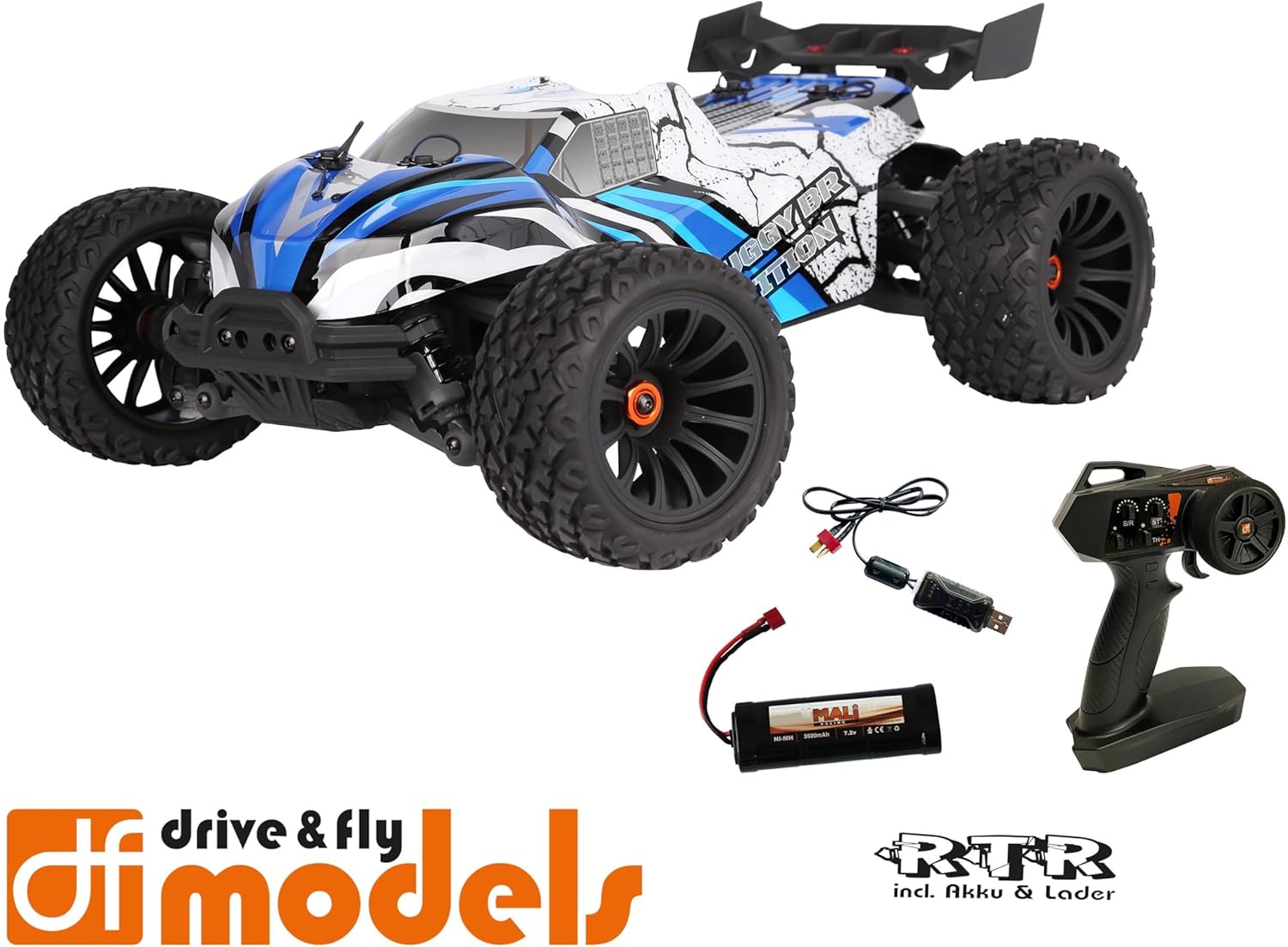
Figure 2: Included components: Truggy, remote control, battery, and USB charging cable.
Asennus
1. Akun lataaminen
Before first use, fully charge the included NiMH 7.2V 3500 mAh battery using the provided USB charging cable. Connect the USB cable to a compatible USB power source (e.g., computer USB port, USB wall adapter) and the battery connector.
- Latausaika voi vaihdella virtalähteen mukaan.
- Älä jätä akkua ilman valvontaa latauksen aikana.
- Irrota laturi, kun akku on latautunut täyteen.
2. Akun asennus
Locate the battery compartment on the Truggy. Securely insert the charged battery and connect it to the vehicle's power connector. Ensure the battery is properly seated and secured with the retention clip.

Figure 3: Battery retention clip for secure battery installation.
3. Kaukosäätimen valmistelu
Install the required batteries (not included) into the 2.4 GHz remote control. Ensure correct polarity. The remote control features a speed adjustment switch (100%, 75%, 50%) for different skill levels.

Figure 4: Remote control with adjustable speed settings (100%, 75%, 50%).
Käyttöohjeet
1. Virran kytkeminen
- Kytke ensin kaukosäädin päälle.
- Then, turn on the power switch on the Truggy.
- The vehicle and remote control should automatically pair.
2. Driving the Truggy
- Use the trigger on the remote control to control forward and reverse movement.
- Use the steering wheel to control left and right turns.
- Adjust the speed limit switch on the remote control as needed (100% for maximum speed, 75% or 50% for reduced speed, ideal for beginners).
3. Virran katkaisu
- Turn off the power switch on the Truggy first.
- Then, turn off the remote control.
- Disconnect the battery from the Truggy for storage.

Figure 5: The Truggy in operation on varied terrain.
Huolto
Regular maintenance ensures the longevity and optimal performance of your Truggy.
- Puhdistus: After each use, especially in dusty or dirty conditions, clean the vehicle to remove debris. Use a soft brush or compressed air. Avoid using water directly on electronic components.
- Komponenttien tarkastus: Tarkista säännöllisesti löysien ruuvien, vaurioituneiden osien tai kuluneiden renkaiden varalta. Kiristä kaikki löysät kiinnikkeet.
- Akun hoito: Säilytä akkuja viileässä ja kuivassa paikassa. Älä ylilataa tai pura akkuja liikaa.
- Moottori ja ESC: Ensure proper ventilation. The motor and ESC can get hot; allow them to cool down between runs.
- Oil Pressure Shock Absorbers: Check for leaks and ensure smooth operation. Refill or replace oil as needed (advanced maintenance).
- Erot: Inspect for smooth operation and proper lubrication.

Figure 6: Internal components including the motor and ESC, which require occasional inspection.
Vianetsintä
| Ongelma | Mahdollinen syy | Ratkaisu |
|---|---|---|
| Ajoneuvo ei reagoi. | Battery not charged or connected. Remote control batteries low/dead. Vehicle/remote not powered on. Not paired. | Charge vehicle battery. Replace remote control batteries. Ensure both are powered on. Re-pair vehicle and remote. |
| Alennettu nopeus tai teho. | Low vehicle battery. Speed limit switch on remote set to 50% or 75%. | Recharge vehicle battery. Adjust speed limit switch to 100% for full power. |
| Steering issues. | Steering trim incorrect. Damaged steering servo or linkage. | Adjust steering trim on remote control. Inspect steering components for damage. |
| Moottori/ESC ylikuumenee. | Continuous heavy use. Insufficient airflow. | Allow vehicle to cool down between runs. Ensure chassis is clear of debris for airflow. |
Tekniset tiedot
| Ominaisuus | Yksityiskohta |
|---|---|
| Malli | DF Models Z-10 Competition Truggy BR |
| Mallinumero | 3145 |
| Mittakaava | 1:10XL RTR |
| Ajaa | 4WD Harjattu |
| Pituus | 500 mm (50 cm) |
| Leveys | 360 mm (36 cm) |
| Korkeus | 230 mm (23 cm) |
| Akseliväli | 300 mm |
| Max. Nopeus | Jopa 40 km / h |
| Akku | NiMH 7.2 V 3500 mAh (included) |
| Servo-ohjaus | 10 kg with metal gear |
| ESC | 60A DF-1060 controller |
| Suositeltu ikä | 14 vuotta ja ylöspäin |
| Materiaali | Muovi |

Figure 7: Key dimensions of the Truggy.
Takuu ja tuki
For warranty information, technical support, or spare parts, please contact DF Models customer service. Refer to the official DF Models webyhteystiedot löytyvät verkkosivustolta tai ostodokumentaatiostasi.
Huomautus: Luvattomat muutokset tai väärä käyttö voivat mitätöidä tuotteen takuun.
Ask a question about this manual
Ask about setup, troubleshooting, compatibility, parts, safety, or missing instructions. Manuals+ will review the question and use this page’s manual context to help answer it.