
Johdanto
This user manual provides comprehensive instructions for the Chieftec AS-02B-TG-OP Midi Tower PC Case. It covers essential information regarding product features, installation procedures, operational guidelines, maintenance tips, and technical specifications. Please read this manual thoroughly before installing or operating your PC case to ensure proper functionality and longevity.
Tuote loppuview
The Chieftec AS-02B-TG-OP is a Midi Tower PC case designed for optimal cooling and a modern aesthetic. It features a sleek brushed front panel, a tempered glass side panel, and a pre-installed 120mm PWM fan for efficient heat dissipation.
Tärkeimmät ominaisuudet:
- Sleek brushed front panel design.
- Tempered glass side panel for component visibility.
- Optimized interior layout for efficient cooling.
- Pre-installed 120mm PWM fan at the rear.
- Support for various motherboard form factors (ATX, micro ATX, Mini-ITX).
- Multiple expansion bays for storage devices.
- Front I/O panel with USB 2.0, USB Type-C, and audio ports.
Komponentin tunnistus:

Kuva 1: Etuvasen view of the Chieftec AS-02B-TG-OP PC case, showcasing the brushed front panel and the tempered glass side panel.

Kuva 2: Suoraan eteen view of the Chieftec AS-02B-TG-OP PC case, highlighting the brushed finish of the front panel.

Kuva 3: Front-right angle view of the Chieftec AS-02B-TG-OP PC case, showing the subtle design elements.
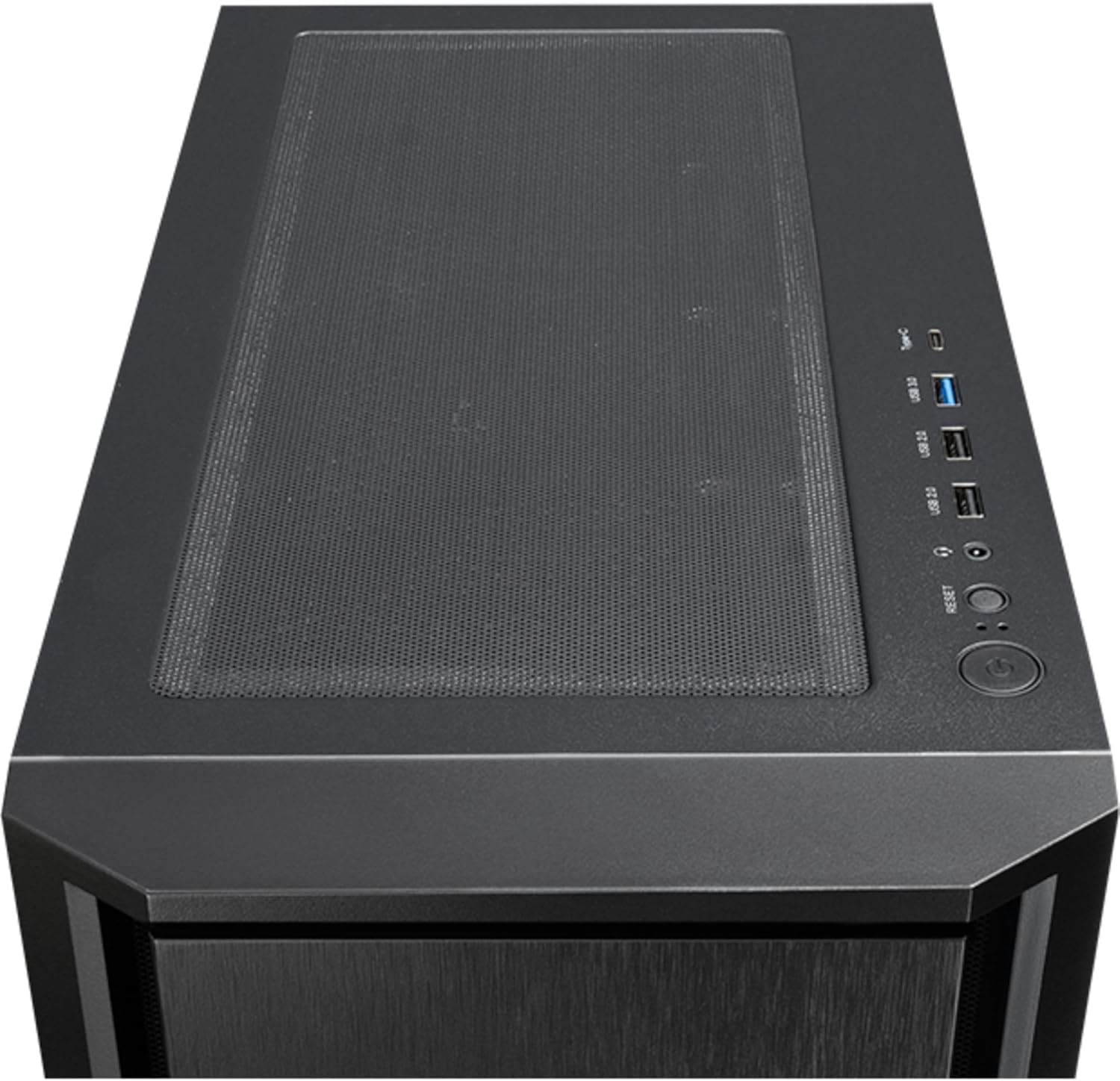
Kuva 4: Yläosa view of the Chieftec AS-02B-TG-OP PC case, showing the top ventilation and the front I/O panel with USB ports and audio jacks.

Kuva 5: Takaosa view of the Chieftec AS-02B-TG-OP PC case, detailing the expansion slots, rear fan mount, and PSU opening.

Kuva 6: Pohja view of the Chieftec AS-02B-TG-OP PC case, showing the case feet and bottom dust filter area.
Asennus ja asennus
This section guides you through the process of installing components into your Chieftec AS-02B-TG-OP PC case.
1. Asian valmistelu:
- Aseta kotelo vakaalle ja tasaiselle alustalle.
- Carefully remove the tempered glass side panel by unscrewing the thumb screws at the rear.
- Remove the opposite side panel to access the cable management area.
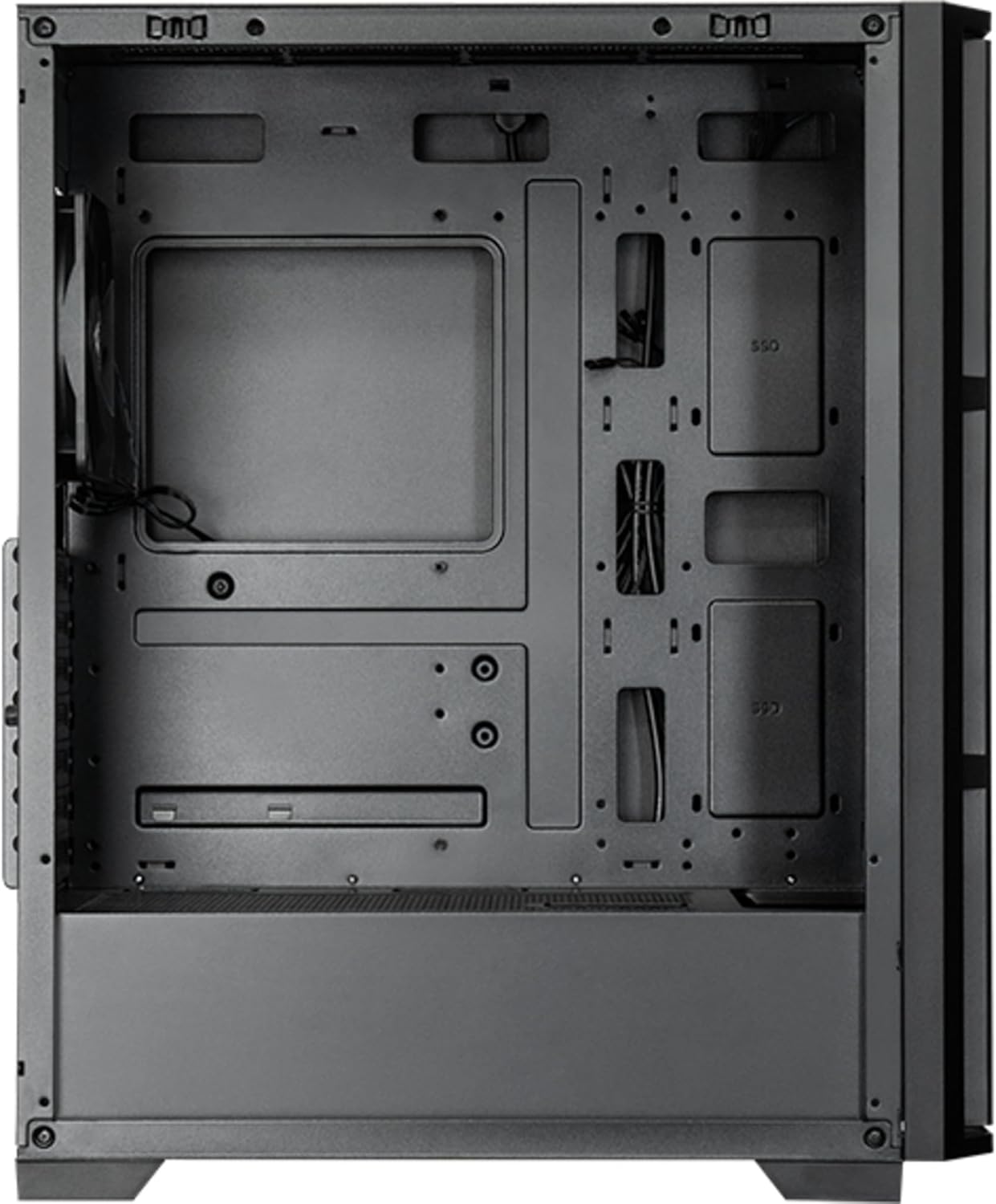
Kuva 7: Sisustus view of the main compartment, showing the motherboard tray and fan mounting points.
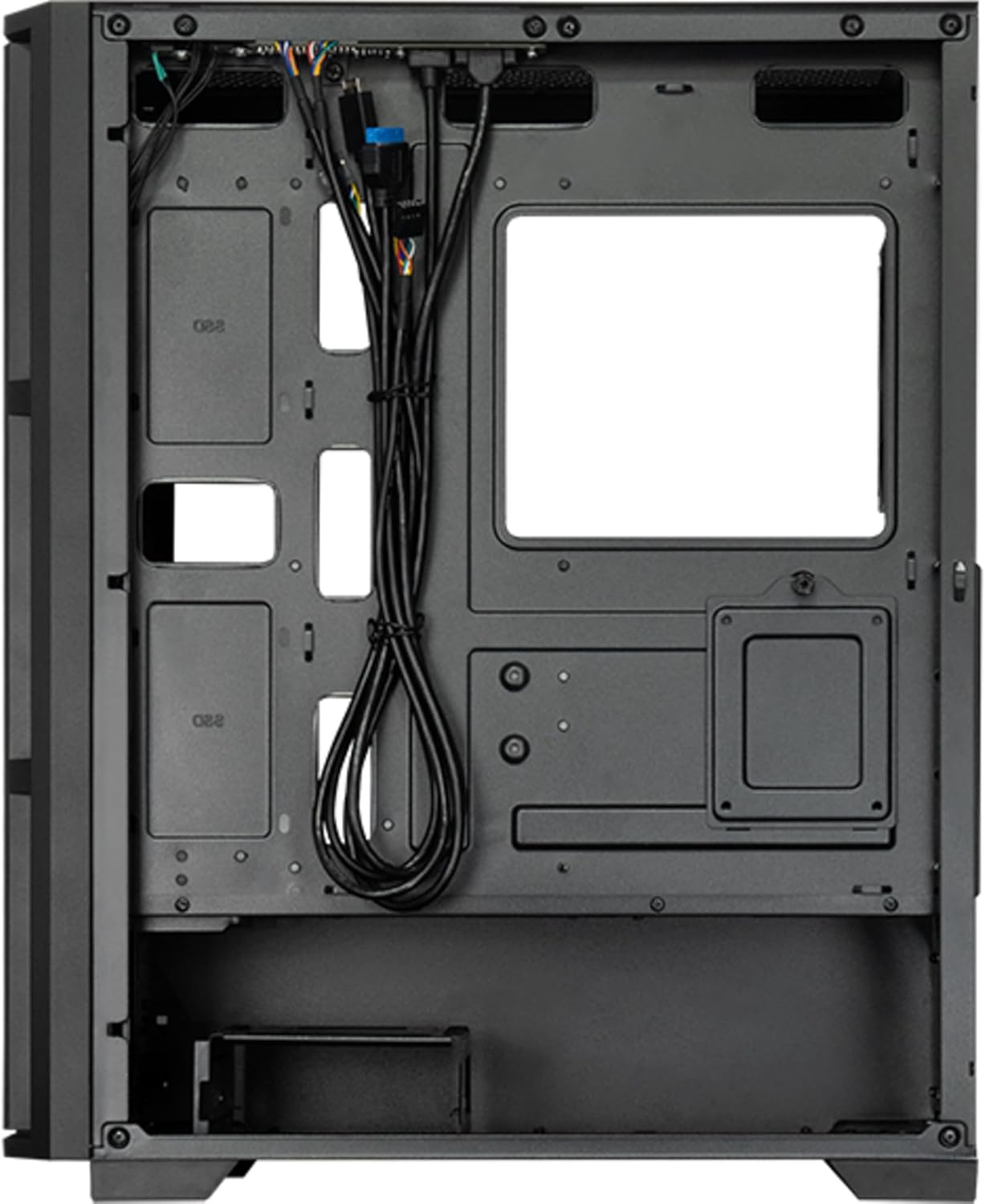
Kuva 8: Sisustus view from the backside, illustrating the cable management routes and drive mounting locations.
2. Emolevyn asennus:
- Asenna I/O-suoja kotelon takaosaan.
- Align your ATX, micro ATX, or Mini-ITX motherboard with the standoffs inside the case.
- Kiinnitä emolevy mukana toimitetuilla ruuveilla.
3. Virtalähteen (PSU) asennus:
- The PSU is not included. Install your ATX power supply into the dedicated compartment at the bottom rear of the case.
- Kiinnitä virtalähde ruuveilla kotelon takaosasta.
4. Tallennusaseman asennus:
- Install 3.5" HDDs into the drive cages located at the bottom.
- Install 2.5" SSDs/HDDs into the dedicated mounting points behind the motherboard tray.
- Secure all drives with appropriate screws.
5. Graphics Card and Expansion Cards:
- Irrota tarvittavat laajennuspaikkojen suojat kotelon takaosasta.
- Insert your graphics card or other expansion cards into the PCIe slots on the motherboard.
- Kiinnitä kortit ruuveilla.
6. Kaapelin hallinta:
- Route all power and data cables through the cutouts and tie-down points behind the motherboard tray.
- Connect the front panel I/O cables (USB, audio, power switch, reset switch, LED indicators) to the corresponding headers on your motherboard.
- Ensure cables do not obstruct airflow.
7. Tuulettimen ja jäähdytysjärjestelmän asennus:
- The case includes one pre-installed 120mm PWM fan at the rear.
- Additional fans can be installed at the front (up to 3x 120mm/140mm) and top (up to 2x 120mm/140mm).
- Radiators up to 360mm can be installed at the front and up to 280mm at the top.
- Connect fan power cables to the motherboard fan headers.
Käyttöohjeet
Once all components are installed and secured, and the side panels are reattached, your PC is ready for operation.
Käynnistys:
- Connect the power cable from your power supply to a wall outlet.
- Paina kotelon yläosassa olevaa I/O-paneelia olevaa virtapainiketta.
- The system should boot up, and any installed lighting will illuminate.
Front I/O Panel Usage:
- USB 2.0 -portit (x2): For connecting peripherals such as keyboards, mice, and USB drives.
- USB Type-C -portti (x1): Nykyaikaisten USB-C-laitteiden liittämiseen.
- Audio Jacks (Headphone/Microphone): Kuulokkeiden, kaiuttimien tai mikrofonien kytkemiseen.
- Reset-painike: To restart the computer.
Huolto
Regular maintenance helps ensure optimal performance and extends the lifespan of your PC components.
Puhdistus:
- Ulkopuoli: Käytä pehmeää, damp pyyhi ulkopinnat liinalla. Vältä hankaavia puhdistusaineita.
- Pölysuodattimet: The case features dust filters (e.g., on the top and bottom). Regularly remove and clean these filters with compressed air or by rinsing with water (ensure they are completely dry before reinstallation).
- Sisustus: Periodically use compressed air to remove dust buildup from fans, heatsinks, and other internal components. Ensure the system is powered off and unplugged before cleaning the interior.
Ilmavirta:
- Varmista, että kotelon ympärillä on riittävästi tilaa asianmukaisen ilmankierron varmistamiseksi.
- Vältä tuuletusaukkojen tukkimista.
Vianetsintä
Tässä osiossa käsitellään yleisiä ongelmia, joita saatat kohdata.
Ei virtaa:
- Check if the power cable is securely connected to both the PSU and the wall outlet.
- Ensure the power switch on the PSU itself is in the "ON" position.
- Varmista, että etupaneelin virtakytkimen kaapeli on kytketty oikein emolevyn liittimeen.
Tuulettimet eivät pyöri:
- Check if fan power cables are securely connected to the motherboard fan headers or a fan controller.
- Ensure fan speed settings in BIOS/UEFI or operating system are not set to zero RPM.
Etupaneelin USB/ääni ei toimi:
- Verify that the USB and audio cables from the front panel are correctly connected to the corresponding headers on the motherboard.
- Check motherboard drivers for USB and audio functionality.
Tekniset tiedot
| Ominaisuus | Yksityiskohta |
|---|---|
| Mallin nimi | AS-02B-TG-OP |
| Merkki | Chieftec |
| Muototekijä | Midi torni |
| Tuotteen väri | Musta |
| Supported Motherboard Form Factors | ATX, micro ATX, Mini-ITX |
| Mitat (L x S x K) | 215 mm x 390 mm x 485 mm (8.46" x 15.35" x 19.09") |
| Tuotteen paino | 5.3 kg (noin 11.68 lbs) |
| 3.5" Expansion Bays | 2 |
| 2.5" Expansion Bays | 2 |
| 5.25" Expansion Bays | 0 |
| Laajennuspaikat | 7 |
| Sivuikkuna | Yes (Tempered Glass) |
| Valaistus | Yes (Multi-color) |
| CPU-jäähdyttimen maksimikorkeus | 16.5 cm |
| Edessä olevat I / O-portit | 2x USB 2.0, 1x USB Type-C, Audio In/Out |
| Esiasennetut tuulettimet | 1x 120mm PWM (Rear) |
| Supported Front Fans (Max) | 3 x 120 mm tai 3 x 140 mm |
| Supported Top Fans (Max) | 2 x 120 mm tai 2 x 140 mm |
| Supported Front Radiators | 120mm, 140mm, 240mm, 280mm, 360mm |
| Supported Top Radiators | 120 mm, 140 mm, 240 mm, 280 mm |
| Mukana virtalähde | Ei |
Takuutiedot
The Chieftec AS-02B-TG-OP PC case comes with a 2 vuoden valmistajan takuu from the date of purchase. This warranty covers defects in materials and workmanship under normal use. It does not cover damage caused by misuse, accident, modification, unauthorized repair, or improper installation.
Säilytä ostokuitti takuuvaatimuksia varten.
Tukea
For technical assistance, troubleshooting beyond this manual, or warranty inquiries, please contact Chieftec customer support.
- Websivusto: Refer to the official Chieftec websivusto tukiresursseja ja yhteystietoja varten.
- Sähköposti/Puhelin: Specific contact details can typically be found on the product packaging or the official Chieftec support page.
When contacting support, please have your product model (AS-02B-TG-OP) and proof of purchase readily available.