
OREiN 80/110 CFM
OREiN 3-in-1 kylpyhuonetuuletin LED-valolla ja kosteusanturilla Käyttöohje
Model: 80/110 CFM
1. Johdanto
Thank you for choosing the OREiN 3-in-1 Bathroom Fan. This innovative unit combines a powerful exhaust fan, an energy-efficient LED light with selectable color temperatures, and a smart humidity sensor to provide optimal ventilation and illumination for your bathroom. Designed for quiet operation and easy installation, this fan ensures a fresh and comfortable environment. Please read this manual thoroughly before installation and operation to ensure safe and proper use.
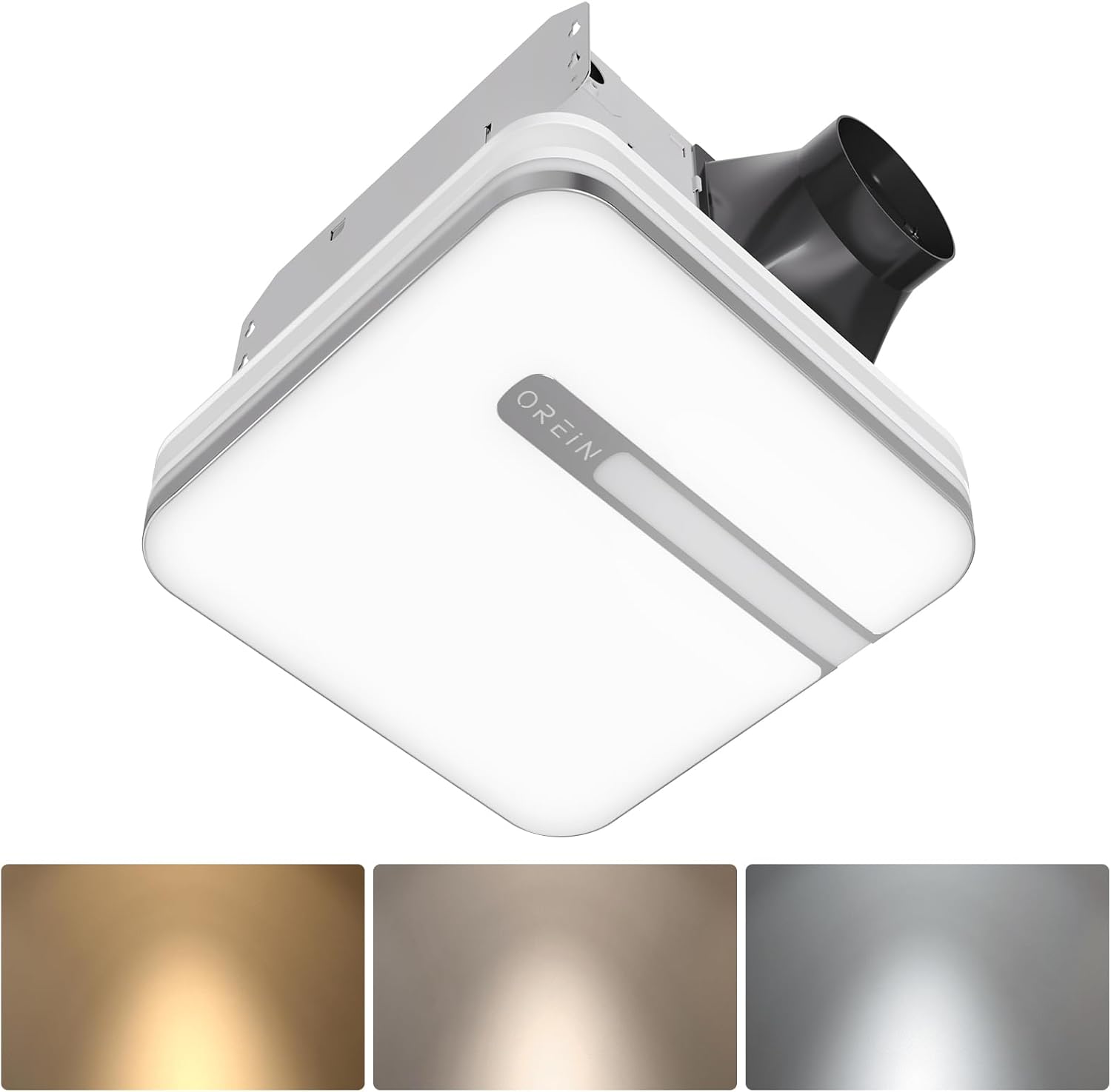
Image 1.1: OREiN 3-in-1 Bathroom Fan with LED Light and Humidity Sensor.
2. Turvallisuustiedot
Always follow basic safety precautions when installing, operating, or maintaining this product to reduce the risk of fire, electric shock, or injury to persons.
- VAROITUS: Vähennä tulipalon, sähköiskun tai henkilövahinkojen vaaraa noudattamalla seuraavia ohjeita:
- Käytä tätä laitetta vain valmistajan tarkoittamalla tavalla. Jos sinulla on kysyttävää, ota yhteyttä valmistajaan.
- Ennen kuin huollat tai puhdistat laitetta, katkaise virta huoltopaneelista ja lukitse palvelun katkaisulaitteet estääksesi virran kytkemisen vahingossa. Jos palvelun irrotusvälineitä ei voida lukita, kiinnitä turvallisesti näkyvä varoituslaite, kuten a tag, huoltopaneeliin.
- Asennustyöt ja sähköjohdotuksen saa suorittaa pätevä henkilö kaikkien sovellettavien koodien ja standardien mukaisesti, mukaan lukien paloturvalliset rakennusmääräykset ja -standardit.
- Riittävä ilmaa tarvitaan oikeaan palamiseen ja kaasujen poistoon polttoaineen polttolaitteiston hormin (savupiippu) kautta, jotta estetään takaisinveto. Noudata lämmityslaitteiden valmistajan ohjeita ja turvallisuusstandardeja, kuten National Fire Protection Associationin (NFPA) ja American Society for Heating, Refrigeration and Air Conditioning Engineers (ASHRAE) ja paikallisten lakiviranomaisten julkaisemia standardeja.
- Kun leikkaat tai poraat seinään tai kattoon, älä vahingoita sähköjohtoja ja muita piilotettuja apulaitteita.
- Kanavapuhaltimet tulee aina tuulettaa ulos.
- This unit is suitable for use in a shower or tub enclosure when installed in a GFCI protected branch circuit.
3. Pakkauksen sisältö
Kun avaat pakkauksen, tarkista, että kaikki osat ovat mukana ja ehjät:
- OREiN 3-in-1 Bathroom Fan Unit
- LED-valon kansi
- Fast-Install Mounting Bracket
- Käyttöohje (tämä asiakirja)
- Asennustarvikkeet (ruuvit, liittimet)
4. Tuotteen ominaisuudet
- Smart Humidity Sensor: Automatically activates the fan when humidity reaches 60% to prevent moisture buildup and fogged mirrors. A green LED indicator confirms humidity mode is active.
- Säädettävät valon värit: Choose between 3000K (warm white), 4000K (natural white), and 5000K (daylight) to suit your preference.
- Yövalotoiminto: A 2200K nightlight provides soft illumination for safe nighttime navigation.
- Hiljainen toiminta: Operates at ultra-quiet 0.8/1.0 sones for minimal noise disruption.
- Selectable Airflow: Choose between 80 CFM and 110 CFM airflow settings for efficient moisture removal.
- Integroitu LED-valo: Delivers 1500lm of bright, energy-efficient illumination.
- Helppo asennus: Designed for simple mounting between ceiling joists with a fast-install bracket.

Image 4.1: Internal design highlighting quiet and energy-efficient components.
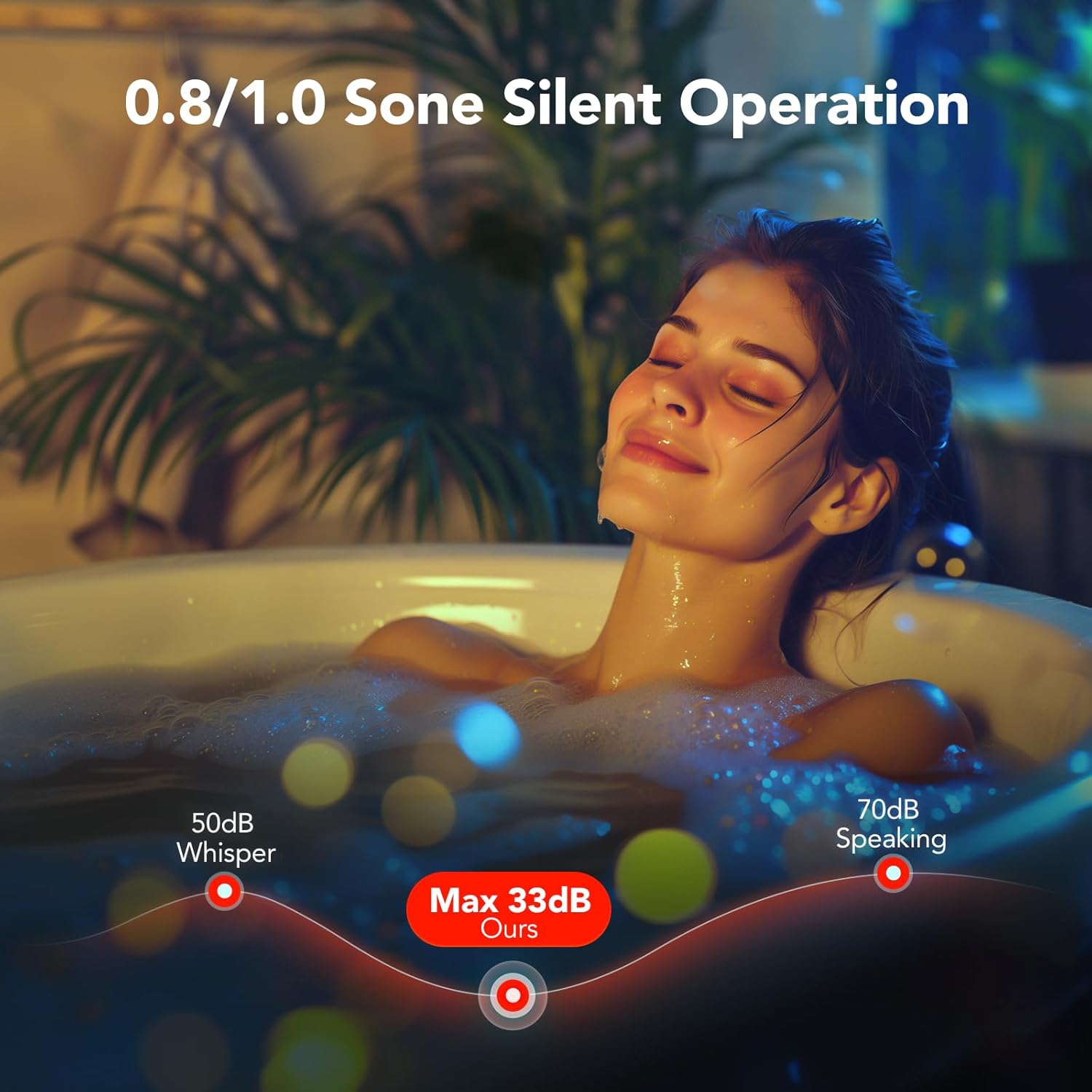
Image 4.2: Visual representation of the fan's quiet operation at low decibel levels.
5. Asennus ja asennus
This section provides general guidance for installation. For detailed electrical wiring, consult a qualified electrician.
- Valmistelu: Ensure power is turned off at the circuit breaker before beginning any installation work.
- Avauskoko: The fan unit requires a ceiling opening of approximately 10.24" x 9.37" (260mm x 238mm). Ensure there are no obstructions like joists in the desired installation area.
- Asennus: The fast-install bracket allows for secure mounting between ceiling joists. Position the fan unit and secure the bracket using appropriate screws. The design allows for installation from below the ceiling, eliminating the need for attic access in many cases.
- Kanava: Connect the fan to standard 4-inch ducting and ensure it is vented to the outdoors.
- Sähköliitäntä: Connect the electrical wiring according to local codes and the provided wiring diagram. The light and fan may have independent wiring for separate control.
- Light Cover Installation: Once the fan unit is secured and wired, attach the LED light cover. It typically connects with spring clips for easy removal and maintenance.

Image 5.1: Product dimensions and recommended installation opening size.

Image 5.2: Simplified installation process showing the fan unit being placed into the ceiling opening.
6. Käyttöohjeet
6.1. Humidity Sensing Mode vs. Manual Mode
The fan offers two operating modes: Manual and Humidity Sensing. You can switch between these modes by cycling the wall switch of the fan to the "OFF" position and then back to the "ON" position.
- Manual Mode (Red LED Indicator): The fan will run continuously when turned on via the wall switch.
- Humidity Sensing Mode (Green LED Indicator): The fan will automatically turn on when the humidity level in the room reaches 60%. It will continue to run until the humidity drops below the threshold, then run for an additional 20 minutes before turning off.
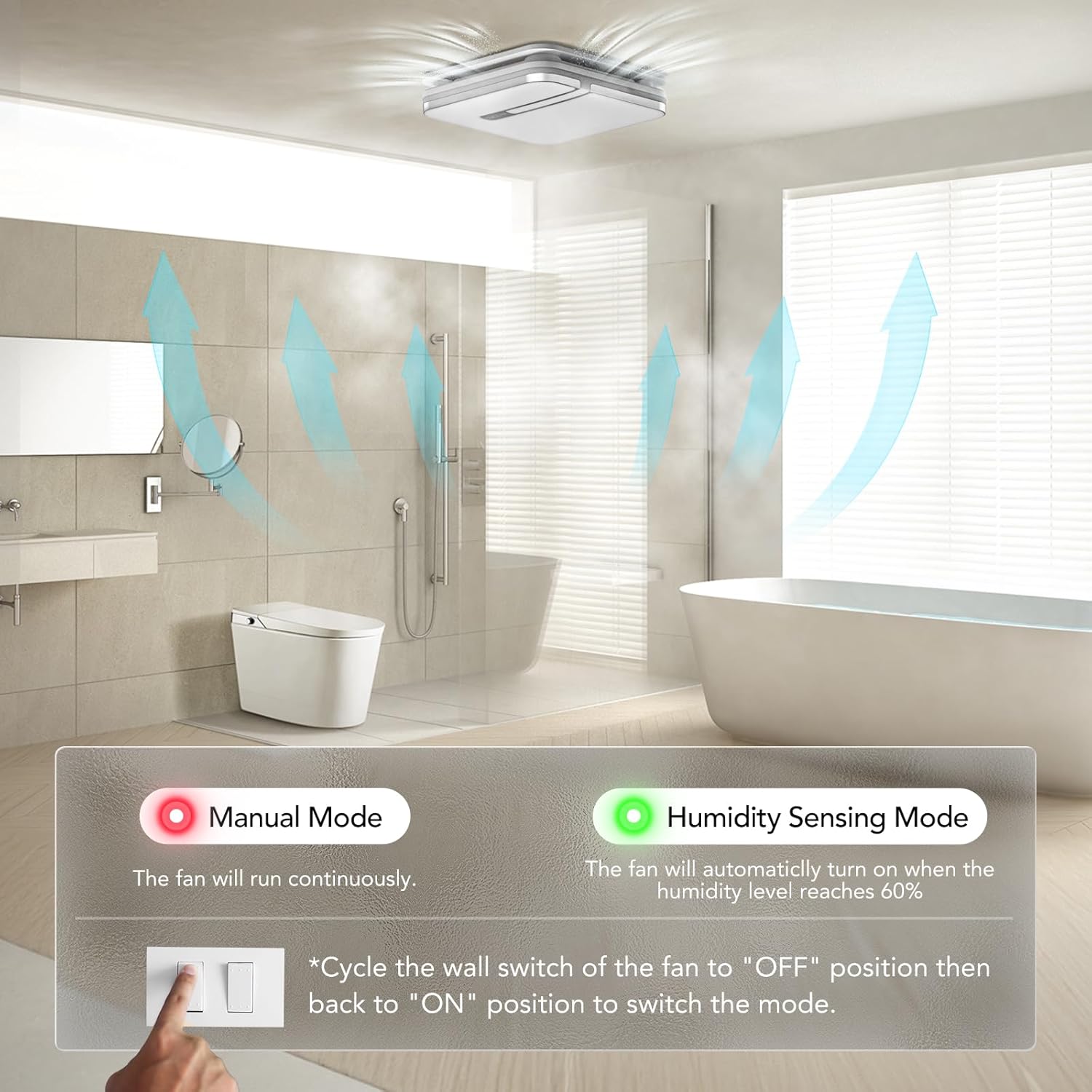
Image 6.1: Switching between Manual and Humidity Sensing Modes.

Image 6.2: How the humidity sensor automatically activates the fan.

Image 6.3: Humidity sensor logic: fan turns on above 60% humidity and runs for 20 minutes after humidity drops.
6.2. Adjusting Light Color Temperature
The LED light offers three color temperature options: 3000K (Warm White), 4000K (Natural White), and 5000K (Daylight). To select the desired color temperature, locate the toggle switch on the back of the lampshade and slide it to your preferred setting.

Image 6.4: Selecting the light color temperature (3000K, 4000K, 5000K).

Image 6.5: Visualizing the different light color temperatures in a bathroom setting.
6.3. Activating Night Light
To activate the 2200K night light mode, quickly cycle the light switch ON-OFF-ON within 2 seconds. This will switch the main light to the softer night light setting.

Image 6.6: The 2200K night light provides subtle illumination.

Image 6.7: Instructions for activating the nightlight mode.
6.4. Selecting CFM Airflow
The fan allows you to select between 80 CFM and 110 CFM airflow settings. This selection is made by sliding a toggle switch located on the fan housing. Choose the appropriate CFM based on your bathroom size and ventilation needs.
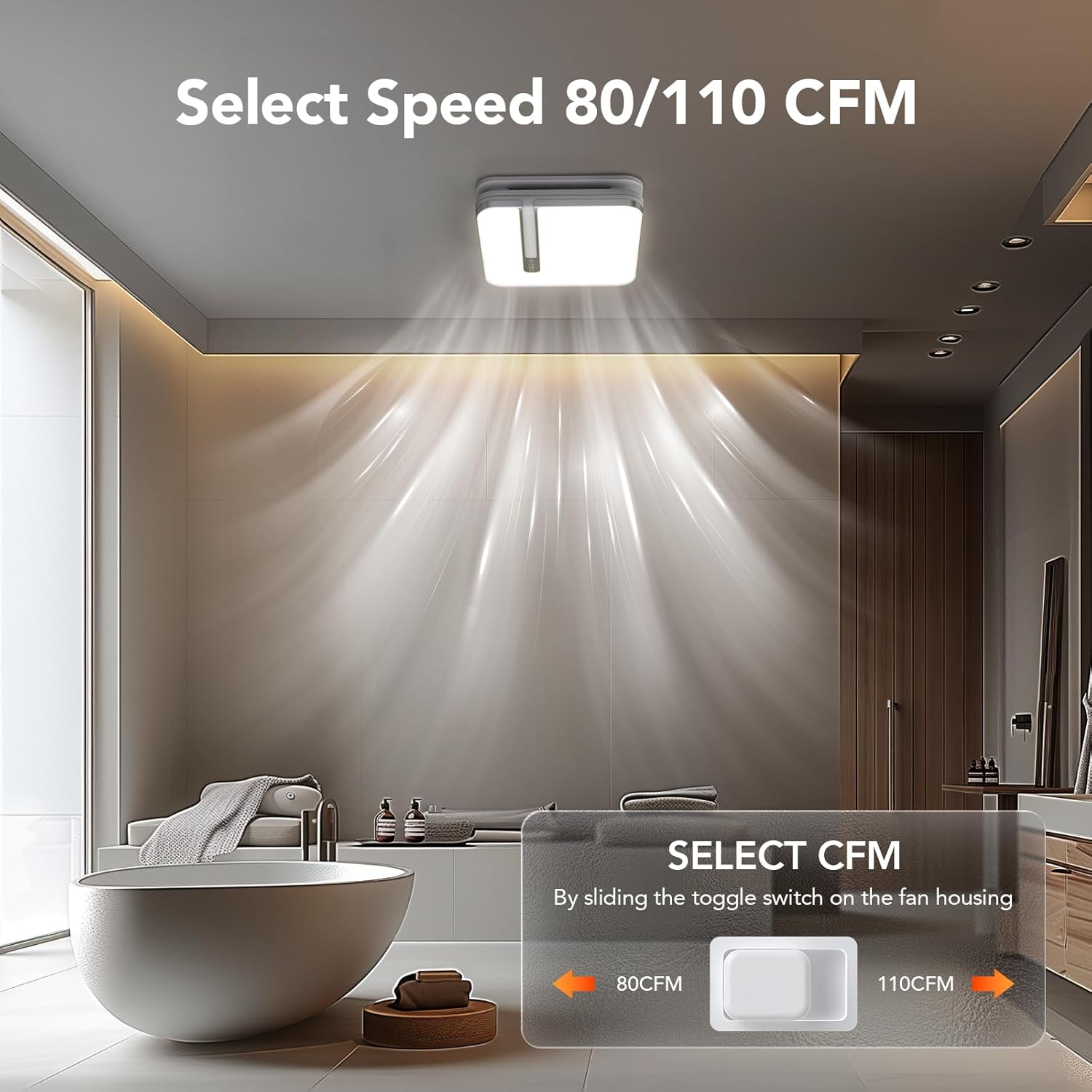
Image 6.8: Location of the CFM selection switch (80 CFM or 110 CFM).
7. Huolto
Regular maintenance ensures optimal performance and longevity of your OREiN bathroom fan.
- Valon suojuksen puhdistaminen: The light cover can be easily removed for cleaning. Gently unclip the cover from the fan housing. Clean with a soft, damp liinalla ja miedolla pesuaineella. Varmista, että se on täysin kuiva ennen takaisin kiinnittämistä.
- Tuulettimen lapojen puhdistus: Periodically, inspect the fan blades for dust and debris buildup. Turn off power at the circuit breaker before attempting to clean the fan blades. Use a soft brush or vacuum cleaner to remove any accumulation.
- Kanavien tarkastus: Annually inspect the ducting for any blockages or damage that could impede airflow.
8. Vianmääritys
If you encounter issues with your OREiN bathroom fan, refer to the following common troubleshooting steps:
| Ongelma | Mahdollinen syy | Ratkaisu |
|---|---|---|
| Tuuletin ei käynnisty. | Laitteessa ei ole virtaa. | Check circuit breaker. Ensure wall switch is ON. Verify electrical connections. |
| Valo ei syty. | Loose connection or faulty LED module. | Check the push clip connection for the light. If issue persists, contact support. |
| Tuuletin on liian äänekäs. | Tukos tuulettimen siivissä tai moottorissa. | Turn off power and inspect fan blades for debris. Ensure proper installation and secure mounting. |
| Humidity sensor not activating. | Incorrect mode selected or sensor malfunction. | Cycle the wall switch to ensure Humidity Sensing Mode (green LED) is active. Ensure humidity in the room is above 60%. |
| Poor ventilation/steam not clearing. | Incorrect CFM setting, blocked ducting, or undersized fan for room. | Ensure 110 CFM is selected if needed. Check ducting for blockages. Ensure proper room sealing. |
If the problem persists after trying these solutions, please contact OREiN customer support.
9. Tekniset tiedot
| Ominaisuus | Yksityiskohta |
|---|---|
| Merkki | OREiN |
| Malli | 80/110 CFM |
| Ilmavirta (CFM) | Selectable 80 / 110 CFM |
| Sones (Noise Level) | 0.8 / 1.0 Sones |
| Valoteho | 1500lm |
| Värilämpötila (CCT) | 3000K / 4000K / 5000K valittavissa |
| Yövalo CCT | 2200K |
| Virtalähde | DC |
| Tuotteen mitat | Approx. 1"D x 1"W x 1"H (Unit), 13.1'' x 13.1'' (Light Cover) |
| Install Size | 260 mm x 238 mm (10.24" x 9.37") |
| Kanavan halkaisija | 4 tuumaa |
| Asennustyyppi | Huuhtele kiinnitys |
| Tuotteen paino | 18.06 kiloa |
| UPC | 734376313753 |
Note: Product dimensions provided as 1"D x 1"W x 1"H are likely placeholders and may not reflect actual physical size. Refer to installation size for accurate cutout dimensions.

Kuva 9.1: ohiview of different OREiN fan models and their specifications.
10. Takuu ja tuki
OREiN is committed to providing high-quality products and excellent customer service. For any questions, concerns, or support needs regarding your 3-in-1 Bathroom Fan, please contact us through the following channels:
- Amazonin yhteystiedot: You can contact us directly through Amazon's messaging system for assistance with your purchase.
- Puhelintuki: For 24-hour service, please call: 1 (844) 506-1530
- Online: Etsi 'OREiN' online to find our official website and additional support resources.
Please retain your proof of purchase for warranty claims. For detailed warranty information, refer to the product packaging or contact customer support.

Image 10.1: OREiN Customer Support is available to assist you.
Ask a question about this manual
Ask about setup, troubleshooting, compatibility, parts, safety, or missing instructions. Manuals+ will review the question and use this page’s manual context to help answer it.