
1. Johdanto
This manual provides instructions for the safe and efficient use of your Baseus EnerFill Qi2 Certified MagSafe Power Bank, Model EnerFill FM12. Please read this manual thoroughly before use and retain it for future reference.
2. Tuotteen ominaisuudet
- Qi2-sertifioitu 15 W:n langaton lataus: Supports 15W wireless charging, offering faster power delivery compared to standard 7.5W Qi charging. Qi2 technology optimizes energy efficiency for stable charging.
- 70 000 mAh:n suuri kapasiteetti: Provides a 10000mAh battery capacity, capable of fully charging an iPhone 16 up to two times.
- Vahva magneettinen kiinnitys: Features powerful 13N magnets for secure attachment to compatible devices, maintaining connection during movement.
- 22.5 W:n langallinen pikalataus: Offers 22.5W fast charging via the USB-C port for quick device recharging.
- Ultra-light Design: Weighs 202g, making it highly portable for on-the-go use.
- Silicone Padding: Designed with silicone padding for a comfortable grip.
3. Pakkauksen sisältö
- Baseus EnerFill Qi2 Certified MagSafe Power Bank (EnerFill FM12)
- USB-C-latauskaapeli (x1)
4. Tuote ohiview
The following images illustrate key features and components of the Baseus EnerFill FM12 Power Bank.
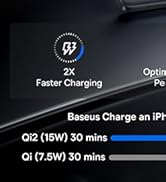
Image: Qi2 Certified 15W Wireless Charging. This image shows the power bank wirelessly charging a smartphone, highlighting the 15W output and MagSafe compatibility.
Image: Slim and Compact Design for Excellent Mobility. This image displays the power bank being held, emphasizing its compact size and portability.

Image: 10000mAh Capacity for All-Day Power. This image shows the power bank in use, demonstrating its capacity to charge devices multiple times.

Image: Snap & Charge Anywhere. This image highlights the magnetic attachment feature, showing the power bank securely connected to a smartphone.

Image: Two-Way Fast Charging. This image illustrates the power bank's capability for both wired (USB-C) and wireless charging.

Image: Low-Temperature Fast and Safe Charging. This image depicts the power bank's internal technology for managing temperature during charging.

Image: Silicone Padding for A Comfortable Grip. This image showcases the power bank's ergonomic design and the various color options available.
5. Asennus
5.1 Varavirtalähteen alkulataus
Before first use, fully charge the power bank using the provided USB-C cable and a compatible power adapter (not included). The LED indicators will show the charging status.
5.2 Laitteiden liittäminen
- Langaton lataus: Align the power bank with the back of your MagSafe-compatible device. The magnetic connection will secure it in place, and wireless charging will begin automatically.
- Langallinen lataus: Connect your device to the power bank's USB-C port using the provided USB-C cable.
6. Käyttöohjeet
6.1 Langaton lataus
- Ensure your device is MagSafe compatible.
- Attach the power bank to the back of your device. The power bank will automatically detect the device and begin 15W wireless charging.
- Monitor your device's screen for charging confirmation.
6.2 Langallinen lataus
- Connect one end of the USB-C cable to the power bank's USB-C port and the other end to your device's charging port.
- The power bank supports 22.5W wired fast charging.
6.3 Varavirtalähteen lataaminen
- Connect the power bank to a power adapter using the USB-C cable.
- The LED indicators will show the current battery level and charging progress.
7. Huolto
- Puhdistus: Puhdista varavirtalähde pehmeällä, kuivalla liinalla. Vältä nesteiden tai hankaavien puhdistusaineiden käyttöä.
- Varastointi: Säilytä varavirtalähdettä viileässä, kuivassa paikassa, poissa suorasta auringonvalosta ja äärimmäisistä lämpötiloista.
- Akun hoito: Akun käyttöiän pidentämiseksi vältä varavirtalähteen jatkuvaa tyhjentämistä kokonaan. Lataa se säännöllisesti, vaikka sitä ei käytettäisi pitkään aikaan.
8. Vianmääritys
8.1 Varavirtalähde ei lataudu
- Varmista, että USB-C-kaapeli on kytketty kunnolla sekä varavirtalähteeseen että virtalähteeseen.
- Varmista, että virtalähde toimii oikein.
- Kokeile toista USB-C-kaapelia tai virtalähdettä.
8.2 Laite ei lataudu langattomasti
- Confirm your device is MagSafe compatible and properly aligned with the power bank.
- Remove any thick cases that might interfere with the magnetic connection or wireless charging.
- Varmista, että varavirtalähteessä on riittävästi virtaa.
8.3 Hidas lataus
- For optimal charging speed, use a compatible fast-charging adapter for the power bank itself.
- Ensure your device supports the charging speeds provided by the power bank (15W wireless, 22.5W wired).
- High temperatures can reduce charging efficiency; ensure the power bank is in a well-ventilated area.
9. Tekniset tiedot
| Malli | EnerFill FM12 |
| Merkki | Baseus |
| Akun kapasiteetti | 10000 mAh |
| Langaton lähtö | 15 W (Qi2-sertifioitu) |
| Langallinen lähtö | 22.5 W (USB-C-virtalähde) |
| Tuotteen mitat (P x L x K) | 10.2 x 6.8 x 1.3 cm |
| Tuotteen paino | 202 g |
| Akun tyyppi | Litium-ioni |
| Virtalähde | Cable Electric (USB-C) |
| Mukana | 1x USB-C-kaapeli |
10. Takuu ja tuki
10.1 Takuutiedot
This Baseus EnerFill FM12 Power Bank is covered by a 24-month limited warranty from the date of purchase. This warranty covers manufacturing defects under normal use. Please retain your proof of purchase for warranty claims.
10.2 Asiakastuki
For technical assistance, troubleshooting, or warranty claims, please contact Baseus customer support through their official website or the retailer where the product was purchased. Please have your product model number and proof of purchase ready when contacting support.