
1. Johdanto
This manual provides instructions for the assembly, operation, and maintenance of the MONTECH X5M Micro ATX Gaming PC Case. The X5M is designed for high airflow and features pre-installed ARGB fans, a glass side panel, and an integrated GPU holder.
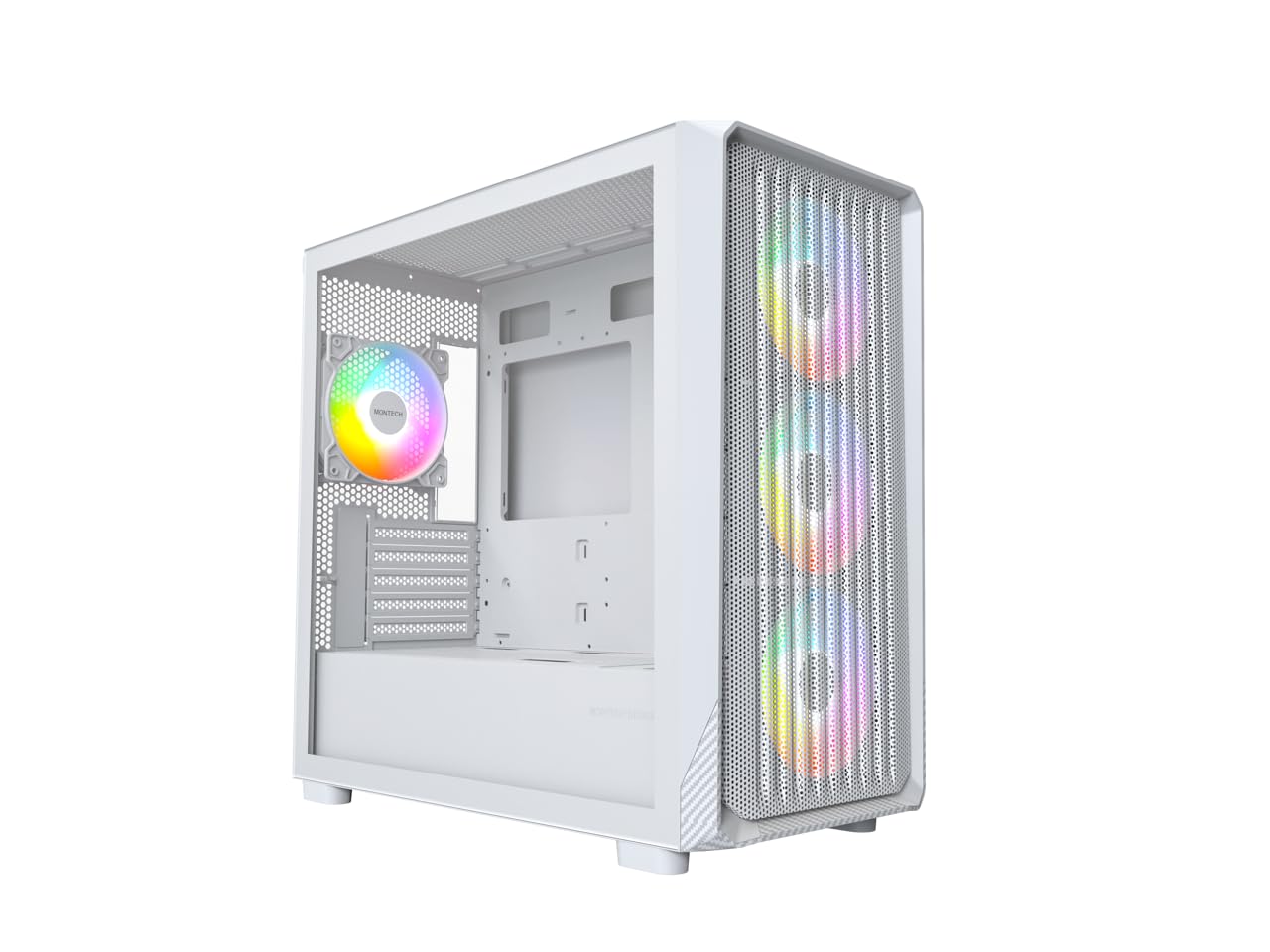
Figure 1: MONTECH X5M Micro ATX Gaming PC Case (White variant).
2. Tärkeimmät ominaisuudet
- Integroitu näytönohjaimen pidike: An adjustable GPU support stand is included to provide physical support for graphics cards.
- Korkean ilmavirran suunnittelu: Optimized structure for efficient cooling.
- Esiasennetut ARGB-tuulettimet: Four 120mm ARGB fans are pre-installed for immediate cooling and customizable lighting.
- Karkaistusta lasista valmistettu sivupaneeli: Tarjoaa selkeän view sisäisistä komponenteista.
- Carbon Fiber Print Accents: Aesthetic detailing on the front panel.
- Monipuoliset liitännät: Front I/O panel includes USB 2.0, USB 3.0, USB Type-C, and audio ports.

Kuva 2: Päättynytview of the MONTECH X5M case highlighting internal layout and ARGB fans.
3. Tekniset tiedot
| Merkki | Montech |
| Mallin nimi | X5M |
| Asian tyyppi | Micro ATX Mid Tower |
| Emolevyn yhteensopivuus | Mikro ATX |
| Esiasennetut tuulettimet | 4 x 120 mm ARGB tuuletin |
| GPU-pituuden tuki | Jopa 405 mm |
| CPU-jäähdyttimen korkeustuki | Jopa 165 mm |
| PSU Length Support | Jopa 230 mm |
| Säilytyspaikat | Up to 2 HDDs & 4 SSDs |
| Edessä olevat I / O-portit | 1 x USB 2.0, 1 x USB 3.0, 1 x USB Type-C, mikrofoni- ja ääniliitäntä, LED-painike, virtapainike |
| Jäähdytysmenetelmä | ilmaa |
| AIO-jäähdyttimen tuki | Top: Up to 360mm; Front: Up to 360mm |
| Materiaali | Plastic with Carbon Fiber Accents, Tempered Glass |
| Tuotteen paino | 14.3 puntaa (6.49 kg) |

Figure 3: Close-up of the carbon fiber print detailing on the front panel of the X5M case.
4. Asennus ja asennus
Follow these steps for installing components into your MONTECH X5M PC case. Ensure your system is powered off and unplugged before beginning any installation.
4.1. Asian valmistelu
- Carefully remove the tempered glass side panel by unscrewing the thumb screws and sliding it off.
- Irrota takasivupaneeli päästäksesi käsiksi kaapelien hallinta-alueeseen.
4.2. Emolevyn asennus
- Asenna I/O-suoja (jos sitä ei ole valmiiksi kiinnitetty emolevyyn) kotelon takaosaan.
- Kohdista Micro ATX -emolevy kotelon sisällä olevien tukien kanssa.
- Kiinnitä emolevy mukana toimitetuilla ruuveilla.
4.3. Virtalähteen (PSU) asennus
- Place the PSU into the dedicated compartment at the bottom rear of the case.
- Kiinnitä virtalähde ruuveilla kotelon takaosasta.
4.4. Tallennuslaitteiden asennus (kiintolevyt/SSD-levyt)
The X5M supports up to 2 HDDs and 4 SSDs.
- 2.5 tuuman SSD-levyt: Mount SSDs onto the designated brackets behind the motherboard tray or on the PSU shroud.
- 3.5 tuuman kiintolevyt: Install HDDs into the drive cage located under the PSU shroud.
4.5. Näytönohjaimen (GPU) asennus
- Irrota tarvittavat PCIe-paikkojen suojat kotelon takaosasta.
- Insert the GPU into the appropriate PCIe slot on your motherboard.
- Kiinnitä näytönohjain ruuveilla.
- Adjust the integrated GPU support stand to provide stability for your graphics card.
4.6. Tuulettimen ja jäähdyttimen asennus
The X5M comes with four 120mm ARGB fans pre-installed. Additional fans or AIO radiators can be installed as follows:
- Yläosa: Supports 3x 120mm or 2x 140mm fans, or AIO radiators up to 360mm.
- Edessä: Supports 3x 120mm or 2x 140mm fans, or AIO radiators up to 360mm.
- Taka: Supports 1x 120mm fan.
- Virtalähteen suojus: Supports 2x 120mm fans.

Figure 4: Illustration of airflow within the MONTECH X5M case and the pre-installed ARGB fans.

Figure 5: Diagram detailing fan and radiator support locations and sizes within the X5M case.
4.7. Kaapelien hallinta
Utilize the cable routing cutouts and tie-down points behind the motherboard tray to organize cables. This improves airflow and aesthetics.
4.8. Etupaneelin I/O-liitännät
Connect the front panel cables (USB 2.0, USB 3.0, USB Type-C, HD Audio, Power Switch, Reset Switch, LED) to the corresponding headers on your motherboard. Refer to your motherboard manual for specific header locations.

Figure 6: Front I/O panel of the MONTECH X5M, showing USB 2.0, USB 3.0, USB Type-C, Mic & Audio jacks, LED button, and Power button.
5. Käyttö
5.1. Virran kytkeminen
After all components are installed and cables connected, replace the side panels. Connect your monitor, keyboard, mouse, and power cable. Press the Power Button on the front I/O panel to start your system.
5.2. ARGB-tuulettimen ohjaus
Esiasennettuja ARGB-tuulettimia voidaan ohjata kahdella tavalla:
- Dedicated LED Button: Use the LED button on the front I/O panel to cycle through 25 built-in lighting modes.
- Emolevyn synkronointi: Connect the ARGB cables to a compatible 5V 3-pin ARGB header on your motherboard. Use your motherboard's RGB software (e.g., ASUS Aura Sync, MSI Mystic Light Sync, GIGABYTE RGB Fusion, ASRock Polychrome Sync) to synchronize and customize lighting effects.
6. Huolto
Säännöllinen huolto auttaa varmistamaan tietokoneesi komponenttien optimaalisen suorituskyvyn ja pitkäikäisyyden.
- Pölysuodattimen puhdistus: Periodically remove and clean the dust filters (located on the top, front, and bottom) to maintain optimal airflow. Use compressed air or a soft brush.
- Ulkopuolen puhdistus: Pyyhi ulkopinnat pehmeällä, damp kangas. Vältä hankaavia puhdistusaineita.
- Sisätilojen puhdistus: With the system powered off and unplugged, use compressed air to remove dust from internal components and fans.
7. Vianmääritys
- Järjestelmä ei käynnisty:
- Varmista, että virtajohto on kytketty kunnolla virtalähteeseen ja pistorasiaan.
- Check that the PSU switch is in the "ON" position.
- Verify all front panel connectors (especially the Power Switch) are correctly attached to the motherboard.
- Confirm the 24-pin ATX and 8-pin CPU power cables are securely connected to the motherboard.
- Tuulettimet eivät pyöri / RGB ei syty:
- Check that all fan power cables are securely connected to the fan hub or motherboard headers.
- Ensure ARGB cables are properly connected to the fan hub or a compatible 5V 3-pin ARGB header on the motherboard.
- If using motherboard synchronization, verify that the RGB software is installed and configured correctly.
- Try cycling through modes using the dedicated LED button on the front panel.
- Ei näyttöä:
- Ensure your monitor cable is connected to the graphics card (GPU) and not the motherboard's integrated graphics port (unless you are using integrated graphics).
- Aseta näytönohjain uudelleen PCIe-paikkaan.
- Check that the GPU power cables are securely connected.
8. Takuu ja tuki
8.1. Takuutiedot
The MONTECH X5M PC Case comes with a 1 vuoden valmistajan takuu. This warranty covers defects in materials and workmanship under normal use. For specific terms and conditions, please refer to the official Montech websivustolla tai ota yhteyttä asiakastukeen.
8.2. Asiakastuki
For further assistance, technical support, or warranty claims, please visit the official Montech website or contact their customer service department. You can find contact information on the Montech websivusto: www.montechpc.com