
1. Johdanto
The DROP PC38X Gaming Headset is designed to provide superior comfort, improved build quality, and exceptional audio clarity for serious gamers. It features high-fidelity drivers for vivid, detailed sound across an ultra-wide frequency response. With a low 28-ohm impedance, it is easily driven by various low-power devices. The headset is built for long gaming sessions, featuring a plush, split headband and breathable velour earpads for comfort.
2. Mitä laatikossa on
- DROP PC38X Gaming Headset
- 3.5mm TRRS Cable (for consoles and mobile devices)
- Dual 3.5mm Cable (for PC setups)
- Extra Set of Velour Earpads

3. Asennus
3.1 Kuulokkeiden kytkeminen
The PC38X headset connects via a 3.5mm audio jack. Two cables are provided for different device types:
- For Consoles and Mobile Devices: Use the 3.5mm TRRS cable. This single cable handles both audio and microphone input. Insert the L-shaped end into the headset's left earcup port and the straight end into your device's 3.5mm jack.
- For PC Setups: Use the dual 3.5mm cable. This cable splits into two connectors: one for audio (green) and one for the microphone (pink). Insert the L-shaped end into the headset's left earcup port and the two split ends into the corresponding audio and microphone ports on your PC.

3.2 Pääpannan säätäminen
The headband is adjustable to ensure a comfortable fit. Gently slide the earcups up or down along the headband until they rest comfortably over your ears and the headband sits securely on your head. The split headband design is intended to distribute weight evenly for extended wear.
3.3 Swapping Earpads
The PC38X comes with two sets of earpads: one pre-installed (knit mesh) and an additional pair of velour earpads. To swap them, gently pull the existing earpad off the earcup. Align the new earpad with the earcup and press it firmly around the edges until it clicks into place. The velour earpads are known for their breathability and comfort during long sessions.
4. Käyttöohjeet
4.1 Mikrofonin käyttö
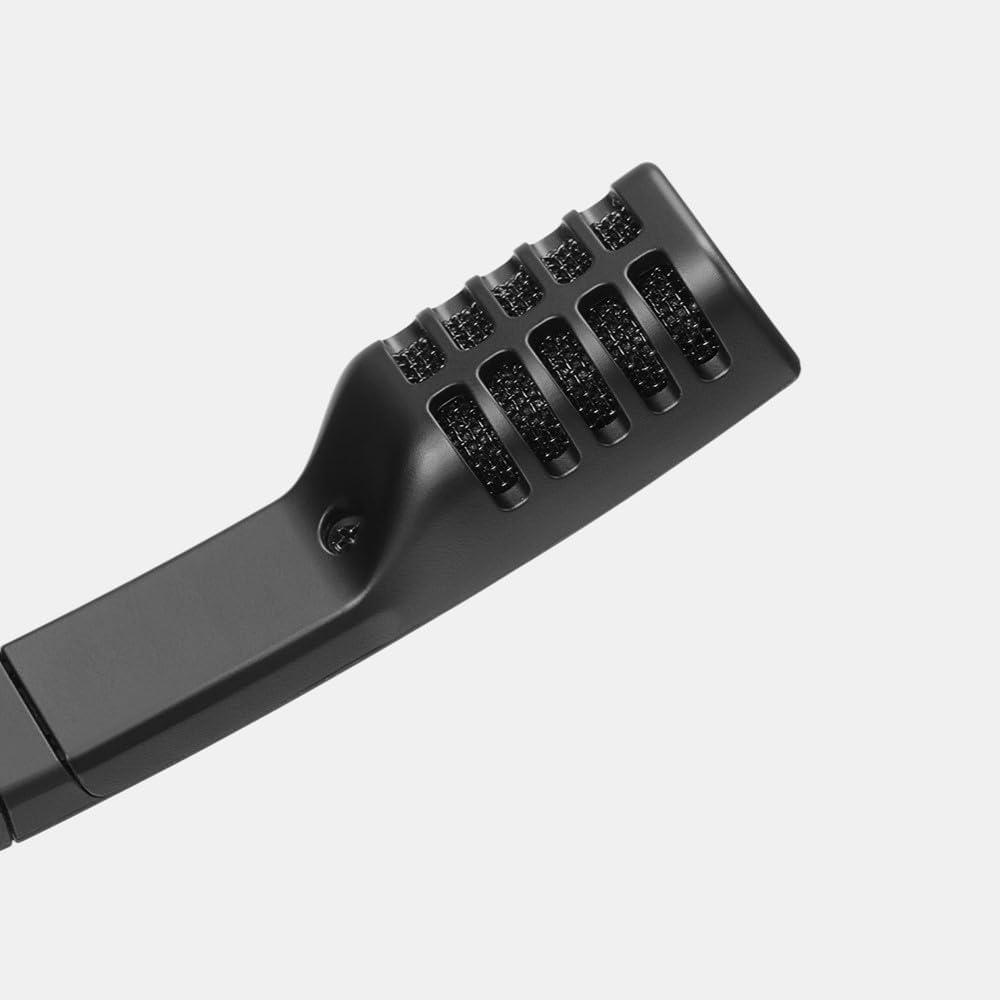
The headset features a high-quality electret condenser microphone with bi-directional pickup. To use the microphone, swing the mic boom down towards your mouth. The microphone automatically mutes when rotated upwards, indicated by an audible click. Ensure the microphone is positioned appropriately for clear communication.
4.2 Äänenvoimakkuuden säätö
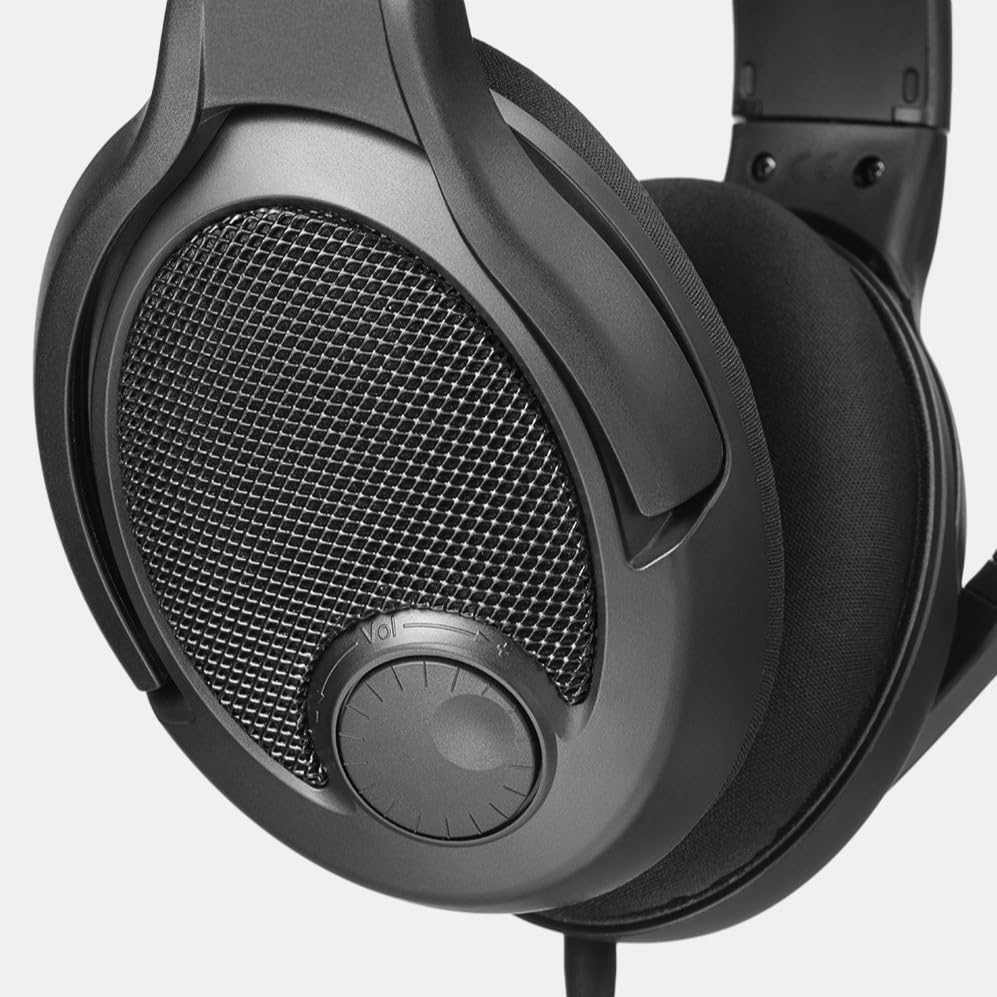
Adjust the audio volume using the integrated volume dial located on the right earcup. Rotate the dial clockwise to increase volume and counter-clockwise to decrease it. This allows for quick and convenient audio adjustments during gameplay or media consumption.
5. Huolto
5.1 Puhdistus
To clean the headset, use a soft, dry cloth. For earpads, a slightly damp cloth can be used, but ensure they are completely dry before reattaching or using. Avoid harsh chemicals or abrasive materials.
5.2 Korvatyynyjen vaihtaminen
Earpads may wear out over time. Replace them as needed using the included spare set or by purchasing new ones. Regular replacement ensures continued comfort and optimal audio performance.
6. Vianmääritys
6.1 Ei ääntä tai äänenvoimakkuus on alhainen
- Ensure the audio cable is securely connected to both the headset and the device.
- Check the volume dial on the headset and your device's system volume.
- Varmista, että laitteesi ääniasetuksissa on valittu oikea äänentoistolaite.
- If using a PC, ensure the dual 3.5mm cable is correctly plugged into both the headphone and microphone jacks.
6.2 Mikrofoni ei toimi
- Ensure the microphone boom is swung down and not in the muted (upright) position.
- Check that the microphone cable is securely connected. For PC, ensure the pink 3.5mm jack is correctly inserted.
- Varmista, että laitteesi ääniasetuksissa on valittu oikea mikrofonitulolaite.
- Testaa mikrofonia toisella sovelluksella tai laitteella sulkeaksesi pois ohjelmisto-ongelmat.
6.3 Epämukavuus käytön aikana
- Säädä pääpantaa paremman istuvuuden saavuttamiseksi.
- Consider swapping to the alternative velour earpads for increased breathability and softness.
- Allow for a break-in period, as the clamping force may soften with use.
7. Tekniset tiedot
| Mallin nimi | Drop GMR-54X-ISO |
| Tuotteen mallinumero | MDX-38051-1 |
| Merkki | PUDOTA |
| Tyyli | PC38X |
| Väri | Musta |
| Yhteystekniikka | Langallinen |
| Kuulokkeet Jack | 3.5 mm Jack |
| Korvien sijoitus | Korvan yli |
| Muototekijä | Korvan yli |
| Melunhallinta | None (Open-Back Design) |
| Taajuusvaste | 30000 Hz |
| Impedanssi | 28 ohmia |
| Ääniohjaimen tyyppi | Dynaaminen ohjain |
| Valvontamenetelmä | Push Button (Volume Dial) |
| Materiaali | Kangas |
| Tuotteen paino | 0.56 puntaa (8.9 unssia) |
| Tuotteen mitat | 8 x 7.5 x 4.75 tuumaa |
| Yhteensopivat laitteet | Matkapuhelimet, pöytätietokoneet, pelikonsolit, kannettavat tietokoneet |
8. Takuu ja tuki
8.1 Takuutiedot
The DROP PC38X Gaming Headset typically comes with a 2 vuoden suojaussuunnitelma. Please refer to your purchase documentation for specific warranty terms and conditions, as these may vary by region and retailer.
8.2 Asiakastuki
For further assistance, technical support, or warranty claims, please visit the official DROP websivustolta tai ota yhteyttä heidän asiakaspalveluunsa. Pidä ostokuittisi käsillä, kun haet tukea.