
1. Tuote ohiview
The VOOPOO Argus Klyc Kit is a compact and stylish pod system designed for both Mouth-to-Lung (MTL) and Restricted Direct-to-Lung (RDL) vaping. It features a built-in 1350mAh battery, offering up to 30W of adjustable power output. The device incorporates precise airflow adjustment and adaptive power for a customized vaping experience. Equipped with iCOSM CODE 2.0 flavor technology, it ensures a clean and consistent taste. A magnetic protective cap is included to maintain hygiene and prevent dust intrusion.
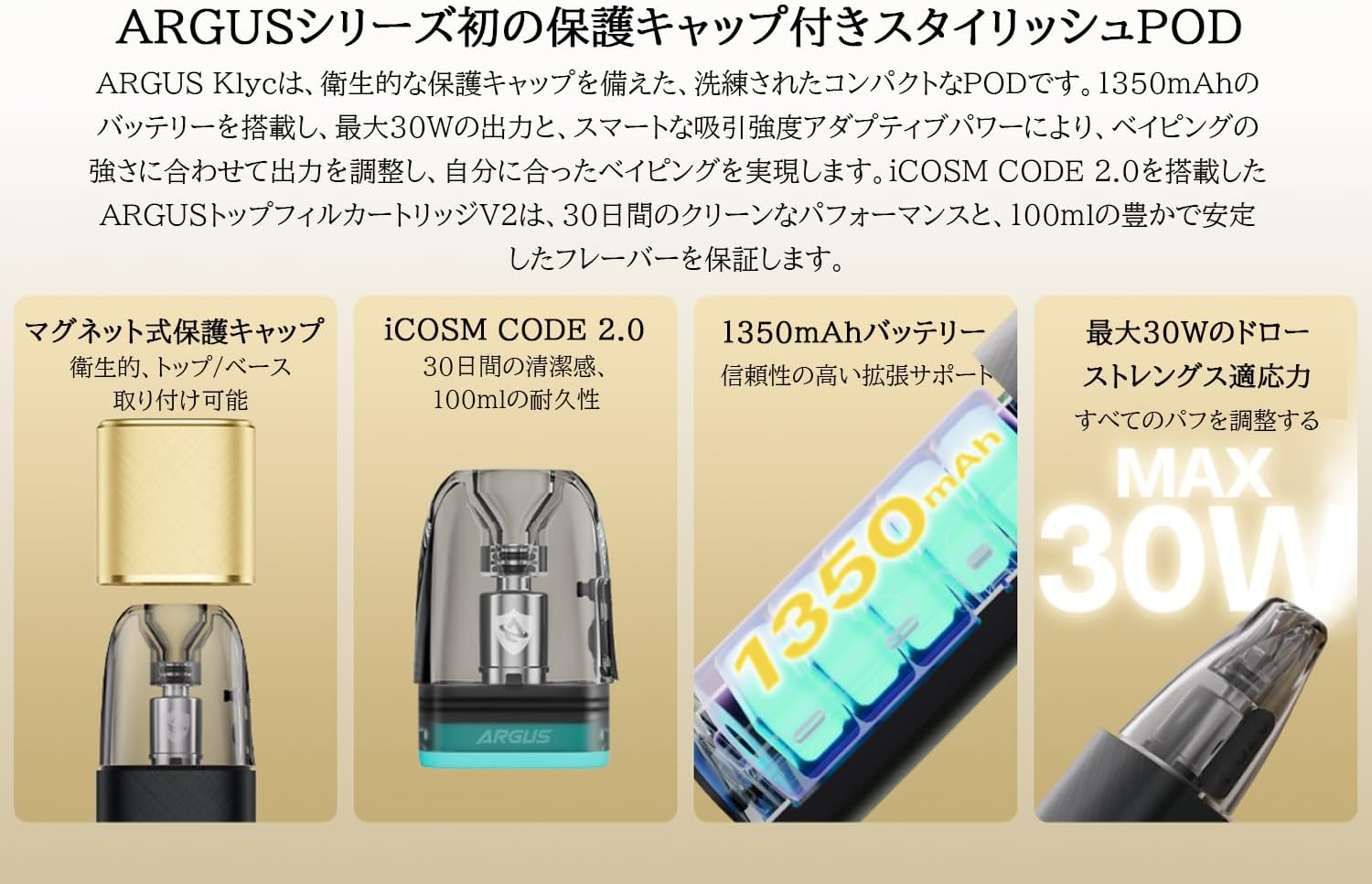
Image: The VOOPOO Argus Klyc Kit, showcasing its sleek design and magnetic protective cap.
Tärkeimmät ominaisuudet:
- Magnetic Protective Cap: Ensures hygiene and prevents dust from entering the mouthpiece.
- Säädettävä ilmavirtaus: Customize your draw from loose to tight for various vaping preferences.
- 1350 mAh sisäänrakennettu akku: Provides long-lasting vaping sessions with approximately 40-minute Type-C fast charging.
- 5-30W Variable Output: Supports both MTL and RDL vaping styles, compatible with all Argus replaceable pods.
- iCOSM CODE 2.0 Flavor Technology: Delivers a clean and stable flavor experience over extended use.
- RGB Indicator Light: Clearly displays battery level (Red ≤20%, White >20%) and device status.
Video: Yliview of the iCOSM CODE 2.0 technology, highlighting its flavor and performance benefits.
2. Mitä laatikossa on
Upon unboxing your VOOPOO Argus Klyc Kit, you will find the following components:
- 1 x ARGUS Klyc Device
- 1 x ARGUS Top Fill Cartridge V2 0.7Ω (3mL capacity)
- 1 x Type-C USB-kaapeli
- 1 x Käyttöohje
- 1 x ARGUS Pod Family Compatibility Guide

Image: All items included in the VOOPOO Argus Klyc Kit package.
Video: Unboxing the VOOPOO Argus Klyc Kit, showing the device, pod, cable, and documentation.
3. Asennus
3.1. Install the Pod
- Remove the magnetic protective cap from the device.
- Insert the ARGUS Top Fill Cartridge V2 into the device. It will securely attach magnetically.

Image: The Argus Klyc device with the pod cartridge securely installed.
3.2. Fill with E-liquid
- Locate the top-fill port on the ARGUS Top Fill Cartridge V2.
- Avaa silikonitulppa.
- Carefully fill the pod with your desired e-liquid through the filling port. Avoid overfilling.
- Close the silicone plug firmly to prevent leaks.
- After filling, wait at least 5-10 minutes before first use to allow the coil to saturate with e-liquid. This prevents dry hits and extends coil life.
Video: Demonstrates how to fill the ARGUS Top Fill Cartridge V2 with e-liquid.
3.3. Laitteen lataaminen
- Liitä mukana toimitettu Type-C USB-kaapeli laitteen latausporttiin.
- Liitä kaapelin toinen pää sopivaan USB-virtalähteeseen (esim. seinäadapteriin tai tietokoneen USB-porttiin).
- The RGB indicator light will show the charging status. A full charge typically takes approximately 40 minutes.
Video: Shows the process of connecting the Type-C cable to charge the Argus Klyc device.
4. Käyttöohjeet
4.1. Virta päälle/pois
The Argus Klyc Kit is an auto-draw device, meaning it activates automatically when you inhale. There is no manual power button for turning the device on or off.
4.2. Höyryttely
Simply inhale from the mouthpiece to activate the device and begin vaping. The device will automatically adjust the power output based on the pod's resistance and your draw strength.
Video: A user demonstrating the auto-draw vaping function of the Argus Klyc.
4.3. Ilmavirran säätö
The device features a side-mounted airflow adjustment slider. Move the slider to increase or decrease the airflow to achieve your preferred draw tightness.
Video: Illustrates how to adjust the airflow slider on the Argus Klyc device.
4.4. Merkkivalojen merkitykset
The RGB indicator light provides visual feedback on the device's status:
- Valkoinen valo: Akun varaustaso on yli 20 %.
- Punainen valo: Battery level is 20% or below, indicating a need for charging.
- Lataus: The light will indicate charging status and turn off when fully charged.
- Pod Insertion: Light may briefly illuminate upon successful pod insertion.
- Höyrytys: The light will illuminate during a puff, with color variations indicating power output levels (Low, Mid, High).
Image: The Argus Klyc device showing the indicator light during operation.
5. Huolto
5.1. Laitteen puhdistaminen
- Regularly wipe the device with a soft, dry cloth to remove dust and fingerprints.
- Clean the pod connection area on the device and the bottom of the pod with a cotton swab to ensure good contact.
- Use the magnetic protective cap when not in use to keep the mouthpiece clean.
5.2. Podin vaihtaminen
The ARGUS Top Fill Cartridge V2 has a built-in coil. When the e-liquid flavor diminishes or a burnt taste occurs, it indicates that the coil needs replacement. Replace the entire pod cartridge with a new one.
- Irrota vanha pod laitteesta.
- Hävitä vanha kapseli vastuullisesti.
- Insert a new, filled ARGUS Top Fill Cartridge V2 into the device.
6. Vianmääritys
- Ei höyryntuotantoa:
- Tarkista, onko akku ladattu.
- Ensure the pod is correctly inserted and making contact.
- Verify the pod contains e-liquid.
- Replace the pod if the coil is burnt or old.
- Vuotaa:
- Ensure the silicone plug on the top-fill port is securely closed.
- Avoid overfilling the pod.
- Check for condensation in the pod connection area and clean if necessary.
- If leaking persists, replace the pod.
- Laite ei lataudu:
- Ensure the Type-C cable is properly connected to both the device and the power source.
- Kokeile toista latauskaapelia tai virtalähdettä.
- Clean the charging port on the device.
7. Tekniset tiedot
| Ominaisuus | Yksityiskohta |
|---|---|
| Laitteen mitat | 100.6 x 29.7 x 17.2 mm |
| Device Material | Alumiiniseos |
| Lähtöteho | 5-30W |
| Lähtö Voltage | 3.2-4.2V |
| Resistanssialue | 0.3Ω-3.0Ω |
| Akun kapasiteetti | 1350 mAh (sisäänrakennettu) |
| Lataus | Type-C 5V/1.2A (Approx. 40 minutes) |
| Kotelon kapasiteetti | 3 ml |
| Pod Material | PCTG |
| Pod Resistance (Included) | 0.7Ω |
| Täyttömenetelmä | Top-fill System |
| Erikoisominaisuudet | Magnetic Protective Cap, Adjustable Airflow, iCOSM CODE 2.0, RGB Indicator Light |

Image: Visual representation of the Argus Klyc Kit's dimensions and pod specifications.
8. Takuu ja tuki
For warranty information and customer support, please refer to the official VOOPOO websivustolta tai ota yhteyttä jälleenmyyjään. Säilytä ostokuitti ostotodistuksena mahdollisten takuuvaatimusten varalta.