
1. Johdanto
This manual provides essential information for the safe and efficient use of your Doro Leva E20 4G Flip Phone. Designed with seniors in mind, this phone features a large 2.8-inch display, contrasting keys, loud and clear sound, HD voice, a camera, and a dedicated assistance button. Please read these instructions carefully before using your new phone.

Image 1: Doro Leva E20 highlighting key features such as 4G connectivity, large display, clear sound, and hearing aid compatibility.
2. Asennus
2.1. SIM-kortin ja akun asettaminen
Before using your phone, you must insert a SIM card (provided by your mobile network operator) and the battery.
- Open the phone: Gently open the flip phone to access the battery compartment.
- Irrota akun kansi: Locate the notch on the back cover and carefully lift it off.
- Aseta SIM-kortti: Slide the SIM card into the designated slot with the gold contacts facing down and the cut corner aligned as shown in the diagram (refer to your quick start guide for a visual).
- Aseta akku: Place the battery into its compartment, ensuring the contacts align with those in the phone.
- Vaihda kansi: Snap the battery cover back into place until it clicks.
2.2. Puhelimen lataaminen
Your phone's battery may not be fully charged upon purchase. It is recommended to fully charge the battery before first use.
- Liitä laturi: Plug the USB Type-C cable into the charging port on the phone.
- Kytke virtalähteeseen: Plug the other end of the charger into a wall outlet.
- Latausilmaisin: The charging indicator on the screen will show the charging status. The phone is fully charged when the indicator shows a full battery icon.
2.3. Virta päälle / pois
- Virran kytkeminen: Paina ja pidä alhaalla punaista Lopeta puhelu/Virta button until the Doro logo appears.
- Virran katkaiseminen: Paina ja pidä alhaalla punaista Lopeta puhelu/Virta button, then select 'Power off' from the options on the screen.
3. Käyttöohjeet
3.1. Perustoiminnot
- Soittaminen:
- Syötä puhelinnumero näppäimistöllä.
- Paina vihreää Soittaa -painiketta puhelun aloittamiseksi.
- Puheluun vastaaminen: Simply open the flip phone to answer an incoming call. Alternatively, press the green Soittaa -painiketta.
- Puhelun lopettaminen: Close the flip phone or press the red Lopeta puhelu -painiketta.
- Äänenvoimakkuuden säätö: Use the volume buttons located on the side of the phone during a call or when playing media.
3.2. Viestien (SMS) lähettäminen ja vastaanottaminen
- Siirry päävalikosta kohtaan Viestit.
- Valitse Uusi viesti.
- Anna vastaanottajan puhelinnumero tai valitse se yhteystiedoistasi.
- Kirjoita viestisi näppäimistöllä.
- Paina Lähetä.
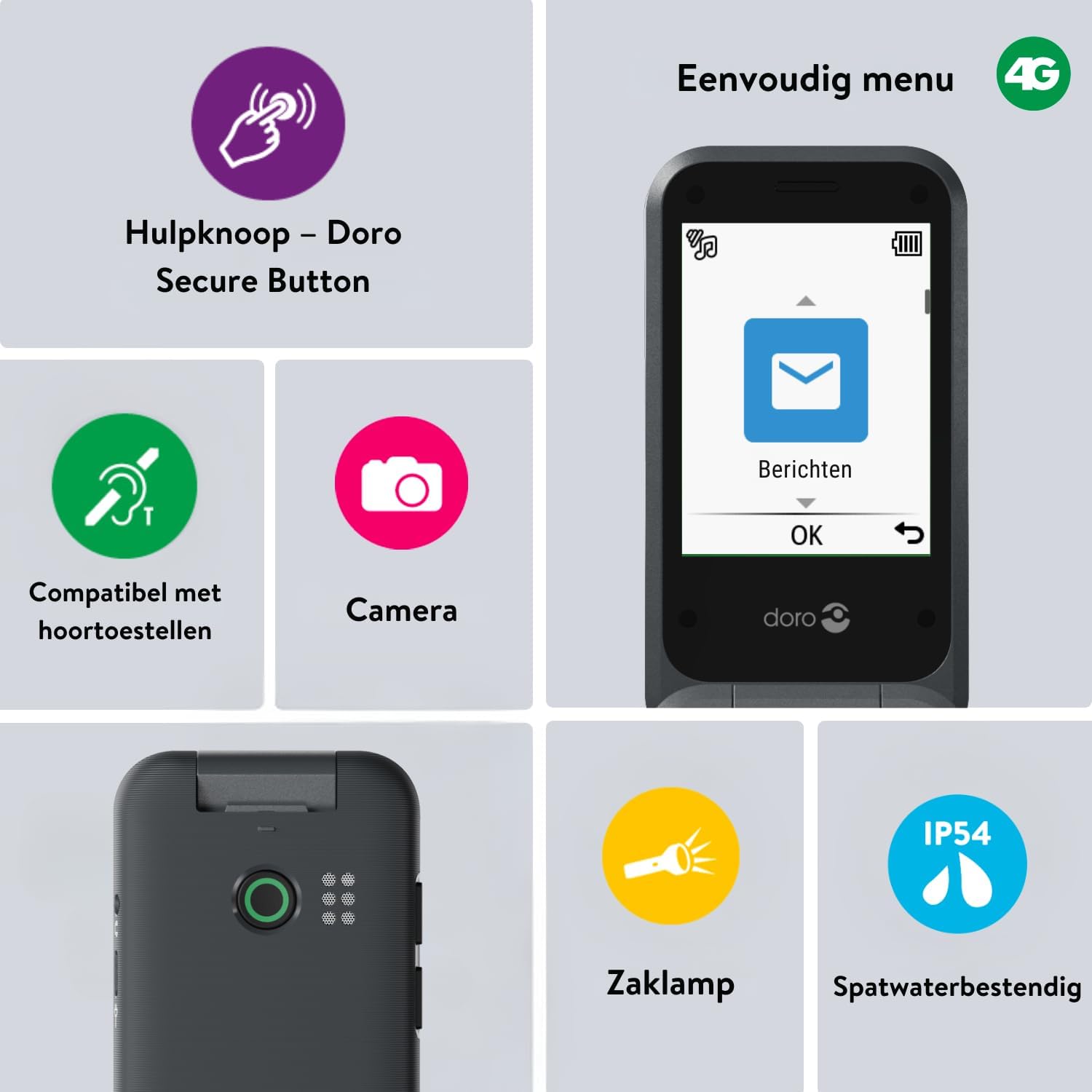
Image 2: The Doro Leva E20's simple menu interface, showing the 'Messages' icon, along with other features like the assistance button, camera, flashlight, and IP54 splash resistance.
3.3. Kamera
The Doro Leva E20 includes a basic camera for capturing photos.
- Valitse päävalikosta Kamera.
- Rajaa kuva käyttämällä näyttöä kuvakulmana. viewlöytäjälle.
- Paina OK painiketta ottaaksesi kuvan.
3.4. Assistance Button (Doro Secure Button)
The dedicated assistance button is a key safety feature, allowing you to quickly contact pre-set emergency numbers.
- Asettaa: Refer to the phone's settings menu under 'Assistance' to program emergency contacts.
- Aktivoidaan: Press and hold the assistance button (located on the back of the phone) for a few seconds. The phone will automatically call and send an SMS to your pre-programmed emergency contacts.

Image 3: The Doro Leva E20's Doro Secure Button, designed for quick access to emergency contacts.
3.5. Taskulamppu
To activate the built-in flashlight:
- Locate the flashlight icon or dedicated button (if available) on the phone or in the quick settings menu.
- Press the corresponding key or navigate to the option to turn the flashlight on/off.
3.6. Pikapainikkeet
The Doro Leva E20 features quick access buttons for frequently used functions.
- Suosikkiyhteystiedot: Assign frequently called numbers to speed dial keys.
- Kamera: A dedicated button or menu option for quick camera access.
- Viestit: A dedicated button or menu option for quick message access.

Image 4: The Doro Leva E20 in hand, showcasing the keypad with quick access buttons for favorite contacts, camera, and messages.
4. Huolto
4.1. Laitteen puhdistaminen
Pidä puhelimesi optimaalisessa kunnossa:
- Use a soft, dry, lint-free cloth to clean the screen and body of the phone.
- Vältä vahvojen kemikaalien, puhdistusliuottimien tai vahvojen pesuaineiden käyttöä.
- Älä altista puhelinta liialliselle kosteudelle.
4.2. Akun hoito
The Doro Leva E20 is powered by a rechargeable battery. To maximize battery life and performance:
- Charge the phone regularly. Avoid letting the battery drain completely before recharging.
- Älä altista akkua äärimmäisille lämpötiloille.
- Jos puhelinta ei käytetä pitkään aikaan, lataa se noin 50-prosenttisesti ennen säilytystä.
4.3. Vedenkestävyys
The Doro Leva E20 has an IP54 rating, meaning it is protected against dust ingress and splashing water from any direction. It is not designed to be submerged in water.
5. Vianmääritys
Jos kohtaat ongelmia Doro Leva E20 -puhelimesi kanssa, kokeile seuraavia ratkaisuja:
| Ongelma | Mahdollinen ratkaisu |
|---|---|
| Puhelin ei käynnisty | Ensure the battery is charged. Connect the charger and try again. Check if the battery is correctly inserted. |
| Ei voi soittaa tai vastaanottaa puheluita | Check if the SIM card is correctly inserted. Ensure you have network coverage. Contact your service provider if the issue persists. |
| Huono äänenlaatu | Adjust the volume. Ensure the speaker/microphone is not blocked. If using a hearing aid, ensure compatibility settings are correct. |
| Akku tyhjenee nopeasti | Reduce screen brightness. Close unused applications. Limit background data usage. Ensure the phone is not in an area with poor network signal, which can increase battery consumption. |
If these steps do not resolve the issue, please contact Doro customer support.
6. Tekniset tiedot
- Mallin nimi: Leva E20
- Käyttöjärjestelmä: Mocor OS
- CPU malli: Cortex A7
- Näytön koko: 2.8 tuumaa
- Resoluutio: 320 x 240
- Mobiilitekniikka: 4G
- Liitettävyys: USB-tyyppi C
- Muistin tallennuskapasiteetti: 17 Gt
- Väri: Musta
- Vedenkestävyys: IP54 (Splash-resistant)
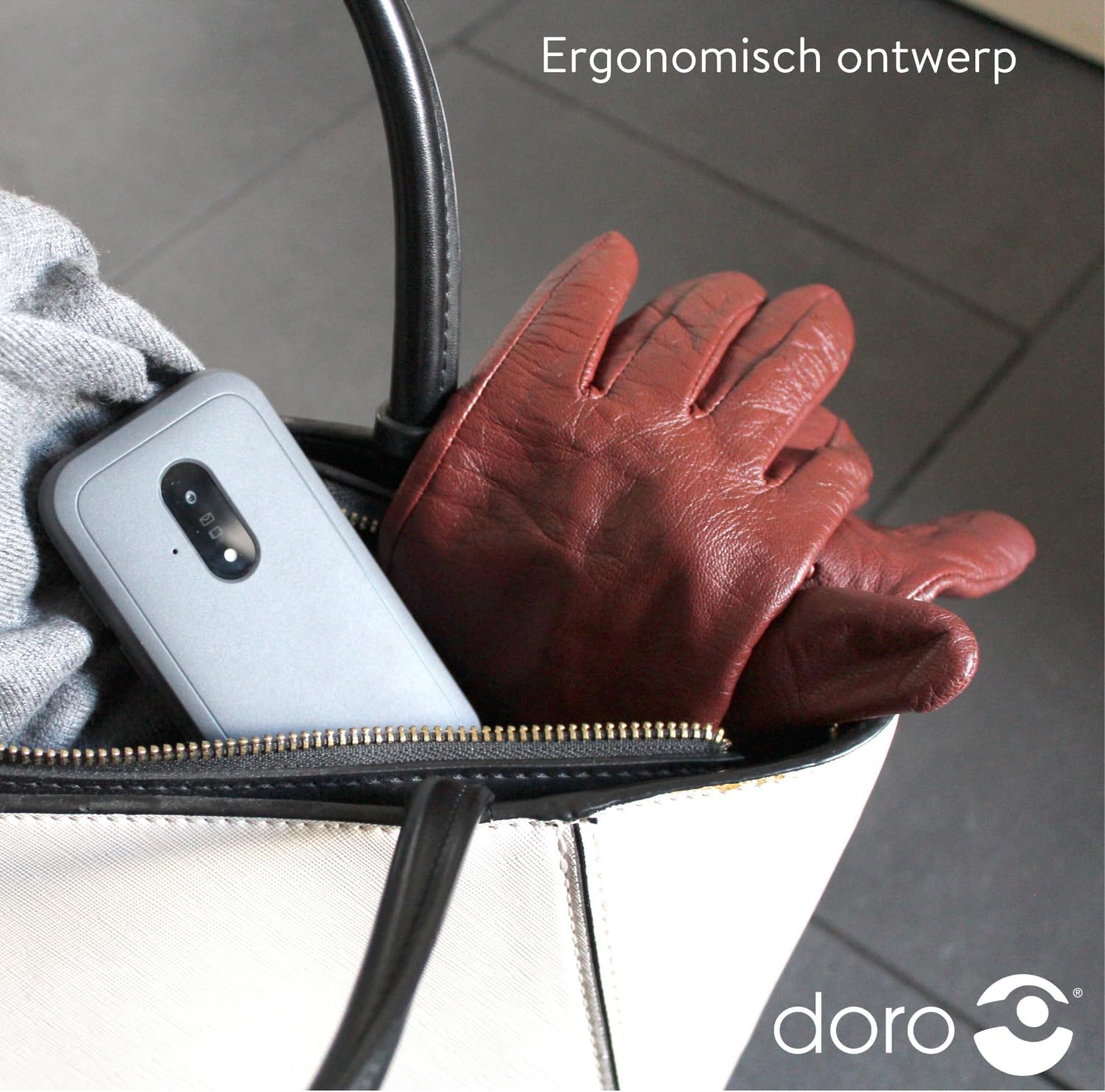
Image 5: The Doro Leva E20's ergonomic design allows for easy portability, fitting comfortably in a bag.
7. Takuu ja tuki
Your Doro Leva E20 is manufactured by Doro. For specific warranty information, including terms and conditions, please refer to the warranty card included with your product or visit the official Doro website. For technical support, troubleshooting assistance beyond this manual, or service inquiries, please contact Doro customer support directly.
Valmistaja: Doro
Websivusto: www.doro.com (Please check your regional Doro website for local support contact details.)