
1. Johdanto
This manual provides essential information for the safe and efficient operation of your GooDee AC571 4K Smart Projector. Please read it thoroughly before use and retain it for future reference.
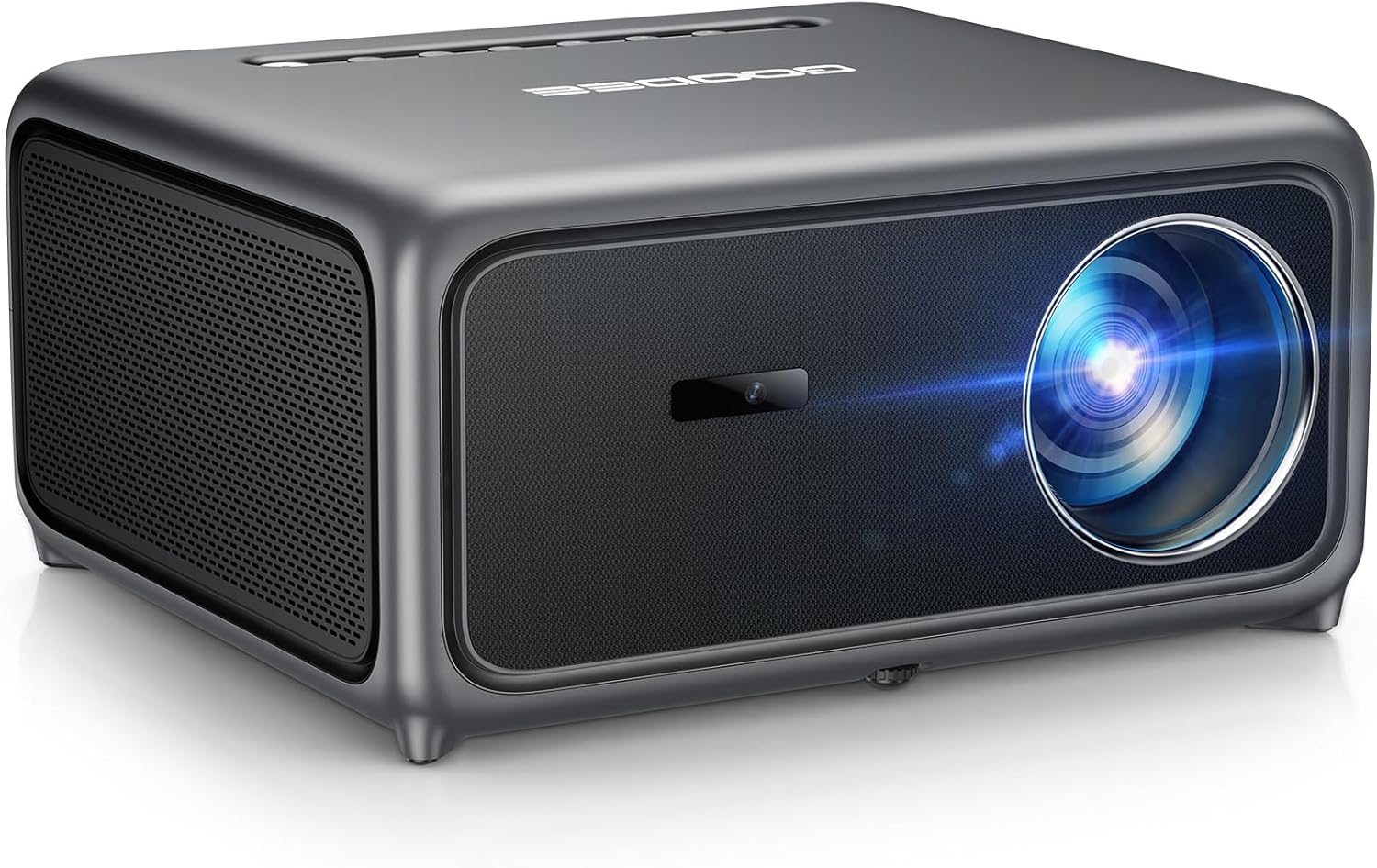
Image 1.1: The GooDee AC571 4K Smart Projector. This image displays the projector's front and side profile, highlighting its lens and speaker grille.
2. Mitä laatikossa on
Varmista, että kaikki osat ovat mukana purkaessasi pakkauksesta:
- GooDee AC571 4K Smart Projector
- Virtajohto
- HDMI kaapeli
- Kaukosäädin
- Puhdistussarja
- Projektorin linssin suojus
- Käyttöopas (tämä asiakirja)
3. Asennusopas
3.1 Alkuperäinen sijoittelu
Place the projector on a stable, flat surface. Ensure adequate ventilation around the device. For optimal viewAseta projektori suoraan heijastuspinnan (seinän tai valkokankaan) eteen.
3.2 Virtaliitäntä
- Liitä virtajohto projektorin virransyöttöön.
- Kytke virtajohdon toinen pää sopivaan pistorasiaan.
3.3 Ulkoisten laitteiden liittäminen
The projector supports various input sources. Refer to the port diagram below for connection points.

Image 3.1: Rear panel connections of the GooDee AC571 Projector. This image illustrates the available ports including HDMI, USB, and audio output, with labels indicating their functions.
- HDMI: Connect Blu-ray players, gaming consoles, or laptops using the provided HDMI cable.
- USB: Aseta USB-asemat median toistoa varten.
- 3.5 mm äänilähtö: Liitä ulkoiset kuulokkeet tai kaiuttimet.
3.4 Automatic Calibration (ToF Auto Focus & Keystone)
The projector features advanced AI + ToF Smart Sensing for automatic image calibration. Upon power-on or movement, the projector will automatically adjust focus, keystone correction, and screen adaptation for a clear, rectangular image.

Image 3.2: The GooDee AC571 Projector demonstrating 1ms ultra-low latency ToF Smart Sensing and AI Precision for auto-calibration. The image shows the projector automatically adjusting the projected image on a wall, ensuring optimal focus and keystone correction.
This process includes:
- Automaattinen tarkennus: Ensures a sharp image.
- Automaattinen Keystone: Corrects trapezoidal distortion.
- Automaattinen esteiden välttäminen: Adjusts the image to avoid objects on the projection surface.
- Automatic Screen Adaptation: Fits the image to the available screen area.
4. Käyttöohjeet
4.1 Virta päälle/pois
- Käynnistä tai sammuta laite painamalla projektorin tai kaukosäätimen virtapainiketta.
4.2 Navigating the Smart OS
The GooDee AC571 features an intelligent operating system with built-in applications. Use the remote control to navigate the interface.

Image 4.1: The GooDee AC571's Smart OS interface, displaying various streaming app icons like Netflix, Prime Video, and YouTube. This image shows the user-friendly layout for accessing built-in entertainment.
- Aloitusnäyttö: Access pre-installed apps like Netflix, Prime Video, and YouTube.
- App Store: Download additional applications for personalized entertainment.
- Asetukset: Adjust display, audio, network, and system preferences.
4.3 Langaton yhteys (WiFi ja Bluetooth)
The projector supports WiFi 6 and Bluetooth 5.4 for seamless streaming and audio connections.

Image 4.2: The GooDee AC571 Projector demonstrating seamless streaming and effortless connectivity via WiFi 6 and Bluetooth 5.4. The image shows a smartphone mirroring content to the projector, highlighting its wireless capabilities.
- WiFi -yhteys: Siirry osoitteeseen Settings > Network > WiFi muodostaaksesi yhteyden langattomaan verkkoosi.
- Bluetooth-yhteys: Siirry osoitteeseen Asetukset > Bluetooth to pair with Bluetooth headphones or speakers.
- Näytön peilaus: Use AirPlay (iOS) or Miracast (Android/Windows) for wireless screen sharing.
4.4 Audio Settings (Dolby Audio & AI SoundBalance)
The projector features Dolby Audio-certified 30W dual speakers and AI SoundBalance technology.

Image 4.3: The GooDee AC571 Projector with Dolby Audio. The image visually represents sound waves emanating from the projector, emphasizing its immersive audio capabilities.
- Äänenvoimakkuuden säätö: Adjust using the remote control.
- Äänitilat: Access audio settings to select different sound profiles or enable/disable AI SoundBalance.
5. Huolto
5.1 Linssin puhdistus
Use the provided cleaning kit to gently clean the projector lens. Avoid abrasive materials that could scratch the lens surface.
5.2 Pölysuojaus
The projector incorporates an advanced dust-shield triple-protection architecture. However, regular cleaning of the exterior with a soft, dry cloth is recommended to prevent dust buildup.

Image 5.1: Illustration of the GooDee AC571 Projector's advanced dust-shield triple-protection architecture. The image shows a transparent overlay highlighting the internal dust protection mechanisms, ensuring longevity and clear projection.
5.3 Varastointi
When not in use, cover the lens with the provided lens cap and store the projector in a cool, dry place away from direct sunlight and extreme temperatures.
6. Vianmääritys
Katso yleisiä ongelmia ja niiden ratkaisuja alla olevasta taulukosta.
| Antaa | Mahdollinen syy | Ratkaisu |
|---|---|---|
| Kuvaa ei näy | Power not connected; Input source incorrect; Lens cap on | Tarkista virtaliitäntä; Valitse oikea tulolähde; Poista linssinsuojus |
| Kuva on epäselvä | Out of focus; Projector moved | Allow auto-focus to recalibrate; Manually adjust focus if needed via settings |
| Kuva on vääristynyt (puolisuunnikkaan muotoinen) | Keystone-vääristymää ei ole korjattu | Allow auto-keystone to recalibrate; Manually adjust keystone via settings |
| Ei ääntä | Volume too low; External audio device not connected; Muted | Increase volume; Check external audio connections; Unmute projector |
| Ei voi muodostaa yhteyttä WiFi-/Bluetooth-verkkoon | Incorrect password; Device out of range; Network issue | Verify password; Move closer to router/device; Restart router/projector |
7. Tekniset tiedot
Key technical specifications for the GooDee AC571 4K Smart Projector:
| Ominaisuus | Erittely |
|---|---|
| Merkki | Hyvä Dee |
| Mallinumero | AC571 |
| Näytön resoluutio | 1920 x 1080 (Native 1080P, 4K Decoding) |
| Kirkkaus | 3000 ANSI-lumenia |
| Kontrastisuhde | 20,000:1 |
| Värivalikoima | 98% NTSC |
| Erikoisominaisuudet | ToF Auto Focus, Auto Keystone, Auto Obstacle Avoidance, Auto Screen Alignment, MEMC, Dolby Audio, AI SoundBalance Pro, AI Image Tech, Built-in Wi-Fi 6, Bluetooth 5.4, Built-in Speaker, Movin OS with Netflix/Prime Video/YouTube |
| Yhteystekniikka | Bluetooth, HDMI, USB, Wi-Fi |
| Suositellut käyttötavat | Liiketoiminta, koulutus, pelaaminen, kotiteatteri |
| Tuotteen paino | 9.23 kiloa |
| Pakkauksen mitat | 12 x 10 x 9.25 tuumaa |
8. Takuu ja tuki
8.1 Takuutiedot
Your GooDee AC571 4K Smart Projector is covered by a manufacturer's warranty. Please refer to the warranty card included in your product packaging for specific terms and conditions, including warranty duration and coverage details.
8.2 Asiakastuki
For technical assistance, troubleshooting not covered in this manual, or warranty claims, please contact GooDee customer support. Contact information can typically be found on the GooDee official websivustolla tai takuukortissa.

Image 8.1: A customer support representative, symbolizing reliable service and professional support available for GooDee products.