
1. Tuote ohiview
The Camtro M6 is a battery-powered wireless outdoor security camera designed for reliable surveillance. It features 1080p video resolution, color night vision, two-way audio, and smart AI motion detection to enhance your home security. This manual provides detailed instructions for setup, operation, and maintenance.

Figure 1.1: Camtro M6 Outdoor Security Camera with key features highlighted.

Kuva 1.2: Päättynytview of Camtro M6 camera features.
2. Pakkauksen sisältö
Tarkista pakkauksesta seuraavat tuotteet:
- Camtro M6 Outdoor Security Camera
- Kiinnitysruuvisarja
- Käyttöohje (tämä asiakirja)
3. Asennus
3.1 Ensimmäinen lataus
Before first use, fully charge the camera using a standard 5V USB charger (not included). The charging indicator light will turn solid when charging and off when fully charged. A full charge typically takes several hours.
3.2 Sovelluksen asennus ja tilin luominen
- Download the official Camtro app from your smartphone's app store (iOS or Android).
- Avaa sovellus ja luo uusi käyttäjätili noudattamalla näytön ohjeita.
3.3 Laitepariliitos ja Wi-Fi-yhteys
- Ensure your smartphone is connected to a 2.4GHz Wi-Fi network. The Camtro M6 camera only supports 2.4GHz Wi-Fi.
- In the Camtro app, tap 'Add Device' or the '+' icon.
- Select the Camtro M6 camera model from the list.
- Follow the app's instructions to put the camera into pairing mode (usually by pressing a reset button).
- Scan the QR code displayed on your phone with the camera lens, or follow alternative pairing methods provided by the app.
- Kun yhteys on muodostettu, nimeä kamera ja suorita asennusprosessi loppuun.
3.4 Kameran asennus
The Camtro M6 camera is designed for wall mounting. Choose a location that provides the desired viewkuvauskulmassa ja 2.4 GHz:n Wi-Fi-verkon kantaman sisällä.
- Mark the desired drill holes on the wall using the mounting bracket as a template.
- Poraa ohjausreiät ja aseta tarvittaessa seinäankkurit.
- Kiinnitä kiinnitysteline seinään mukana toimitetuilla ruuveilla.
- Kiinnitä kamera kiinnitystelineeseen ja säädä kulmaa tarpeen mukaan.
4. Kameran käyttö
4.1 Livenä View
Open the Camtro app and select your camera to access the live video feed. You can monitor your property in real-time from anywhere with an internet connection.
4.2 Kaksisuuntainen ääni
Kamerassa on sisäänrakennettu mikrofoni ja kaiutin kaksisuuntaista viestintää varten.
- Liven aikana view, napauta mikrofonikuvaketta sovelluksessa.
- Speak into your smartphone to transmit audio through the camera's speaker.
- Kuuntele kameran mikrofonin kautta vapauttamalla mikrofonikuvake.

Figure 4.1: Using the two-way audio feature to communicate.

Figure 4.2: Two-way talk functionality for interactive communication.
4.3 Smart AI Motion Detection
The Camtro M6 camera utilizes AI to distinguish between human movement and other objects, reducing false alerts.
- Ota liiketunnistus käyttöön sovelluksen asetuksista.
- Adjust sensitivity levels to optimize detection for your environment.
- Saat välittömiä ilmoituksia älypuhelimeesi, kun havaitset ihmisen liikettä.

Figure 4.3: AI Human Detection distinguishing between a person and an object.

Figure 4.4: AI Human Detection accurately identifying human activity.
4.4 Värillinen yönäkö
The camera provides clear color video even in low-light conditions, offering enhanced detail compared to traditional black and white night vision.
- Color night vision activates automatically in low light.
- Ensure the camera's night vision settings are enabled in the app.
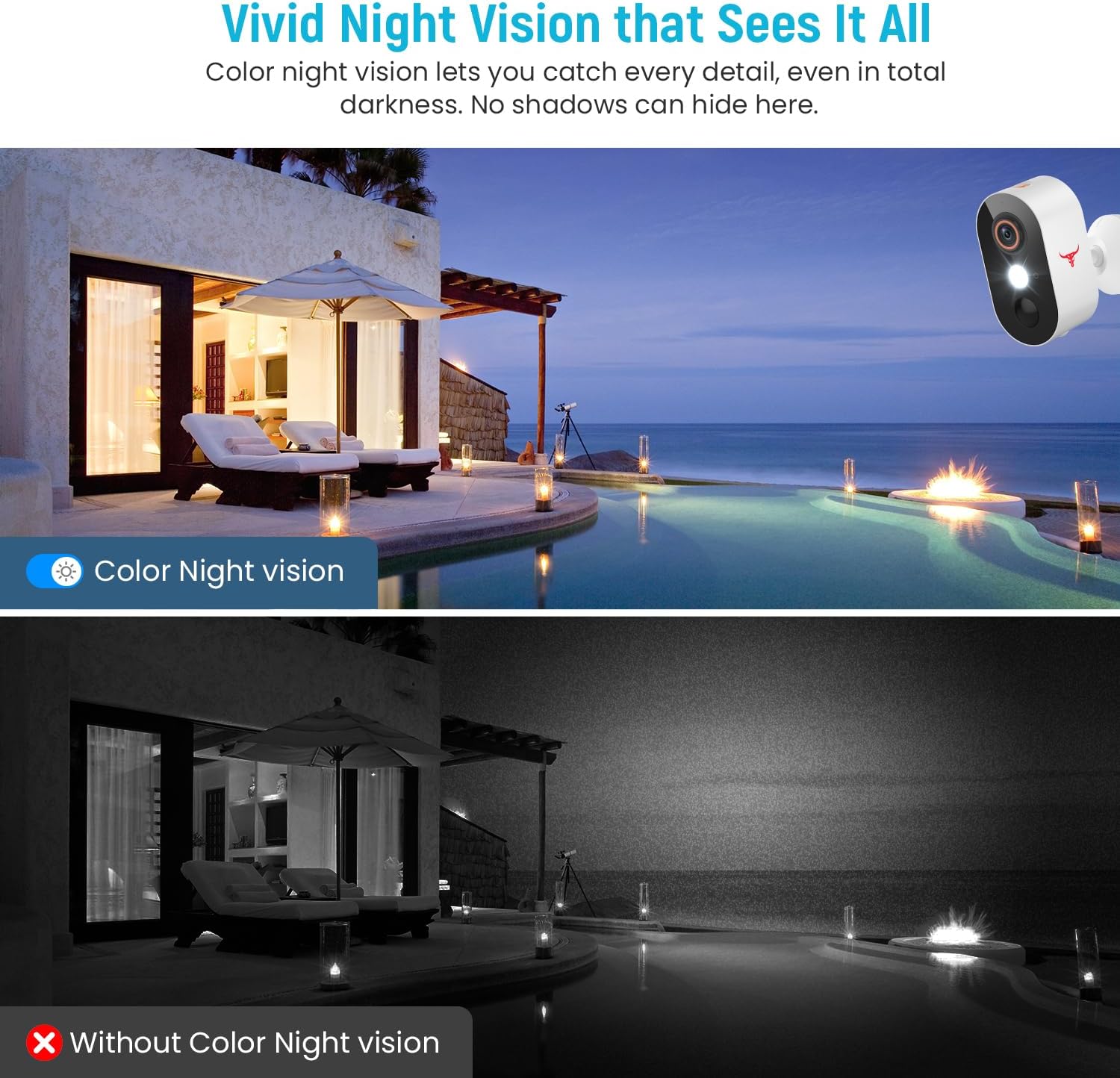
Figure 4.5: Comparison of Color Night Vision versus standard night vision.

Figure 4.6: Visual demonstration of Color Night Vision capability.
4.5 Pilvitallennustila
The Camtro M6 supports cloud storage for recording and reviewing video footage. Cloud storage is sold separately and requires a subscription.
- Access recorded videos and playback history through the Camtro app.
- Manage your cloud storage subscription within the app or through the Camtro websivusto.

Figure 4.7: Cloud Storage functionality for video recording and access.

Figure 4.8: Cloud storage capturing and storing important events.
5. Huolto
5.1 Akun lataus
The Camtro M6 is battery-powered. When the battery level is low, you will receive a notification via the app. Remove the camera from its mount and charge it using a standard 5V USB charger. Battery life varies based on usage and environmental factors.
5.2 Kameran puhdistaminen
Parhaan suorituskyvyn varmistamiseksi puhdista kameran linssi ja kotelo säännöllisesti. Käytä pehmeää,amp pyyhi pöly ja lika pois liinalla. Vältä voimakkaiden kemikaalien tai hankaavien materiaalien käyttöä, jotka voivat vahingoittaa linssiä tai pintakäsittelyä.
5.3 Säänkestävyys
The Camtro M6 camera is designed for outdoor use and is resistant to various weather conditions, operating effectively in temperatures from 14°F to 140°F (-10°C to 60°C).

Figure 5.1: Camtro M6 camera demonstrating weather resistance.
6. Vianmääritys
- Kamera ei muodosta yhteyttä Wi-Fi-verkkoon: Ensure your Wi-Fi network is 2.4GHz. Check Wi-Fi signal strength at the camera's location. Restart your router and the camera, then attempt pairing again.
- Frequent false motion alerts: Adjust the motion detection sensitivity settings in the app. Ensure AI Human Detection is enabled to filter out non-human movements.
- Huono videon laatu: Check your Wi-Fi connection speed. Ensure the camera lens is clean and free from obstructions.
- Akku tyhjenee nopeasti: High activity areas or frequent live view access can reduce battery life. Ensure the camera is fully charged. Consider reducing motion detection sensitivity if alerts are excessive.
- Kaksisuuntaisen äänen ongelmat: Ensure your phone's microphone and speaker are functioning correctly. Check the app's audio settings and your phone's volume.
7. Tekniset tiedot
| Ominaisuus | Erittely |
|---|---|
| Mallin nimi | M6 (1080p Wi-Fi Security Camera) |
| Sisä-/ulkokäyttö | Ulkona |
| Videon sieppaustarkkuus | 1080p |
| Yhteystekniikka | Langaton (vain 2.4 GHz:n Wi-Fi) |
| Virtalähde | Paristokäyttöinen (mukana 2 epästandardia paristoa) |
| Erikoisominaisuus | Motion Sensor, Color Night Vision, 2-Way Audio, AI Human Detection |
| Yhteensopivat laitteet | Älypuhelin (Android, iOS) |
| Asennustyyppi | Seinäteline |
| Tuotteen mitat (P x L x K) | 2.8 x 1.7 x 3.4 tuumaa |
| Tuotteen paino | 6.6 unssia |
| Käyttölämpötila | 14 °F - 140 °F (-10 °C - 60 °C) |
| Valmistaja | Shenzhen Puge Electronics Co., Ltd |
8. Takuu ja tuki
Camtro products are designed for reliability and performance. For warranty information, technical support, or service inquiries, please refer to the warranty card included with your product or visit the official Camtro website. You can also contact customer support through the Camtro app.