
1. Tuote ohiview
The BUGANI Luster Bluetooth Speaker is a portable wireless stereo speaker designed for high-quality audio output with dynamic colorful lighting. It features Bluetooth 5.3 connectivity, IPX6 waterproofing, and extended playtime, making it suitable for various indoor and outdoor environments.

Image: The BUGANI Luster Bluetooth Speaker, showcasing its design and the vibrant light effects, surrounded by water splashes to highlight its waterproof capabilities.
2. Mitä laatikossa on
- BUGANI Luster Bluetooth Speaker
- USB-C latauskaapeli
- AUX-in-kaapeli
- Pika-aloitusopas
- Irrotettava kaulanauha
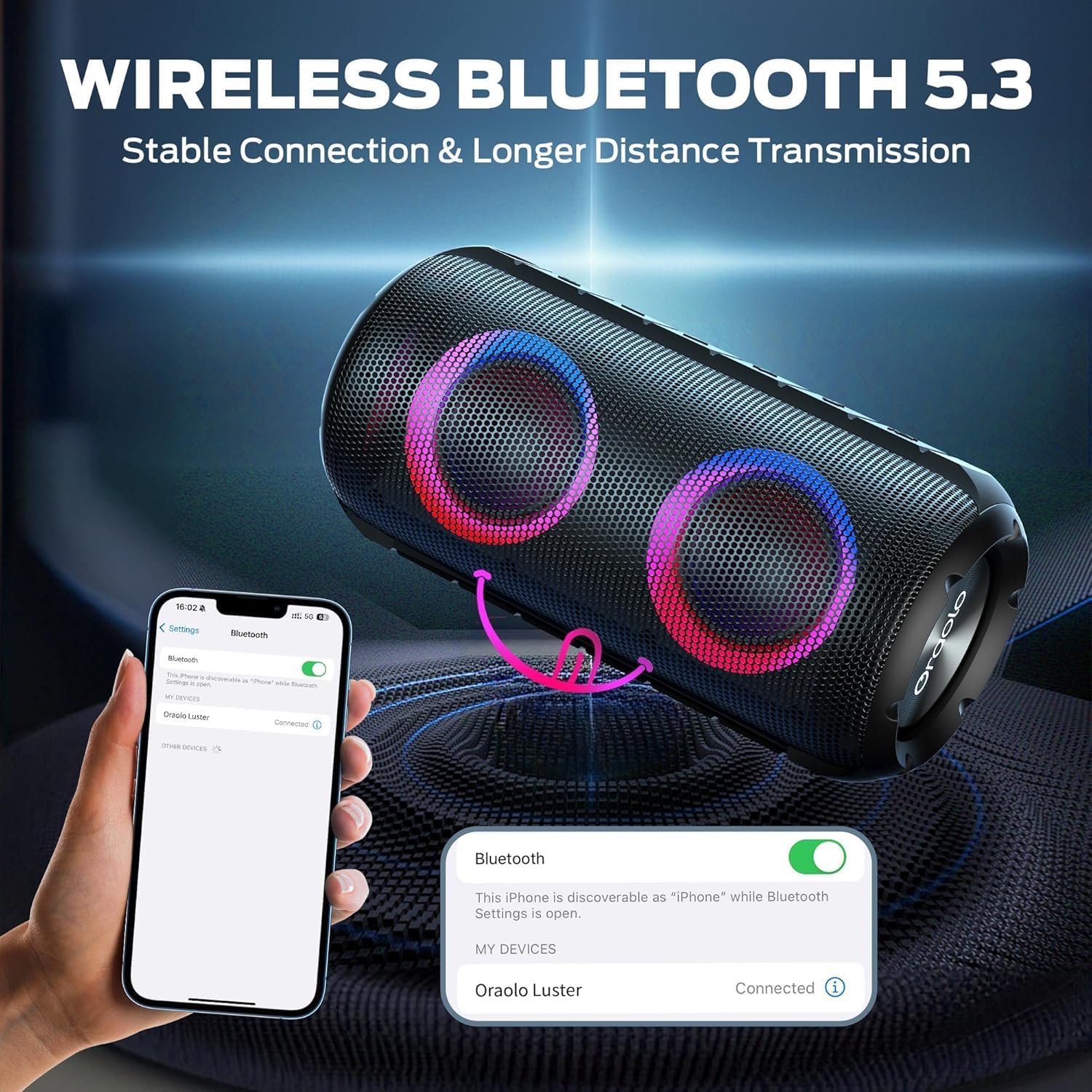
Image: The BUGANI Luster Bluetooth Speaker with its detachable lanyard, illustrating its portability and ease of carrying.
3. Asennus
3.1 Ensimmäinen lataus
Before first use, fully charge the speaker. Connect the provided USB-C cable to the speaker's charging port and the other end to a USB power adapter (not included) or a computer's USB port. The charging indicator light will show the charging status.
3.2 Virta päälle/pois
- Virta päälle: Pidä virtapainiketta painettuna (⏻) for 2-3 seconds until you hear an audible prompt and the lights illuminate.
- Virta pois: Pidä virtapainiketta painettuna (⏻) for 2-3 seconds until you hear an audible prompt and the lights turn off.
3.3 Bluetooth -pariliitos
- Varmista, että kaiuttimeen on kytketty virta ja että se on Bluetooth-pariliitostilassa (vilkkuva sininen valo osoittaa tämän).
- Ota Bluetooth käyttöön laitteellasi (älypuhelin, tabletti jne.) ja hae käytettävissä olevia laitteita.
- Select "BUGANI Luster" from the list of devices.
- Once connected, you will hear a confirmation sound, and the Bluetooth indicator light will become solid blue.
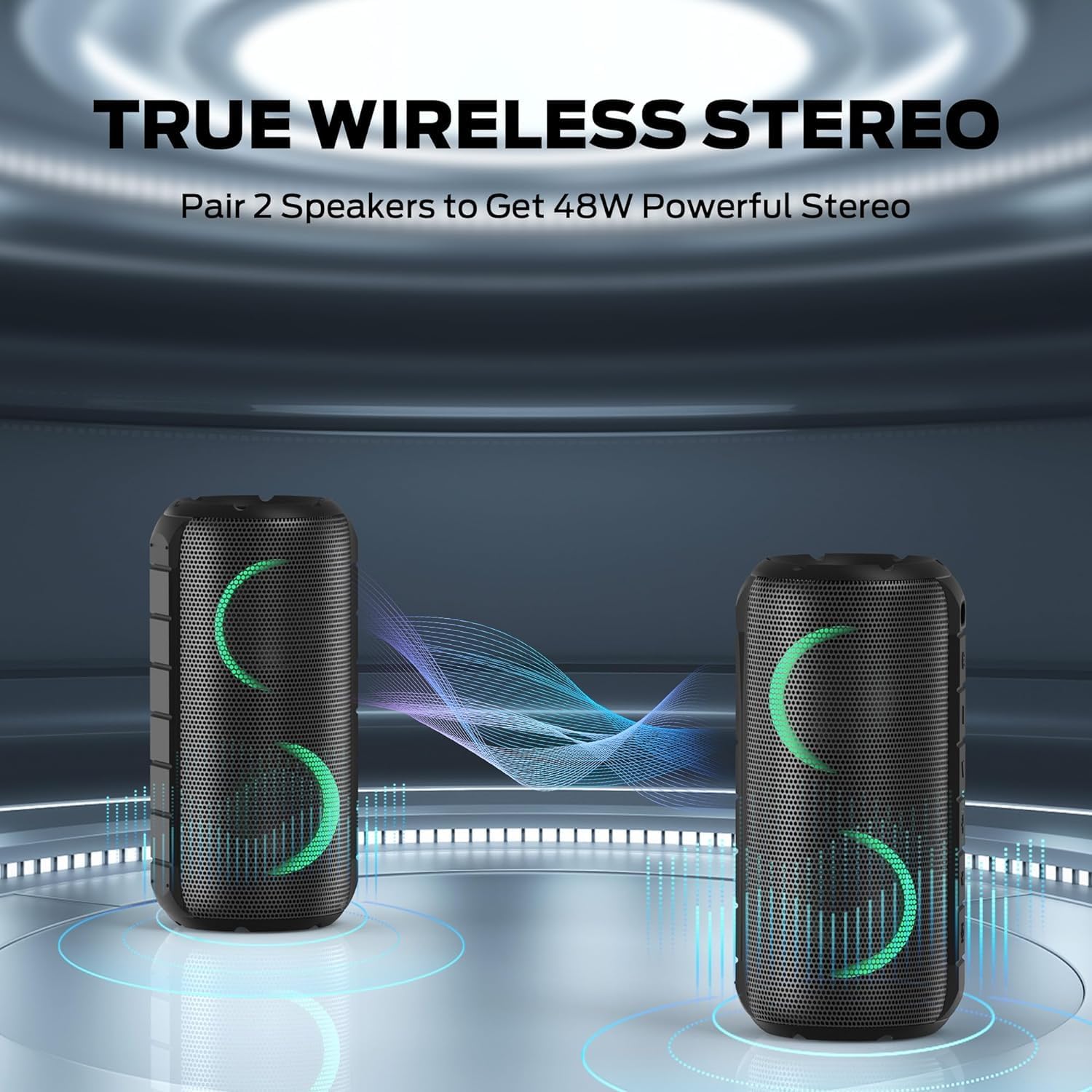
Image: A smartphone displaying its Bluetooth settings, showing a successful connection to the "Oraolo Luster" (BUGANI Luster) speaker, demonstrating the ease of Bluetooth 5.3 pairing.
3.4 Langattoman stereon (TWS) pariliitos
To achieve a more immersive stereo sound, you can pair two BUGANI Luster speakers together.
- Varmista, että molemmat kaiuttimet ovat päällä eivätkä ole yhteydessä mihinkään Bluetooth-laitteeseen.
- On one speaker (this will be the primary speaker), press the TWS button (often indicated by two interlocking circles or a dedicated TWS icon). The speaker will enter TWS pairing mode.
- The primary speaker will automatically search for the secondary speaker. Once connected, you will hear a confirmation sound, and the lights on both speakers will synchronize.
- Yhdistä nyt laitteesi ensisijaiseen kaiuttimeen Bluetoothin kautta osiossa 3.3 kuvatulla tavalla. Ääni toistetaan molemmista kaiuttimista stereona.

Image: Two BUGANI Luster speakers positioned to illustrate their True Wireless Stereo (TWS) pairing capability, creating a wider soundstage.
3.5 AUX-in-liitäntä
For non-Bluetooth devices, use the provided 3.5mm AUX-in cable.
- Connect one end of the 3.5mm AUX-in cable to the speaker's AUX-in port.
- Liitä toinen pää laitteesi äänilähtöliitäntään.
- Kaiutin siirtyy automaattisesti AUX-in-tilaan.
4. Käyttöohjeet
4.1 Painikkeiden toiminnot

Kuva: Lähikuva view of the BUGANI Luster speaker's top panel, clearly showing the control buttons for various functions.
| Painike | Toiminto (Lyhyt painallus) | Toiminto (pitkä painallus) |
|---|---|---|
| ⏻ (teho) | Ei käytössä | Virta päälle/pois |
| + (äänenvoimakkuuden lisääminen) | Äänenvoimakkuuden lisääminen | Seuraava kappale |
| - (Äänenvoimakkuutta pienemmälle) | Äänenvoimakkuuden vähentäminen | Edellinen kappale |
| ▶‖ (Toista/tauko) | Toista/Tauko; Vastaa / Lopeta puhelu | Reject Call; Activate Voice Assistant |
| 💡 (Valotila) | Cycle through Light Modes | Kytke valot päälle/pois |
| TWS (TWS Pairing) | Ei käytössä | Siirry TWS-pariliitostilaan |
4.2 Colorful Light Show
The speaker features a dynamic RGB light system with 7 colors and 5 light modes. Press the Light Mode button (💡) to cycle through the available modes. Long press the button to turn the lights on or off.

Image: The BUGANI Luster speaker showcasing its vibrant and dynamic colorful light patterns, which enhance the listening experience.
4.3 Handsfree-puhelut
Kun Bluetooth-yhteys on muodostettu, kaiuttimen sisäänrakennettu mikrofoni mahdollistaa handsfree-puhelut.
- Puhelun vastaaminen/lopetus: Paina lyhyesti Toista/Tauko-painiketta (▶‖).
- Hylkää puhelu: Paina pitkään Toista/Tauko-painiketta (▶‖).
4.4 Ääniavustajan aktivointi
Paina pitkään Toista/Tauko-painiketta (▶‖) to activate your phone's voice assistant (e.g., Siri, Google Assistant).
5. Huolto
5.1 Puhdistus
Pyyhi kaiutin pehmeällä, damp liinaa. Älä käytä hankaavia puhdistusaineita, alkoholia tai kemiallisia liuottimia, sillä ne voivat vahingoittaa pintaa tai sisäisiä osia.
5.2 Vedenpitävyys (IPX6)
The speaker has an IPX6 waterproof rating, meaning it is protected against powerful water jets. It is suitable for use in rainy conditions or near water bodies like pools and beaches. However, it is ei designed for submersion in water. Ensure the charging port cover is securely closed before exposing the speaker to water.
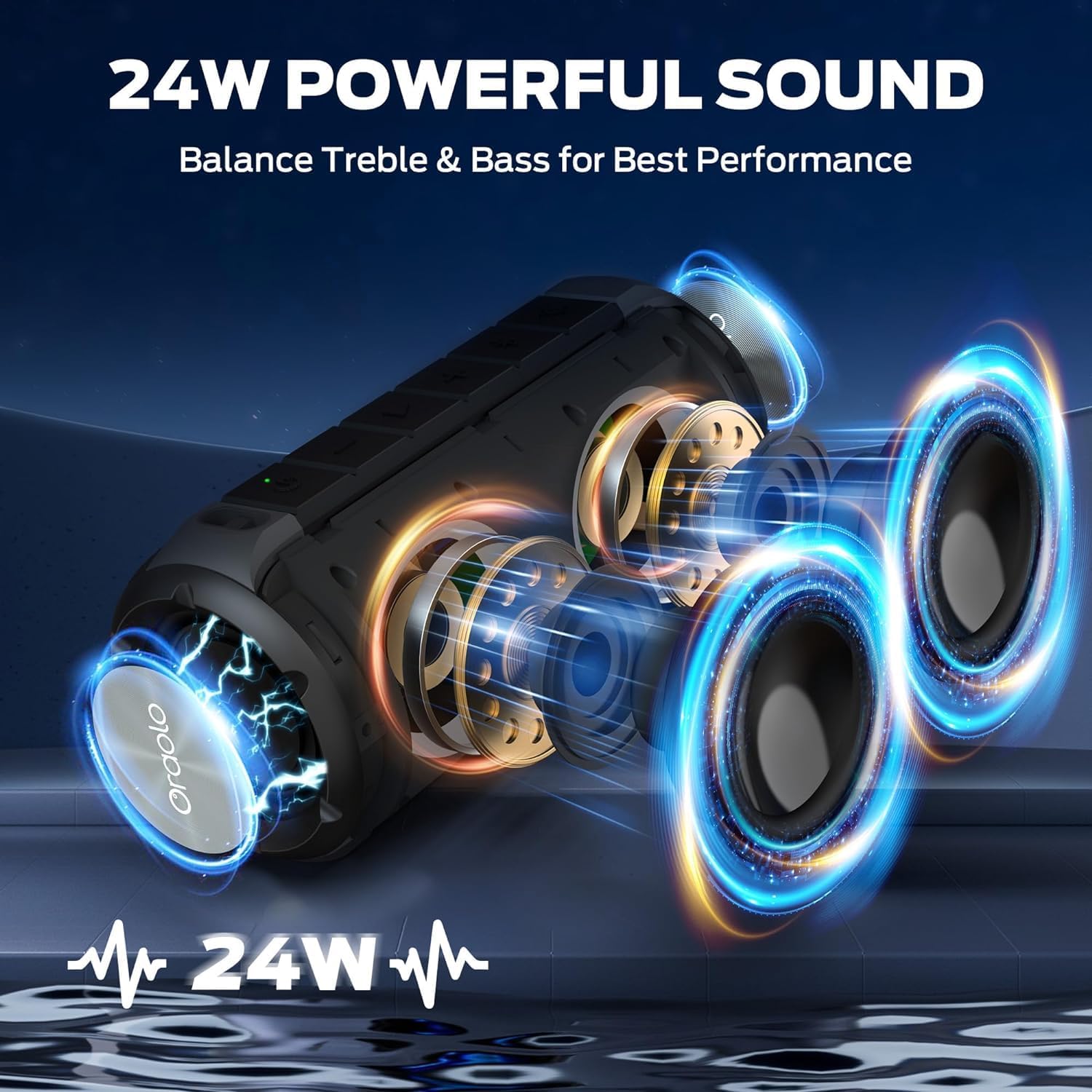
Image: The BUGANI Luster speaker resting on a wet rock with water droplets, visually confirming its IPX6 waterproof rating for outdoor use.
5.3 Varastointi
Säilytä kaiutinta viileässä, kuivassa paikassa, poissa suorasta auringonvalosta ja äärimmäisistä lämpötiloista. Jos säilytät kaiutinta pitkään, lataa akku noin 50 %:iin muutaman kuukauden välein akun kunnon ylläpitämiseksi.
6. Vianmääritys
6.1 Ei virtaa
- Varmista, että kaiutin on ladattu täyteen.
- Paina virtapainiketta ja pidä sitä painettuna 2–3 sekuntia.
6.2 Ei ääntä
- Tarkista äänenvoimakkuus sekä kaiuttimesta että yhdistetystä laitteesta.
- Ensure the speaker is correctly paired via Bluetooth or the AUX-in cable is securely connected.
- If using Bluetooth, try disconnecting and re-pairing the device.
6.3 Bluetooth-pariliitosongelmat
- Ensure the speaker is within the effective range (up to 33 feet/10 meters) of your device.
- Tyhjennä laitteesi Bluetooth-pariliitoshistoria ja yritä pariliitosta uudelleen.
- Sammuta ja käynnistä sekä kaiutin että laite.
- Varmista, etteivät muut Bluetooth-laitteet häiritse.
6.4 TWS-pariliitos epäonnistuu
- Varmista, että molemmat kaiuttimet ovat täyteen ladattuja eivätkä ole yhteydessä mihinkään muuhun Bluetooth-laitteeseen.
- Aseta kaiuttimet lähelle toisiaan TWS-pariliitoksen muodostamisen aikana.
- Follow the TWS pairing steps precisely as described in section 3.4.
7. Tekniset tiedot
| Ominaisuus | Yksityiskohta |
|---|---|
| Merkki | BUGANI |
| Mallin nimi | M166 |
| Kaiuttimen tyyppi | Kannettava stereokaiutin |
| Kaiuttimen suurin lähtöteho | 24 wattia |
| Yhteystekniikka | Bluetooth 5.3, Auxiliary (3.5mm AUX-in) |
| Vesitiivis luokitus | IPX6 |
| Peliaika | Jopa 24 tuntia (50 % äänenvoimakkuudella, valot sammutettuna) |
| Tuotteen mitat | 4" S x 8" L x 4" K |
| Tuotteen paino | 1.34 puntaa (0.61 kiloa) |
| Paristot | Vaatii 1 AA-pariston (mukana) |
8. Takuu ja tuki
BUGANI products are manufactured to high-quality standards. For specific warranty information and support, please refer to the warranty card included with your product or visit the official BUGANI websivusto. Säilytä ostokuitti ostotodistuksena takuuvaatimuksia varten.
For technical assistance or customer service inquiries, please contact BUGANI customer support through their official channels.