
1. Johdanto
Thank you for choosing the Leapwell Portable Bluetooth Desktop CD Player, Model L-CD202B. This device offers versatile audio playback options, including CD, Bluetooth, FM Radio, USB, AUX, AB Repeat, and Optical modes. Designed for both home and portable use, it features integrated speakers and a rechargeable battery. This manual provides essential information for safe and effective operation of your new CD player.
2. Turvallisuustiedot
- Lue kaikki ohjeet ennen käyttöä ja säilytä ne myöhempää tarvetta varten.
- Älä altista laitetta sateelle, kosteudelle tai äärimmäisille lämpötiloille.
- Vältä sijoittamasta laitetta lämmönlähteiden, kuten lämpöpatterien, lämpöpatterien, liesien tai muiden lämpöä tuottavien laitteiden lähelle.
- Käytä vain valmistajan määrittelemiä lisälaitteita/lisävarusteita.
- Puhdista vain kuivalla liinalla.
- Älä tuki tuuletusaukkoja.
- Suojaa virtajohtoa kävelemiseltä tai puristuksiin.
- Irrota laite pistorasiasta ukkosmyrskyjen aikana tai kun sitä ei käytetä pitkään aikaan.
- Anna kaikki huoltotoimenpiteet pätevän huoltohenkilöstön tehtäväksi.
3. Mitä laatikossa on
Pura pakkausta varmistaessasi, että kaikki osat ovat mukana ja hyvässä kunnossa:
- Leapwell Portable CD Player
- Kaukosäädin
- USB-C latauskaapeli
- 3.5 mm AUX-kaapeli
- Käyttöohje
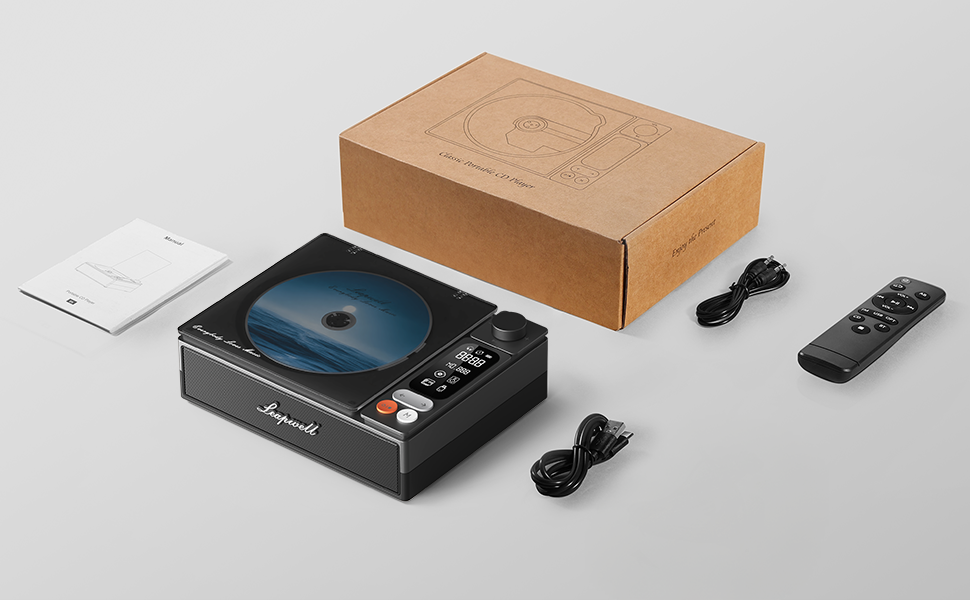
Image: All components included in the Leapwell CD Player package, including the player, remote, cables, and manual.
4. Tuote ohiview
The Leapwell L-CD202B is a compact and versatile audio device designed for various listening preferences.

Kuva: Edessä view of the Leapwell Portable Bluetooth Desktop CD Player with a CD inserted and the dust cover open.
Tärkeimmät ominaisuudet:
- 7-in-1 Playback Modes: Supports CD Play, Bluetooth (Receive & Transmit), FM Radio, USB, AUX, AB Repeat, and Optical Mode.
- HiFi Speaker System: Features an independent sound cavity design and inner magnetic speaker unit for enhanced sound detail and bass.
- Bluetooth 5.1: Allows seamless connection to mobile phones, tablets, and external Bluetooth speakers or headphones.
- Ladattava akku: Built-in USB-C fast-charging battery provides 4-5 hours of playback.
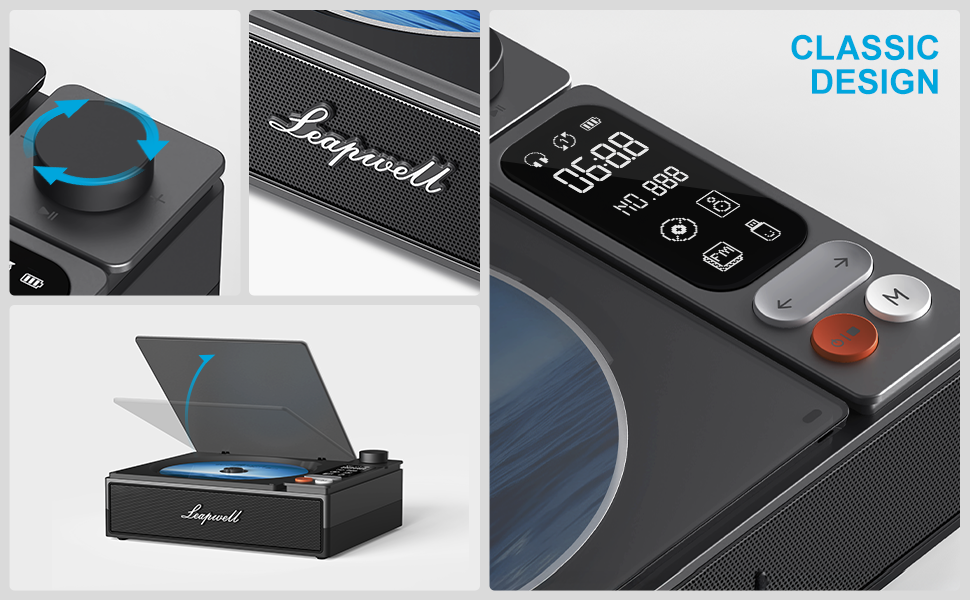
- Klassinen muotoilu: Retro square design with a translucent CD dust cover, volume knob, and a 2.4-inch LCD display.
- Optinen lähtö: For connecting to external decoders for lossless audio.
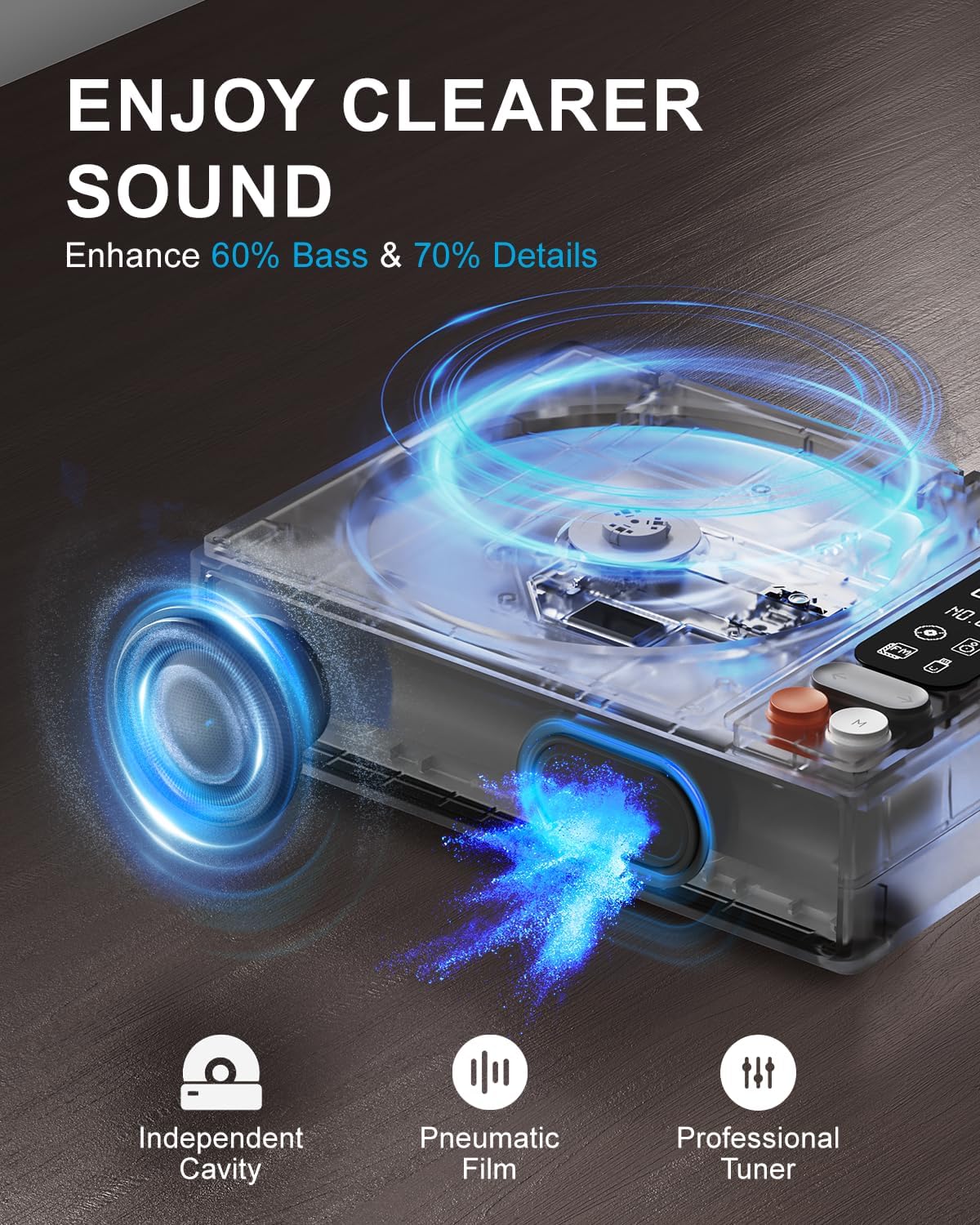
Image: Diagram illustrating the internal speaker design with independent cavity and pneumatic film for enhanced bass and sound detail.

Kuva: Lähikuva view of the Leapwell CD Player highlighting its classic design, volume knob, and digital display.
5. Asennus
5.1 Laitteen lataaminen
Before first use, fully charge the CD player using the provided USB-C cable. Connect the USB-C end to the player's charging port and the other end to a 5V-2A USB power adapter (not included) or a computer's USB port. Charging via a computer's USB port will be slower.

Image: The Leapwell CD Player shown outdoors with battery indicators, emphasizing its portability and rechargeable battery.
5.2 Virta päälle/pois
Käynnistä laite painamalla virtapainiketta ja pitämällä sitä painettuna. Sammuta laite painamalla virtapainiketta uudelleen ja pitämällä sitä painettuna.
5.3 CD-levyn lataaminen
- Gently lift the translucent dust cover.
- Place a CD onto the spindle, ensuring it is centered and flat.
- Close the dust cover. The player will begin reading the CD automatically or after selecting CD mode.
Video: Demonstration of loading a CD into the Leapwell CD Player and initiating playback. The video also shows the Bluetooth pairing process.
6. Toimintatilat
The Leapwell CD Player supports multiple audio playback modes. Use the 'M' (Mode) button on the device or remote control to switch between modes.
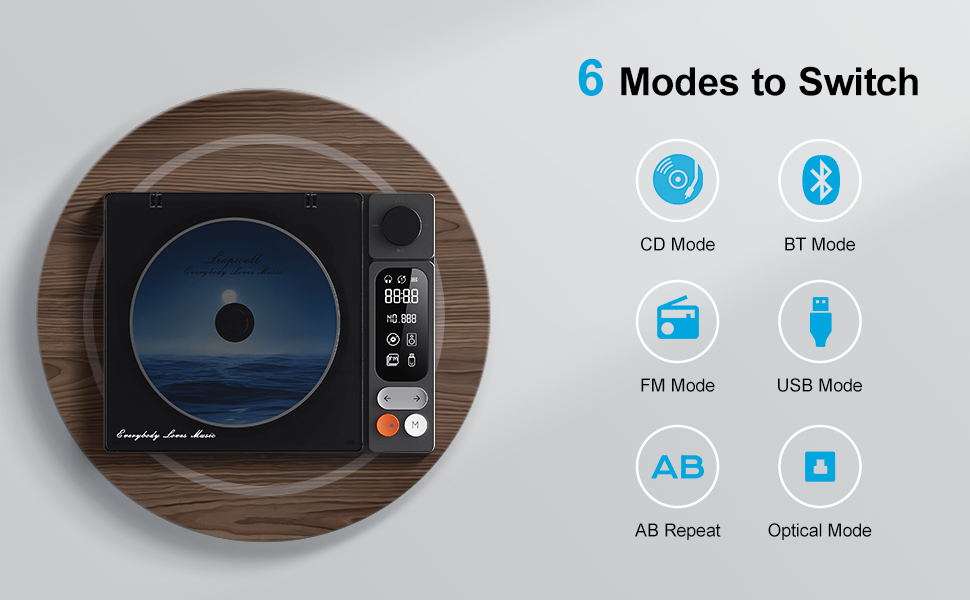
Image: Visual representation of the six main operating modes: CD, Bluetooth, FM, USB, AB Repeat, and Optical.
6.1 CD Play Mode
After loading a CD, the player will typically detect it and begin playback. Use the play/pause, next/previous track buttons, and the volume knob to control playback.
6.2 Bluetooth-tila
The device supports both Bluetooth Receive and Transmit modes.
- Vastaanottotila: Allows you to connect your mobile phone or tablet to the CD player and use its built-in speakers for audio output. Activate Bluetooth mode on the CD player, then search for 'CD player' on your external device's Bluetooth settings and pair.
- Lähetystila: Enables the CD player to connect to external Bluetooth speakers or headphones. Activate Bluetooth mode on the CD player, then put your external Bluetooth device into pairing mode. The CD player will search and connect.

Image: A smartphone wirelessly connected to the Leapwell CD Player via Bluetooth, demonstrating the receive mode functionality.

Image: A woman enjoying music through Bluetooth headphones connected to the Leapwell CD Player, illustrating the transmit mode.
6.3 FM-radiotila
Switch to FM Radio mode. Use the next/previous track buttons to scan for radio stations. The display will show the current frequency.
6.4 USB-tila
Aseta ääntä sisältävä USB-muistitikku files into the USB port. The player will automatically switch to USB mode and begin playback. Use the track control buttons to navigate.
6.5 AUX-tila
Connect an external audio device (e.g., smartphone, MP3 player) to the CD player's AUX input using the provided 3.5mm AUX cable. Switch to AUX mode to play audio from the connected device through the CD player's speakers.
6.6 AB Repeat Mode
This mode allows you to repeat a specific section of audio. During playback, press the AB Repeat button once to set point A, and press it again to set point B. The player will continuously repeat the section between A and B. Press a third time to cancel.
6.7 Optical Mode
Connect the CD player to an external decoder or amplifier via an optical fiber cable (not included) using the optical output port. Switch to Optical mode to transmit digital audio for enhanced sound quality.

Image: The Leapwell CD Player connected to an external audio amplifier using an optical cable, demonstrating the optical output feature.
7. Säätimet
The CD player features intuitive controls for easy operation:
- Äänenvoimakkuuden säädin: Säädä äänenvoimakkuutta kiertämällä.
- Toisto/tauko-painike: Aloittaa tai keskeyttää toiston.
- Seuraava/edellinen kappale -painikkeet: Skips to the next or previous track/station.
- Tilapainike (M): Switches between different playback modes.
- LCD-näyttö: Displays track information, mode, time, and battery status.
- Kaukosäädin: Provides convenient access to all functions from a distance of up to 15 feet.
Kuva: Yksityiskohtainen view of the control panel, including the volume knob, playback buttons, mode button, and LCD display.
8. Huolto
8.1 Laitteen puhdistaminen
Wipe the exterior of the CD player with a soft, dry cloth. Do not use liquid cleaners or abrasive materials. Keep the CD compartment free of dust and debris. Avoid touching the optical lens.
8.2 CD-levyjen hoito
Käsittele CD-levyjä reunoista. Säilytä niitä koteloissaan naarmuuntumisen ja pölyn kertymisen estämiseksi. Puhdista likaiset CD-levyt pehmeällä, nukkaamattomalla liinalla pyyhkimällä keskeltä ulospäin.
9. Vianmääritys
If you encounter issues with your Leapwell CD Player, refer to the following common problems and solutions:
- Ei virtaa: Varmista, että laite on ladattu tai kytketty virtalähteeseen.
- CD ei soi: Check if the CD is inserted correctly and is clean. Ensure the device is in CD Play mode.
- Ei ääntä: Adjust the volume. Check if external speakers/headphones are properly connected or paired via Bluetooth. Ensure the correct mode is selected.
- Bluetooth-yhteysongelmat: Ensure the CD player is in Bluetooth mode and your external device's Bluetooth is enabled and in pairing mode. Try restarting both devices.
- Voiko sitä käyttää latauksen aikana? Yes, it can. Please unplug the power when not in use for a long time.
- Can it connect to Bluetooth headphones? Yes, it can. It can also connect to a mobile phone and play music.
- Can it be charged via a computer's USB port? Yes, it can. However, charging will be very slow. It is recommended to use a 5V-2A adapter for charging.
10. Tekniset tiedot
| Tuotteen mitat | 7.3 x 5.7 x 2.5 tuumaa |
| Tuotteen paino | 1.4 kiloa |
| Mallin nimi | L-CD202B |
| Väri | Musta |
| Yhteystekniikka | Lisälaite, Bluetooth, Optinen, USB |
| Erikoisominaisuudet | Anti-Skip Protection, Auto Power-Off, Bluetooth, Portable, Rechargeable |
| Paristot | 1 litiumioniakku (mukana) |
11. Takuu ja tuki
Leapwell CD Players come with lifelong technical support and 24/7 professional customer service. For any inquiries or assistance, please contact Leapwell customer support through the official channels provided at the time of purchase or on the Leapwell websivusto.

